NPC Creator
"NPC Creator" lets you create NPCs using JSON scripts, allowing easy updates without affecting player saves. Ideal for map creators!
截图
介绍
“NPC Creator” is a mod that lets you create NPCs for your game, making it a tool for map creators. The unique feature of this mod is that it uses JSON scripts, which work from your config folder. This means that every world the player launches will have these NPCs at predefined locations, and be updated whenever you push a update to the scripts in a update to your modpack.
This is especially useful for map creators who want to allow players to use old saves while updating certain NPCs. With this mod, players don’t have to lose their saves, they can simply update the modpack as usual, and any changed NPCs will be updated automatically.
We may add more features over time, but for now, the mod supports:
- Conversations
- Skins
- Custom shops
To use this mod:
- Launch a world to generate the “npccreator” folder.
- Manually create a folder called “skins” inside the “npccreator” folder, alongside the “npc”, “dialog”, and “shop” folders.
Creating an NPC with Dialog:
To create an NPC with dialog, make a JSON file and format it like this:
{
  "name": "Test",
  "posX": 286,
  "posY": 38,
  "posZ": 1106,
  "direction": "south",
  "skin": "Test",
  "dialog": "Chat1"
}
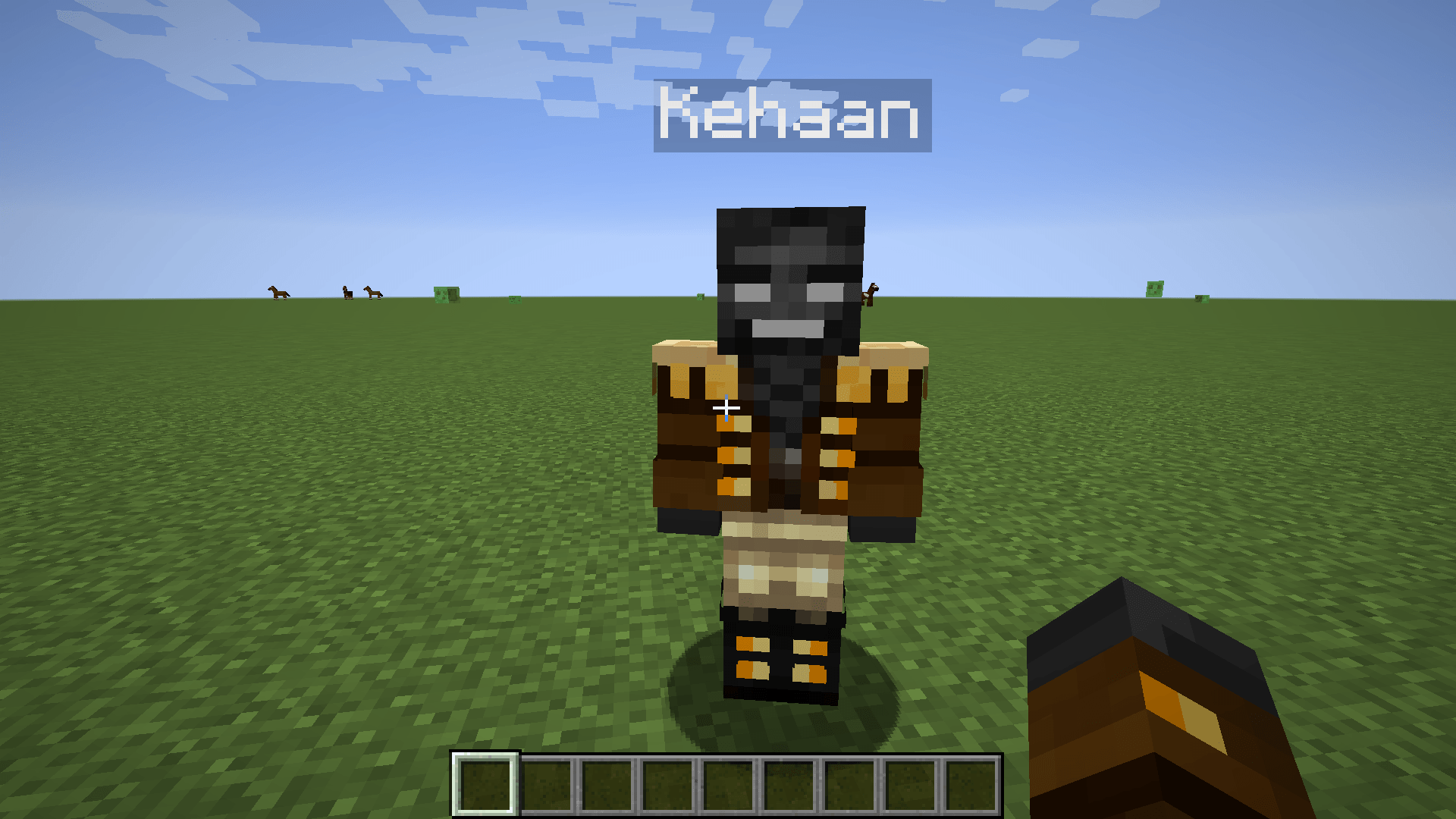
This creates an NPC named “Test”, places it at specific coordinates, and assigns it the skin “Test” (if a corresponding image is placed in the skins folder). The NPC will use the dialog file “Chat1” when interacted with.
Creating Dialog Conversations:
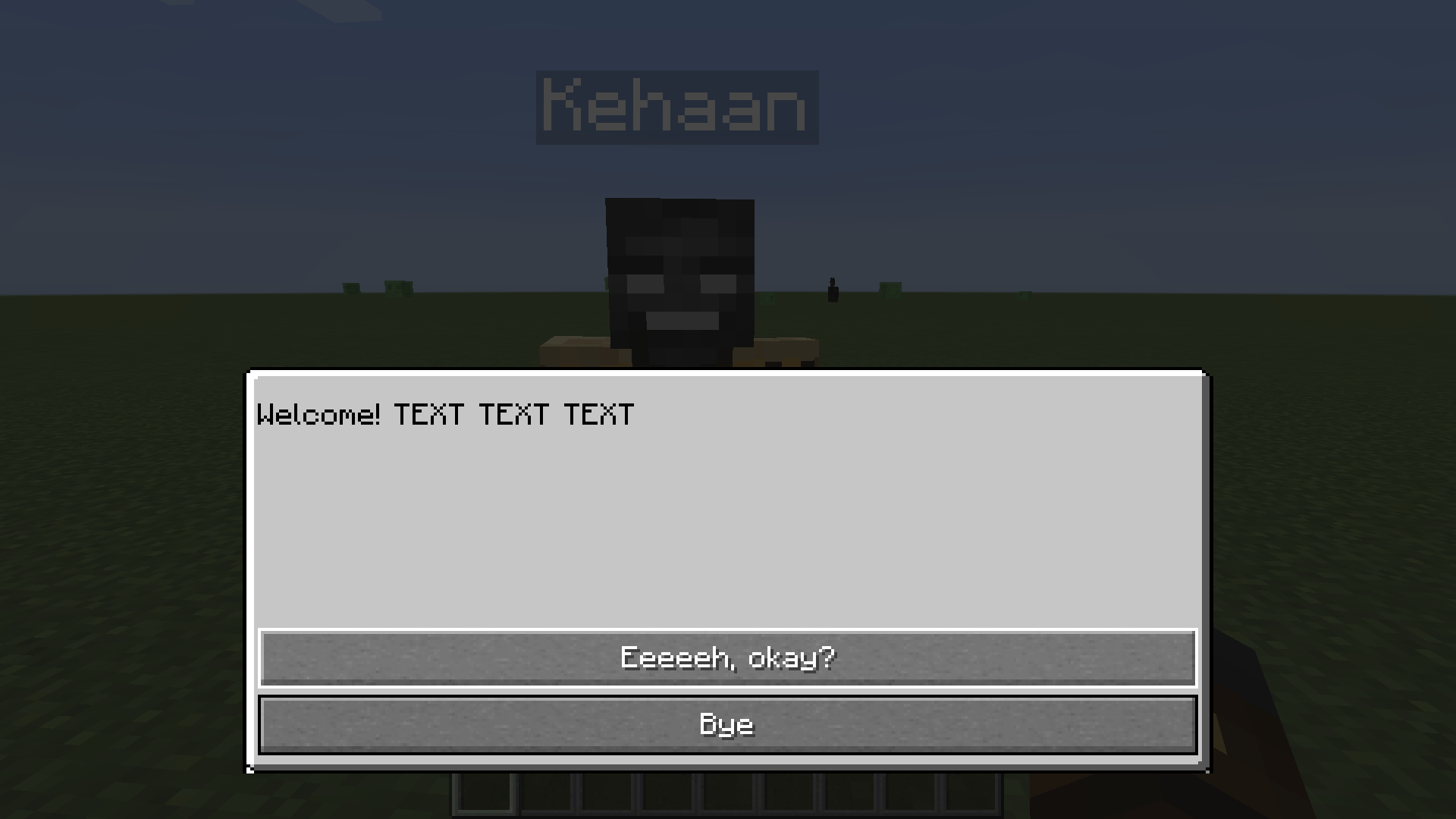
To create a conversation, go to the “dialog” folder and create a file called “Chat1” (as referenced in the NPC setup). This defines an interaction where the NPC says “Welcome”, and the player can respond with two choices:
- “Eeeeeh, okay?” → Redirects to another dialog file (“Chat2”)
- “Bye” → Ends the conversation
{
  "question": "Welcome! TEXT TEXT TEXT",
  "responses": [
    {
      "answer": "Eeeeeh, okay?",
      "type": "next",
      "action": "Chat2"
    },
    {
      "answer": "Bye",
      "type": "close"
    }
  ]
}
Creating an NPC with a Shop:
If you want an NPC to have a shop instead of dialog, use a similar format, but include a “shop” tag with a shop name:
{
  "name": "TestShop",
  "posX": 296,
  "posY": 27,
  "posZ": 1056,
  "direction": "south",
  "skin": "TestShop",
  "shop": "TheShop"
}
Creating a Shop:
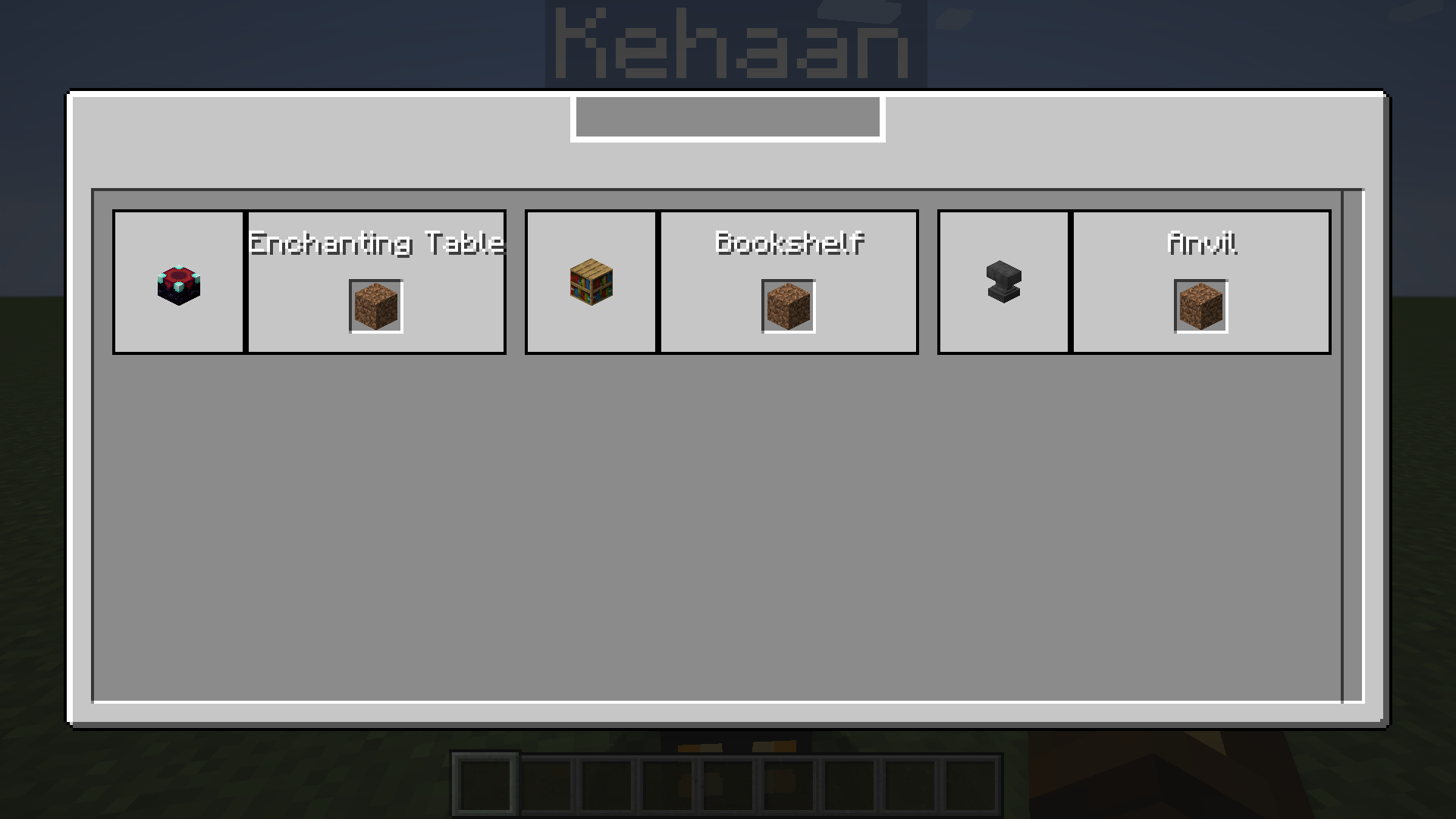
To create a shop called “TheShop”, make a JSON file named “TheShop”. In this example, players can buy an Enchanting Table using a currency item called “minecraft:dirt”:
{
  "items": [
    {
      "name": "Enchanting Table",
      "costOne": {
        "item": "minecraft:dirt"
      },
      "type": "itemstack",
      "data": {
        "item": "minecraft:enchanting_table"
      }
    },
    {
      "name": "Bookshelf",
      "costOne": {
        "item": "minecraft:dirt"
      },
      "type": "itemstack",
      "data": {
        "item": "minecraft:bookshelf"
      }
    },
    {
      "name": "Anvil",
      "costOne": {
        "item": "minecraft:dirt"
      },
      "type": "itemstack",
      "data": {
        "item": "minecraft:anvil"
      }
    }
  ]
}
You can also set the “type” to “Command”, allowing commands to be executed when the shop is used.
常见问题
NPC Creator 支持哪些 Minecraft 版本?
NPC Creator 支持 Minecraft Java 版 1.16.5,可用的加载器:Forge。下载时注意选择和你游戏版本一致的文件。
NPC Creator 怎么安装?
先用 PCL2 或 HMCL 启动器安装对应版本的 Forge,再把下载的 .jar 文件放进游戏目录的 mods 文件夹,重新启动游戏即可。开启了版本隔离的,mods 文件夹在 versions/版本名 下面。
Kehaan 的其他作品
查看全部 →
Checklist
为玩家准备一份操作清单
Farming Valley
这个整合包围绕《星露谷物语》和《牧场物语》这类游戏风格展开。
Soul Sand Life
新增灵魂沙武器和盔甲,以及一种新的下界生物。
Kehaan Modpacks Paintings
将原版画作替换为Kehaans整合包美术资源的Minecraft资源包。
评论
登录后评论和评分