
Notify
You don't want to create mixins for each project over and over again for the same events.
介绍
🔔Notify
You don’t want to create mixins for each project over and over again for the same events you could just use in the good old paper days.
This is why we created this spectacular library/mod, where we just have to add the events once and can use them in every other project!
For this we use alert, a blazing fast event listening utility.
See alert’s documentation on how to listen to events.
How to use
Add the following to your mod’s build.gradle.kts file:
repositories {
    mavenCentral()
}

dependencies {
    // ...

    modImplementation("de.hglabor:notify:1.1.3")
}
Then put the built jar file of notify into your mods folder. You should be able to subscribe to the events like this:
// (On the server)
subscribeToEvent<PlayerJoinEvent> {
    logger.info("Player ${it.player.name.string} joined")
}
Events currently implemented
Subscribing to events on the client is not tested! (server/common events should work on the server)
Common
PlayerAttackEntityEventPlayerHungerChangeEventPlayerItemPickupEventPlayerPlaceBlockEventPlayerSlotClickEvent
Server
PlayerBreakBlockEventPlayerDeathEventPlayerInteractItemEventPlayerInteractBlockEventPlayerItemDropEvent: called _when_ a player attempts to drop an itemPlayerItemDroppedEvent: called _after_ an item was droppedPrePlayerJoinEvent: called _before_ a player joins the serverPlayerJoinEvent: called _when_ a player joins the server. Allows modification of the join messagePostPlayerJoinEvent: called _after_ a player joins the serverPlayerRemoveEvent: called _after_ a player got removed from the player listPlayerQuitEvent: called _when_ a player quits the server. Allows modification of the quit messagePlayerSwapHandItemsEventPlayerTickEventPlayerSetSettingsEvent: called e.g. when player changes client languageEntitySpawnEventProjectileHitEvent: called when a projectile hits another entity
Client
soon™
For more, read our github readme
常见问题
Notify 支持哪些 Minecraft 版本?
Notify 支持 Minecraft Java 版 1.19–1.20.4,共 10 个版本,可用的加载器:Fabric / Quilt。下载时注意选择和你游戏版本一致的文件。
Notify 怎么安装?
先用 PCL2 或 HMCL 启动器安装对应版本的 Fabric / Quilt,再把下载的 .jar 文件放进游戏目录的 mods 文件夹,重新启动游戏即可。开启了版本隔离的,mods 文件夹在 versions/版本名 下面。运行环境:客户端 / 服务端。
Krxwallo 的其他作品
查看全部 →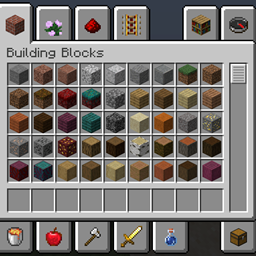
Cheat Mode (Creative Inventory in Survival)
在生存模式下访问创造模式物品栏,切换飞行,触及……

Cheat Mode (Creative Inventory in Survival) (Fabric)
Access the creative inventory from the survival mode, toggle flight, reach ...
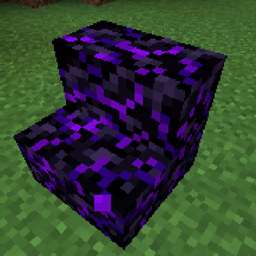
Obsidian Extension
Stairs, Slabs, Walls, Doors, Buttons, Doors and Armor for (Crying) Obsidian

Instant TNT (TNT charges instantly)
Makes TNT charge instantly after getting placed (time until explosion configurable).
评论
登录后评论和评分