
NotifReminder
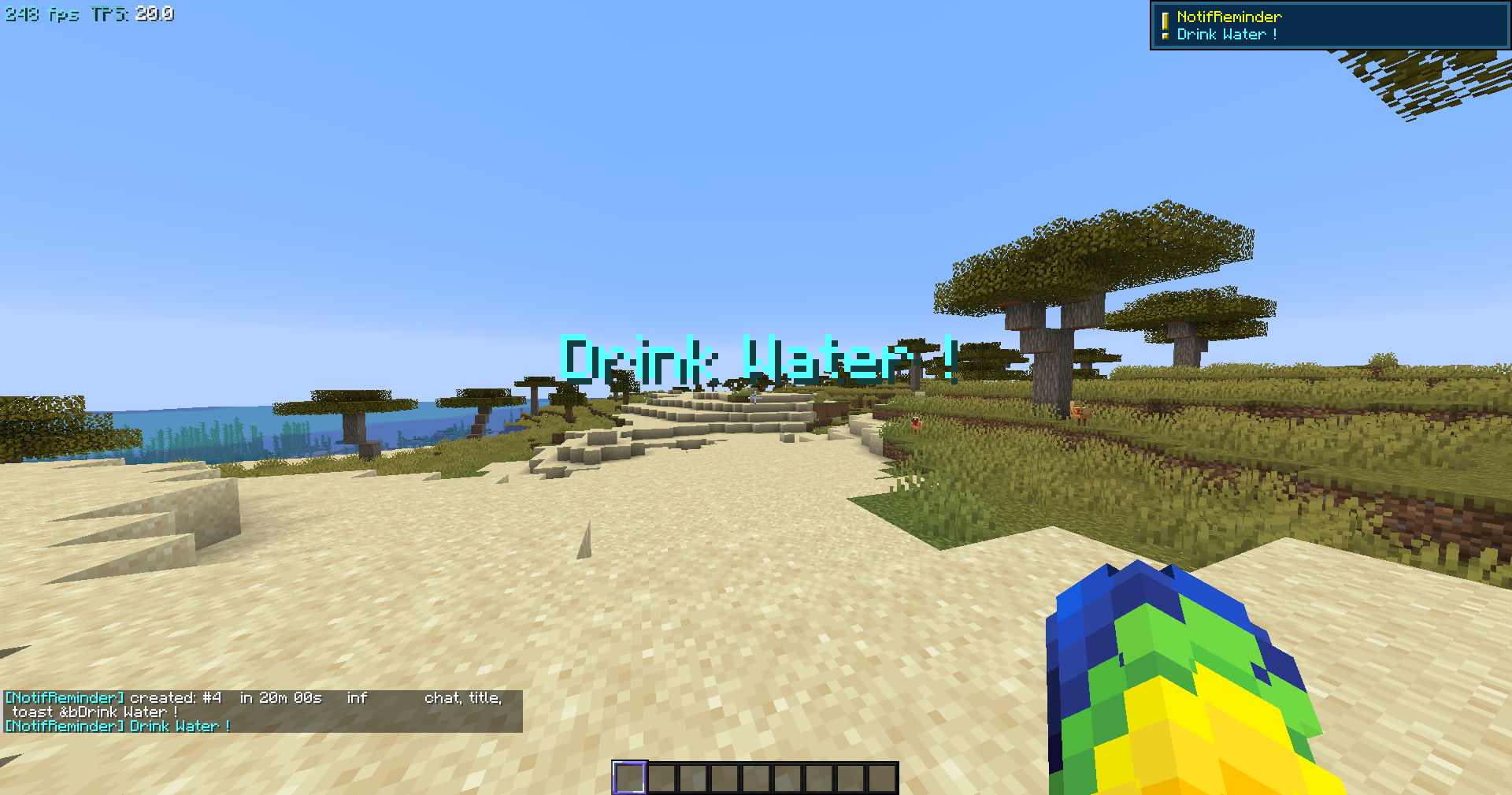
A simple mod that sends you your set notifications (either chat,title,toast), loopable and highly customizable
截图
介绍
NotifReminder
Set a reminder for a real clock time, have it trigger once or repeat on any interval, and get it as a
chat message, an on-screen title, a toast in the corner, or all three at once. Pin any of them to a
live countdown on your HUD.
Everything is client-side. Nothing is sent to any server, there are no mixins, and reminders
survive disconnects, world changes and full game restarts.
Usage
/nr add <start_time> <message>                                    triggers once
/nr addloop <start_time> <loop_time> <loop_quantity> <message>    repeats
/nr add +10min Drink Water! once, ten minutes from now
/nr add 20h00 Dinner once, at 20:00, or tomorrow if it has gone
/nr addloop 15h15 20min inf Drink Water! every 20 minutes, starting at 15:15
/nr addloop +10min 1h 8 Stretch in 10 minutes, then hourly, 8 times
/nr addloop now 45min inf &cCheck the forge right now, then every 45 minutes, in red- start_time:
15h15,15h,15:15,now, or a+offset like+10min - loop_time: a number and one unit,
smminhd, from 5s to 365d - loop_quantity: a whole number, or
infto repeat forever
/notifreminder works as a full alias.
Managing reminders
| Command | Effect |
|—|—|
| /nr list | Every reminder: id, next trigger, remaining count, types, message |
| /nr delete <id> | Delete one |
| /nr repeat <id> | Start a finished one again, one interval from now |
| /nr cleardone | Delete every reminder that has finished |
| /nr clear then /nr clear confirm | Delete all |
| /nr pause <id>, /nr resume <id> | Mute one without deleting it |
| /nr test <id> | Trigger it now without touching its schedule |
On-screen timers
/nr hud add <id>       put a reminder on the timer list
/nr hud remove <id>    take it off
/nr hud                show what is on it
/nr hud edit           drag it into place, scroll over it to resize
When one goes off while you are away
A reminder that has nothing left to trigger is never deleted on its own. It stays in the list showing done, whether it triggered while you were watching or while the game was closed, so you always get the chance to start it again. On your next login the mod says which ones triggered, with a click to act on each:
[NotifReminder] 2 reminders triggered while you were away:
  #1 potions   [repeat] [delete]
  #3 Drink Water!   [repeat] [delete]
  [clear them all]
/nr repeat <id> only works on a reminder that has finished.
[repeat] starts that reminder again one interval from now and keeps it exactly as it was.
Notification types
/nr types chat,title,toast sets the default. Add -t title,toast before a message to override it for one reminder.
Sound
/nr sound shows the current setting. /nr sound on, off, volume <0-100> and
type <sound> change it, and setting the volume or the sound plays it immediately so you can
judge it without waiting.
type takes a short name (bell, chime, xp, ding, pling, levelup, and more) or any
sound id the game knows, such as block.anvil.fall or music_disc_lava_chicken.
Colours
Minecraft’s formatting codes work in the message: &cred, &lbold, &r to reset. An
ampersand that is not a code is left alone, so Tom & Jerry works.
Reminders live in config/notifreminder.json and are shared across every world and server.
Requirements
- Minecraft 26.1.2 (this build targets 26.1.x only)
- Fabric Loader 0.19.3 or newer
- Fabric API
- Java 25
常见问题
NotifReminder 支持哪些 Minecraft 版本?
NotifReminder 支持 Minecraft Java 版 26.1.2–26.3,共 3 个版本,可用的加载器:Fabric。下载时注意选择和你游戏版本一致的文件。
NotifReminder 怎么安装?
先用 PCL2 或 HMCL 启动器安装对应版本的 Fabric,再把下载的 .jar 文件放进游戏目录的 mods 文件夹,重新启动游戏即可。开启了版本隔离的,mods 文件夹在 versions/版本名 下面。运行环境:仅客户端。


评论
登录后评论和评分