
截图
介绍
Notes+
A Fabric mod for Minecraft 1.21.11 that adds a floating notes editor, calculator, and timer — all accessible as overlay windows without pausing the game.
Features
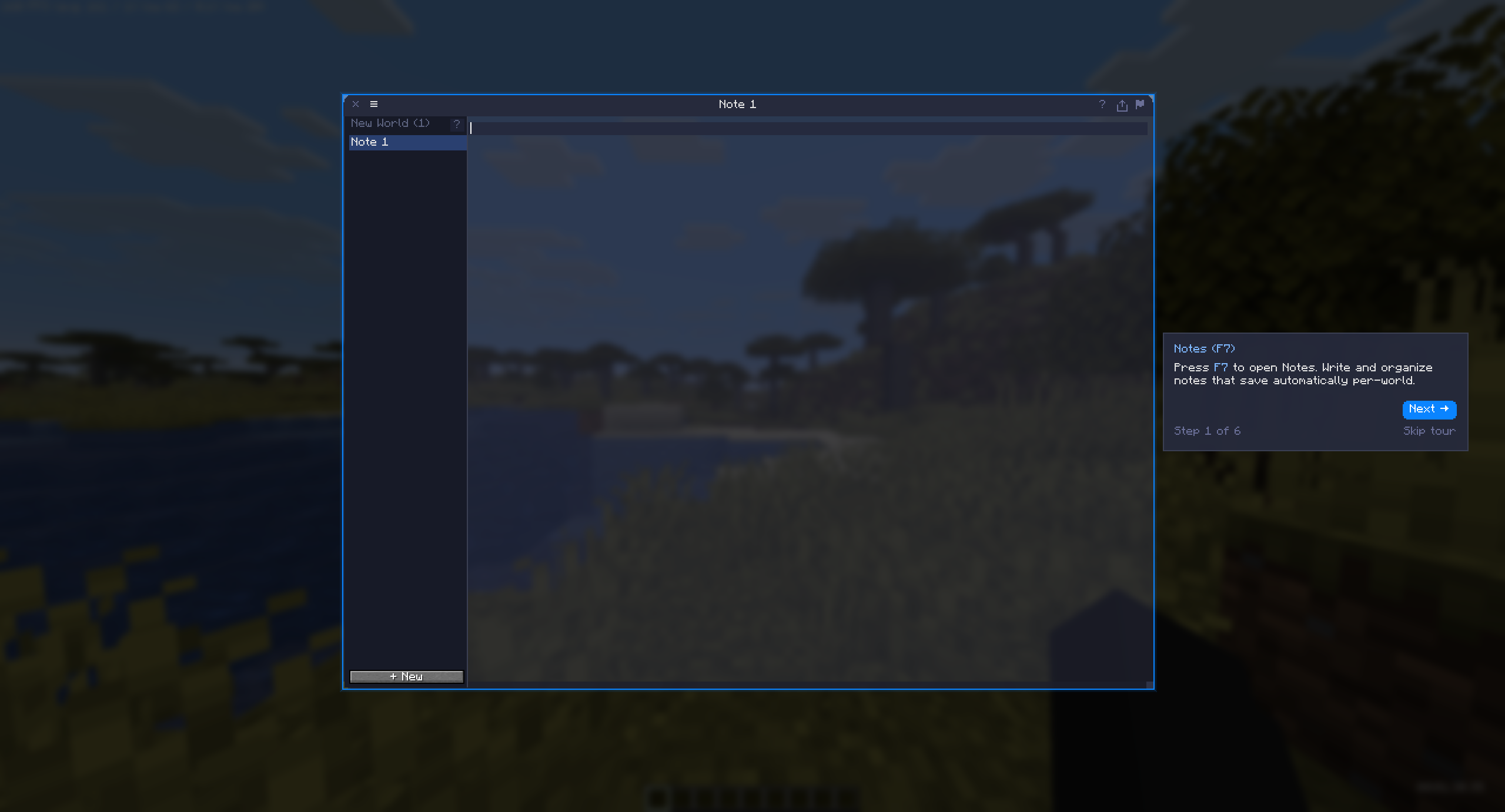
📝 Notes Editor — F7
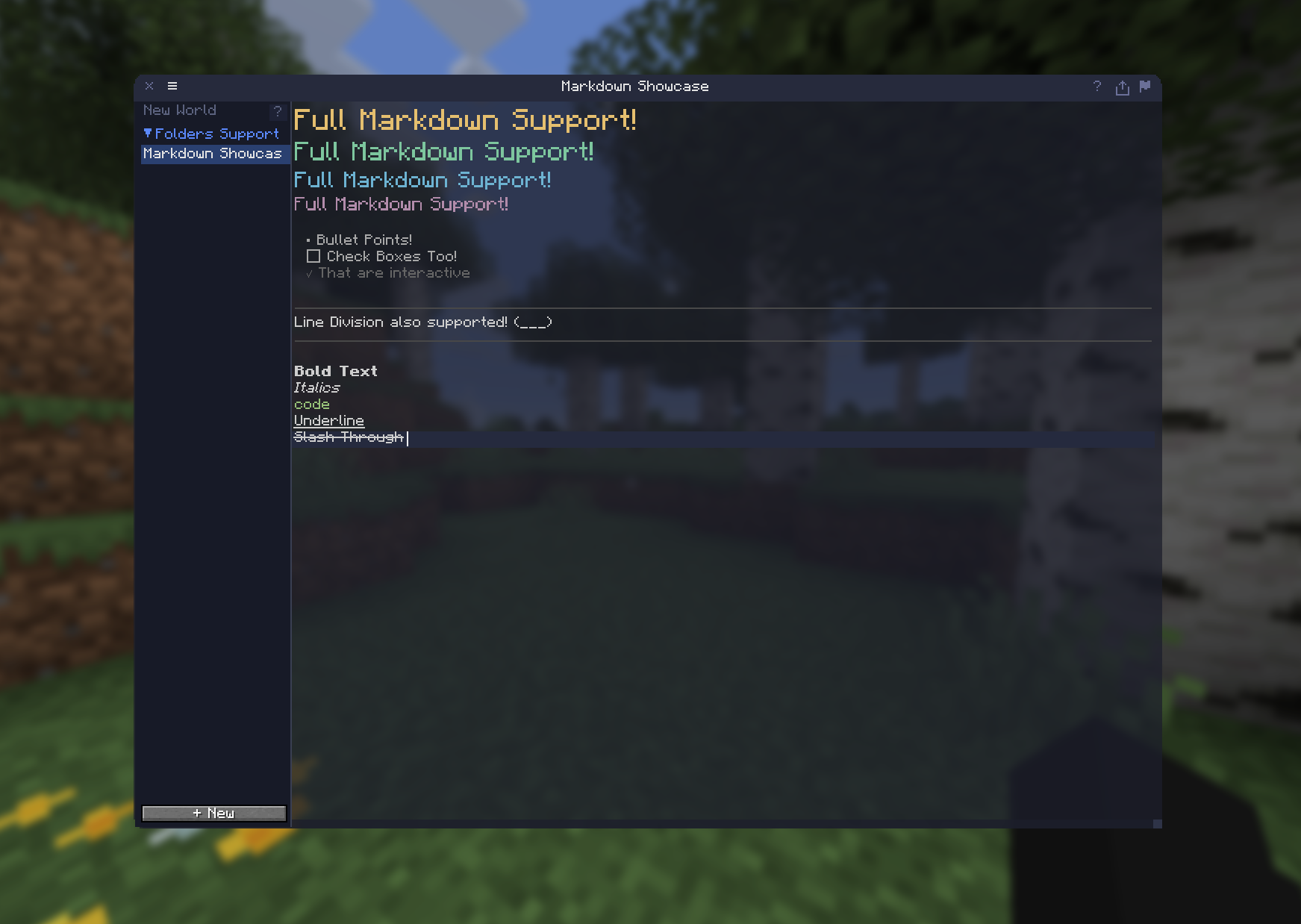
- Multi-file system with a sidebar file browser and nested folder organization
- Drag-to-reorder files and folders
- Full Markdown rendering: headings, bold, italic, strikethrough, underline, inline code, blockquotes, bullets, checkboxes, code blocks
- Clickable wiki-style note links with
[[Note Name]]syntax - Smart word-wrap with proper bullet/heading indentation
- Text selection, copy/cut/paste, undo — full keyboard support
- Right-click context menu with configurable actions
- Insert player coordinates (dimension-aware)
- Export notes to clipboard, desktop, or system file manager
- Quick Note shortcut for rapid capture (
Ctrl+Shift+N) - Autosave on 2-second idle; manual save with
Ctrl+S - Per-world notes in singleplayer; shared notes in multiplayer
- Configurable window opacity and color scheme
🔢 Calculator — F6
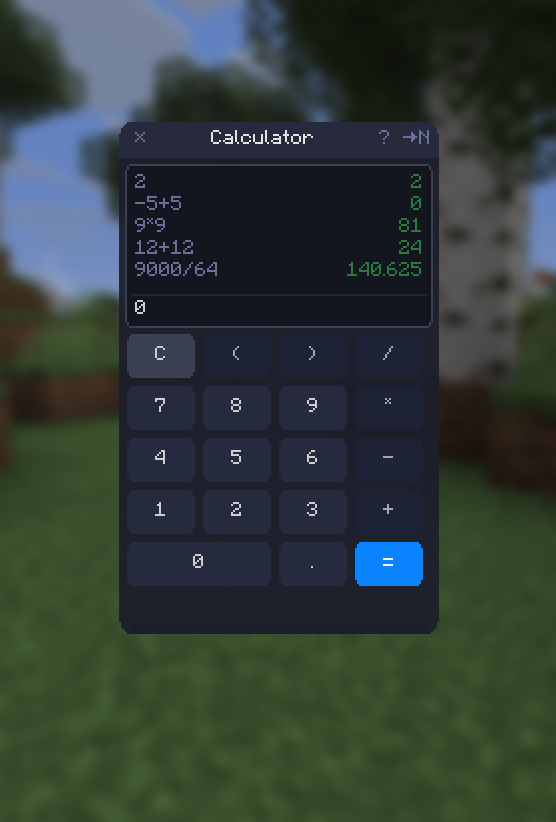
- Standard arithmetic via recursive-descent expression parser
- Supports
+,-,*,/, parentheses, decimals, and negatives - Session-scoped history (up to 50 entries)
- Send results directly to Notes with one click
- Full keyboard and mouse input
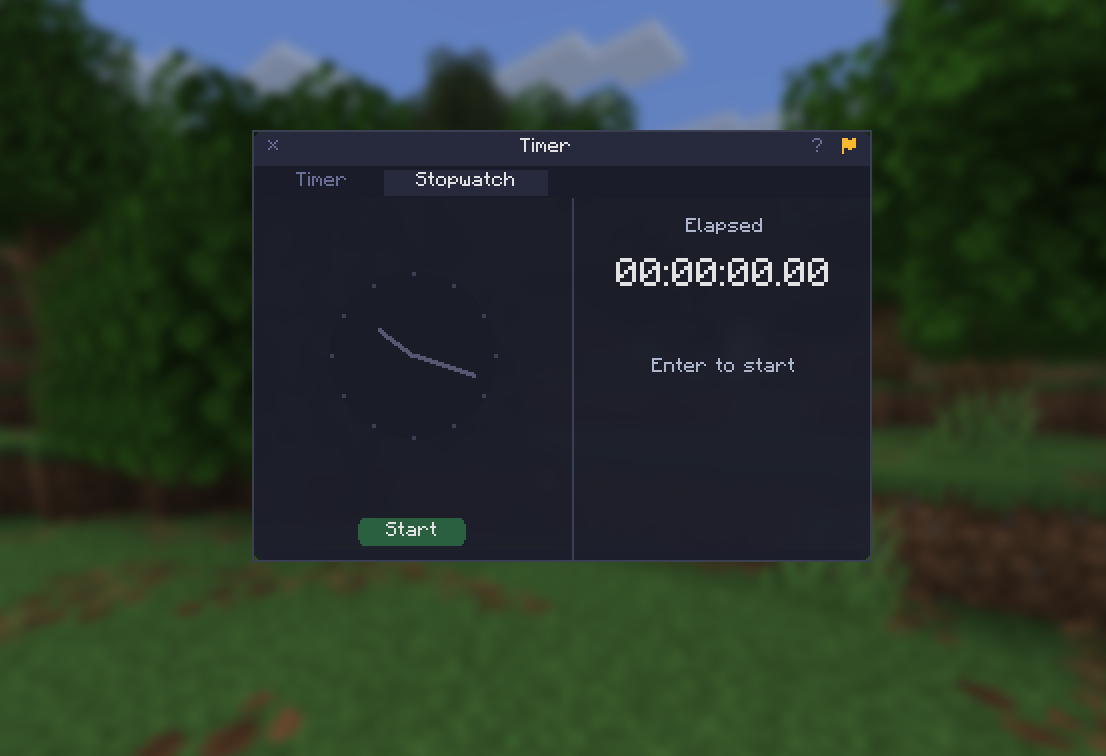
⏱ Timer — F8
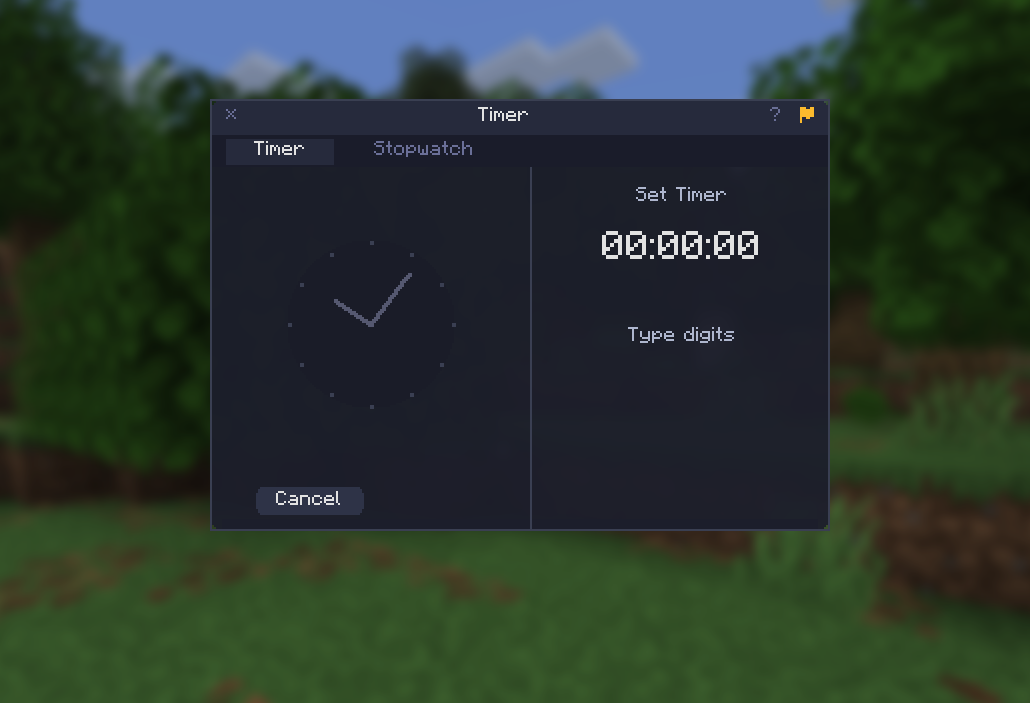
- Countdown timer with digit-entry input and preset buttons
- Stopwatch mode with lap tracking
- Sound notification on completion
- Tab switching between Timer and Stopwatch modes
📌 HUD Pinning — F9
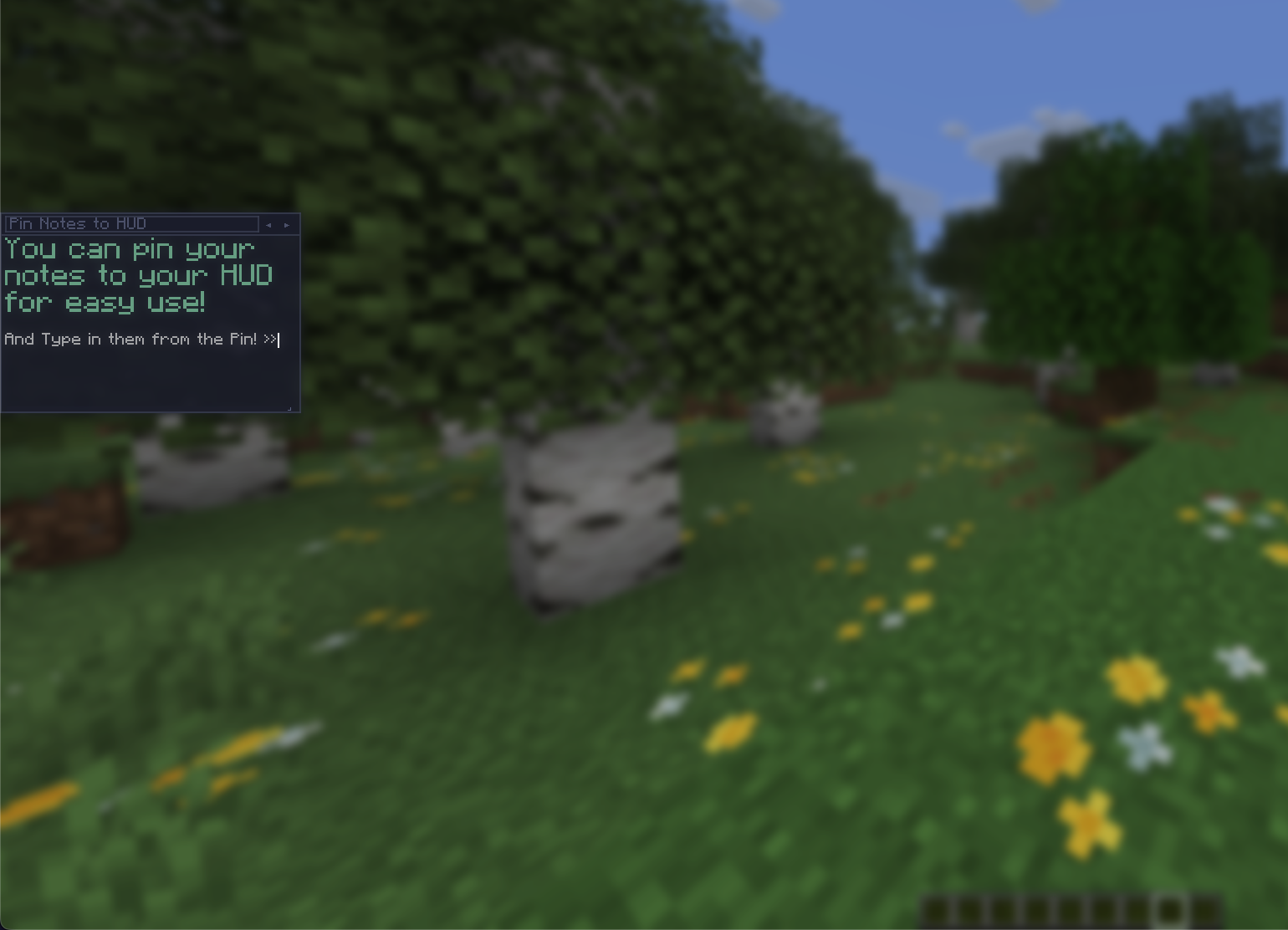
- Pin Notes or Timer to the in-game HUD for always-visible display
- Drag, resize, and adjust opacity via the HUD Configuration screen
- Interact with pinned elements by holding
Alt - Scroll pinned notes with
Ctrl+Up/Ctrl+Down
⚙️ Settings — via Mod Menu
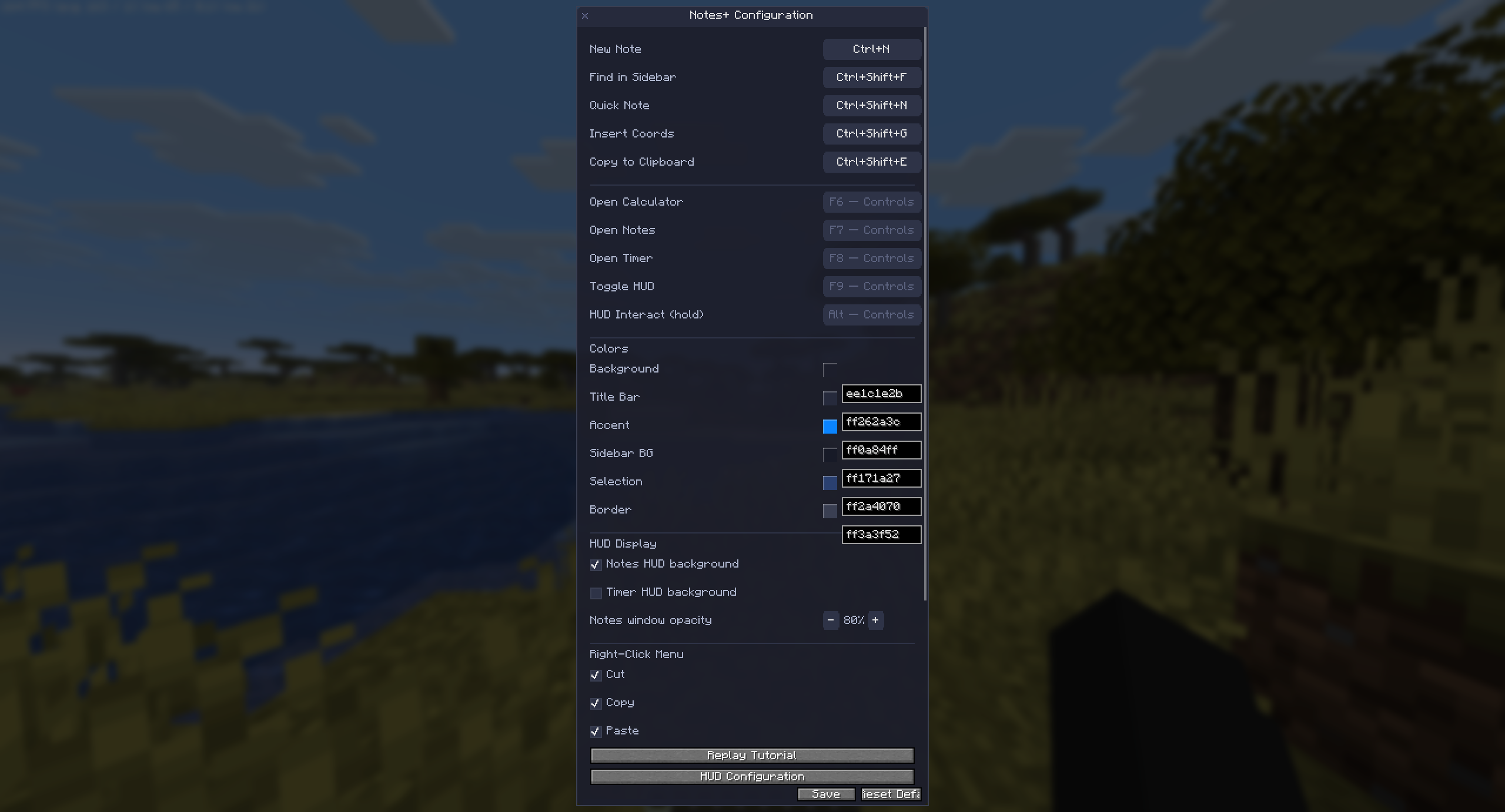
- Fully configurable keybinds for all actions
- HSB color picker for color scheme customization
- HUD display toggles and background visibility
- Right-click context menu item toggles
- Notes window opacity control
- Replay guided tutorial
🎓 Tutorial
- 12-step interactive guided tour on first launch
- Per-window help cards via
[?]buttons with keybind reference - Spotlight and tooltip-based instruction
Default Keybinds
| Key | Action |
|—–|——–|
| F6 | Open Calculator |
| F7 | Open Notes |
| F8 | Open Timer |
| F9 | Toggle HUD pin |
| Alt (hold) | Interact with pinned HUD |
| Ctrl+N | New Note |
| Ctrl+Shift+N | Quick Note |
| Ctrl+Shift+F | Find in Sidebar |
| Ctrl+Shift+G | Insert Coordinates |
| Ctrl+Shift+E | Export to Clipboard |
| Ctrl+S | Save |
| Ctrl+A | Select All |
All keybinds are configurable in the Notes+ settings screen (via Mod Menu) or in Minecraft’s Controls menu.
Requirements
| Dependency | Version |
|———–|———|
| Minecraft | 1.21.11 |
| Fabric Loader | >= 0.15.0 |
| Fabric API | 0.141.3+1.21.11 |
| Mod Menu | 17.0.0-beta.2 |
| Java | 21+ |
Installation
- Install Fabric Loader for Minecraft
1.21.11 - Install Fabric API and Mod Menu
- Download the latest
notes+X.Y.Z.jarfrom Releases - Place the jar in your
.minecraft/mods/folder - Launch Minecraft and press
F7to start
Building from Source
git clone https://github.com/finneritter/Notes-Plus.git
cd igcalc
./gradlew build
Output: build/libs/notes+<version>.jar
Requires Gradle 9.4.0 (included via wrapper) and Java 21.
License
MIT
常见问题
Notes Plus 支持哪些 Minecraft 版本?
Notes Plus 支持 Minecraft Java 版 1.21.11,可用的加载器:Fabric。下载时注意选择和你游戏版本一致的文件。
Notes Plus 怎么安装?
先用 PCL2 或 HMCL 启动器安装对应版本的 Fabric,再把下载的 .jar 文件放进游戏目录的 mods 文件夹,重新启动游戏即可。开启了版本隔离的,mods 文件夹在 versions/版本名 下面。运行环境:仅客户端。

评论
登录后评论和评分