
截图
介绍
NoteBot Mod Feature Overview
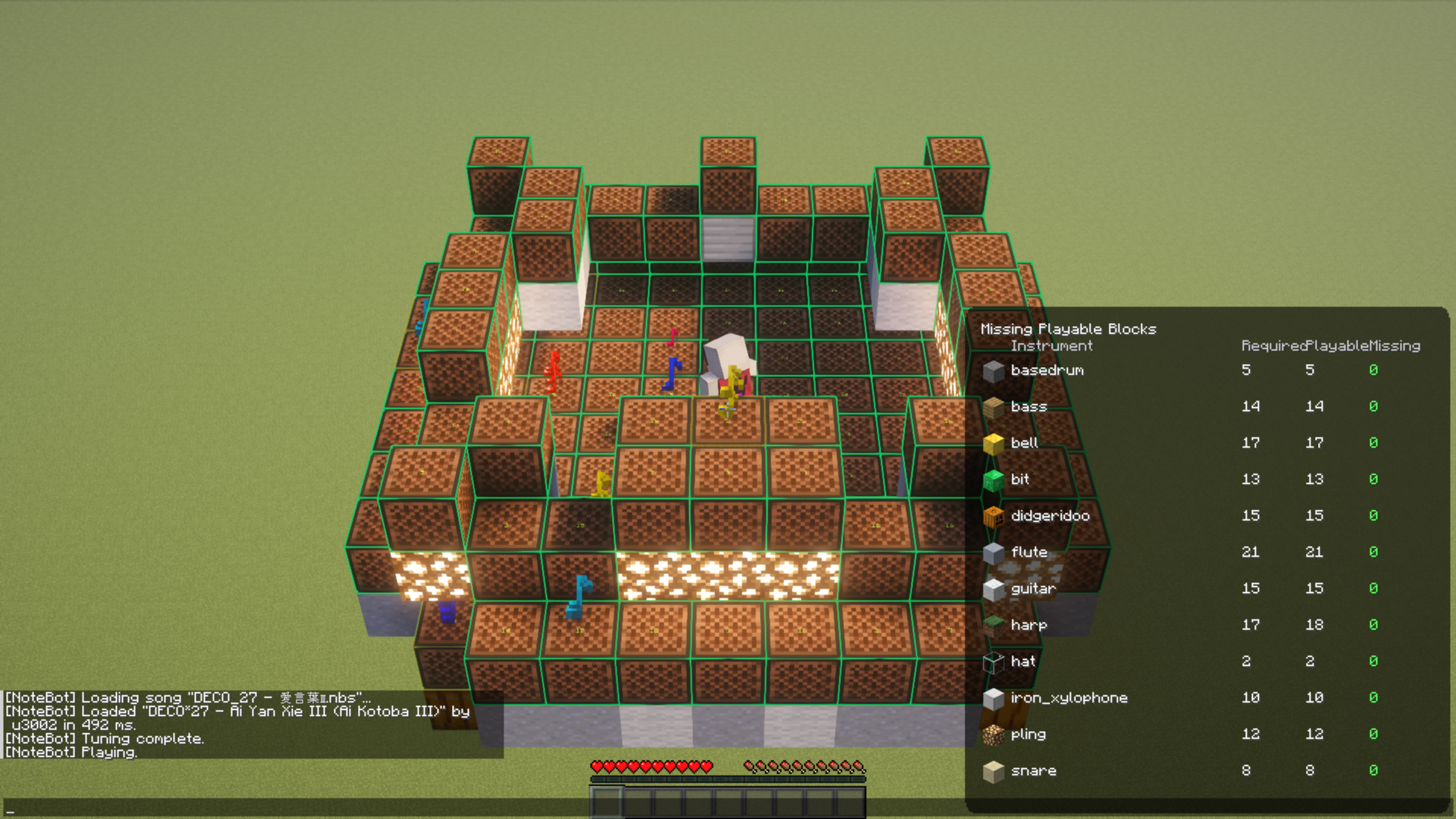
NoteBot is a client-side mod for Fabric designed to automate Note Block operations and play music within Minecraft. It loads external song files and automatically tunes and plays surrounding Note Blocks.
1\. Song Playback Features
Load and play music data within the game from external files.
- Supported File Formats:
- .nbs: Direct support for Minecraft Note Block Studio files.
- .txt: Proprietary text-based song data.
- Playback Control: Select, play, pause, and stop songs via a dedicated GUI.
- Playback Modes:
- Tick-based Synchronization: Plays with precise timing synchronized to Minecraft’s in-game ticks.
- Preview Function: Play sounds only on the client side to check the song without interacting with actual Note Blocks.
.nbs files are available on noteblock.world.
2\. Note Block Management
Automatically finds and manages the Note Blocks required for performance.
- Area Scanning: Automatically searches for Note Blocks around the player and lists them as available instruments.
- Auto-Instrument Detection: Identifies the type of instrument (Harp, Bass Drum, Snare, etc.) based on the block positioned underneath the Note Block.
- Auto-Tuning: Automatically tunes surrounding Note Blocks to the required pitch by simulating right-click operations.
3\. Visual Feedback
Provides visual cues for the performance status and block conditions.
- World Rendering: Highlights blocks in the world that require tuning or are currently being played.
- HUD Display: Shows real-time playback status, elapsed time, and any missing instruments directly on the screen.
- Debug View: Detailed technical status and scan results for troubleshooting.
4\. Configuration Options
Customize the behavior to suit your preferences.
- Playing Mode: Configure movements during performance, such as facing the block or showing the arm-swing animation.
- Playback Speed Adjustment: Adjust the tempo of the song.
- Volume Settings: Balance the audio levels specifically for sounds played through the mod.
5\. Technical Highlights
- Mixin Integration: Hooks into ChatScreen, InGameHud, Network Handlers, and Debug Renderers to extend vanilla behavior.
- Localization Support: Supports six languages: Japanese (JA), English (EN), German (DE), French (FR), Russian (RU), and Chinese (ZH).
- ModMenu Compatibility: Allows direct access to the configuration screen if ModMenu is installed.
How to Use (Estimated)
- Open the Notebot GUI using the designated key.
- Select a music file from the song list.
- Use “Scan” or “Setup” to register surrounding Note Blocks as instruments.
- Press “Play.” The mod will automatically perform necessary tuning before starting the performance.
常见问题
NoteBot 支持哪些 Minecraft 版本?
NoteBot 支持 Minecraft Java 版 1.21–26.3,共 17 个版本,可用的加载器:Fabric / Forge / NeoForge。下载时注意选择和你游戏版本一致的文件。
NoteBot 怎么安装?
先用 PCL2 或 HMCL 启动器安装对应版本的 Fabric / Forge / NeoForge,再把下载的 .jar 文件放进游戏目录的 mods 文件夹,重新启动游戏即可。开启了版本隔离的,mods 文件夹在 versions/版本名 下面。运行环境:仅客户端。
ProjectMichi 的其他作品
查看全部 →
Simple GUI API
This is a GUI API dedicated to my own project.

DarkGUI
This is a resource pack that is a little darker without changing the look of vanilla

Trajectorys
Display the trajectory of the launch section.

Crops
We'll make it easy to see which vegetables are ready to harvest.
评论
登录后评论和评分