
Notch, Please!
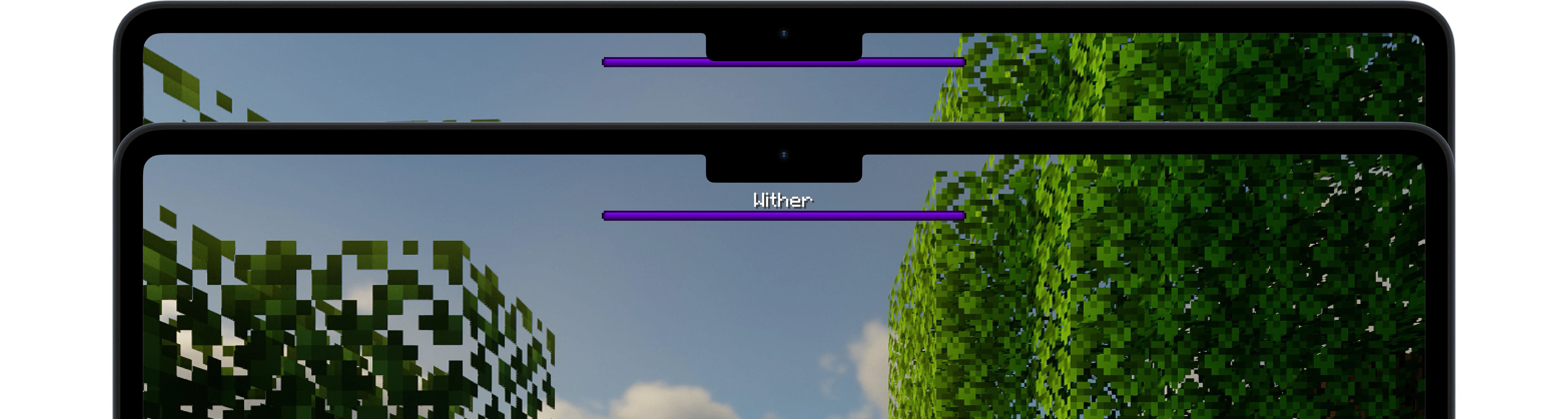
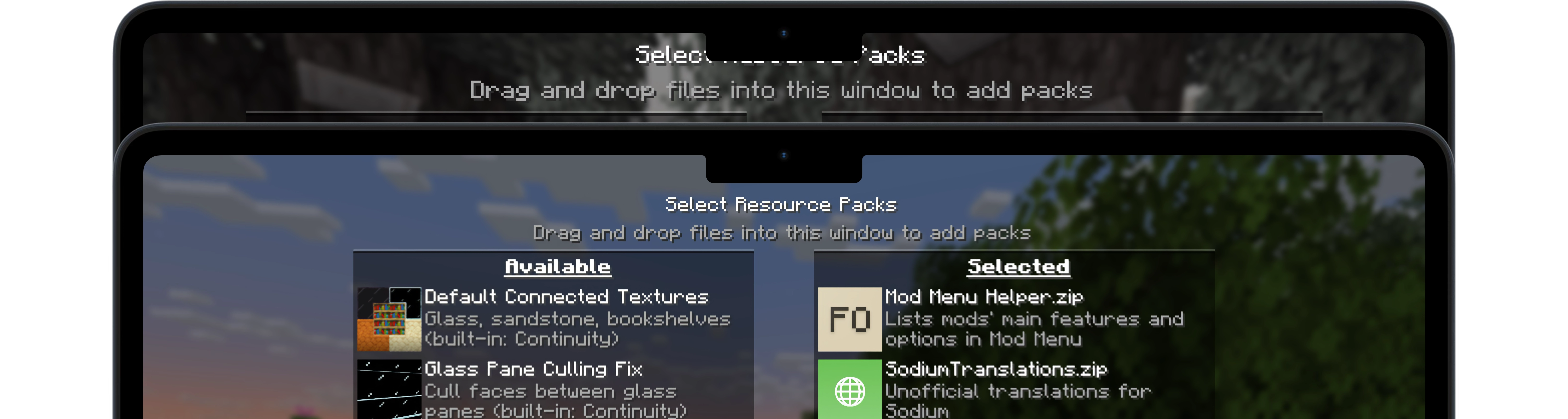
A simple Fabric mod for Minecraft 1.21.4 – 26.1.2 that aims to make vanilla UI elements fit better on Apple's notched MacBooks.
截图
介绍
Notch, Please!
A simple Fabric mod for Minecraft 1.21.4 – 1.21.10 that aims to make vanilla UI elements fit better on Apple’s notched MacBooks when in fullscreen mode.
🖥️ Installation
Notch, Please! requires the _Fabric_ mod loader & the Fabric API.
Notch, Please! is designed specifically for MacBooks with display notches (M1 Pro, M2 and later) running macOS.
🔧 Usage
Since macOS’s default fullscreen mode doesn’t allow the game to extend into the notched area, you’ll first need to enable Fullscreen under Options → Video Settings.
Then, make sure your screen resolution is set to something like 2560x1664 (not the notch-less 2560x1600) to take full advantage of the available space.
Once that’s set up, I recommend using RenderScale to reduce your resolution to Retina levels (typically by half). This can significantly improve performance with little to no visible loss in quality on a MacBook display.
📜 License
Except where otherwise stated, the content of this repository is provided under the GPL v3 license by namekeptanonymous.
常见问题
Notch, Please! 支持哪些 Minecraft 版本?
Notch, Please! 支持 Minecraft Java 版 1.21.4–26.1.2,共 11 个版本,可用的加载器:Fabric。下载时注意选择和你游戏版本一致的文件。
Notch, Please! 怎么安装?
先用 PCL2 或 HMCL 启动器安装对应版本的 Fabric,再把下载的 .jar 文件放进游戏目录的 mods 文件夹,重新启动游戏即可。开启了版本隔离的,mods 文件夹在 versions/版本名 下面。运行环境:仅客户端。
评论
登录后评论和评分