
Create:Northstar-Chemistry
An addon that expands Northstar with new chemicals and industrial processing.
截图

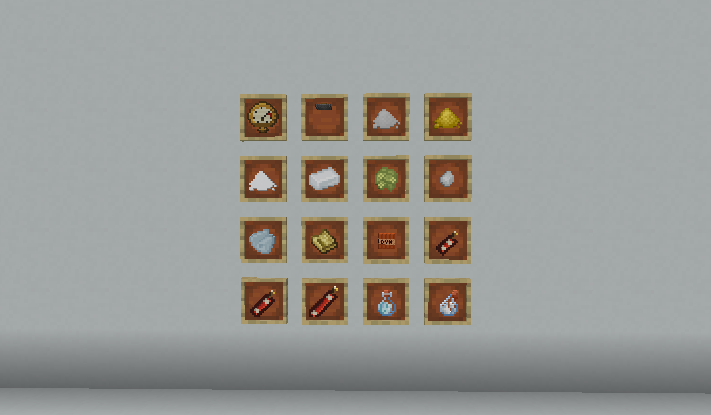
介绍
Northstar Chemistry
Northstar Chemistry is an addon for Create: Northstar Redux that adds a chemistry-focused progression layer.
Build chemical production lines using distillation, centrifuging, pressurized reactions, gases, acids, fuels, and industrial materials. The mod is inspired by real chemical processes, but adjusted to fit Minecraft gameplay.
Features
- Fractional distillation for crude oil and naphtha processing
- Pressurized reactor recipes for chemical reactions
- Centrifuge recipes for separating and breaking down materials
- New gases such as oxygen, nitrogen, nitric oxide, nitrogen dioxide, and hydrogen sulfide
- New liquids such as hydrochloric acid, nitric acid, sulfuric acid, and ammonium nitrate solution
- Nitroglycerin and dynamite-related materials
- Chemistry-based materials that connect with Northstar’s space progression
About
This mod is designed to connect Create-style automation with the space exploration systems of Create: Northstar Redux.
Instead of simply adding new materials, Northstar Chemistry focuses on production chains:
- Some liquids require gases made in earlier steps
- Some reactions create useful byproducts
- Multiple processes can feed into each other
- Chemical materials can become part of larger automation setups
Recipes are designed to feel grounded in real chemistry while still being understandable and useful in survival gameplay.
Dependencies
Required:
- Create: Northstar Redux
Recommended:
- Create
- JEI or EMI
- Create Crafts & Additions
- GeckoLib
- Sable
Notes
Northstar Chemistry is still in development. Recipes, balance, item names, textures, and mechanics may change in future versions.
常见问题
Create:Northstar-Chemistry 支持哪些 Minecraft 版本?
Create:Northstar-Chemistry 支持 Minecraft Java 版 1.21.1,可用的加载器:NeoForge。下载时注意选择和你游戏版本一致的文件。
Create:Northstar-Chemistry 怎么安装?
先用 PCL2 或 HMCL 启动器安装对应版本的 NeoForge,再把下载的 .jar 文件放进游戏目录的 mods 文件夹,重新启动游戏即可。开启了版本隔离的,mods 文件夹在 versions/版本名 下面。运行环境:客户端和服务端都要装。
Milasand 的其他作品
查看全部 →
Aeronautics Replay
为 Aeronautics 飞船和机械结构添加 ReForgedPlay 支持

swirling smoke
Swirling Smoke 添加了受天气影响的动态风,让烟雾能随风自然飘散。

Create: Northstar – Structures
为 Northstar Redux 的各个星球添加建筑
Create: Northstar – Structures
为 Northstar Redux 的各个星球添加结构的附属模组。
评论
登录后评论和评分