
截图
介绍
中文介绍正在准备中,下面暂时显示原文。
No Nether Fog Mod
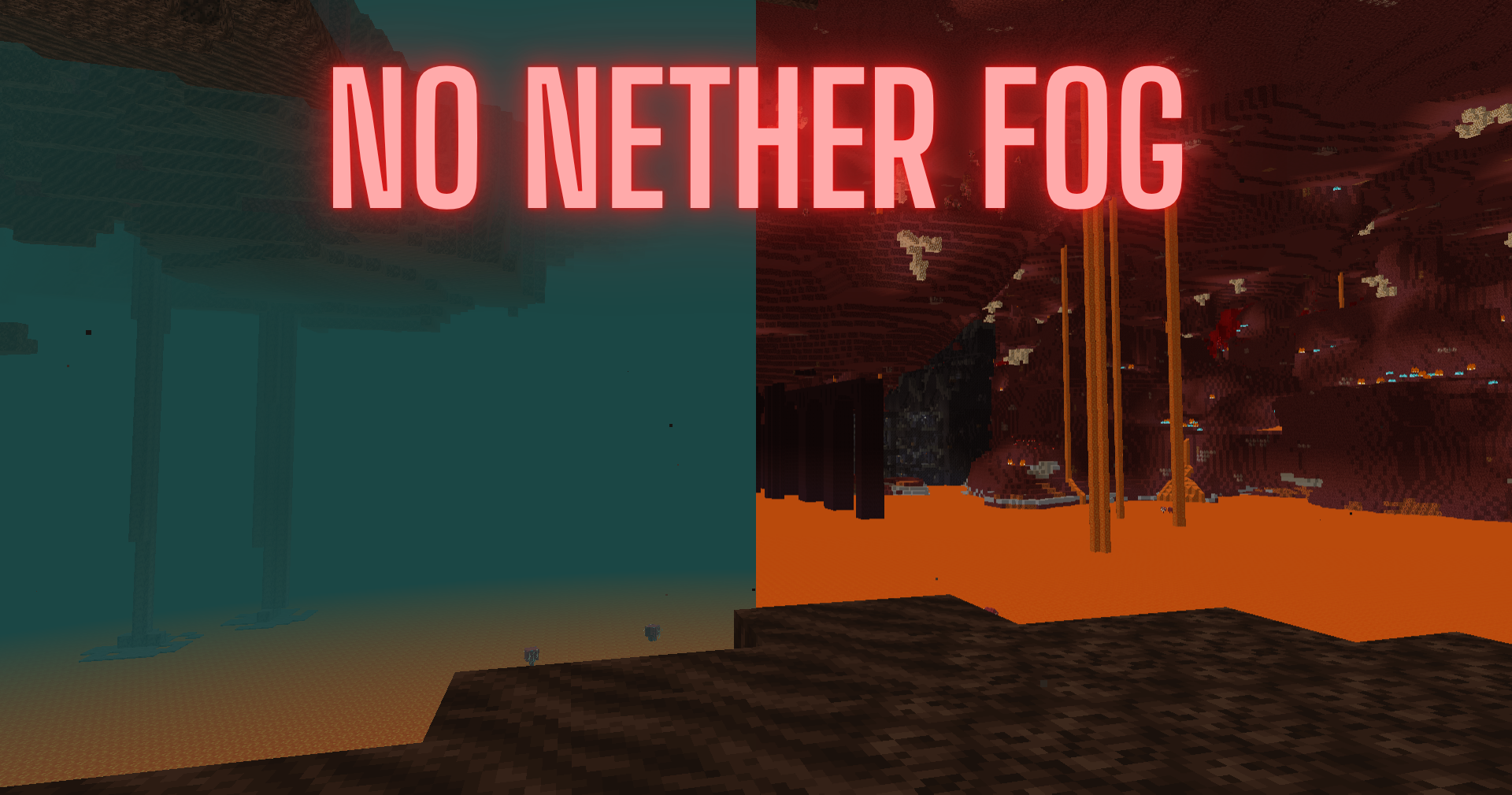
A simple Minecraft Fabric mod for version 1.16.1 that allows you to toggle nether fog on and off with a configurable hotkey.
Features
- Toggle nether fog visibility with a single keypress
- Configurable hotkey (default: F key)
- Client-side only mod
- Works in Minecraft 1.16.1 with Fabric
Installation
- Install Fabric Loader for Minecraft 1.16.1
- Install Fabric API
- Place the compiled mod JAR in your mods folder
Usage
- Press F (or your configured key) while in the Nether to toggle fog visibility
- The hotkey can be configured in Minecraft’s Controls settings under “No Nether Fog” category
常见问题
No Nether Fog 支持哪些 Minecraft 版本?
No Nether Fog 支持 Minecraft Java 版 1.16.1–26.3,共 3 个版本,可用的加载器:Fabric。下载时注意选择和你游戏版本一致的文件。
No Nether Fog 怎么安装?
先用 PCL2 或 HMCL 启动器安装对应版本的 Fabric,再把下载的 .jar 文件放进游戏目录的 mods 文件夹,重新启动游戏即可。开启了版本隔离的,mods 文件夹在 versions/版本名 下面。运行环境:客户端 / 服务端。
MVPFishstock 的其他作品
查看全部 →
Simple SetHome Commands
by MVPFishstock
Adds /sethome and /home without needing OP
1.5万
14 天前
Modrinth

Simple Fullbright
by MVPFishstock
Simple Fullbright for 1.16.1
8,418
14 天前
Modrinth

Simple AutoTotem
by MVPFishstock
Automatically equips Totem of Undying into your offhand slot when available.
5,048
14 天前
Modrinth

Simple AutoFish
by MVPFishstock
A Mod that automatically reels in fish and recasts your fishing rod when a fish bites. Perfect for AFK fishing!
4,592
14 天前
Modrinth
评论
登录后评论和评分