
截图

介绍
Functionality
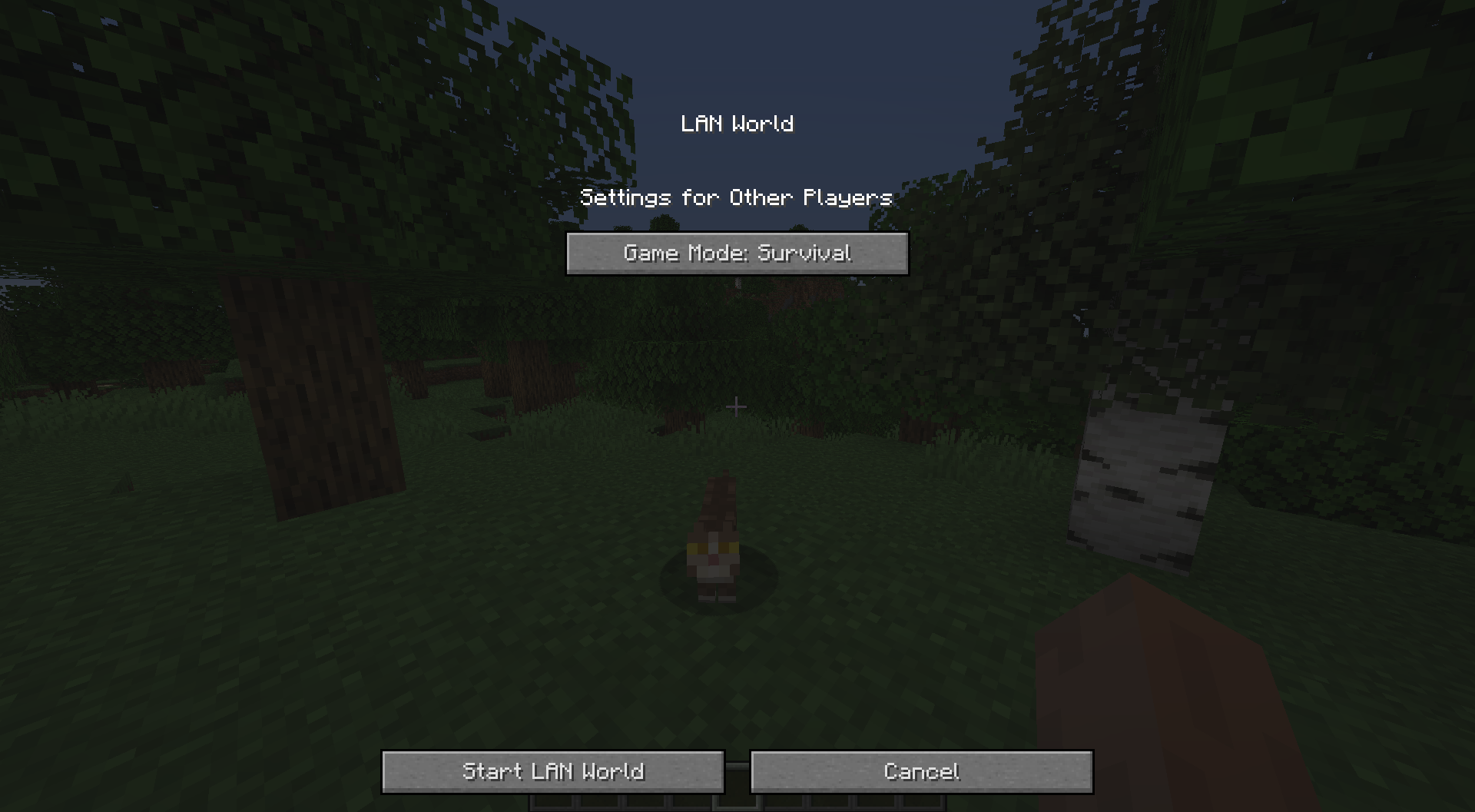
This mod removes the “Allow Cheats” button from the “Open to LAN”/”Create New World” screens to disallow players from using cheats when opening their world to LAN. This can be useful if a player doesn’t want to have an easy option to turn on cheats in their world.\
This mod is client side only, it does nothing when installed on a server.
No LAN Cheating also supports the LAN World Plug-n-Play mod, editing its screen to remove the relevant cheat buttons.
Configuration
There are two configuration options:
- removeButtonInOpenToLANScreen – Removes the “Allow Cheats” button in the “Open to LAN” screen. (The button is removed by default)
- removeButtonInCreateNewWorldScreen – Removes the “Allow Cheats” button in the “Create New World” screen. (The button is shown by default)
Showcase
As of Minecraft 1.19.3, the Open to LAN screen looks a bit different. This does not change how the mod interacts with the screen, the Allow Cheats button is the one being removed.
With the mod installed:

Without the mod installed:

You are allowed to use this mod in any modpack
常见问题
No LAN Cheating 支持哪些 Minecraft 版本?
No LAN Cheating 支持 Minecraft Java 版 1.12.2–26.3,共 40 个版本,可用的加载器:Fabric / Forge / NeoForge / Quilt。下载时注意选择和你游戏版本一致的文件。
No LAN Cheating 怎么安装?
先用 PCL2 或 HMCL 启动器安装对应版本的 Fabric / Forge / NeoForge / Quilt,再把下载的 .jar 文件放进游戏目录的 mods 文件夹,重新启动游戏即可。开启了版本隔离的,mods 文件夹在 versions/版本名 下面。运行环境:客户端和服务端都要装。
bl4ckscor3 的其他作品
查看全部 →
AI Improvements: Performance Tuning
优化原版 AI 的性能,并可关闭某些 AI 行为

Security Craft
增加大量方块和物品,帮助你防御并加固基地。

经验之书 XP Tome
添加一本可存储可配置经验值的书。
Get It Together, Drops!
添加标签和配置选项,用于定义掉落物品的合并方式。
评论
登录后评论和评分