NobodyHotkeys
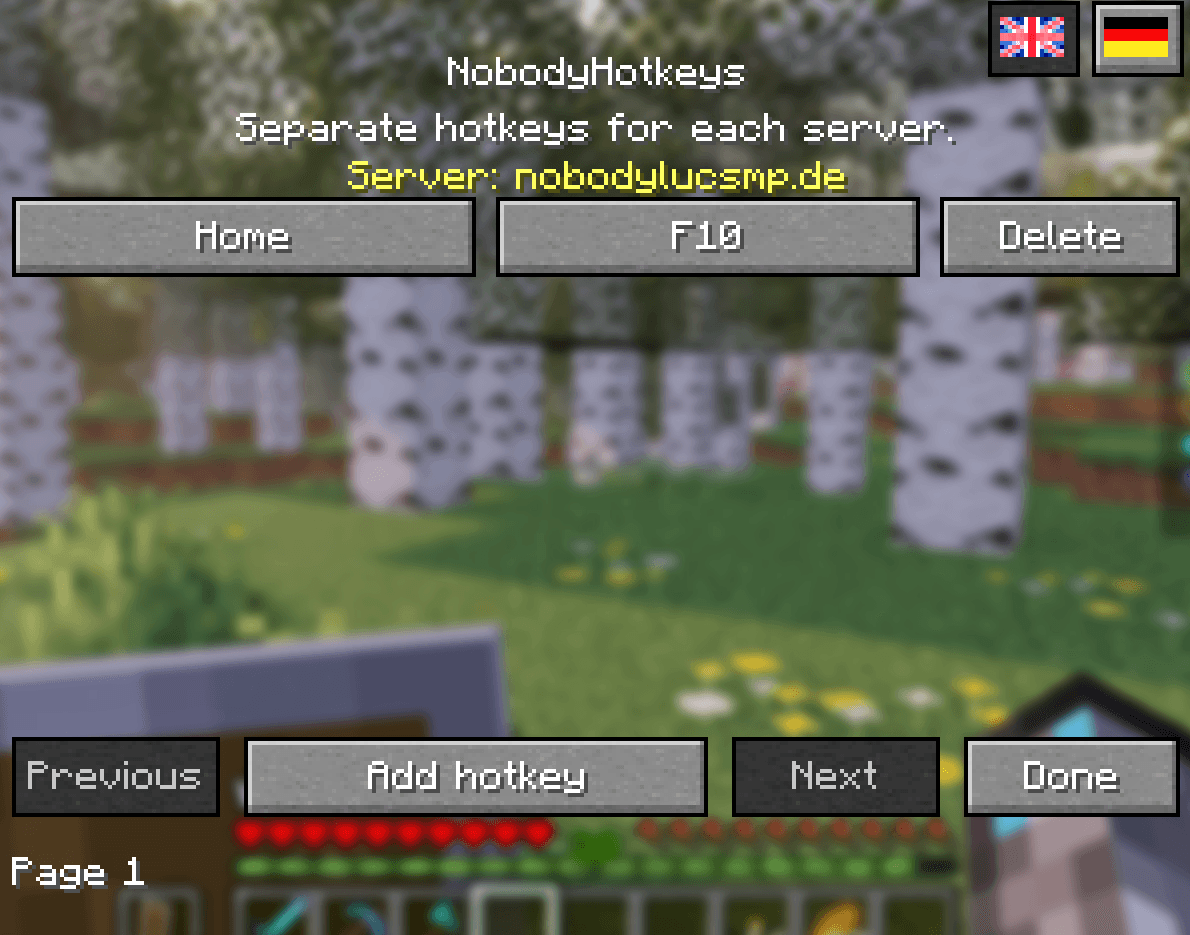
NobodyHotkeys lets you assign custom keyboard shortcuts to Minecraft commands and manage them easily through an in-game menu. Execute commands instantly with a single key on your keyboard or a Stream Deck configured to send keyboard shortcuts.
截图
介绍
⌨️ NobodyHotkeys
Your Commands. Your Keys. Your Game.
Less typing. More gaming. Total control.
Tired of typing the same Minecraft commands again and again?
With NobodyHotkeys, your favorite commands are always just one keystroke away!
Whether you’re exploring new worlds, building incredible creations, managing your server, or entertaining your livestream audience, NobodyHotkeys helps you spend less time typing and more time playing.
Assign commands to individual keys or custom keyboard combinations and execute them instantly — without opening the chat or manually entering commands.
✨ Features
⚡ Instant Command Execution
Execute your favorite Minecraft commands with just one keypress. Fast, simple, and convenient.
🎮 Stream Deck Friendly
Perfect for streamers! Trigger your assigned commands through keyboard shortcuts sent by compatible devices, including the Elgato Stream Deck.
🌍 Automatic Server Profiles
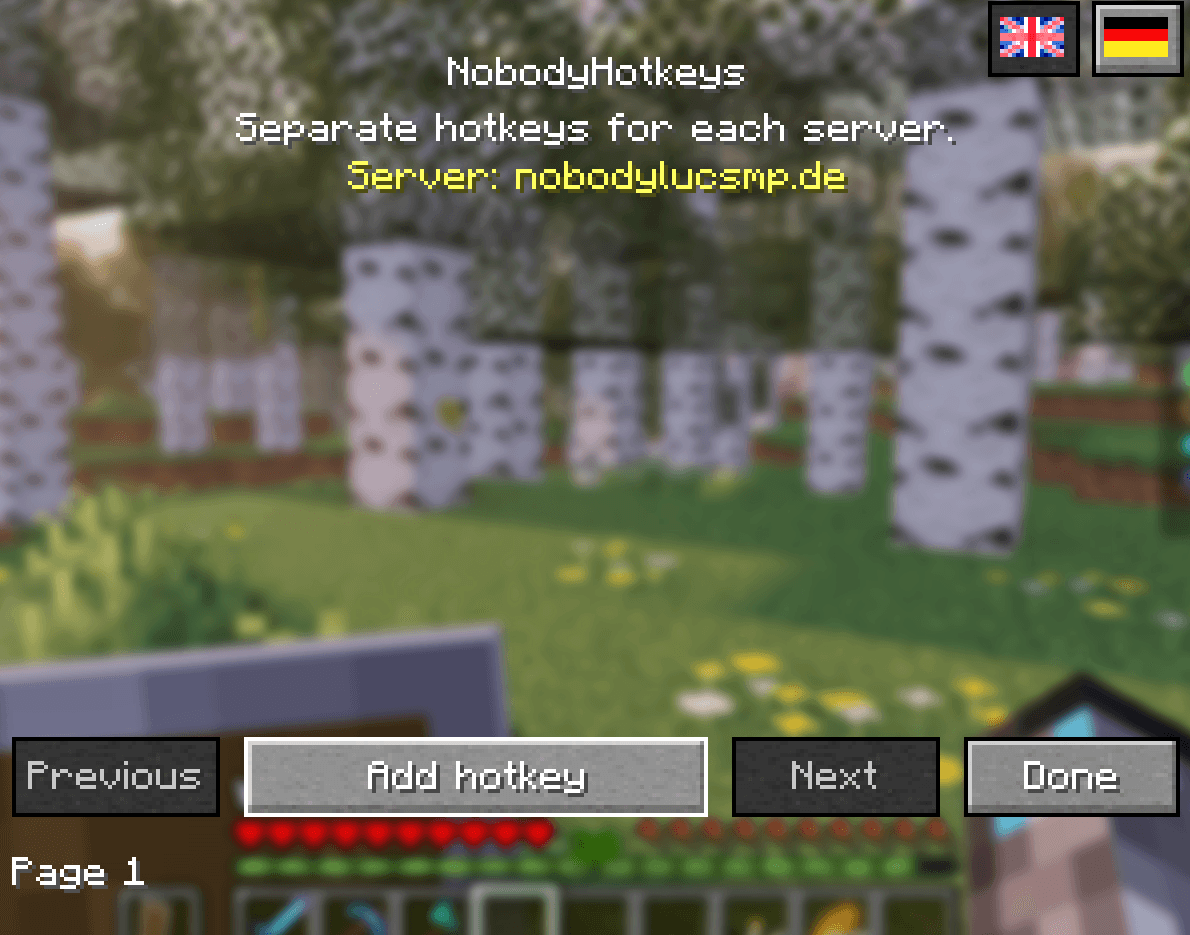
Different servers, different commands! NobodyHotkeys automatically uses the appropriate hotkey profile for each multiplayer server.
🏡 Singleplayer Support
Enjoy dedicated hotkeys in your singleplayer worlds with a separate singleplayer profile.
🛠️ Easy In-Game Hotkey Editor
Create, customize, edit, and remove your hotkeys directly inside Minecraft. No complicated configuration files required.
⌨️ Custom Keyboard Combinations
Use individual keys or create combinations with Ctrl, Shift, and Alt for greater flexibility.
🛡️ Smart Key Conflict Detection
Helps identify conflicts with existing Minecraft key bindings so you can choose your shortcuts more easily.
💾 Local Storage & Backup Protection
Your hotkeys and profiles are stored locally, with backup protection for saved settings.
🌐 English & German Interface
Choose your preferred language directly from the in-game mod menu.
🪶 Lightweight & Client-Side
Designed for simplicity and minimal overhead. No server-side installation required!
🎥 Made for Streamers & Content Creators
Your audience deserves your attention — not your command line!
Imagine you’re livestreaming Minecraft and need to quickly:
🏠 Teleport to your home
🛒 Open your favorite server shop
💰 Access an auction house
🧭 Activate a teleport command
⚙️ Execute your custom server commands
With NobodyHotkeys, simply press your assigned key and keep playing!
🎛️ Stream Deck Compatibility
NobodyHotkeys can work alongside devices such as the Elgato Stream Deck.
Configure your Stream Deck to send the same keyboard shortcuts you’ve assigned in NobodyHotkeys, and trigger your commands directly through your device.
No special Stream Deck plugin or direct integration is required. Your device must support sending the configured keyboard input.
🚀 Getting Started — Simple as 1, 2, 3!
Setting up NobodyHotkeys is quick and easy.
-
Launch Minecraft and join a multiplayer server or open a singleplayer world.
-
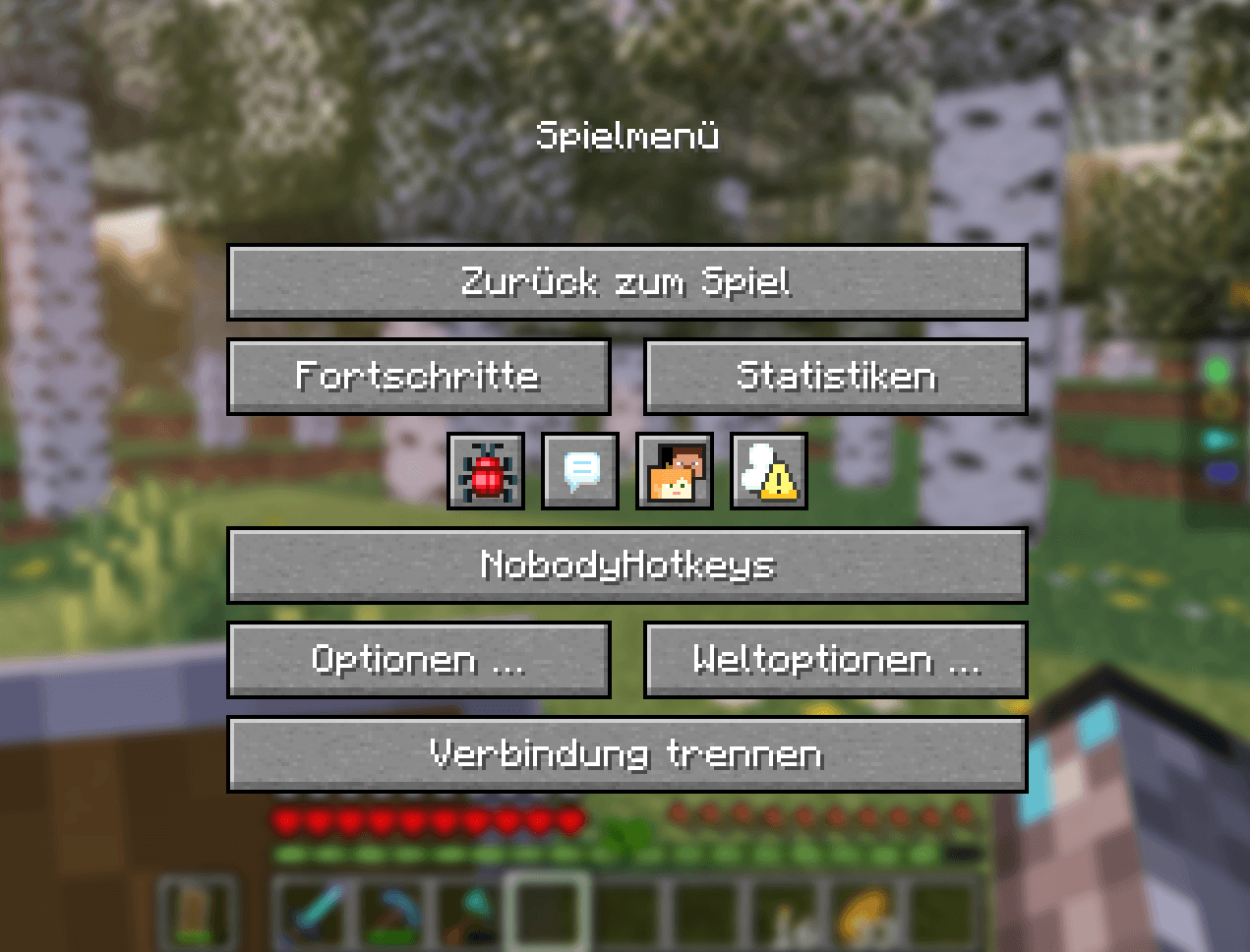
Press ESC to open the Minecraft pause menu.
-
Click the NobodyHotkeys button.
-
Select Add Hotkey to create your first shortcut.
-
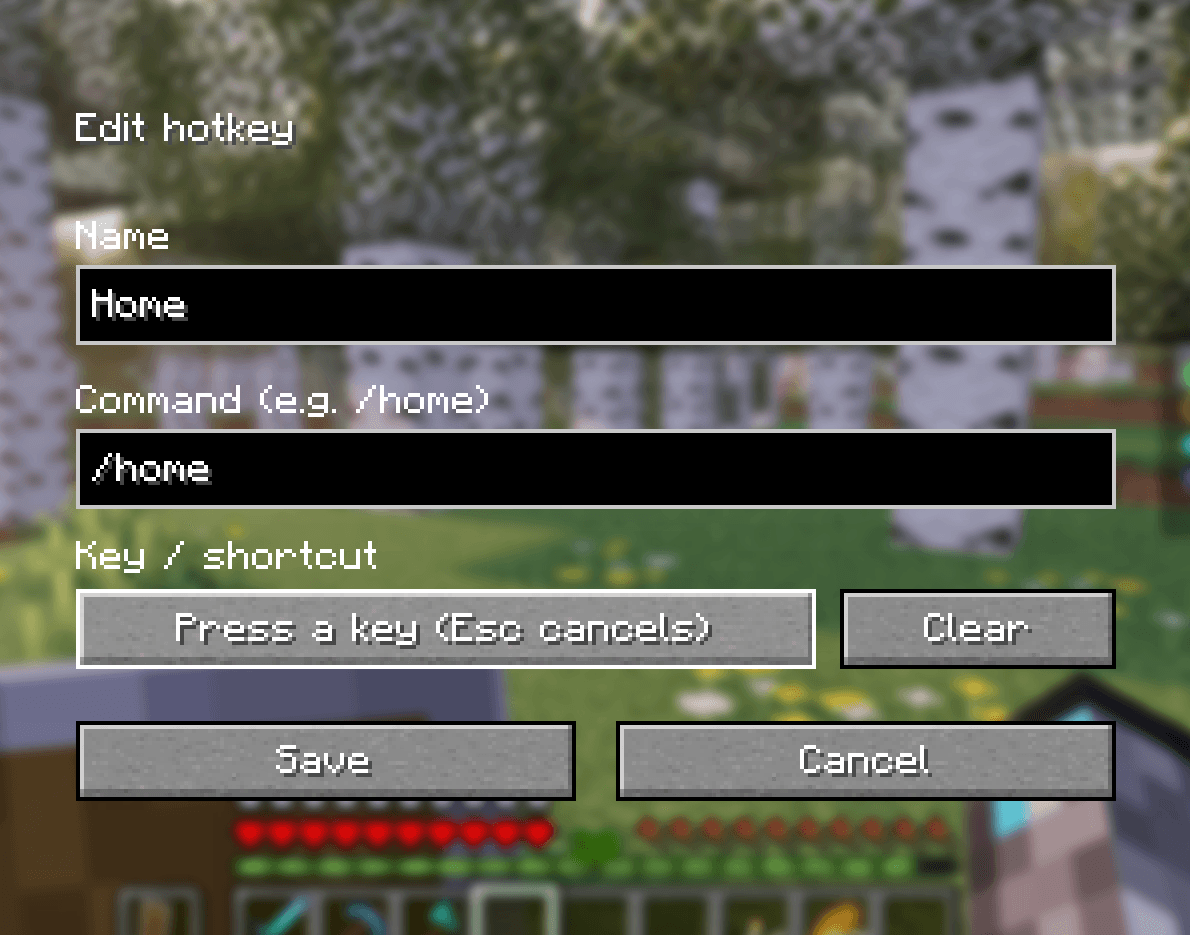
Enter a name and the Minecraft command, including the
/prefix. -
Click the key assignment button and press your preferred key or key combination.
-
Click Save — and you’re ready to play!
That’s it! Your command is now available through your assigned keyboard shortcut.
💡 Example Commands
Here are a few examples of what you can do with NobodyHotkeys:
| Command | Action |
|---|---|
/home |
🏠 Teleport to your home |
/shop |
🛒 Open a server shop |
/ah |
💰 Access an auction house |
/tpaccept |
✅ Accept a teleport request |
Important: These are example commands. Their availability depends on the multiplayer server, installed server plugins, and your player permissions.
You can assign other commands supported by your server or singleplayer world.
📋 Requirements & Compatibility
| Component | Requirement |
|---|---|
| 🎮 Minecraft | Java Edition 26.3 |
| 🧩 Mod Loader | Fabric |
| ☕ Java | 25 |
| 📦 Dependency | Fabric API |
| 💻 Installation | Client-side only |
No server installation required!
NobodyHotkeys is a client-side Fabric mod. Multiplayer servers do not need to install NobodyHotkeys for players to use it.
🔐 Fair Play & Server Permissions
NobodyHotkeys is a convenient command shortcut tool — not a permission bypass or cheat tool.
All commands are executed using your normal Minecraft player permissions.
- No additional server permissions are granted.
- Server restrictions remain fully enforced.
- Commands must be supported by the server or world.
- NobodyHotkeys does not bypass permission systems.
❤️ Why Choose NobodyHotkeys?
Because Minecraft is about exploring, creating, building, and having fun — not repeatedly typing the same commands into the chat.
NobodyHotkeys brings your favorite commands directly to your keyboard, giving you a smoother and more convenient Minecraft experience.
One key. One command. Endless possibilities.
⚡ Less Typing. More Gaming. NobodyHotkeys.
Take control of your commands and enjoy Minecraft your way!
常见问题
NobodyHotkeys 支持哪些 Minecraft 版本?
NobodyHotkeys 支持 Minecraft Java 版 26.3,可用的加载器:Fabric。下载时注意选择和你游戏版本一致的文件。
NobodyHotkeys 怎么安装?
先用 PCL2 或 HMCL 启动器安装对应版本的 Fabric,再把下载的 .jar 文件放进游戏目录的 mods 文件夹,重新启动游戏即可。开启了版本隔离的,mods 文件夹在 versions/版本名 下面。

评论
登录后评论和评分