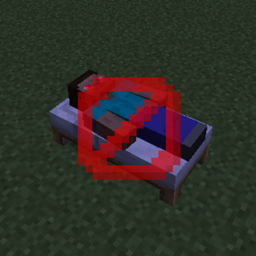
No More Sleeping
Sets time to day instantly after going to sleep in a bed, or disables sleep completely (configurable).
介绍
No More Sleeping disables sleeping. There is a single configuration option which controls how sleeping is disabled. As this is a server-side configuration option, you can find it in your world’s config folder.
– If the configuration option is set to false (default), right-clicking a bed will immediately change the time to day. That means that the player will not be sleeping and will not have to wait until the time changes. For servers, this means that only one player needs to right-click a bed in order to pass the night. Do note, that the usual restrictions apply. For instance, if there is a monster near the bed, you are not able to pass the night.
– If the configuration option is set to true, then sleeping will be completely disabled and beds cannot be used for passing the night.
Here’s a video demonstrating the config value set to false:
Here’s a video demonstrating the config value set to true:
You are allowed to use this mod in any modpack.

Come join me on Discord! https://discord.gg/kgZUAxK

Follow me on Twitter for mod updates and other shenanigans! https://twitter.com/bl4ckscor3
常见问题
No More Sleeping 支持哪些 Minecraft 版本?
No More Sleeping 支持 Minecraft Java 版 1.14.4–1.15.2,共 3 个版本,可用的加载器:Forge。下载时注意选择和你游戏版本一致的文件。
No More Sleeping 怎么安装?
先用 PCL2 或 HMCL 启动器安装对应版本的 Forge,再把下载的 .jar 文件放进游戏目录的 mods 文件夹,重新启动游戏即可。开启了版本隔离的,mods 文件夹在 versions/版本名 下面。
bl4ckscor3 的其他作品
查看全部 →
AI Improvements: Performance Tuning
优化原版 AI 的性能,并可关闭某些 AI 行为

Security Craft
增加大量方块和物品,帮助你防御并加固基地。

经验之书 XP Tome
添加一本可存储可配置经验值的书。

Get It Together, Drops!
添加标签和配置选项,用于定义掉落物品的合并方式。
评论
登录后评论和评分