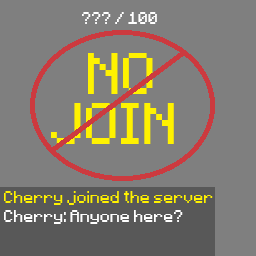
No Join
A lightweight server-side Minecraft mod that hides player activity and server population information.
截图


介绍
Brief Summary
- Hides player leave messages
- Hides player join messages
- Hides player names off the TAB list
- Hides player count off the server list
- Server side install only
- Supported in Fabric and NeoForge
- Can be toggled OFF/ON without restarting the server
Operators are unaffected. Players with OP permissions still see join/leave messages, the TAB player list, and the server player count
Commands
/nojoin
  - /nojoin on
- /nojoin off- will toggle on/off the mod for everyone in the server.
/nojoin status- will display whether the mod is toggled off or on
Application
This mod was intentionally created to be simple, meaning it can by used many in many different ways.
- For example, it can help preserve immersion when playing a horror mod with your friends
- It also works well with voice chat if you want players to be able to join without immediately giving themselves away
Installation
Fabric
For the Fabric verison you will need:
- Fabric Loader
- Fabric API
- Make sure the verison of Fabric API matches the version of the mod
NeoForge
For the NeoForge version make sure you install the matching NeoForge version of the mod for your Minecraft version
MISC
Previously mentioned: players joining your server do NOT need to download the mod client-side
Server Operators: Installing No Join client-side as well is recommended for the smoothest experience when using this mod.
常见问题
No Join 支持哪些 Minecraft 版本?
No Join 支持 Minecraft Java 版 26.2–26.3,共 2 个版本,可用的加载器:Fabric / NeoForge。下载时注意选择和你游戏版本一致的文件。
No Join 怎么安装?
先用 PCL2 或 HMCL 启动器安装对应版本的 Fabric / NeoForge,再把下载的 .jar 文件放进游戏目录的 mods 文件夹,重新启动游戏即可。开启了版本隔离的,mods 文件夹在 versions/版本名 下面。运行环境:仅服务端。
评论
登录后评论和评分