
Nickname Manager
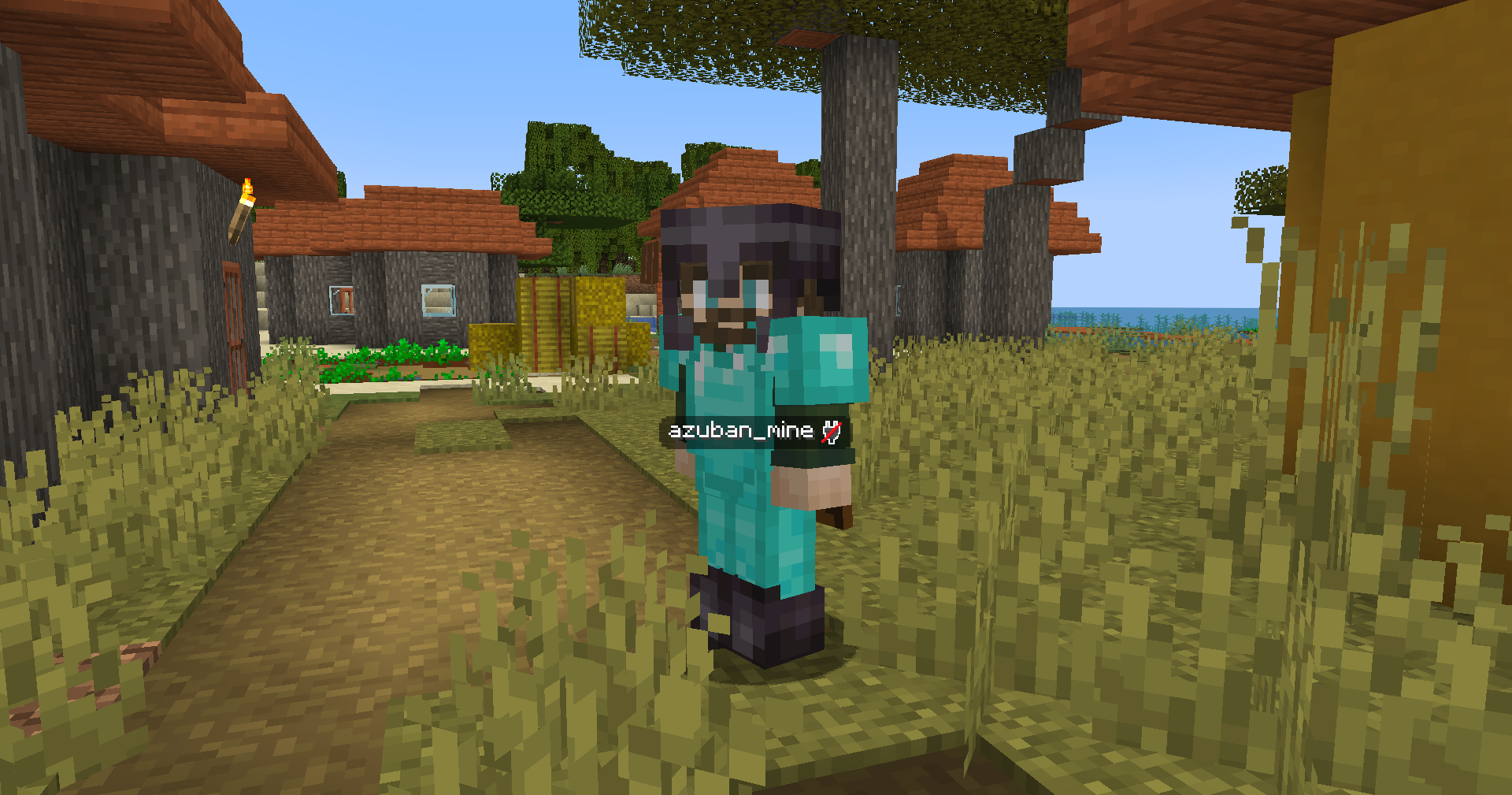
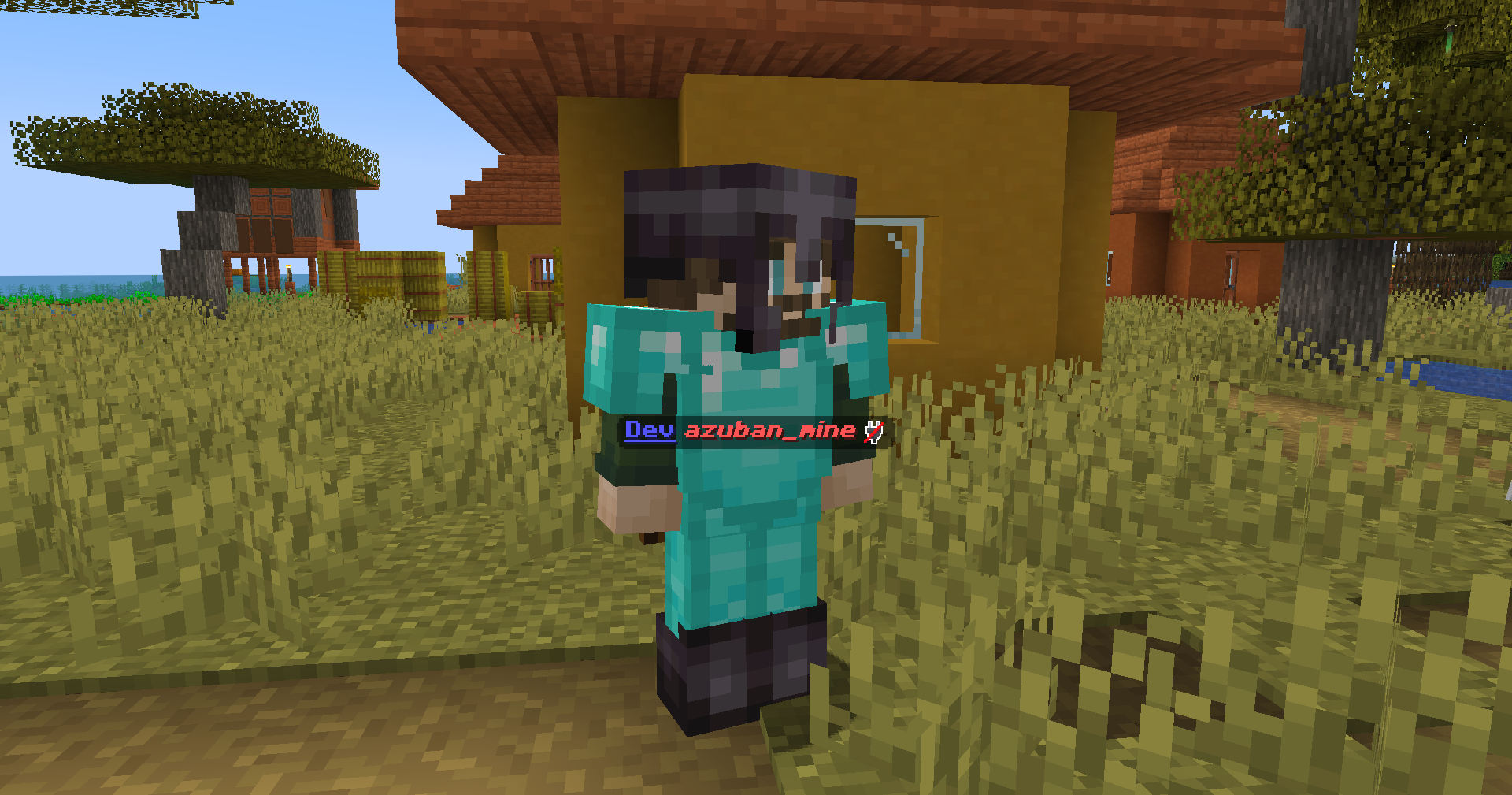
Hides player nametags and shows them only when you look at a player or right-click them. Works client-only or with server.
截图
介绍
Nickname Manager
Hides vanilla player nametags and replaces them with a custom system. You see a player’s name only when you look at them or right-click them.
How it works
The mod hides all player nametags by default. When you look at another player (or right-click them, depending on the mode), their name appears on your HUD — either under the crosshair or above the hotbar.
Admins can set custom styles per player: color, bold, italic, prefix, suffix, and other formatting. Styles support hex colors and MiniMessage-like tags.
Modes
The mod can run in two ways:
- Client-only — install only on the client. No server mod needed. You configure everything locally with
/nickclientcommands. - Server + Client — install on both. The server controls all settings and syncs them to players on join. Client settings are overridden. Server admins use
/nickmanagercommands.
If the server has the mod but a player doesn’t — the player can still join, they just see vanilla nametags.
Features
- Hide all player nametags
- Show names on look-at or right-click
- Two display modes: under crosshair (ON_ENTITY) or above hotbar (ACTIONBAR)
- Configurable look-at distance (1–64 blocks)
- Per-player styles: color, bold, italic, underline, strikethrough, obfuscated, prefix, suffix
- MiniMessage-like formatting in prefixes/suffixes (e.g.
<gold>[Admin]</gold>) - Legacy
&color codes supported - Player exclusion list (hide specific players’ names permanently)
- Invisible players’ names are not shown
- Players wearing carved pumpkins get obfuscated names
- Simple Voice Chat compatibility — shows SVC voice icons next to names
- API for other mods (events, style access, config queries)
Commands
Client-only mode (/nickclient):
/nickclient toggle— enable/disable/nickclient mode <ON_ENTITY|ACTIONBAR>— display mode/nickclient trigger <LOOK_AT|RIGHT_CLICK>— trigger mode/nickclient distance <1-64>— look-at distance/nickclient status— show current settings/nickclient reload— reload config from file
Server mode (/nickmanager, requires OP 2):
/nickmanager toggle— enable/disable/nickmanager mode/trigger/distance— same as above/nickmanager reload— reload server config/nickmanager exclude add/remove/list <player>— manage exclusion list/nickmanager style <player> <property> <value>— set player style/nickmanager status— show server config
常见问题
Nickname Manager 支持哪些 Minecraft 版本?
Nickname Manager 支持 Minecraft Java 版 1.21.1,可用的加载器:Fabric / NeoForge。下载时注意选择和你游戏版本一致的文件。
Nickname Manager 怎么安装?
先用 PCL2 或 HMCL 启动器安装对应版本的 Fabric / NeoForge,再把下载的 .jar 文件放进游戏目录的 mods 文件夹,重新启动游戏即可。开启了版本隔离的,mods 文件夹在 versions/版本名 下面。运行环境:客户端 / 服务端。
Azuban 的其他作品
查看全部 →
Origins Legacy: NeoForged
Fork of Origins Legacy, what fork of Origins

LFGM (Legacy Female Gender M.)
Unofficial 1.12.2 Forge port of Female Gender Mod. Adds female player model customization and breast physics.

Cripple Player
A limb damage and prosthetic mechanics mod . Adds functional biological limb loss upon lethal damage, physical movement and interaction penalties.

Ukrainian Logo | Лого Українською
Just replace original logo
评论
登录后评论和评分