
截图

介绍
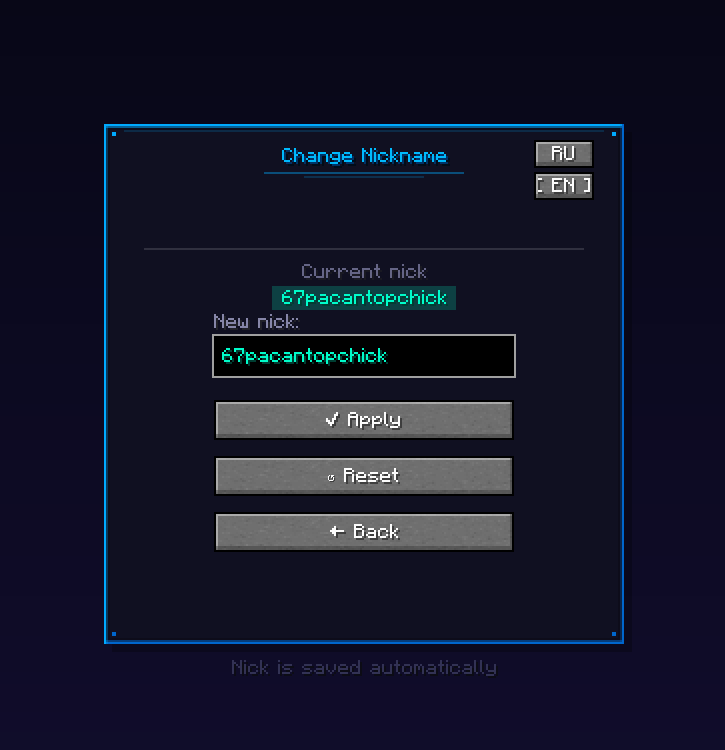
Nickname Changer is a client-side mod that lets you change your in-game username directly from the Minecraft title screen without restarting the game.
Features:
In-game UI: Adds a “Change Nick” button to the main menu.
Auto-saving: Remembers and applies your custom nickname automatically on startup.
Quick Reset: One-click button to restore your original account name at any time.
Validation: Enforces standard Minecraft name rules (A-Z, 0-9, _, max 16 chars).
Languages: Supports English and Russian.
Why use it?
This mod is specifically useful for LAN players who need unique names on the same network, content creators who want to hide their real username, and developers testing server plugins under different player names without needing multiple accounts.
Note: This modifies your local session name. It works perfectly in Singleplayer, LAN, and offline servers, but cannot be used to join premium (online-mode=true) servers.
常见问题
NickChangerS 支持哪些 Minecraft 版本?
NickChangerS 支持 Minecraft Java 版 1.20.1,可用的加载器:Forge。下载时注意选择和你游戏版本一致的文件。
NickChangerS 怎么安装?
先用 PCL2 或 HMCL 启动器安装对应版本的 Forge,再把下载的 .jar 文件放进游戏目录的 mods 文件夹,重新启动游戏即可。开启了版本隔离的,mods 文件夹在 versions/版本名 下面。运行环境:仅客户端。
Seps1s 的其他作品
查看全部 →
First Person Body
See your body from the first person

Advanced Bobbing Camera And Item
Bobbing Camera And Item

HandPosition
Adjust the position and rotation of your first-person hands with smooth sliders

Changer FOV
Allows you to change the camera viewing angle.
评论
登录后评论和评分