
Nicephore
Nicephore: Better Screenshots - Screenshot to clipboard - Screenshots GUI - Gallery GUI - Save as JPEG - Lossless optimisation
截图
介绍
Take better screenshots in Minecraft.
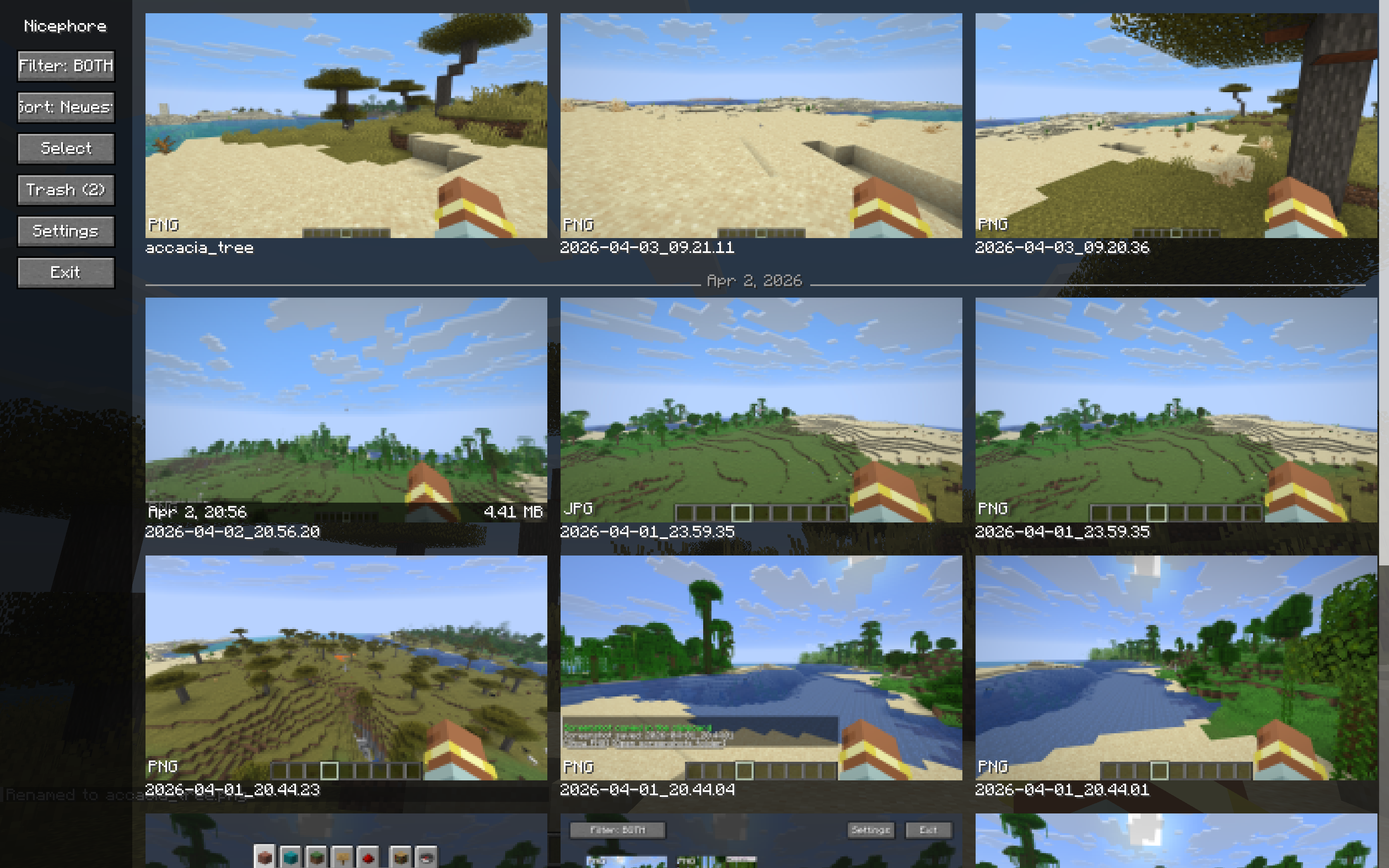
Nicephore enhances Minecraft’s built-in screenshot system with a full-featured gallery, image optimization, and clipboard integration — all without leaving the game.
Gallery
Browse all your screenshots in an infinite-scroll gallery with a clean sidebar layout. Thumbnails load on-the-fly, so it handles hundreds or even thousands of screenshots without breaking a sweat.
- Infinite scroll — no more clicking through pages
- Sort by date — newest or oldest first, with subtle day separator lines
- Filter by format — show PNG, JPEG, or both
- Hover info — date and file size on mouse-over
- Configurable grid — auto-fit or set 2–6 columns
Screenshot Management
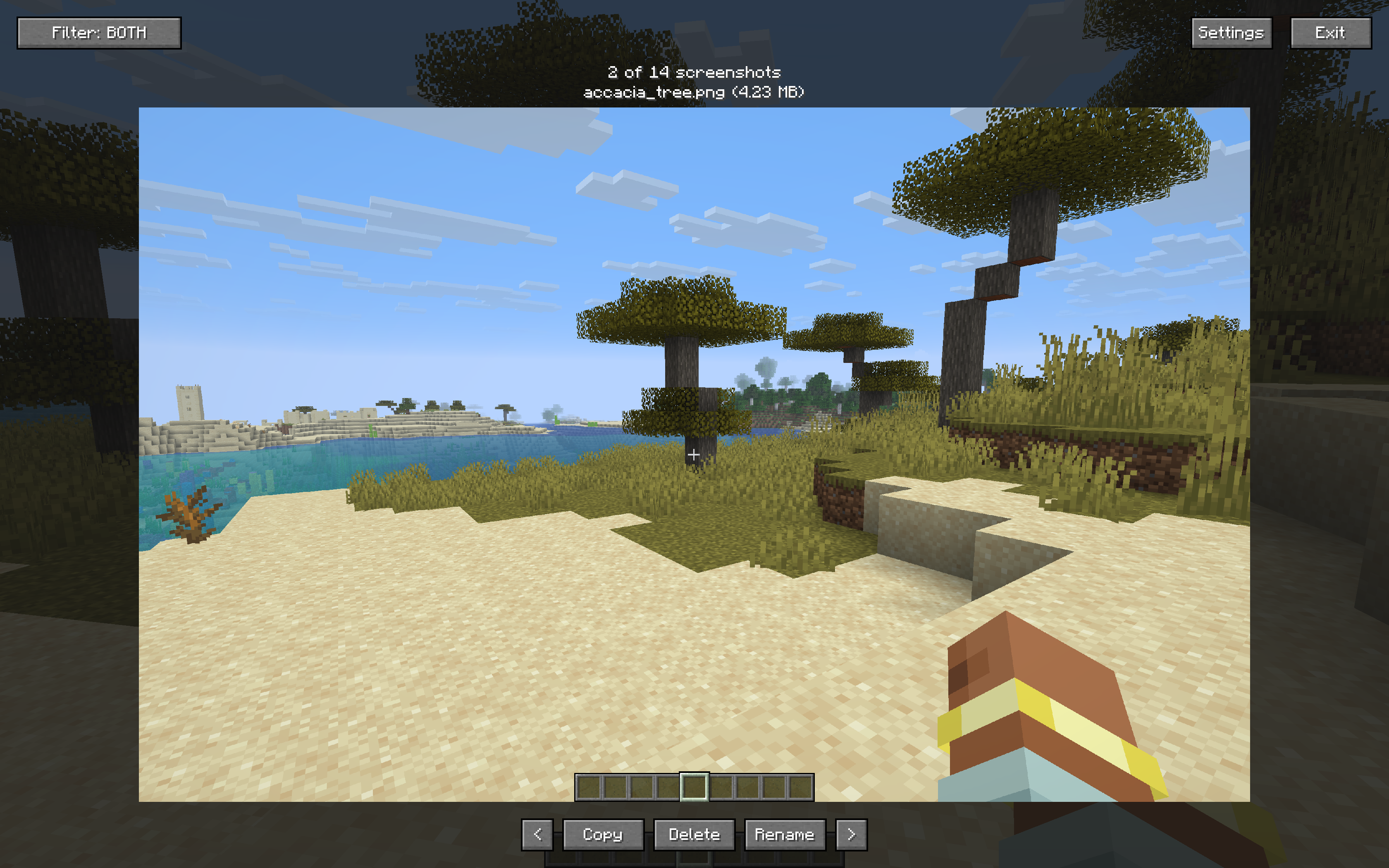
- Detail view — view any screenshot full-size with one click
- Copy to clipboard — copy screenshots directly (Windows & macOS)
- Rename — rename screenshots from the detail view
- Trash system — move screenshots to trash instead of deleting permanently, with restore and auto-cleanup after 30 days
- Bulk operations — select multiple screenshots and trash them at once
Image Optimization
Nicephore can automatically optimize your screenshots for smaller file sizes with no quality loss:
- PNG optimization via oxipng
- JPEG creation — optionally save a compressed JPEG copy alongside the PNG for easy sharing
- JPEG optimization via ECT
Keybindings
| Key | Action |
|—–|——–|
| Ctrl+C | Copy last screenshot to clipboard |
| Ctrl+S | Open screenshot detail view |
| Ctrl+G | Open gallery |
Configuration
All settings are accessible in-game via the gallery sidebar:
- Toggle JPEG creation
- Toggle optimization
- Toggle clipboard auto-copy
- Toggle custom screenshot message
- Adjust gallery column count
- Set PNG optimization level
- Set JPEG compression quality
Client-side only. No server required.
常见问题
Nicephore 支持哪些 Minecraft 版本?
Nicephore 支持 Minecraft Java 版 26.1–26.1.2,共 3 个版本,可用的加载器:Fabric / NeoForge。下载时注意选择和你游戏版本一致的文件。
Nicephore 怎么安装?
先用 PCL2 或 HMCL 启动器安装对应版本的 Fabric / NeoForge,再把下载的 .jar 文件放进游戏目录的 mods 文件夹,重新启动游戏即可。开启了版本隔离的,mods 文件夹在 versions/版本名 下面。运行环境:仅客户端。
lotuxpunk 的其他作品
查看全部 →
New TARDIS Mod
乘坐灵感源自《神秘博士》TARDIS 的外星时空飞船,开启你的世界之旅!
Nicephore (better screenshots)
Nicephore 是一个 Minecraft 模组,可将任意截图转换为 JPEG,并添加了一些实用工具来分享这些截图。

Handles
ComputerCraft integration for your favorite Tardis mods.

[SBM] Punt Animal
Push animals without causing damage
评论
登录后评论和评分