Nexa Minerum
With 11 new ores for your world, this mod improve your experience mining in the overworld as well in the nether
介绍
Are you tired of seeing the same thing when you’re mining?, always seeing the same minerals, then this mod is for you!
This mod adds 11 new ores, each mineral adds a decoration block, basic minecraft tools, and armor, also adds armor and tools for amethyst vanilla ore.
In this file below, you can check all the information about every ore, such as where it can sapawn, durability, damage, etc.
Ores Info
You can use the same craft of tools for each ore, you only have to chance the item that you want to make the tool, for example
Peridot Sword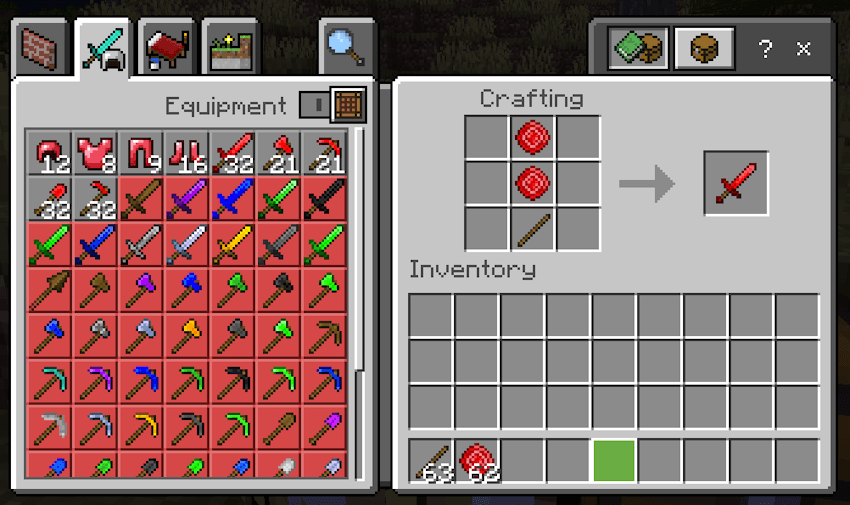
Amethyst armor and tools: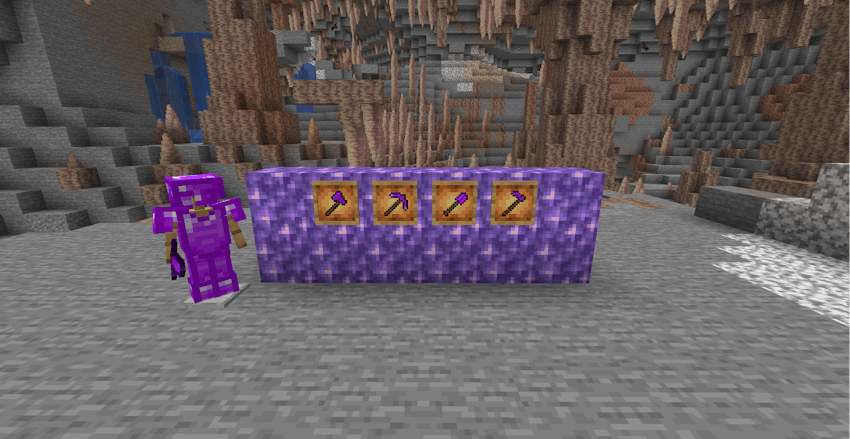
Cobalt blocks, armor and tools: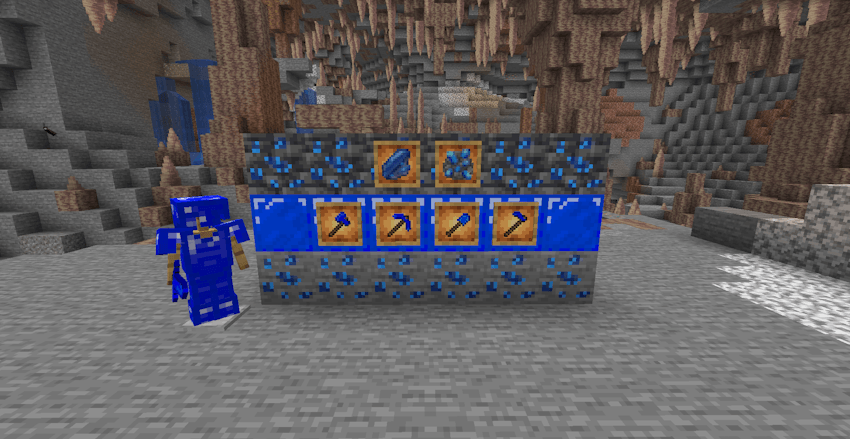
Jade blocks, armor and tools: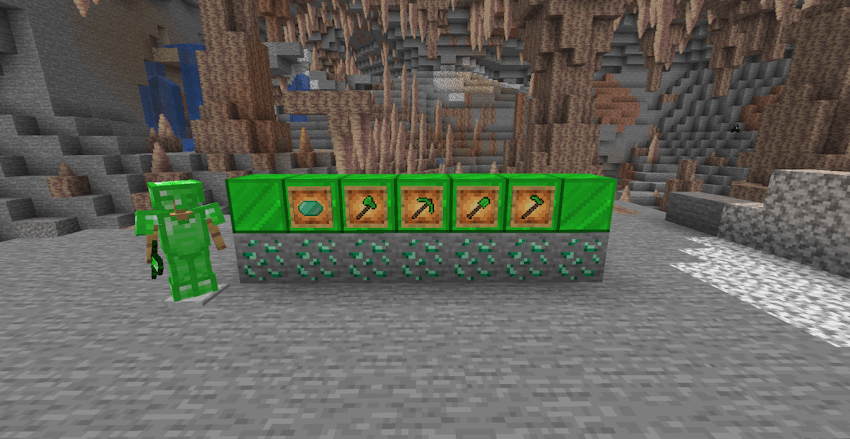
Onyx blocks, armor and tools: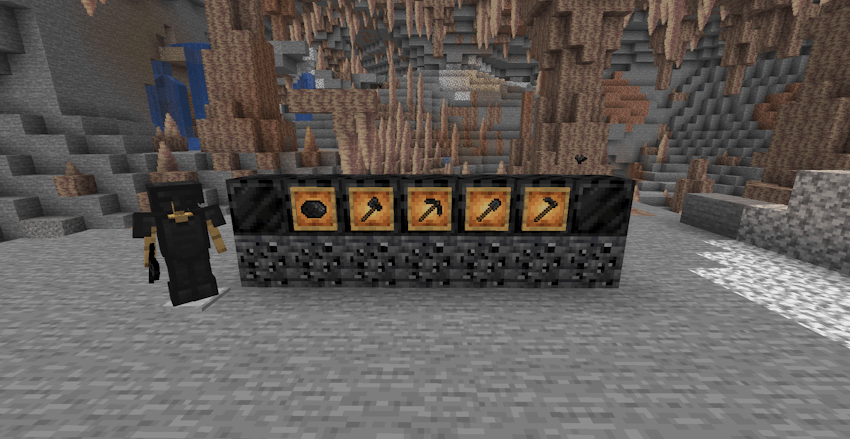
Peridot blocks, armor and tools: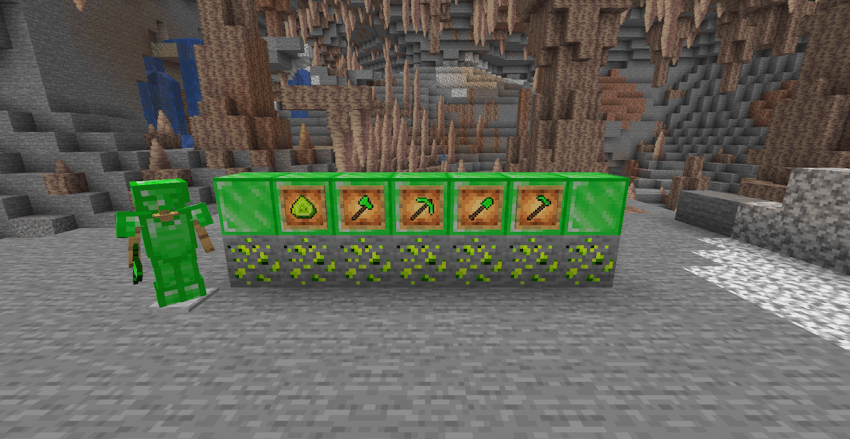
Ruby blocks, armor and tools: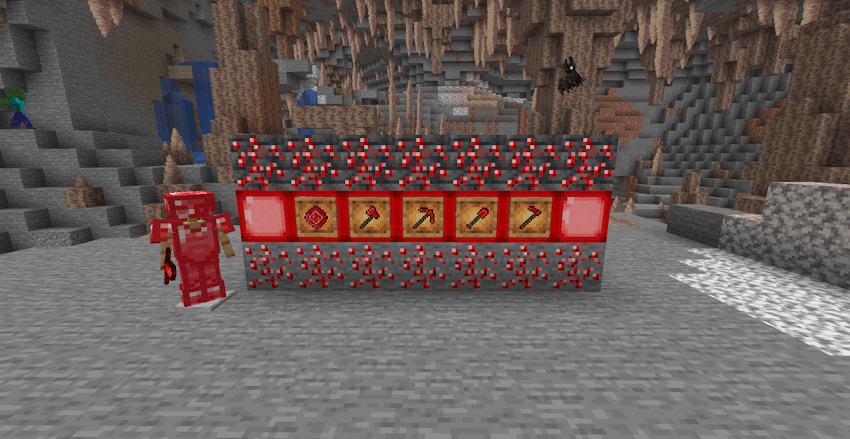
Sapphire blocks, armor and tools: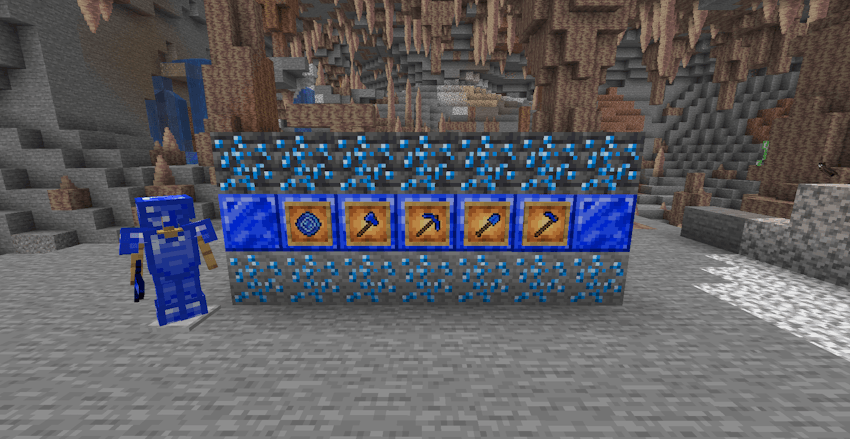
Silver blocks, armor and tools: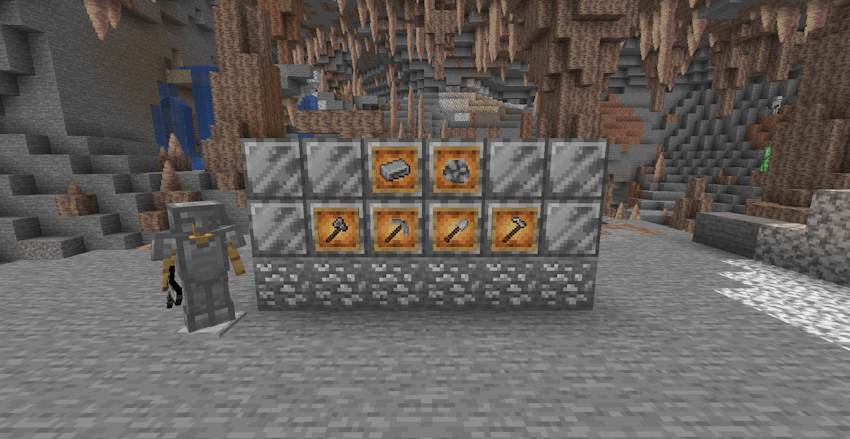
Titanium blocks, armor and tools: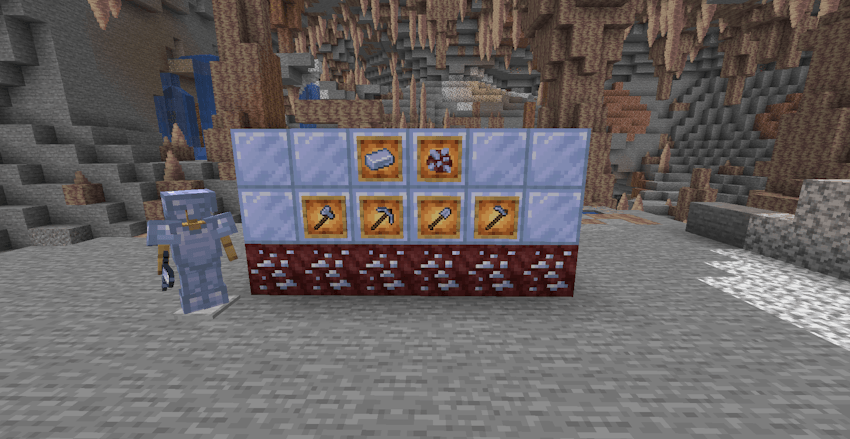
Topaz blocks, armor and tools: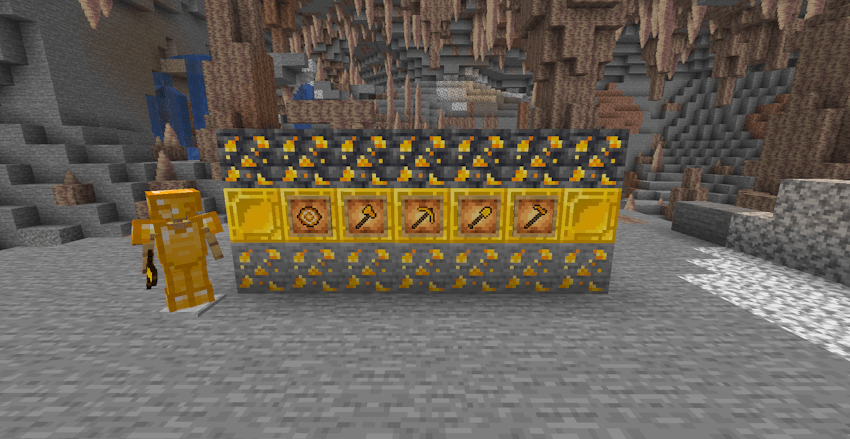
Tungsten blocks, armor and tools: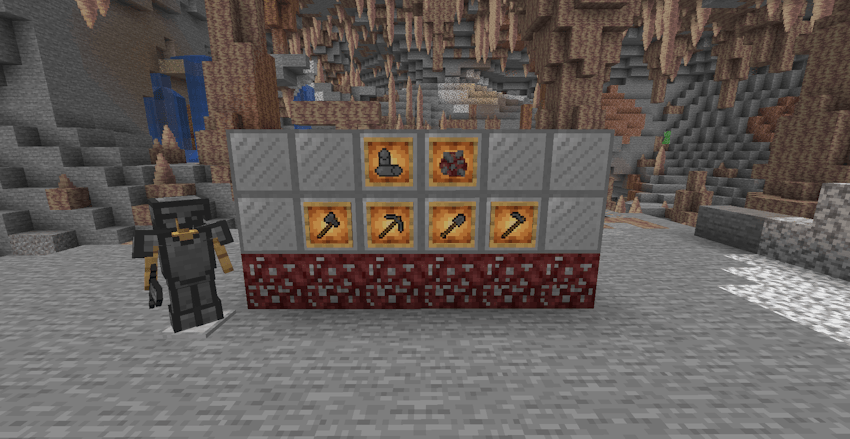
Uranium blocks, armor and tools: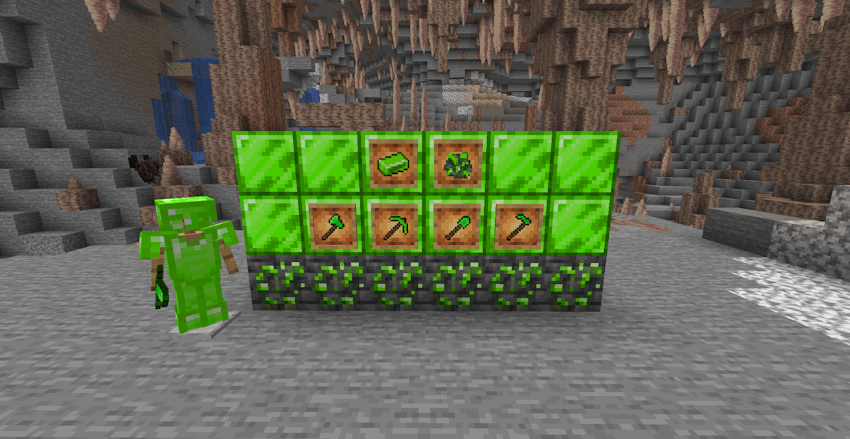
Pink diamond ore and tools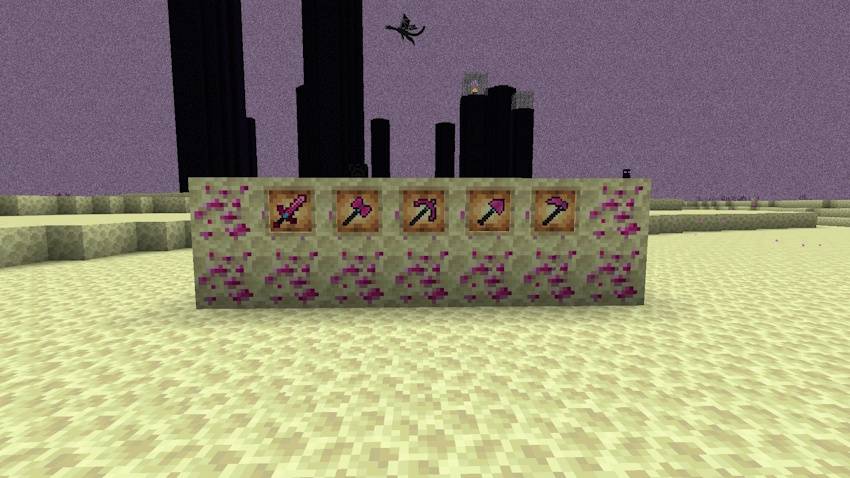
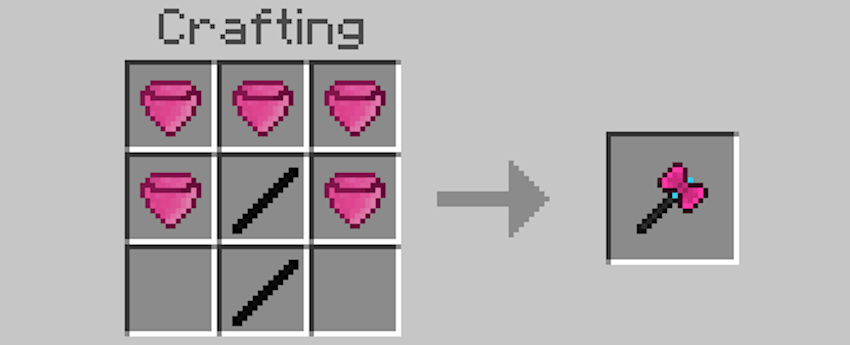
To be able to crafting pink diamond and rainbow tools you’ll need onyx sticks, this is how you can make it
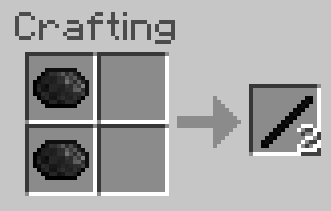
With this onyx stick you’ll be able to craft any tool, below you can see how to make any pink diamond tool
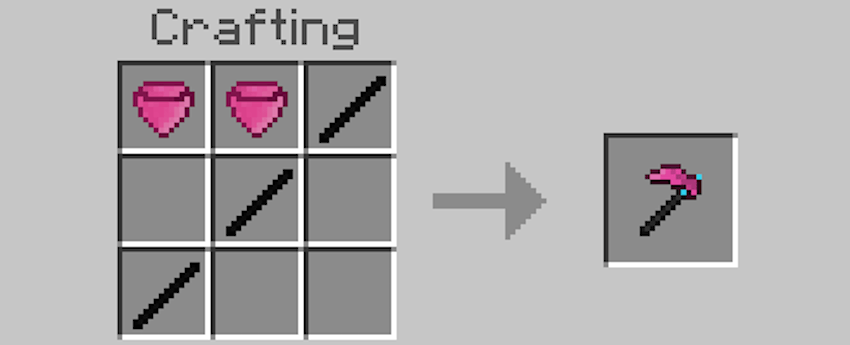
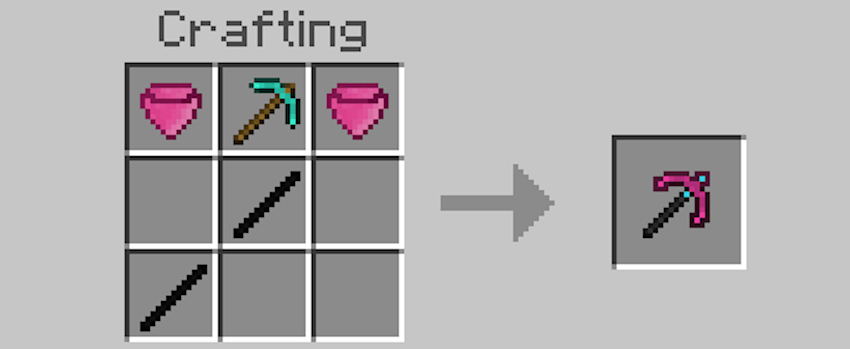
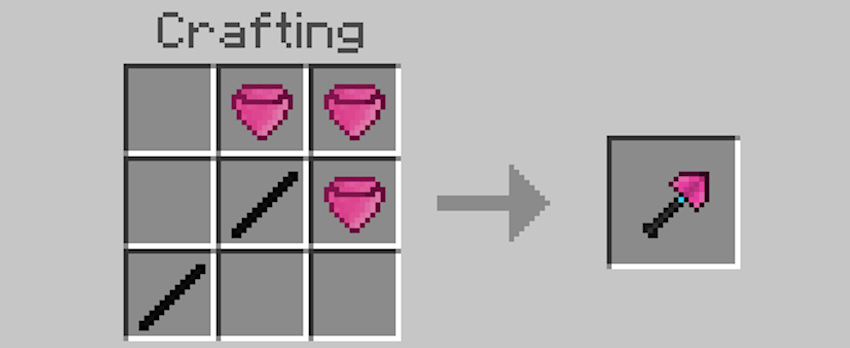
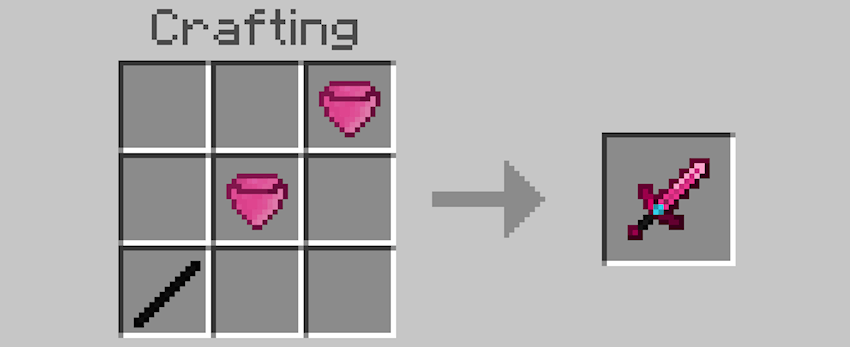
Rainbow blocks, armor and tools (the horse is not part of the addon)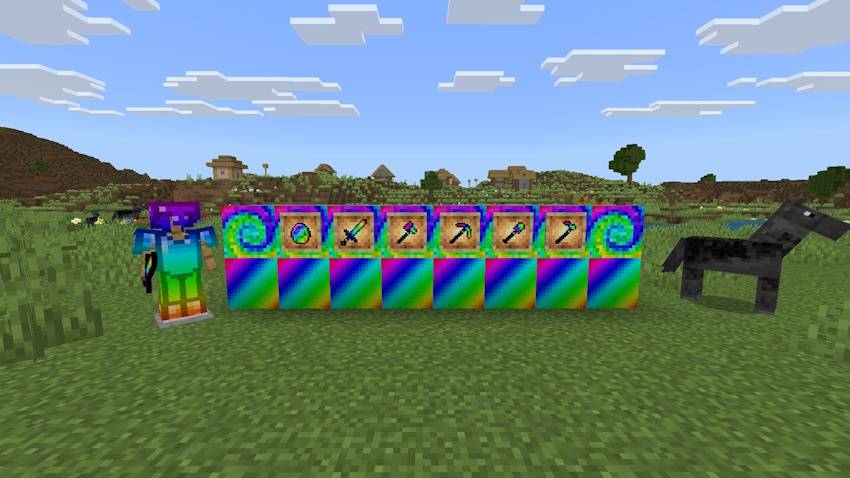
You need to combine all of the ores in overworld that this addon add in a crafting table to make a rainbow ore block.
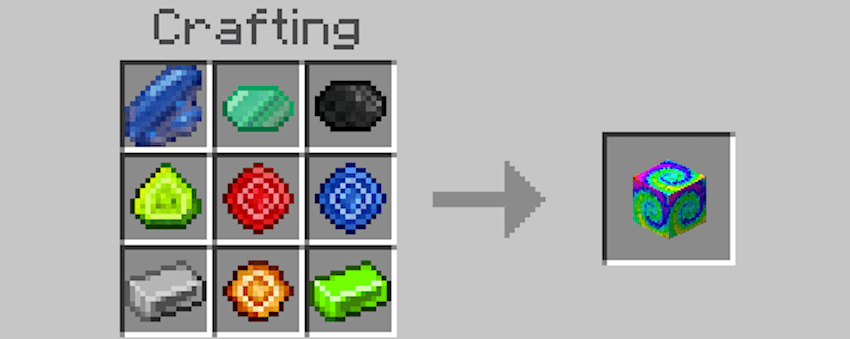
With it you can get the rainbow diamond melting the ore rainbow block in a furnace (how you can see below)
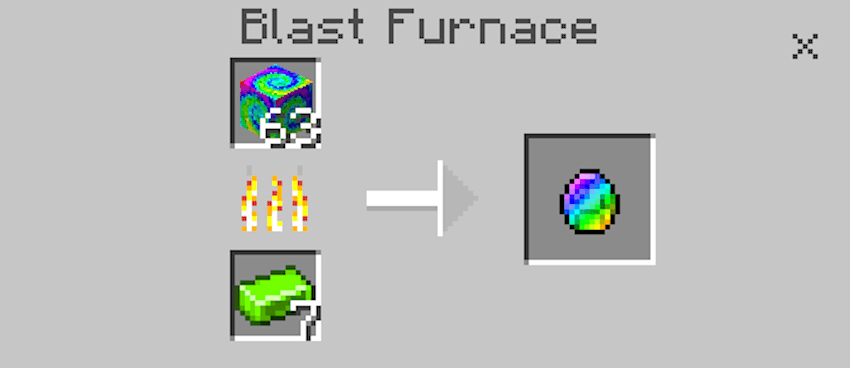
With rainbow diamond you’ll be able to make any tool or piece of armor with the vanilla craft of armors and tools, only you have to use onyx stick instead of a common stick.
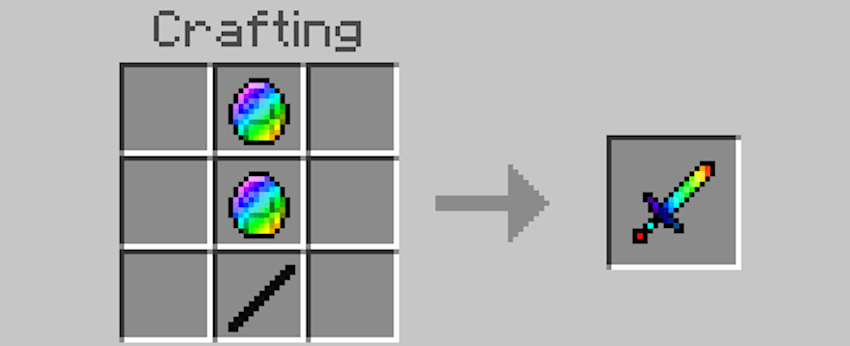
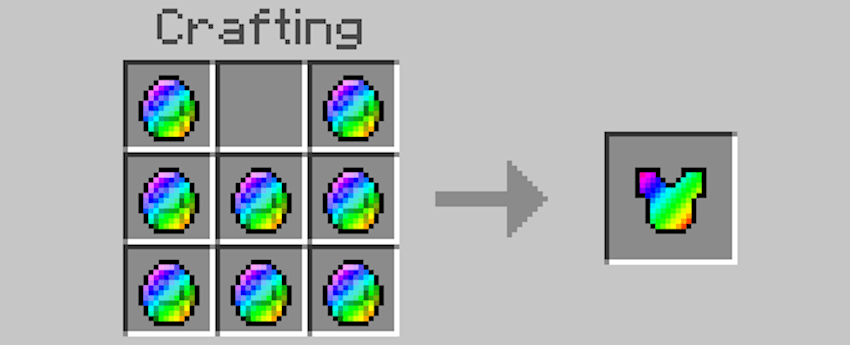
Any comments or improvements will be welcome.


常见问题
Nexa Minerum 支持哪些 Minecraft 版本?
Nexa Minerum 支持 Minecraft Java 版 1.21.1,可用的加载器:Fabric / Forge。下载时注意选择和你游戏版本一致的文件。
Nexa Minerum 怎么安装?
先用 PCL2 或 HMCL 启动器安装对应版本的 Fabric / Forge,再把下载的 .jar 文件放进游戏目录的 mods 文件夹,重新启动游戏即可。开启了版本隔离的,mods 文件夹在 versions/版本名 下面。
评论
登录后评论和评分