
截图


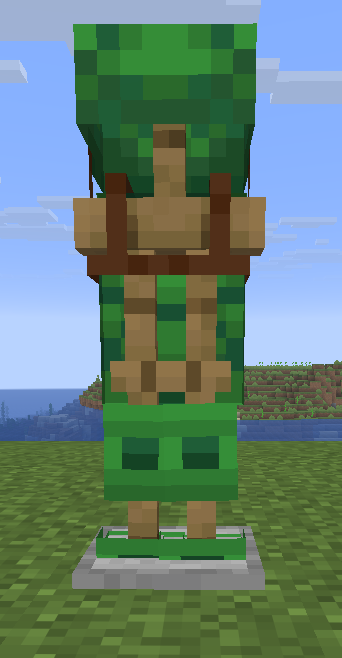


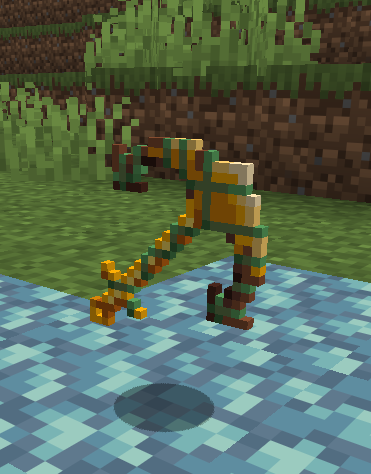
介绍
Over the past few months, Nekoma has been diving into different parts of Minecraft that he always felt were a bit underwhelming, trying to improve them through new ideas, features, and fixes. Whether it was through giving forgotten items a purpose, reworking old mechanics, or bringing back fan favorite concepts from past mob and biome votes, the goal has always been the same. Keep that vanilla feel while showing how much more the game could be.
This mod is actively been developed by a group of developers.
For more info, join the discord server.
FOR A MOD MENU: Install the Cloth Config API and Mod Menu mods
Join the discord server for more info!
A basic Wiki of all the changes
Question: Does it contain all of his ideas?
Answer: We are working on new stuff and the mod is currently under active development.
Based of the videos from Nekomas Youtube Channel such as Features Minecraft DESPERATELY needs
This Mod requires:
Other mods you might like to use:
- Green_Jab’s Fixed Mod
- Ectoluminescence (Going to be merged with this mod soon)
Credits:
- Nekoma – Ideas and original videos
- Green_JAB – Owner & Lead Developer
- CyberModder – Developer
- Akshaj – Developer
- VelocyBlue – Artist
- Lebeno – Artist
- Strikey – Developer
- Krisendo – Developer
- Tejty – Developer
- Technicman – Developer
If have you never played modded minecraft before, go to the Fabric Homepage and download the downloader. Run it for the version of your choice, then in your minecraft folder (you can find by pressing open world folder ingame) there should be a mod folder. In it place the .jar file for this mod along with chosen version of the required mods listed above. Launch the game with fabric version selected. Now go create a new world. If you wish to make a server, this is needed on both server and client.
常见问题
Nekoma’s Fixed 支持哪些 Minecraft 版本?
Nekoma’s Fixed 支持 Minecraft Java 版 1.21.10–26.3,共 5 个版本,可用的加载器:Fabric。下载时注意选择和你游戏版本一致的文件。
Nekoma’s Fixed 怎么安装?
先用 PCL2 或 HMCL 启动器安装对应版本的 Fabric,再把下载的 .jar 文件放进游戏目录的 mods 文件夹,重新启动游戏即可。开启了版本隔离的,mods 文件夹在 versions/版本名 下面。运行环境:客户端和服务端都要装。
Strikey5852 的其他作品
查看全部 →
Nekoma’s Fixed
Adds many ideas from Nekomas videos

Nekocraft
Dive into Nekocraft Season 3! Master arcane sorcery with Ars Nouveau & Occultism, conquer overhauled dungeons, and build a cozy home in a beautifully revamped world.
评论
登录后评论和评分