NBTCB
Note Blocks to Command Blocks (NBTCB) turns Note Block music into a physical command-block snake you can play.
介绍
NBTCB takes a physical Note Block music arrangement and turns it into a physical command-block music machine that you can actually build and play. It scans an area for Note Blocks, reads their instruments and notes, calculates the corresponding pitches, and converts them into /playsound commands.
The resulting machine is built as a chunk-aligned serpentine layout, with Command Blocks carrying the music and Repeaters connecting the sequence. Rows alternate direction, creating a compact back-and-forth “snake” that follows the music from beginning to end.
The converter searches for a suitable open area before building rather than simply overwriting existing structures. The unused space around the machine remains open, making the finished snake easy to see and inspect.
🎵 Detects Note Blocks within a configurable radius
🎹 Reads instruments and exact pitches
🔊 Generates global /playsound commands (hear it from anywhere)
🧱 Built entirely from vanilla Command Blocks and Repeaters
🐍 Compact serpentine, back-and-forth layout – 15-wide, chunk-perfect
🧭 Chunk-aligned (1-15 fill) – no ugly chunk borders
🛡 Smart placement – searches for open space, doesn’t overwrite your builds
🔘 Auto-placed playback button
📊 Reports notes, rows, length in blocks, and chunk coordinates on finish
🧠 Clever bedrock – only under blocks, never under the button
Usage
1. Equip the Transcoder Wrench.
2. Right-click any nearby block with the Transcoder Wrench in your hand.
Use the wrench’s interface to set the Scan Radius, which determines how far around you the converter will search for Note Blocks.
3. Click Transcode in the GUI.
The converter scans the selected area, gathers the Note Blocks it finds, and builds the corresponding Command Block machine.
When finished, the converter reports the number of notes transcoded, the number of rows created, the machine’s length, and the chunk coordinates where it was generated.
A button is automatically placed at the beginning of the generated machine, giving you an immediate way to start playback.
Inspiration
This project was inspired by SethBling’s old-school NBT filter, particularly the idea of taking Minecraft data and turning it into something that can be processed and represented as a physical Minecraft machine.
Rather than simply copying Note Blocks, the converter transcodes the musical information itself—turning the notes and instruments into executable commands and laying those commands out as a physical, chunk-aligned snake.
From Note Blocks → to data → to commands → to a Minecraft machine.
Built for the joy of making Minecraft do ridiculous things.
常见问题
NBTCB 支持哪些 Minecraft 版本?
NBTCB 支持 Minecraft Java 版 1.21.1,可用的加载器:NeoForge。下载时注意选择和你游戏版本一致的文件。
NBTCB 怎么安装?
先用 PCL2 或 HMCL 启动器安装对应版本的 NeoForge,再把下载的 .jar 文件放进游戏目录的 mods 文件夹,重新启动游戏即可。开启了版本隔离的,mods 文件夹在 versions/版本名 下面。
Hardmuscle 的其他作品
查看全部 →
Magic Mushrooms
A chaotic fun mod that lets you craft magical mushrooms to shrink down to microscopic proportions, tower over the world as a giant, or chug an antidote to restore normal size.
My Rotten Flesh
My Rotten Flesh lets you convert Rotten Flesh to Bone in a Furnace, Smoker, or Blast Furnace, use Rotten Flesh in a Composter (30% Chance), and use it as a Low Level Fuel.
Villagers Have Names
Bring your Minecraft world to life! Villagers Have Names gives your villagers distinct identities by automatically assigning them randomly selected, colored names when they enter the world.
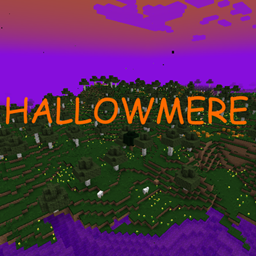
Hallowmere
Hallowmere is a spooky new dimension filled with the eerie atmosphere of Halloween!
评论
登录后评论和评分