
截图
介绍
NATION’S MOD
This mod requires no other mods to function.
You can configure keys in the Minecraft key menu.
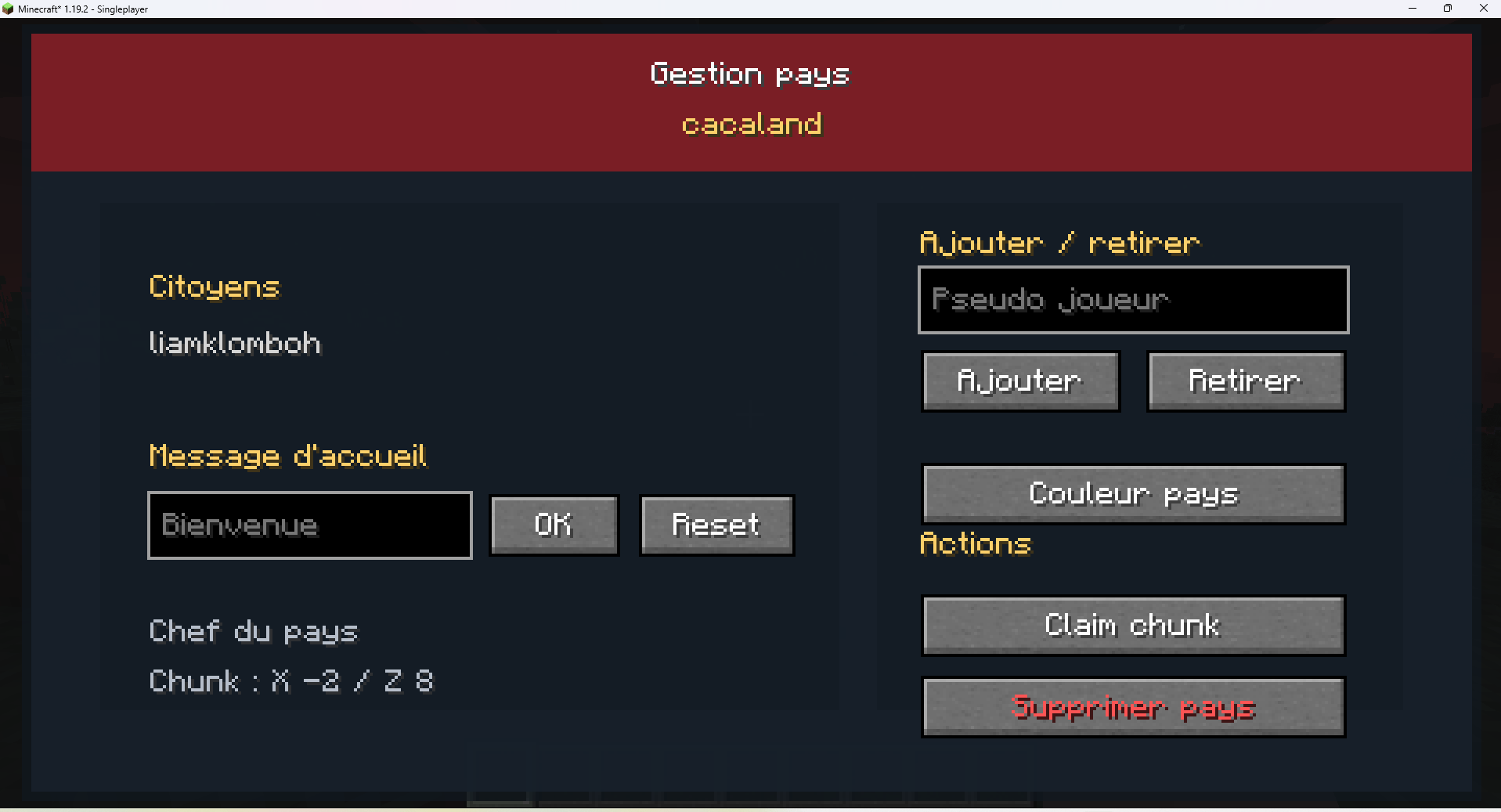
NATIONS MANAGEMENT MENU: opened by a configurable key, this menu allows you to create and manage a nation!
COUNTRY BORDER: configurable key, allows you to display country borders!
When creating your country, you start with a maximum of 5 chunks to claim. To increase this maximum, you must pay 1 diamond in the COUNTRY SHOP menu.
How do you create a country?
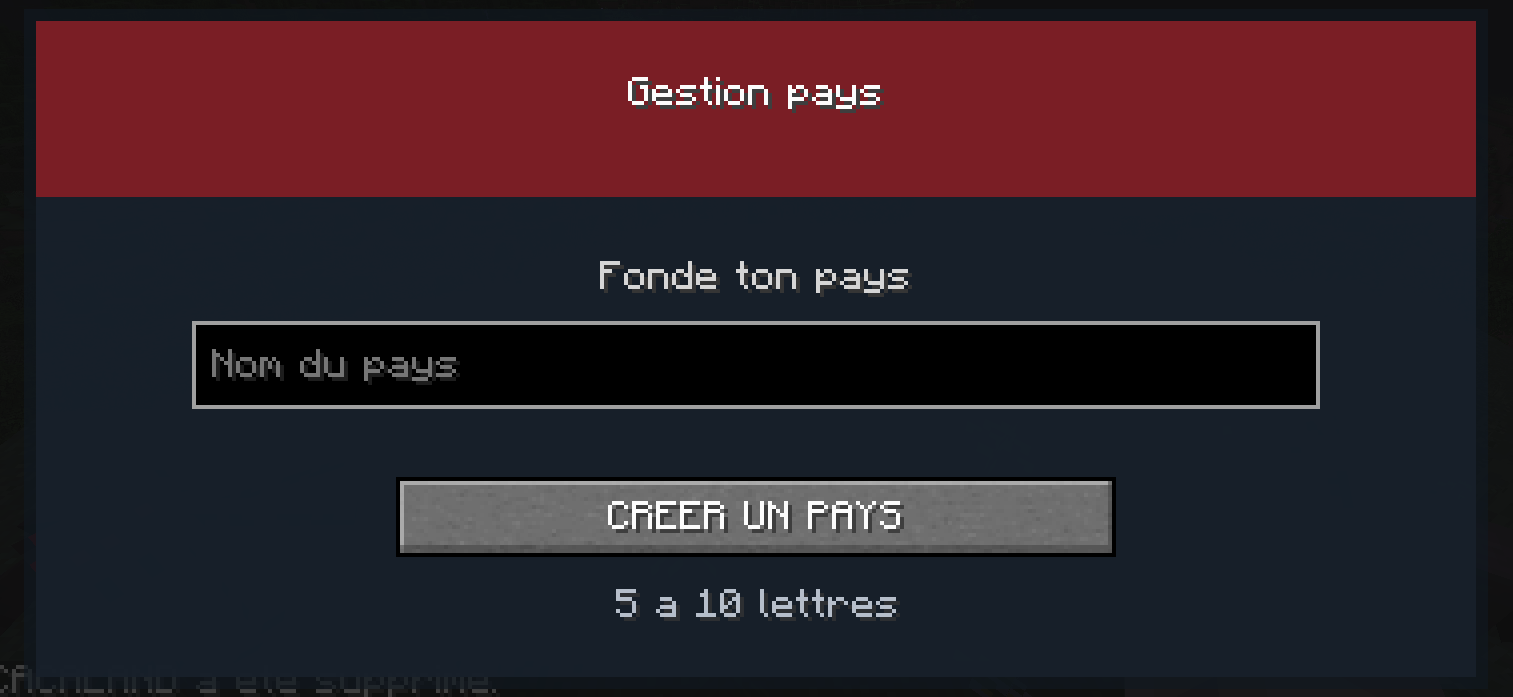
To create a country, open the country management menu with “G” (modifiable key) and choose a name! (minimum: 5 letters, maximum: 10 letters)
How do I manage my country?
To manage your country, you must first have a country. If you already have one, open the country management menu with “G” (modifiable key) !
List of country management settings:
add and remove people from the country
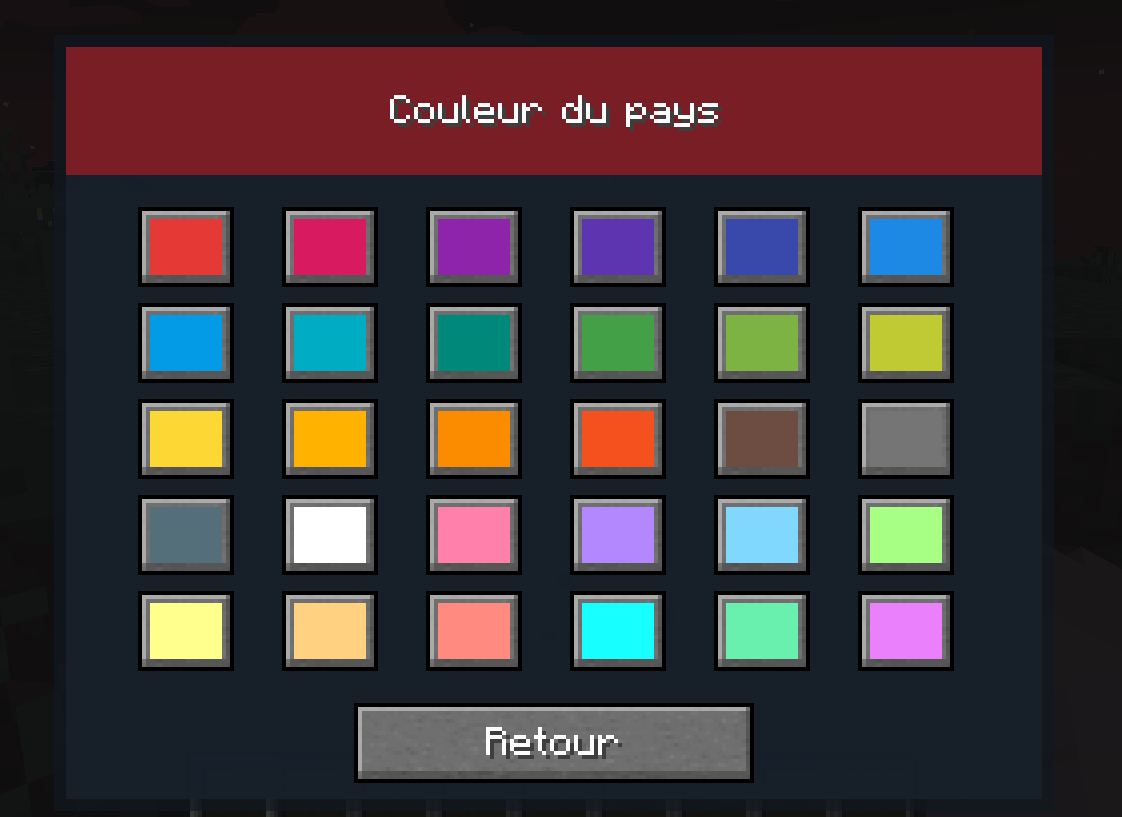
change the country color
claim chunks
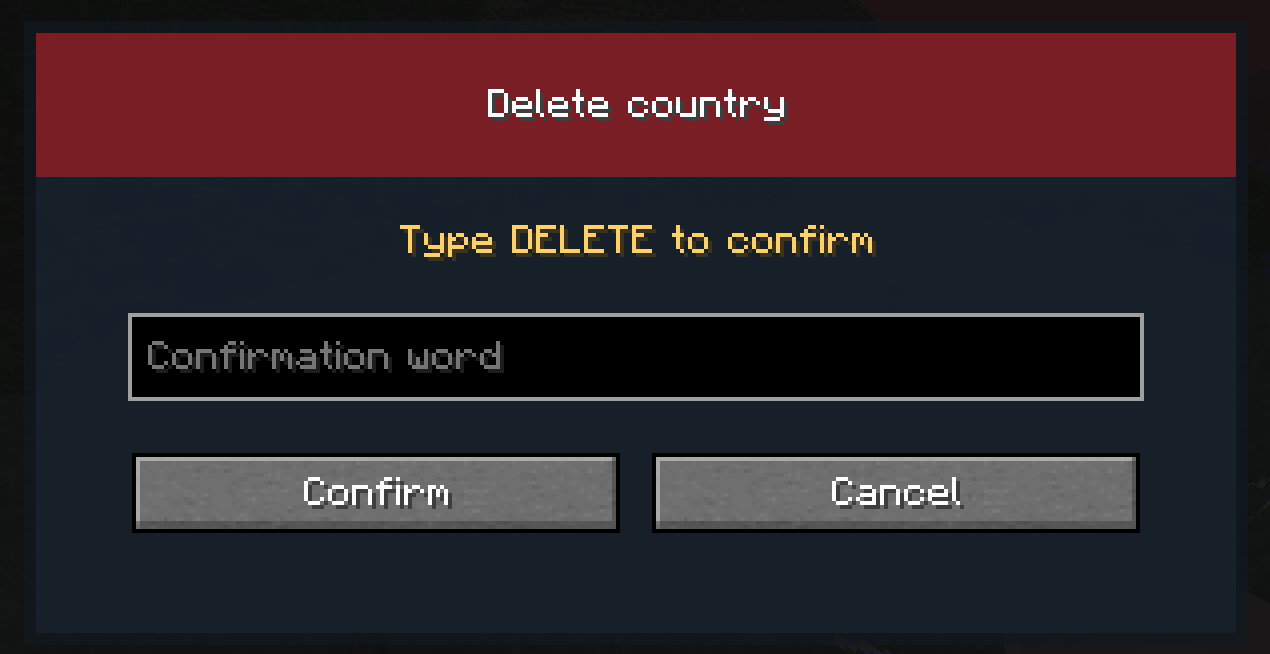
delete the country
and change the welcome message.
add/remove people from the country
The country’s color is applied to the displayed border of the country, and to the country’s name in the welcome and exit messages.
MAP:
The mod includes a map. To open it, go to the COUNTRY MANAGEMENT menu and click on MAP.
RANKS:
You can assign different permissions to your citizens!
OFFICER: Claim/Unclaim chunks, Teleport to the country’s spawn point Build/destroy within the country’s claims, like other members
MEMBER: Build/break within the country’s chunks and Teleport to the country’s spawn point
COUNTRY SHOP:
You can access the country’s inventory via the COUNTRY SHOP button in the COUNTRY MANAGEMENT menu. In this inventory, you can deposit and withdraw resources, and you can also purchase chunks!
COMMANDS:
“/opencountry” opens the “country management” menu
“/leavecontry” leaves his country
“/acceptcountryinvite” accept to receive country invitations
“/refusecountryinvite” refuse to receive invitations from countries
常见问题
Nation’s War 支持哪些 Minecraft 版本?
Nation’s War 支持 Minecraft Java 版 1.19–1.19.4,共 5 个版本,可用的加载器:Forge。下载时注意选择和你游戏版本一致的文件。
Nation’s War 怎么安装?
先用 PCL2 或 HMCL 启动器安装对应版本的 Forge,再把下载的 .jar 文件放进游戏目录的 mods 文件夹,重新启动游戏即可。开启了版本隔离的,mods 文件夹在 versions/版本名 下面。
Nertier 的其他作品
查看全部 →
Dummy Town Mod
dummytown mod CHRISTMAS UPDATE !!!

The Stalker Reimagined
A mod that adds The Stalker entity and some other features. (V1.5)

Horror Growing
One of the best horror modpacks! It has scares, difficulty, and a bunch of other cool stuff!

DummyTownS2 – DTM
The DUMMY TOWN server modpack
评论
登录后评论和评分