
NameSeed
Save and use seed without having to memorize the long numerical strings. Makes sharing and using seeds a lot more convenient. No more typing or copy-paste errors!
介绍
Sharing Minecraft seeds come with a problem – The seeds are long numerical strings and you have to correctly type-in or copy-paste them into the world creation menu.
Any error while doing this will generate an entire different world from what you intended.
The solution is here.

How it Works?
When creating a new world. The world creation menu now has a new text box for entering the Seed Name.
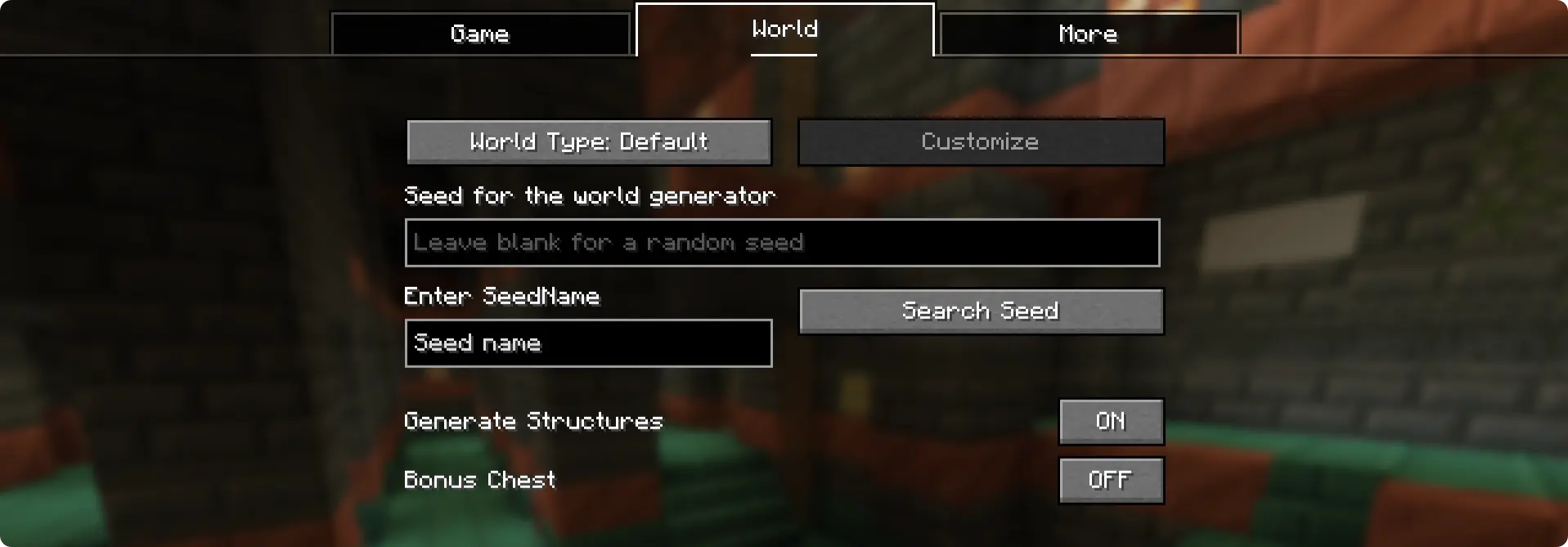
This is where you enter the “seed name” (or seed code). Once entered, click on the “Search Seed” button and the seed saved under the name will appear in Minecraft’s original seed box. For this, the seed needs to be saved under the specific seed name under the config file.
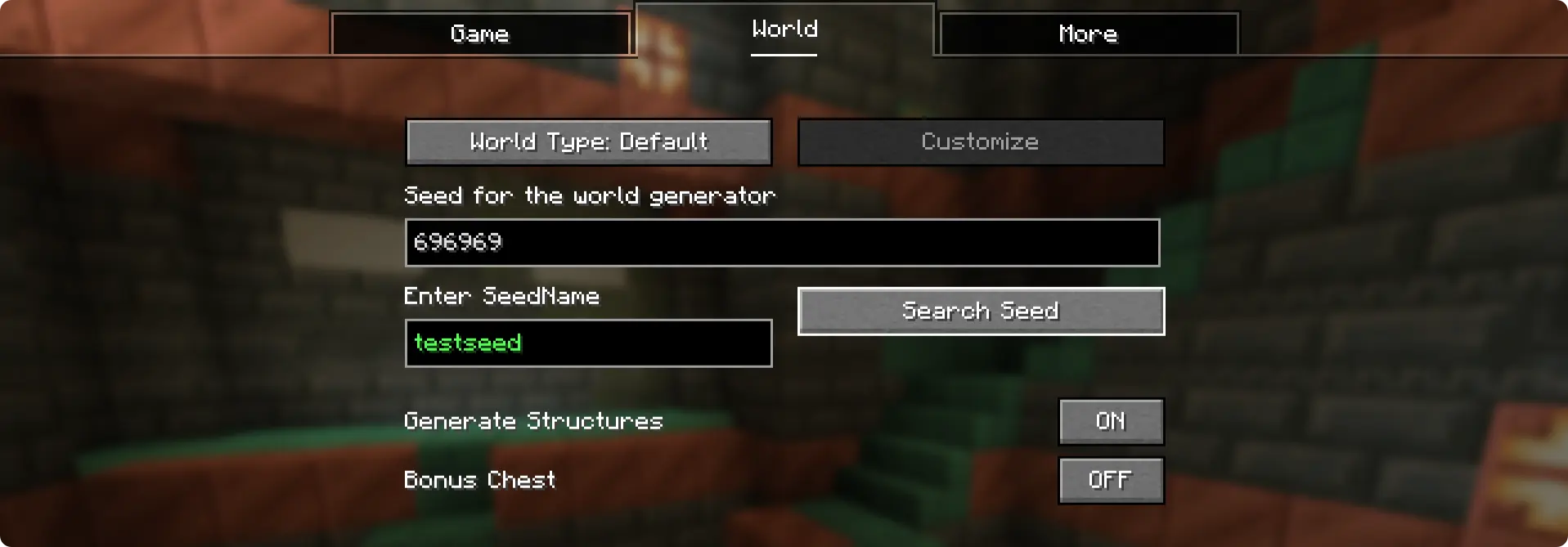
Here, the seed “696969” was saved under the seed name “testseed”. This exists by default when you install the mod.
How to Add Seeds?
When you run the game for the first time with the NameSeed mod installed, a config folder is generated – .minecraft/config/NameSeeds
Within the NameSeeds folder, you will find a text file named seednames.txt. You can start saving you seed names and seeds to this list in the format seed_name;seed (Example: testseed:696969)
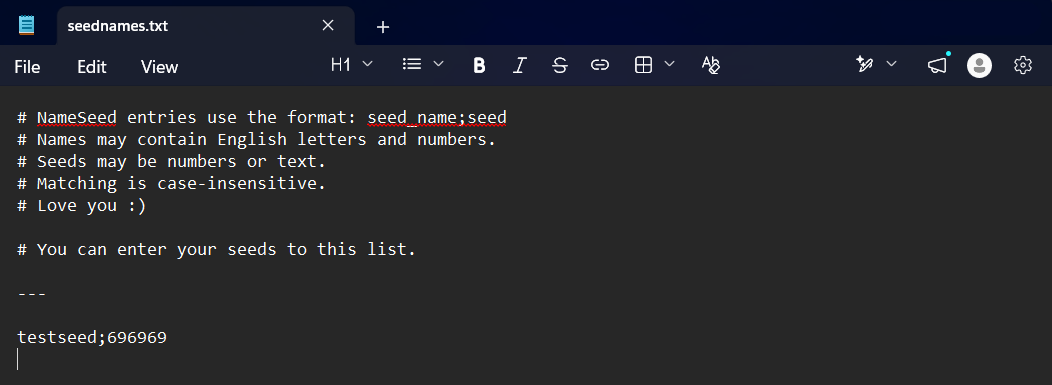
You can enter and save your seed names and seeds in this text file in the format “seedname;seed”. Put each entry into a new line.
常见问题
NameSeed 支持哪些 Minecraft 版本?
NameSeed 支持 Minecraft Java 版 1.21.1,可用的加载器:Fabric。下载时注意选择和你游戏版本一致的文件。
NameSeed 怎么安装?
先用 PCL2 或 HMCL 启动器安装对应版本的 Fabric,再把下载的 .jar 文件放进游戏目录的 mods 文件夹,重新启动游戏即可。开启了版本隔离的,mods 文件夹在 versions/版本名 下面。运行环境:客户端和服务端都要装。

评论
登录后评论和评分