
Name Color Editor
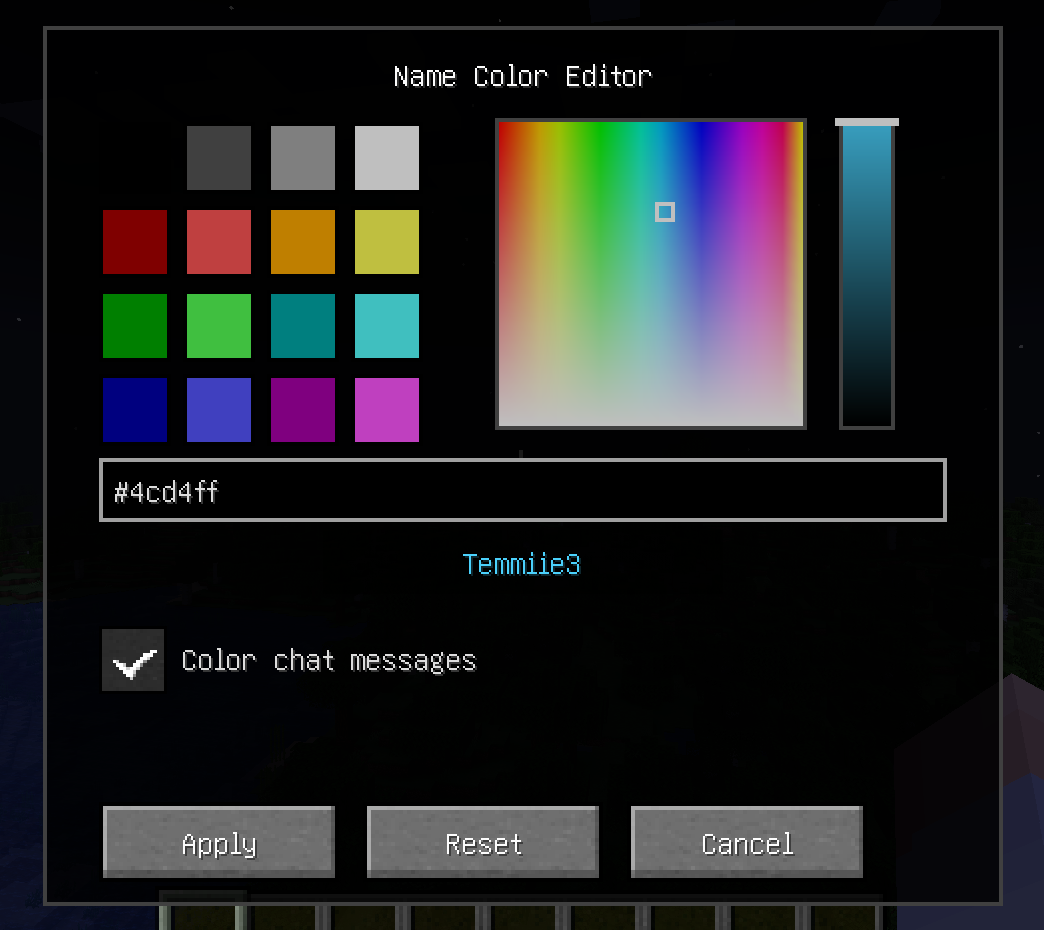
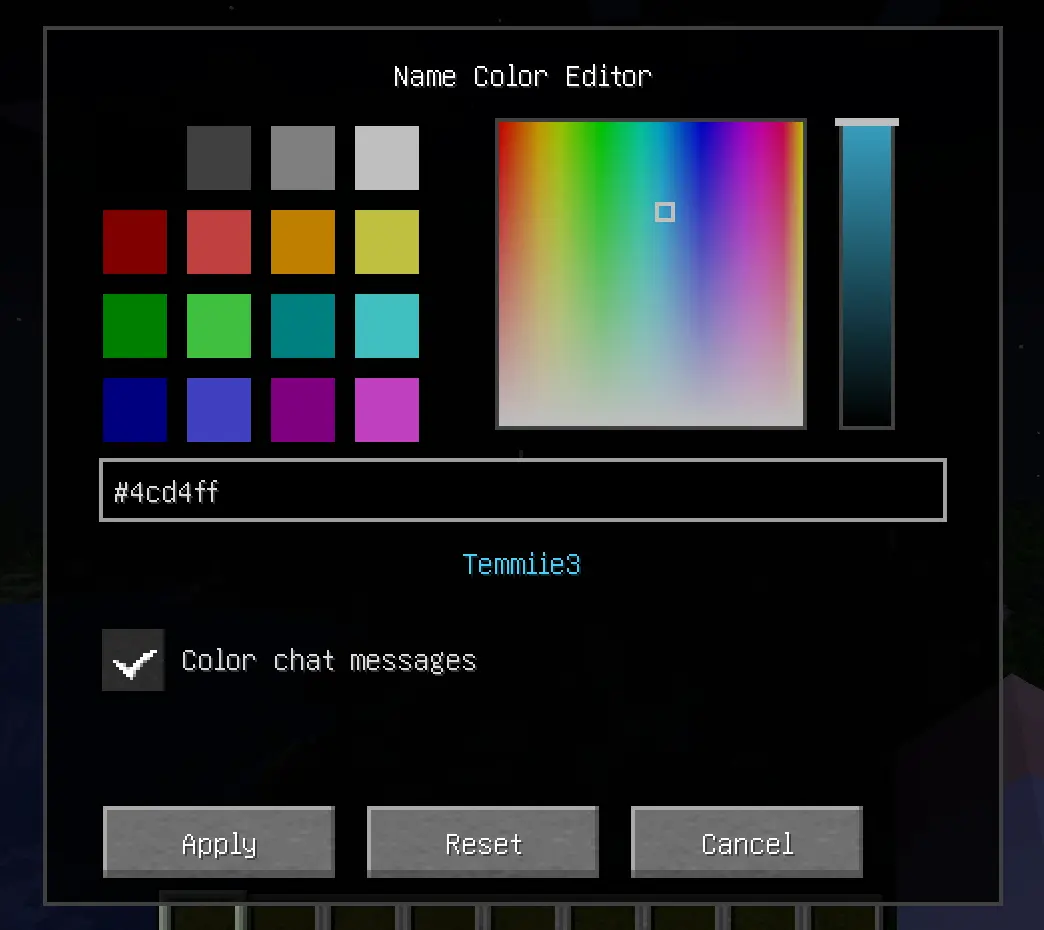
Enhance your Minecraft server's identity! Name Color Editor is a lightweight Fabric mod that allows every player to express themselves by choosing a custom color for their username.
截图
介绍
中文介绍正在准备中,下面暂时显示原文。
🎨 Name Color Editor
Enhance your Minecraft server’s identity! Name Color Editor is a lightweight Fabric mod that allows every player to express themselves by choosing a custom color for their username and chat messages.
✨ Features
- Professional HSB Picker: Open a beautiful, clean color editor with
/namecolor. - 16 Classic Swatches: All standard vanilla Minecraft colors.
- Hue-Saturation Square: Pick any hue with precision.
- Brightness Slider: Fine-tune the luminosity of your chosen color.
- Chat Coloring Toggle: Choose between coloring just your name or both your name and chat messages.
- Responsive UI: Optimized layout that works on all screen sizes and GUI scales.
- Hex Support: Type or paste any
#RRGGBBcode for total precision. - Universal Visibility: Your chosen color is shown in:
- 💬 Chat messages (optional)
- 📜 Tab list
- 🏷️ Floating Nametags (above your head)
- Server-Side Sync: Colors are synchronized automatically across all online players.
- Persistent Storage: Your color preferences are saved to the server and persist across restarts.
🚀 Installation
🖥️ Client & Server
This mod is required on both the Client and the Server.
- Install Fabric Loader for 1.21.1.
- Download Fabric API and place it in your
modsfolder. - Place Name Color Editor in your
modsfolder.
🛠️ Commands
/namecolor: Opens the color selection GUI.
常见问题
Name Color Editor 支持哪些 Minecraft 版本?
Name Color Editor 支持 Minecraft Java 版 1.21–26.1.2,共 15 个版本,可用的加载器:Fabric。下载时注意选择和你游戏版本一致的文件。
Name Color Editor 怎么安装?
先用 PCL2 或 HMCL 启动器安装对应版本的 Fabric,再把下载的 .jar 文件放进游戏目录的 mods 文件夹,重新启动游戏即可。开启了版本隔离的,mods 文件夹在 versions/版本名 下面。运行环境:客户端和服务端都要装。
评论
登录后评论和评分