
介绍

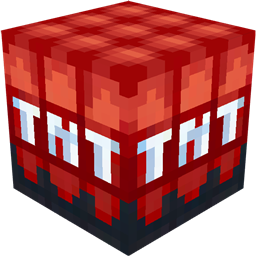
Bring unimaginable power to your Minecraft world with Nukes.
This mod introduces a range of deadly explosives, from simple high-yield bombs to catastrophic nuclear weapons capable of reshaping the landscape in seconds. Whether you want to test your engineering skills, wage large-scale battles, or just watch the world burn, this mod delivers the firepower you’re looking for.

- Multiple bomb types, ranging from compact charges to massive nukes
- Massive explosions with realistic blast radii that can level mountains or wipe out cities
- Custom ores and materials used to craft advanced weaponry
- Full redstone compatibility, allowing bombs to be triggered with redstone, timers, or automation
- Balanced crafting recipes to ensure powerful items require effort and rare resources

This mod requires a lot of RAM, especially for the higher-performance versions!
This is because, at one point, the Nukes destroy over 1 million blocks at once!
I would personally recommend sticking with the medium-performance version, as running the higher-performance ones requires an extremely powerful PC with a lot of RAM.
You can find Uranium Ore in the Overworld between heights -34 and -64, and Plutonium Ore in the End between 0 and 30.
Please let me know by commenting if you have any ideas for improvements or suggestions on what to add or change!

Little Boy

Fat Man

Hydrogen Bomb

Castle Bravo

Tsar Bomba

Antimatter Bomb


These are the estimated explosion sizes for each Nuke, depending on your selected performance version.
(Radii are measured in blocks, and total blocks show the approximate number of destroyed blocks if a full sphere were cleared (at once).)
##
Very High Performance:
- Little Boy: Radius = 80×80 | Blocks destroyed = 2,142,661
- Fat Man: Radius = 160×160 | Blocks destroyed = 17,141,287
- Hydrogen Bomb: 320×320 | Blocks destroyed = 137,130,297
- Castle Bravo: 640×640 | Blocks destroyed = 1,097,041,524
- Tsar Bomba: 1,280×1,280 | Blocks destroyed = 8,786,146,190
- Antimatter Bomb: 2.560×2.560 | Blocks destroyed = 70,289,169,155
High Performance:
- Little Boy: Radius = 40×40 | Blocks destroyed = 268,083
- Fat Man: Radius = 80×80 | Blocks destroyed = 2,142,661
- Hydrogen Bomb: 160×160 | Blocks destroyed = 17,141,287
- Castle Bravo: 320×320 | Blocks destroyed = 137,130,297
- Tsar Bomba: 640×640 | Blocks destroyed = 1,097,041,524
- Antimatter Bomb: 1,280×1,280 | Blocks destroyed = 8,786,146,190
Medium Performance:
- Little Boy: Radius = 20×20 | Blocks destroyed = 33,510
- Fat Man: Radius = 40×40 | Blocks destroyed = 268,083
- Hydrogen Bomb: 80×80 | Blocks destroyed = 2,142,661
- Castle Bravo: 160×160 | Blocks destroyed = 17,141,287
- Tsar Bomba: 320×320 | Blocks destroyed = 137,130,297
- Antimatter Bomb: 640×640 | Blocks destroyed = 1,097,041,524
Low Performance:
- Little Boy: Radius = 10×10 | Blocks destroyed = 4,189
- Fat Man: Radius = 20×20 | Blocks destroyed = 33,510
- Hydrogen Bomb: 40×40 | Blocks destroyed = 268,083
- Castle Bravo: 80×80 | Blocks destroyed = 2,142,661
- Tsar Bomba: 160×160 | Blocks destroyed = 17,141,287
- Antimatter Bomb: 320×320 | Blocks destroyed = 137,130,297
Very Low Performance:
- Little Boy: Radius = 5×5 | Blocks destroyed = 523
- Fat Man: Radius = 10×10 | Blocks destroyed = 4,189
- Hydrogen Bomb: 20×20 | Blocks destroyed = 33,510
- Castle Bravo: 40×40 | Blocks destroyed = 268,083
- Tsar Bomba: 80×80 | Blocks destroyed = 2,142,661
- Antimatter Bomb: 160×160 | Blocks destroyed = 17,141,287

These weapons are extremely destructive. Use them responsibly, or embrace the chaos.
常见问题
Myriom’s Nukes 支持哪些 Minecraft 版本?
Myriom’s Nukes 支持 Minecraft Java 版 1.20.1,可用的加载器:Forge。下载时注意选择和你游戏版本一致的文件。
Myriom’s Nukes 怎么安装?
先用 PCL2 或 HMCL 启动器安装对应版本的 Forge,再把下载的 .jar 文件放进游戏目录的 mods 文件夹,重新启动游戏即可。开启了版本隔离的,mods 文件夹在 versions/版本名 下面。运行环境:客户端和服务端都要装。


评论
登录后评论和评分