
MyConnectionMyChoice
作者:florianreuth
Client-side Fabric mod that lets control incoming server transfers.
截图


介绍
中文介绍正在准备中,下面暂时显示原文。
MyConnectionMyChoice
Client-side Fabric mod that lets control incoming server transfers.
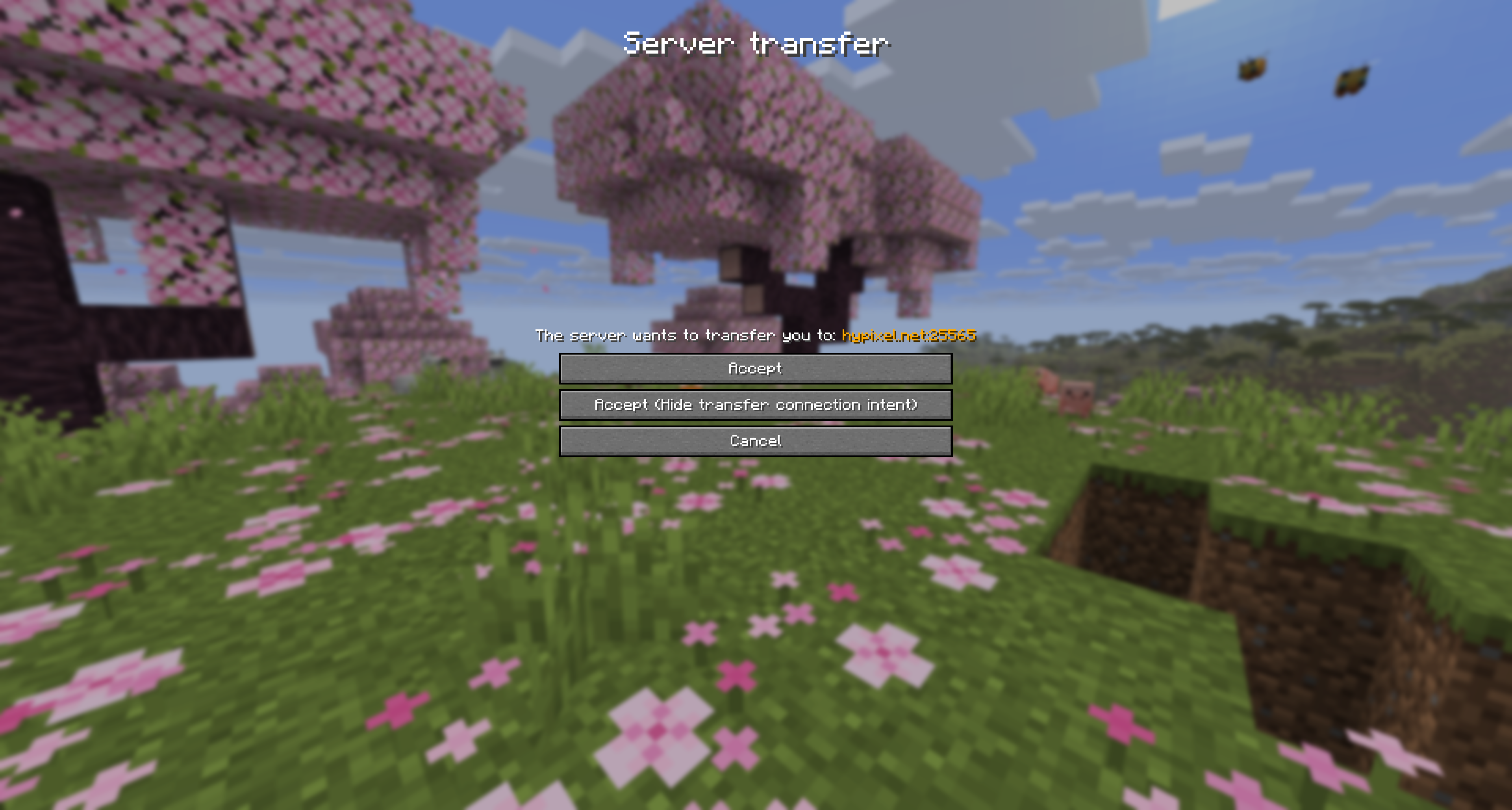
When a server requests a transfer, you can deny it, accept it normally, or accept it while hiding transfer connection intent.
Screenshots
In-game Preview
Usage
- Join a server that supports transfer packets.
- Wait for the transfer confirmation screen to appear.
- Choose
Acceptfor a normal transfer. - Choose
Accept (Hide transfer connection intent)to connect as direct login intent. - Choose
Cancelto deny the transfer.
Links
- Modrinth: https://modrinth.com/mod/myconnectionmychoice
- CurseForge: https://curseforge.com/minecraft/mc-mods/myconnectionmychoice
- Dev builds: https://build.florianreuth.de/job/MyConnectionMyChoice
- Crowdin: https://crowdin.com/project/myconnectionmychoice
Contact
- Issues: https://github.com/florianreuth/MyConnectionMyChoice/issues
- Discord: https://florianreuth.de/discord
常见问题
MyConnectionMyChoice 支持哪些 Minecraft 版本?
MyConnectionMyChoice 支持 Minecraft Java 版 1.21.4–26.3,共 13 个版本,可用的加载器:Fabric。下载时注意选择和你游戏版本一致的文件。
MyConnectionMyChoice 怎么安装?
先用 PCL2 或 HMCL 启动器安装对应版本的 Fabric,再把下载的 .jar 文件放进游戏目录的 mods 文件夹,重新启动游戏即可。开启了版本隔离的,mods 文件夹在 versions/版本名 下面。运行环境:仅客户端。
florianreuth 的其他作品
查看全部 →
ViaFabricPlus
by florianreuth, RaphiMC 等
一个 Minecraft Fabric 模组,让你能加入所有 Minecraft 服务器版本(Classic、Alpha、Beta、正式版、愚人节版、基岩版)
858.3万
3 天前
Modrinth

ViaVersion
by creeper123123321, florianreuth 等
允许较新的 Java 版客户端连接到较旧的服务器。
363.8万
3 天前
Modrinth

ViaFabric
by ViaVersion
允许连接到版本较旧的服务器
327.4万
12 天前
Modrinth · CurseForge

ViaBackwards
by creeper123123321, florianreuth 等
允许较旧版本的Java版客户端连接到较新版本的服务器。
242.9万
6 天前
Modrinth
评论
登录后评论和评分