
My Music
MyMusic – A lightweight client-side mod that lets you replace Minecraft's default background music with your own OGG tracks. Just drop your .ogg files into the mysounds folder and the mod will automatically take over the in-game music player.
截图
介绍
Features
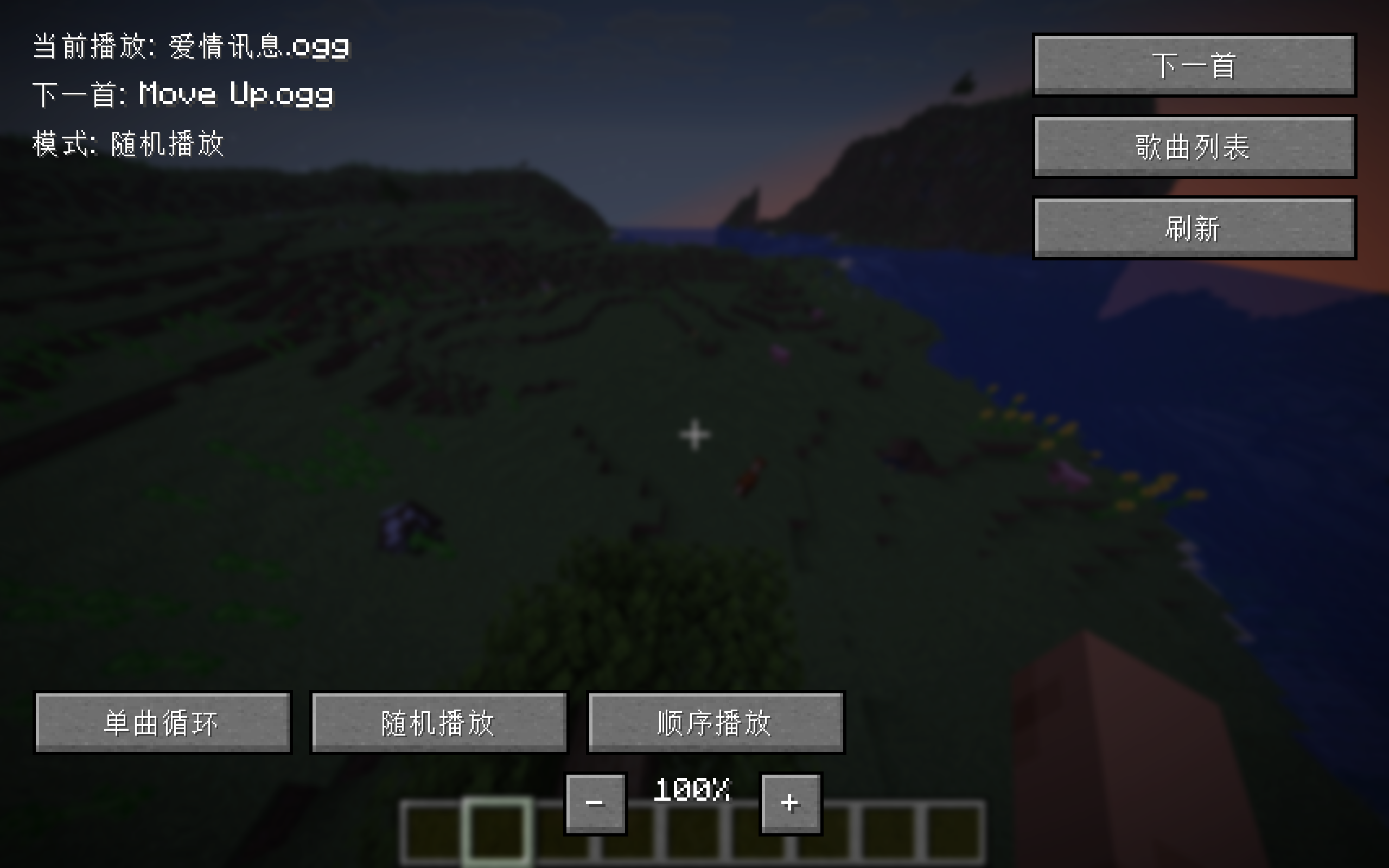
Custom Music Loop: Randomly plays your OGG tracks, with automatic fallback to the next song.
Play Modes: Single-repeat, shuffle, and sequential modes.
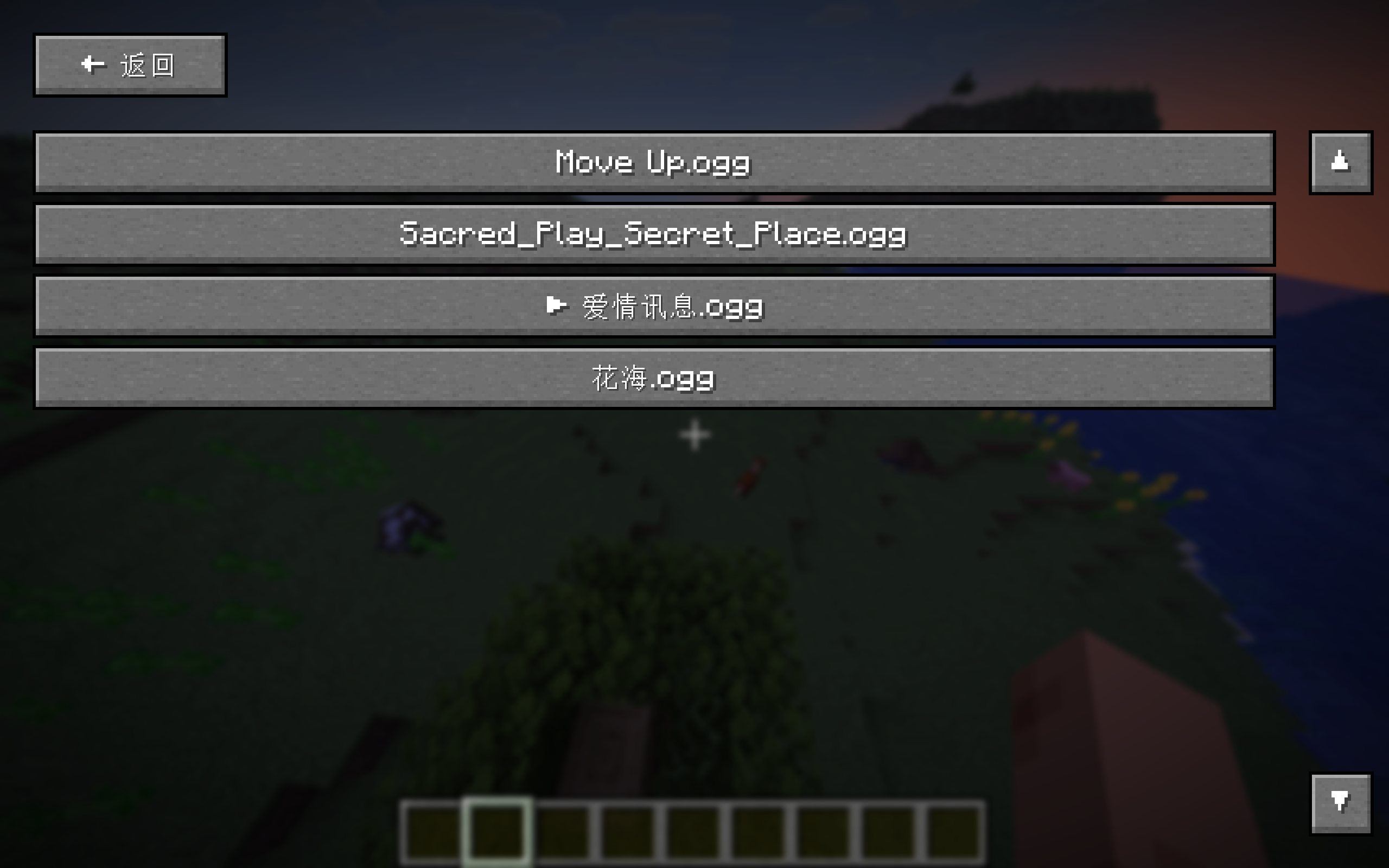
Song List GUI: Browse all your tracks in a scrollable list; click any entry to play it instantly.
Now Playing Overlay: Displays the current track name above the hotbar on each song change.
Volume Control: Adjust music volume directly from the in-game screen using – / + buttons.
Lightweight & Zero Dependencies: Uses only Minecraft’s built-in OGG decoder and standard Java audio output. No external libraries required.
How to Use
Launch the game once to generate the mysounds folder (or create it manually inside .minecraft).
Place your .ogg files into that folder.
Open the music control screen (default keybind or via Mod Menu) to manage playback, switch modes, browse your songs, and adjust volume.
Notes
This mod completely replaces the vanilla background music system. Game sounds and other audio remain unaffected.
Only .ogg files are supported. You can convert MP3/FLAC files online or with tools like Audacity.
常见问题
My Music 支持哪些 Minecraft 版本?
My Music 支持 Minecraft Java 版 26.1,可用的加载器:Fabric。下载时注意选择和你游戏版本一致的文件。
My Music 怎么安装?
先用 PCL2 或 HMCL 启动器安装对应版本的 Fabric,再把下载的 .jar 文件放进游戏目录的 mods 文件夹,重新启动游戏即可。开启了版本隔离的,mods 文件夹在 versions/版本名 下面。运行环境:仅客户端。
评论
登录后评论和评分