MusiMenu
A sleek Minecraft music HUD with multiple providers, synchronized lyrics, and environment-reactive volume.
截图
介绍
MusiCraft
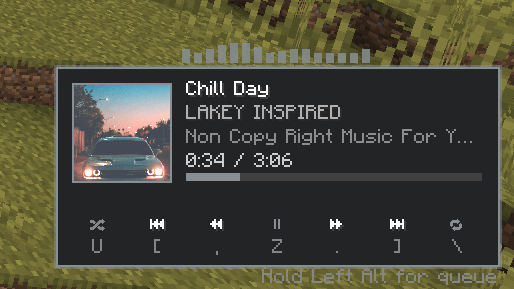
MusiCraft is a customizable Minecraft music HUD for Fabric that lets you view and control music without leaving the game. It supports Spotify through the Spotify Web API and Spotify Free, YouTube Music, Apple Music, SoundCloud, and other players through Windows Media Sessions.
Features
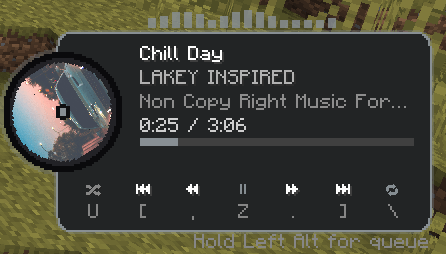
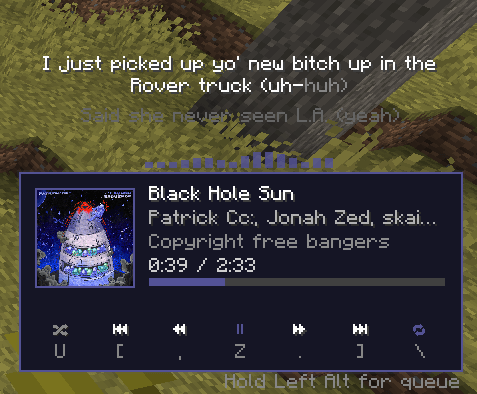
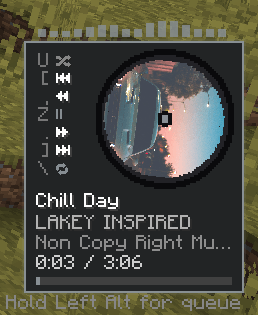
- Displays the current song, artist, artwork, album or playlist, timestamp, and progress bar.
- Play, pause, skip, rewind, fast-forward, shuffle, repeat, and volume controls.
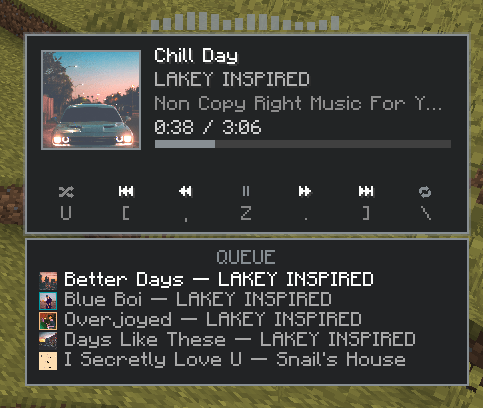
- Spotify queue showing the next five songs and their artwork.
- Synchronized lyrics with timing adjustment, wrapping, and animated highlighting.
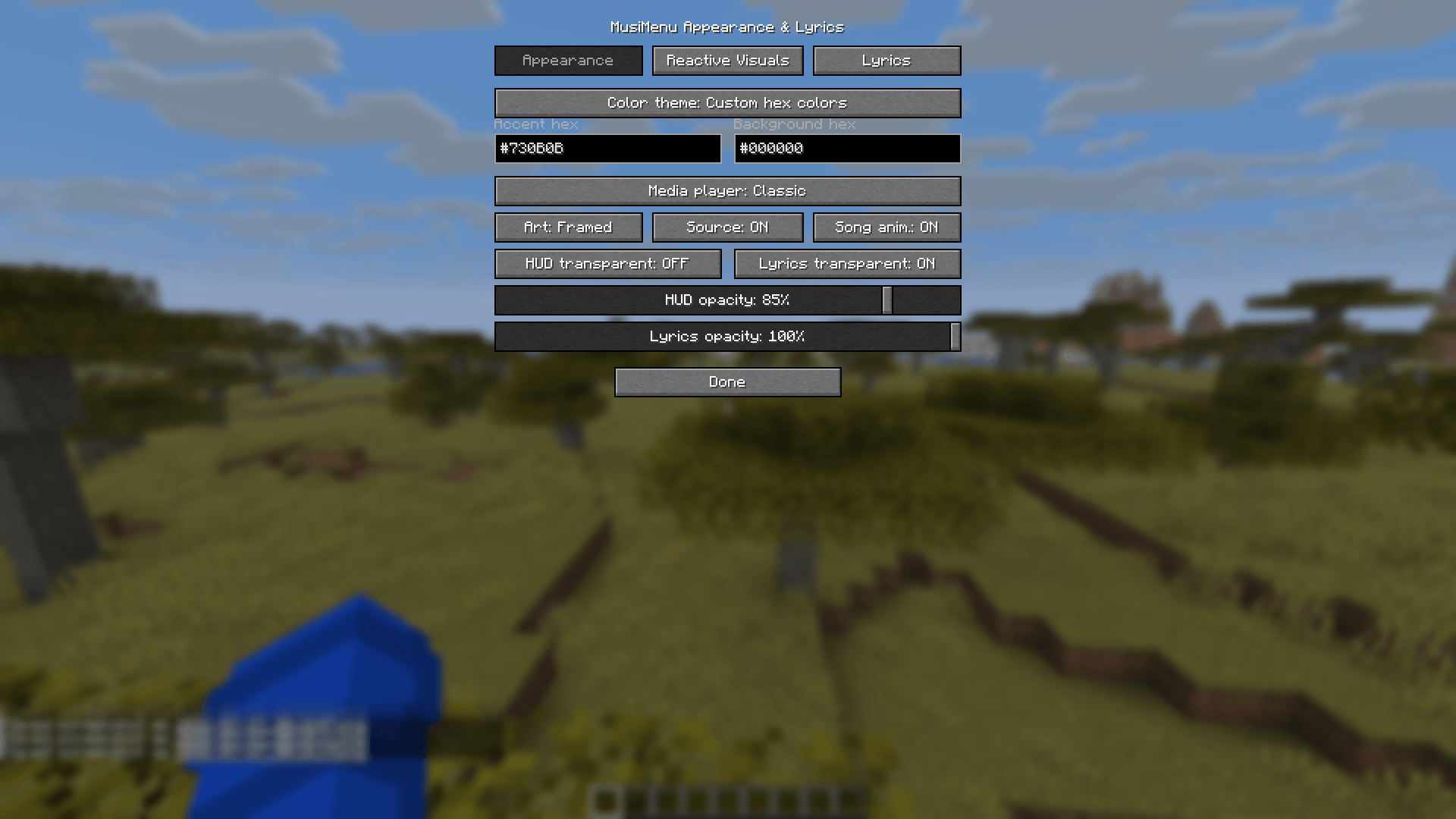
- Multiple player styles:
- Classic
- Rounded
- Spinning Disc
- Compact Disc
- Adjustable disc rotation speed.
- Drag-and-drop editor for positioning the media player and lyrics.
- Custom accent and background colors using hex codes.
- Platform-reactive colors for Spotify, Apple Music, YouTube Music, and SoundCloud.
- Dynamic colors extracted from album artwork.
- Animated RGB and biome-reactive themes.
- BPM-synchronized HUD pulse for supported Spotify tracks.
- Centered instrumental visualizer with
Off,No lyrics, andAlwaysmodes. - Environment-reactive volume for caves, underwater, rain, nighttime, dimensions, combat, sprinting, low health, bosses, special biomes, jukeboxes, and more.
- Smooth volume transitions when moving between environments.
- Custom reactive-audio presets and per-world profiles.
- Local listening statistics including listening time, songs played, unique tracks, favorite provider, and most-listened track.
- Optional multiplayer listening presence when MusiCraft is installed on the server and participating clients.
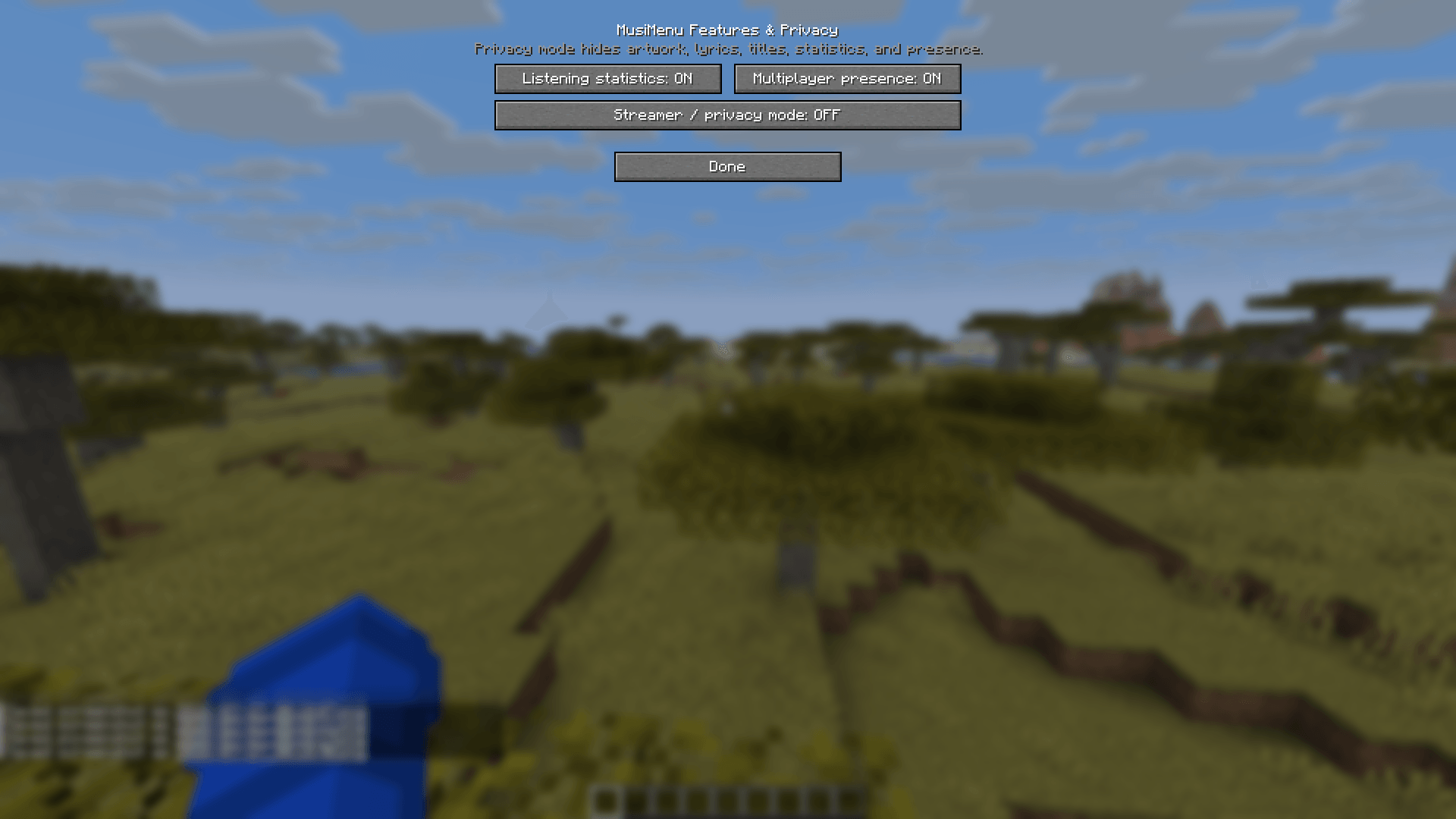
- Streamer/privacy mode that hides song information, artwork, lyrics, queues, statistics tracking, diagnostics details, and multiplayer presence.
- Optional keybind help displayed directly on the media player.
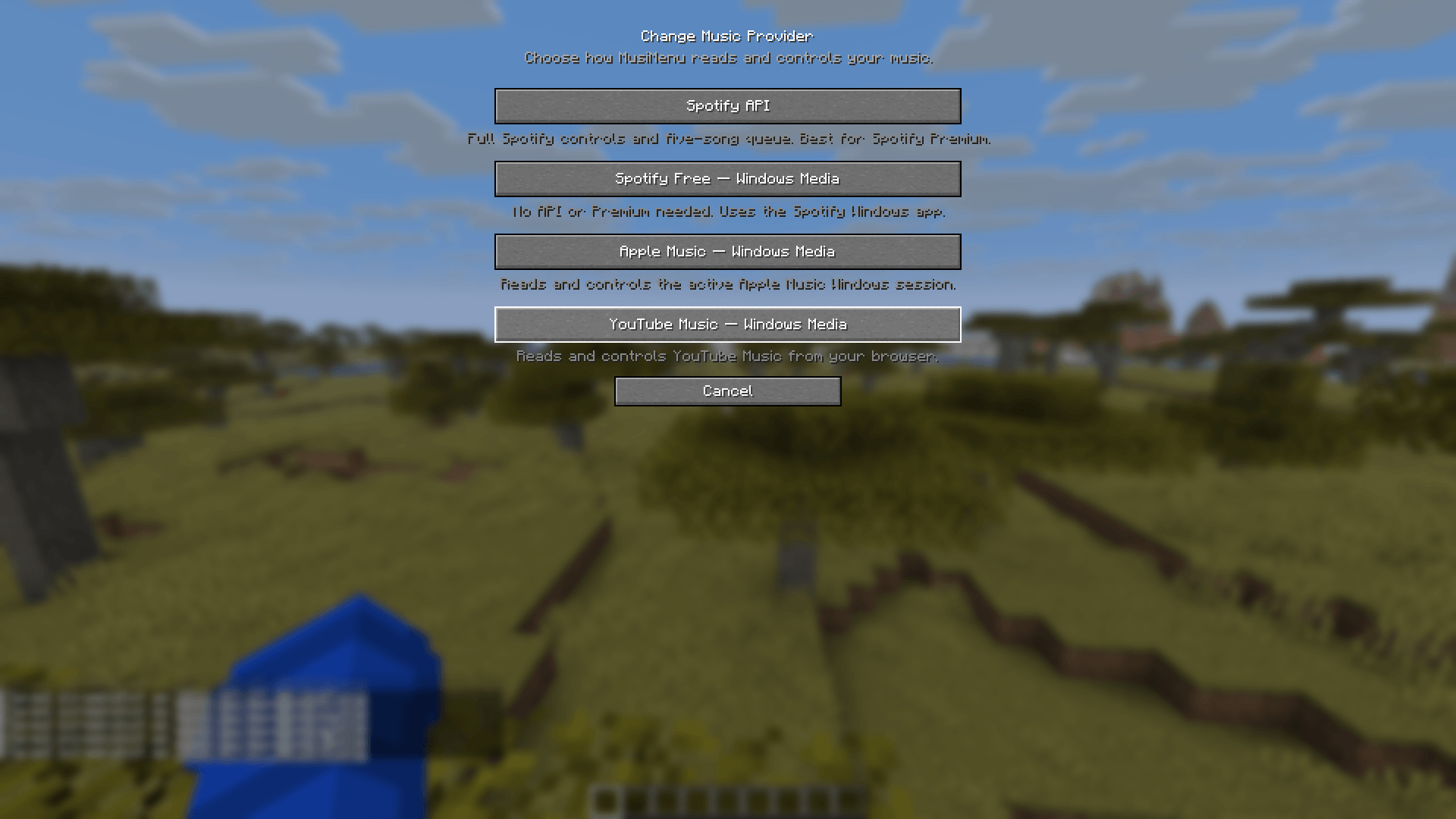
- Automatic first-launch music-provider setup.
Supported Music Providers
Spotify API
Provides the complete feature set, including:
- Full playback information
- Artwork
- Shuffle and repeat status
- Playback controls
- Spotify Connect devices
- Five-song queue
- BPM information when available
Spotify API playback control may require Spotify Premium. Users without Premium can select the Windows Media option instead.
Windows Media Sessions
Works with:
- Spotify Free
- YouTube Music
- Apple Music
- SoundCloud
- Other compatible desktop or browser media players
Windows Media mode supports song information, artwork when provided by the application, timestamps, playback controls, seeking, and basic reactive volume.
The five-song queue is only available through Spotify API because Windows Media Sessions do not expose upcoming tracks.
Requirements
- Minecraft Java Edition 1.21.11
- Fabric Loader 0.19.3 or newer
- Fabric API
- Mod Menu is recommended for easy access to settings
- Windows is required for Windows Media Session providers
Installation
- Install Fabric Loader for Minecraft 1.21.11.
- Install Fabric API.
- Optionally install Mod Menu.
- Place the MusiCraft
.jarfile in your Minecraft profile’smodsfolder. - Launch Minecraft.
- Select a music provider when MusiCraft opens its first-launch setup.
You can change providers later through:
Mod Menu → MusiCraft → Music Provider
Spotify API Setup
- Open the Spotify Developer Dashboard.
- Sign in and create a new application.
- Open the application’s settings.
- Add this exact Redirect URI:
http://127.0.0.1:8888/callback- Make sure the Spotify Web API is enabled.
- Save the application settings.
- Copy the application’s Client ID.
- Launch Minecraft and select
Spotify API. - Paste the Client ID into MusiCraft.
- Select
Link Spotify. - Complete authorization in the browser.
Do not share your Spotify client secret. MusiCraft only requires the Client ID for normal setup.
Spotify Free, YouTube Music, Apple Music, or SoundCloud Setup
- Launch Minecraft with MusiCraft installed.
- Open MusiCraft’s provider selection screen.
- Select the appropriate Windows Media option.
- Start playing music in the desktop application or browser.
- MusiCraft will connect to the active Windows Media Session automatically.
For browser playback, make sure the browser and website expose media information to Windows.
Default Keybinds
P— Play or pause]— Next track[— Previous track,— Rewind 10 seconds.— Forward 10 secondsU— Toggle shuffleR— Cycle repeat modeJ— Hold to open the queueM— Toggle the media playerO— Open Spotify connectionK— Open MusiCraft settings=— Increase volume-— Decrease volume
All keybinds can be changed through Minecraft’s Controls menu.
Configuration
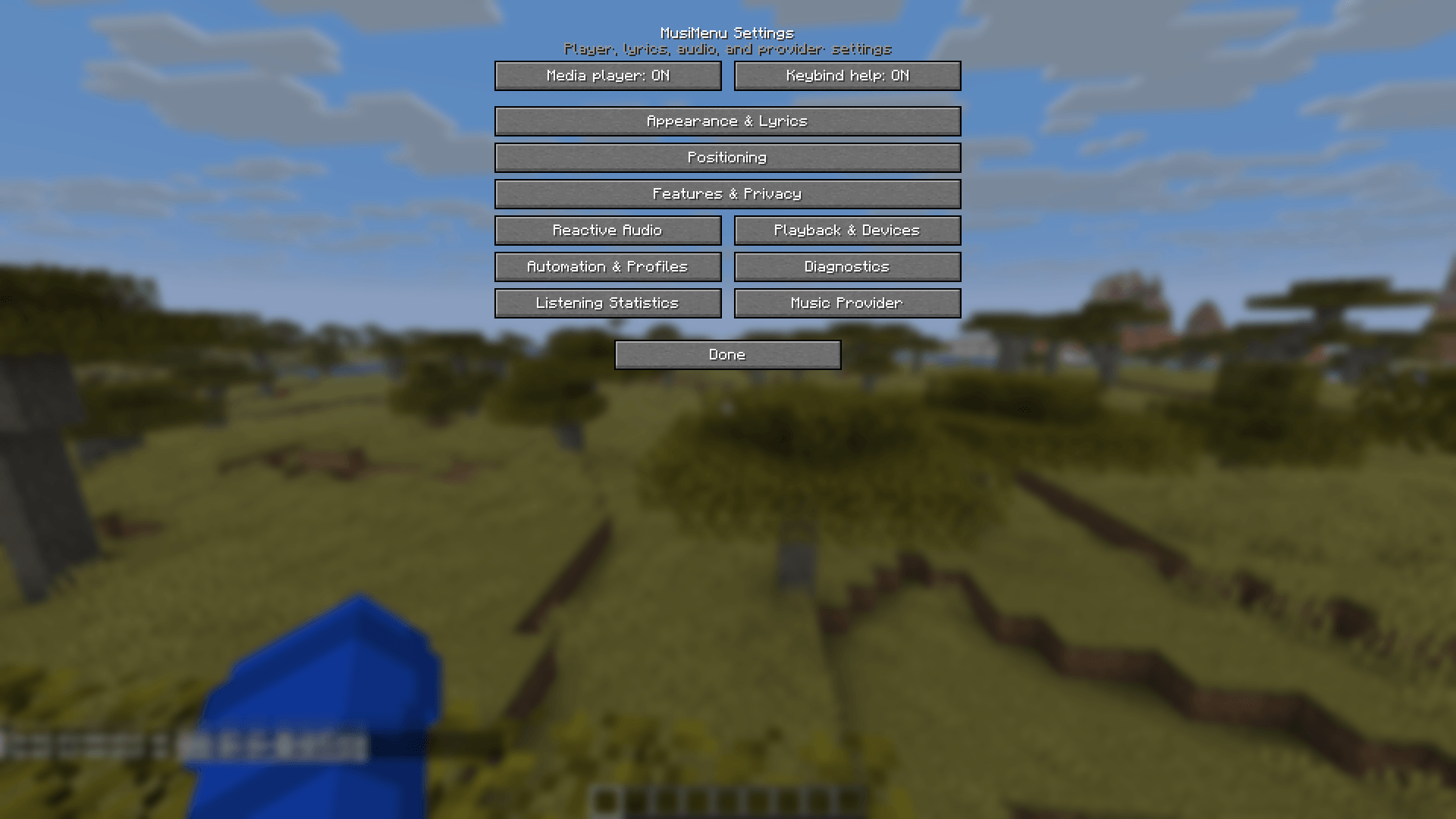
MusiCraft settings include separate sections for:
- Appearance and reactive visuals
- Lyrics
- Player and lyrics positioning
- Reactive audio
- Playback and devices
- Automation and world profiles
- Features and privacy
- Listening statistics
- Diagnostics
- Music-provider selection
Settings are preserved when switching between providers. Configuration is stored in:
.minecraft/config/spotifycontrol.jsonListening statistics are stored locally and are never shared unless the user explicitly enables multiplayer presence.
**BETTER API SETUP/SUPPORT FURTHER DOWN THE ROAD**
常见问题
MusiMenu 支持哪些 Minecraft 版本?
MusiMenu 支持 Minecraft Java 版 1.21.11,可用的加载器:Fabric。下载时注意选择和你游戏版本一致的文件。
MusiMenu 怎么安装?
先用 PCL2 或 HMCL 启动器安装对应版本的 Fabric,再把下载的 .jar 文件放进游戏目录的 mods 文件夹,重新启动游戏即可。开启了版本隔离的,mods 文件夹在 versions/版本名 下面。
xsga 的其他作品
查看全部 →
SmartEntityOptimizer
实时减少不必要的实体渲染,让游戏更流畅并提升帧率。

LiteBlur
LiteBlur is a lightweight Fabric mod that adds smooth, high-quality motion blur with minimal performance impact.
FancyPickup
Pick up ground items with precision, style, and a fully customizable keybind—no more accidental pickups.
FramePool
Reuses entity render states between frames to reduce client allocation churn and garbage-collection stutter.
评论
登录后评论和评分