介绍
🎵 Bring Your World to Life with the Music Player Mod!
Tired of the same old vanilla music discs? Want to play any sound in Minecraft without messing around with complicated, messy command block setups? Then this mod is exactly what you need!
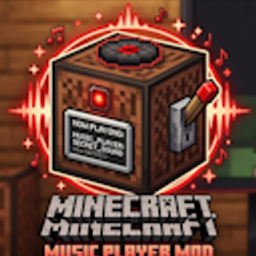
The Music Player Mod introduces a brand-new, fully functional block to your game: The Music Player.
✨ Features
Total Sound Control: Simply open the block and type in any standard Minecraft sound ID.
Resource Pack Support: Fully compatible with custom sound IDs from your favorite resource packs!
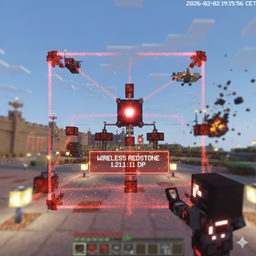
Redstone Integration: Easily trigger your sounds, music, or custom audio cues using any standard redstone signal. No command blocks required.
🛠️ How to Use
Craft and place the Music Player block.
Right-click the block and type in the desired sound ID (e.g., minecraft:music.game or your custom resource pack ID).
Power the block with redstone, and boom—your sound plays instantly in-game!
⚠️ Troubleshooting & Bug Fixes
Because Minecraft audio can sometimes be a bit stubborn, a sound might occasionally get stuck and keep looping even after the redstone signal is turned off.
If this happens, don’t panic! Simply type the following command into your chat:
/music_player:fix
This will instantly reset the audio and resolve the issue.
Download today and start building your ultimate Minecraft audio system!
常见问题
music player block 支持哪些 Minecraft 版本?
music player block 支持 Minecraft Java 版 1.21.1–26.1.2,共 2 个版本,可用的加载器:NeoForge。下载时注意选择和你游戏版本一致的文件。
music player block 怎么安装?
先用 PCL2 或 HMCL 启动器安装对应版本的 NeoForge,再把下载的 .jar 文件放进游戏目录的 mods 文件夹,重新启动游戏即可。开启了版本隔离的,mods 文件夹在 versions/版本名 下面。


评论
登录后评论和评分