
Multiplayer Fix
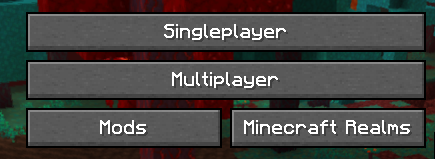
Fixes the "Multiplayer is disabled. Please check your Microsoft account settings" bug on Minecraft's Multiplayer menu.
截图

介绍
Multiplayer Fix by USeAr3658
Let’s be honest: while Xbox’s maze of privacy settings is slowly breaking your brain, eating your patience, and pushing you toward a full-blown rage-quit – this mod exists so you can just drop it in your mods folder and move on with your life.
If you can’t open the Multiplayer menu and Minecraft shows something like
“Multiplayer is disabled. Please check your Microsoft account settings,”
this mod is made for you.
This is a lightweight client-side mod for Minecraft 1.16.5. It doesn’t change gameplay and doesn’t affect servers – it just gives you a working way into Multiplayer when the default button is bugged out for no good reason.
Have a question, suggestion, or idea?
| | |
|—|—|
|  | Check our discord channel. |
常见问题
Multiplayer Fix 支持哪些 Minecraft 版本?
Multiplayer Fix 支持 Minecraft Java 版 1.16.4–1.16.5,共 2 个版本,可用的加载器:Fabric / Forge。下载时注意选择和你游戏版本一致的文件。
Multiplayer Fix 怎么安装?
先用 PCL2 或 HMCL 启动器安装对应版本的 Fabric / Forge,再把下载的 .jar 文件放进游戏目录的 mods 文件夹,重新启动游戏即可。开启了版本隔离的,mods 文件夹在 versions/版本名 下面。运行环境:仅客户端。
USeAr3658 的其他作品
查看全部 →
Infinity Full Bright
Press "I" to toggle Full Bright in Minecraft. Night Vision Client-side

Better HUD widgets
Build your own HUD with fully customizable, draggable, interactive widgets
Multiplayer Fix
Fixes the "Multiplayer is disabled. Please check your Microsoft account settings" bug on Minecraft's Multiplayer menu.

USeArKey Keybinder
Universal keybinder: bind any command to any key Keybinding, Macro, Macrokey
评论
登录后评论和评分