
Muddy World
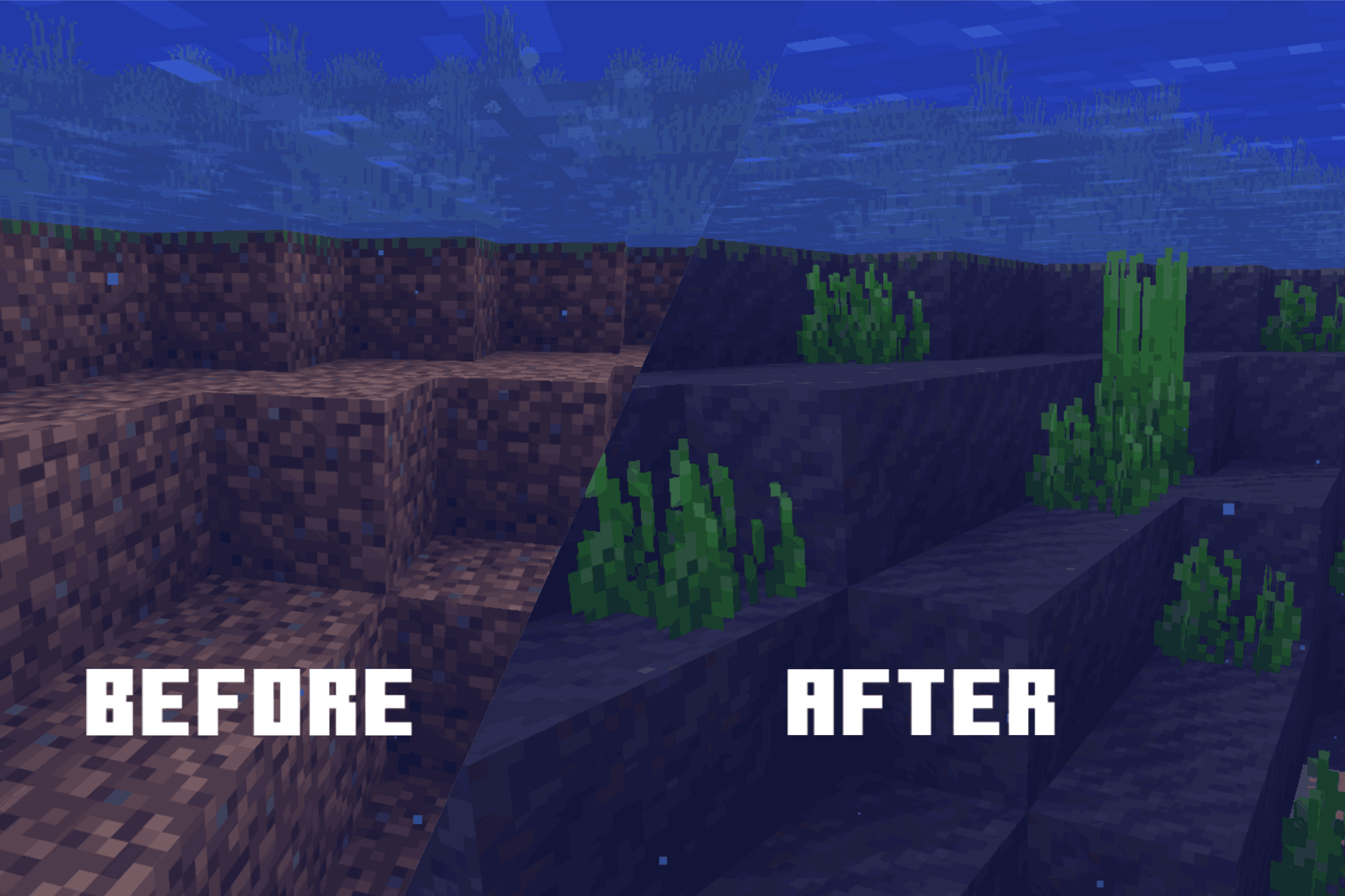
Dirt and grass now turns into mud and muddy grass under water and wet biomes, + new unique block called viscous mud that generates in swamps
截图


介绍
Muddy World makes wet Minecraft terrain feel more natural by turning dirt and its natural variants into mud when they come into contact with water. It also expands muddy terrain generation in humid biomes, making swamps, mangrove swamps, jungles, and bamboo jungles feel wetter and more atmospheric.
Features
- Muddy terrain generation for swamps, mangrove swamps, jungles, and bamboo jungles.
- Mud patches and Viscous Mud generation in swamps.
- Water-contact mud conversion for dirt and natural dirt variants.
- Natural mud drying in dry biomes.
- Lava and Nether drying behavior.
- New muddy block variants:
- Muddy Grass
- Muddy Podzol
- Muddy Mycelium
- Muddy Path
- Muddy Farmland
- Viscous Mud, a unique soft mud block inspired by Powder Snow.
- Viscous Mud Bucket for collecting and placing Viscous Mud.
Viscous Mud
Viscous Mud behaves similarly to Powder Snow: entities can sink into it and move through it slowly. It can also be collected and placed using a bucket.
Rooted Trees Compatibility
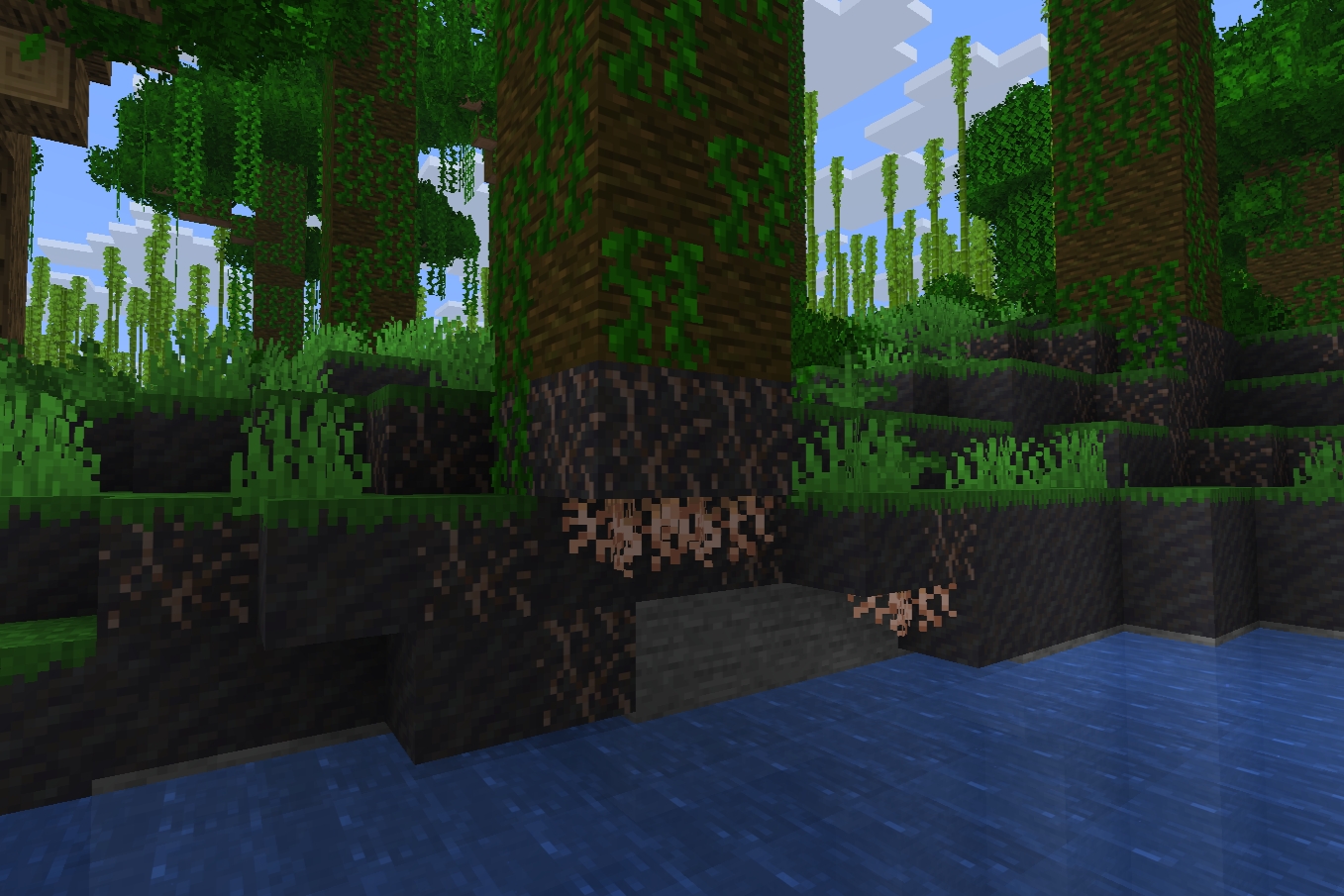
Muddy World now supports optional compatibility with Rooted Trees.
When both mods are installed, rooted terrain can become muddy near water and in wet biomes. This adds new muddy rooted terrain variants such as Rooted Mud, Muddy Rooted Grass, and Muddy Rooted Podzol.
Muddy rooted blocks can also dry back into their rooted variants in dry biomes.
Rooted Trees is optional. Muddy World still works normally without it, and the compatibility blocks are hidden from the creative inventory when Rooted Trees is not installed.
常见问题
Muddy World 支持哪些 Minecraft 版本?
Muddy World 支持 Minecraft Java 版 1.20.1–26.2,共 3 个版本,可用的加载器:Fabric。下载时注意选择和你游戏版本一致的文件。
Muddy World 怎么安装?
先用 PCL2 或 HMCL 启动器安装对应版本的 Fabric,再把下载的 .jar 文件放进游戏目录的 mods 文件夹,重新启动游戏即可。开启了版本隔离的,mods 文件夹在 versions/版本名 下面。运行环境:客户端和服务端都要装。
weboyee 的其他作品
查看全部 →
Rooted Trees
New generation of rooted dirt under all trees, as well as rooted grass and rooted podzol.

Mossy Biomes
Moss can now appear around trees, fallen logs, water, stone formations, and other suitable natural surfaces.

Natural Boulders
Adds naturally generated boulders of different sizes to forests, plains, beaches, and other biomes.

Better Lava Lakes
Improves vanilla lava lake generation by surrounding lava with magma and tuff blocks
评论
登录后评论和评分