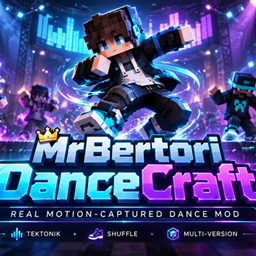
MrBertori DanceCraft
Add smooth motion-captured dance emotes to your Minecraft character through a simple in-game emote menu.
介绍
# BERTORI DanceCraft
Bring motion-captured dances directly into Minecraft.
BERTORI DanceCraft adds a simple in-game emote menu that allows your Minecraft character to perform custom dance animations created from real motion-capture data.
## Current Features
– Simple in-game dance menu
– Open the menu with the B key
– Motion-captured player animations
– Play and stop dances instantly
– Uses the normal Minecraft player model and skin
– Designed for videos, cinematics, roleplay and content creation
– More dances will be added in future updates
## Current Dance
### Tektonik
A full motion-captured dance converted from an FBX animation and retargeted to the Minecraft player model.
## Controls
Press:
B
to open the DanceCraft menu.
Select:
Tektonik
to start dancing.
Select:
Stop
to stop the animation and return to normal Minecraft movement.
## Compatibility
Minecraft: 26.1.2
Mod Loader: NeoForge
Make sure you use the correct Minecraft and NeoForge version.
## Future Plans
Future versions are planned to include:
– More dances
– Improved emote menu
– Dance previews
– More customization options
– Easier animation importing
DanceCraft is especially useful for Minecraft videos, Shorts, cinematics and roleplay scenes.
常见问题
MrBertori DanceCraft 支持哪些 Minecraft 版本?
MrBertori DanceCraft 支持 Minecraft Java 版 1.16.4–26.1.2,共 10 个版本,可用的加载器:Fabric / Forge / NeoForge。下载时注意选择和你游戏版本一致的文件。
MrBertori DanceCraft 怎么安装?
先用 PCL2 或 HMCL 启动器安装对应版本的 Fabric / Forge / NeoForge,再把下载的 .jar 文件放进游戏目录的 mods 文件夹,重新启动游戏即可。开启了版本隔离的,mods 文件夹在 versions/版本名 下面。
评论
登录后评论和评分