
截图
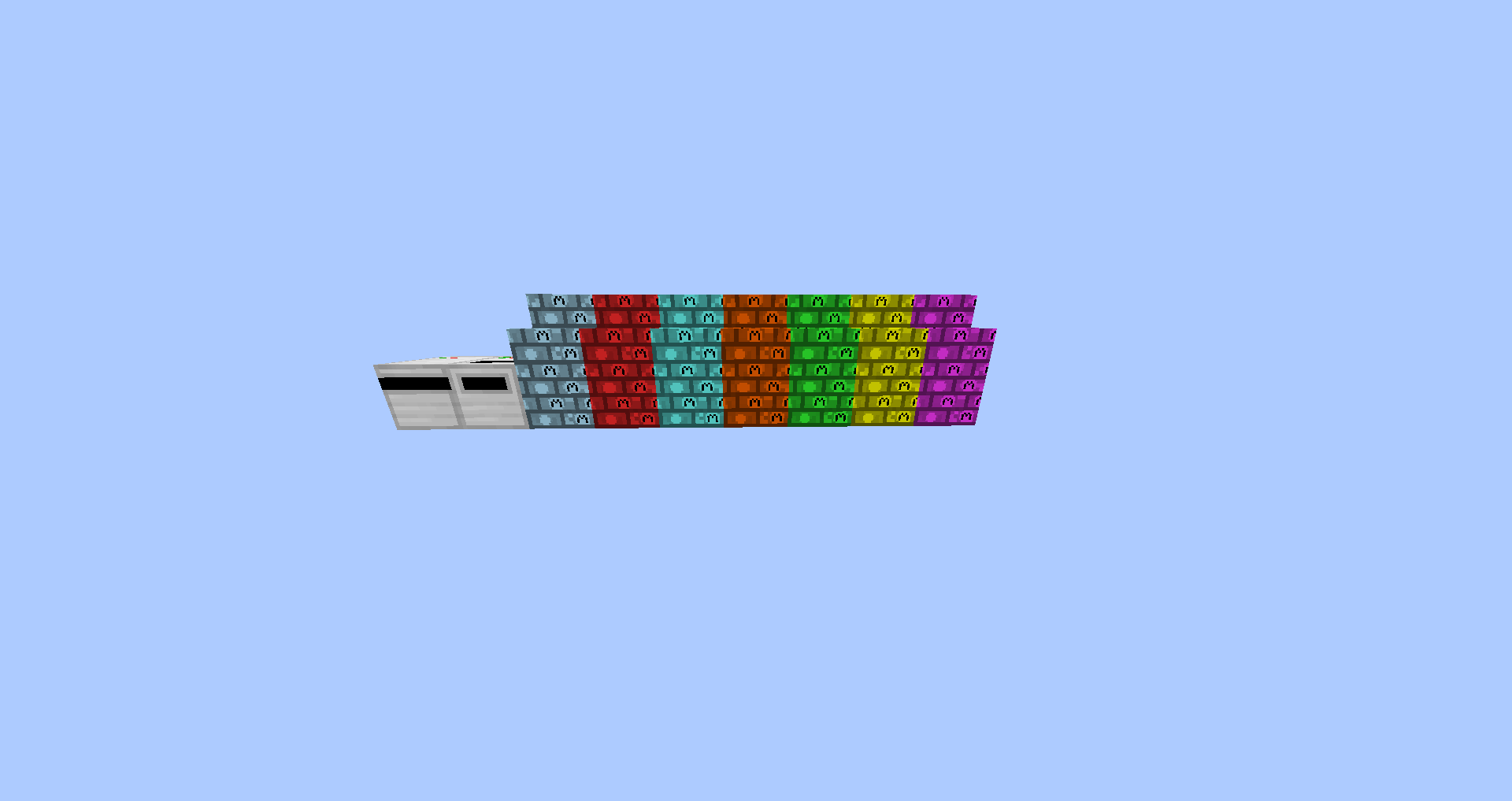
介绍
Moulaga
version 1.1.2.2/1.14.14

———————————————————————————————————————————————————
FR:
Moulaga est un mod d’économie où l’argent est représenter par la “molaga”.
Pour l’insant elle ne sert à rien mais à l’avenir on pourra faire des échanges et tous les truc qu’il y a avec des mod d’économie.
EN:
Moulaga is an economy mod where money is represented by the “molaga”.
For the moment it is useless but in the future we can make exchanges and all the stuff that there is with economy mod.
————————————————————————————————————————————————————————————-
FR:
Pour commencer il vous faudra du papier de couleur et le matériaux correspondant à vos billets:
-5M=gris ; pierre
-10M=rouge ; charbon
-20M=bleu ; fer
-50M=orange ; lapis-lazuli
-100M=vert ; or
-200M=jaune ; émeraude
-500=violet ; diamant
EN:
To start you will need colored paper and the materials corresponding to your tickets:
-5M = gray ; cobblestone
-10M=red ; coal
-20M=blue ; iron
-50M=orange ; lapis-lazuli
-100M=green ; gold
-200M=yellow ; emerald
-500=purple ; diamond
————————————————————————————————————————————————————————————–
Les crafts:


 ——————————————————————————————————————————————————————————————————————————————————————-
FR:
Voilà ensuite il vous faire un “printer” pour cela il fat 3 blocs de fer, un bouton en pierre, une redstone, une bouteille vide, un piston, un dropper et un circuit board.
En:
Then there you make a “printer” for that it fat 3 blocks of iron, a stone button, a redstone, an empty bottle, a piston, a dropper and a circuit board, here are the crafts:
——————————————————————————————————————————————————————————————————————————————————-
Voici les crafts:


———————————————————————————————————————————————————————————-
FR:
Maintenant vous ouvrez l’interface qui ressemble à ça:
EN:
Now you open the interface that looks like this:
——————————————————————————————————————————————————————————————————————-

————————————————————————————————————————————————————————————————————————————————————————————
FR:
Puis pour pouvoir imprimer vos billet il vous faut:
-mettre la papier de la couleur correspondante dans le slot 2
-mettre du colorant noir dans le slot 4
-mettre du colorant de la couleur correspondant au billet dans le slot 3
-mettre la matériaux correspondant dans le slot 1
Et votre billet apparaitra dans le slot 5.
EN:
Then to be able to print your tickets you need:
– put the paper of the corresponding color in slot 2
– put black dye in slot 4
– put dye of the color corresponding to the ticket in slot 3
– put the corresponding materials in slot 1
                                                                                                                                                       And your ticket will appear in slot 5.
--------------------------------------------------------------------------------------------------------------------------------------------------------------------------------------------------------------------------------------------------------------
                                                                                                                                                                                  FR:
                                         Si vous n'êtes pas content de vos billet vous pouvez crafter un "unprinter"  il vous permettra de récupérer les ressources utilisé.
il vous suffit de faire un clic gauche avec votre billet en main et d'alimenter en eau grâce à un seau votre "unprinter" vous verrez sa réserve d'eau dans son dos il diminue à chaque utilisation
EN:
If you are not happy with your tickets you can craft an “unprinter” which will allow you to recover the resources used.
you just have to left click with your ticket in hand and to supply water with a bucket your “unprinter” you will see its water reserve in its back it decreases with each use.
——————————————————————————————————————————————————————————————————————————————————
Le craft:

—————————————————————————————————————————————————————————————————————————————————————————-
常见问题
Moulaga 支持哪些 Minecraft 版本?
Moulaga 支持 Minecraft Java 版 1.12.2–1.14.4,共 2 个版本。下载时注意选择和你游戏版本一致的文件。
Moulaga 怎么安装?
先用 PCL2 或 HMCL 启动器安装对应版本的 模组加载器,再把下载的 .jar 文件放进游戏目录的 mods 文件夹,重新启动游戏即可。开启了版本隔离的,mods 文件夹在 versions/版本名 下面。
评论
登录后评论和评分