
截图

介绍
About
Motion Capture is a mod that allows you to record and replay player movements. It is created mainly for people who want to create complex scenes in Minecraft without using real players.
It records:
- movements
- sprinting, jumping, swimming, sneaking
- swinging hands
- using items
- items in hands and armor
- states like being on fire, being invisible, or glowing
- placing, breaking and interacting with blocks
- nearby entities and riding them
After you save recording, you can create a scene to which you can add multiple recordings or other scenes with parameters like player name, position offset, or start delay.
How to use
- First, you need to start recording using “
/mocap recording start“. It will record all your movements or movements of a player given as an argument. - Then, you can stop recording using “
/mocap recording stop`and save it with`/mocap recording save [name]“. - Use “
/mocap playing start [name] (player_name) (mineskin_url)“ to play recording. - You can also create scenes to which you can add multiple recordings or other scenes, with parameters like player name, position offset, or start delay.
- To create scene use “
/mocap scenes add (scene_name)`. Then, add your recording using`/mocap scenes addTo [scene_name] [recording_name] (delay) (x_offset) (y_offset) (z_offset) (player_name) (skin_source_type) (skin_source)“ (you can skip arguments in round brackets if you want). - To play scene use “
/mocap playing start .[scene_name]“ – you need to put a dot before the scene name. - By putting a dot before name, when using “
/mocap scenes addTo [...]“, you can also add scenes to other scenes.
Commands
## Example
### Simple example of one recording used 4 times in a scene with time and position offset

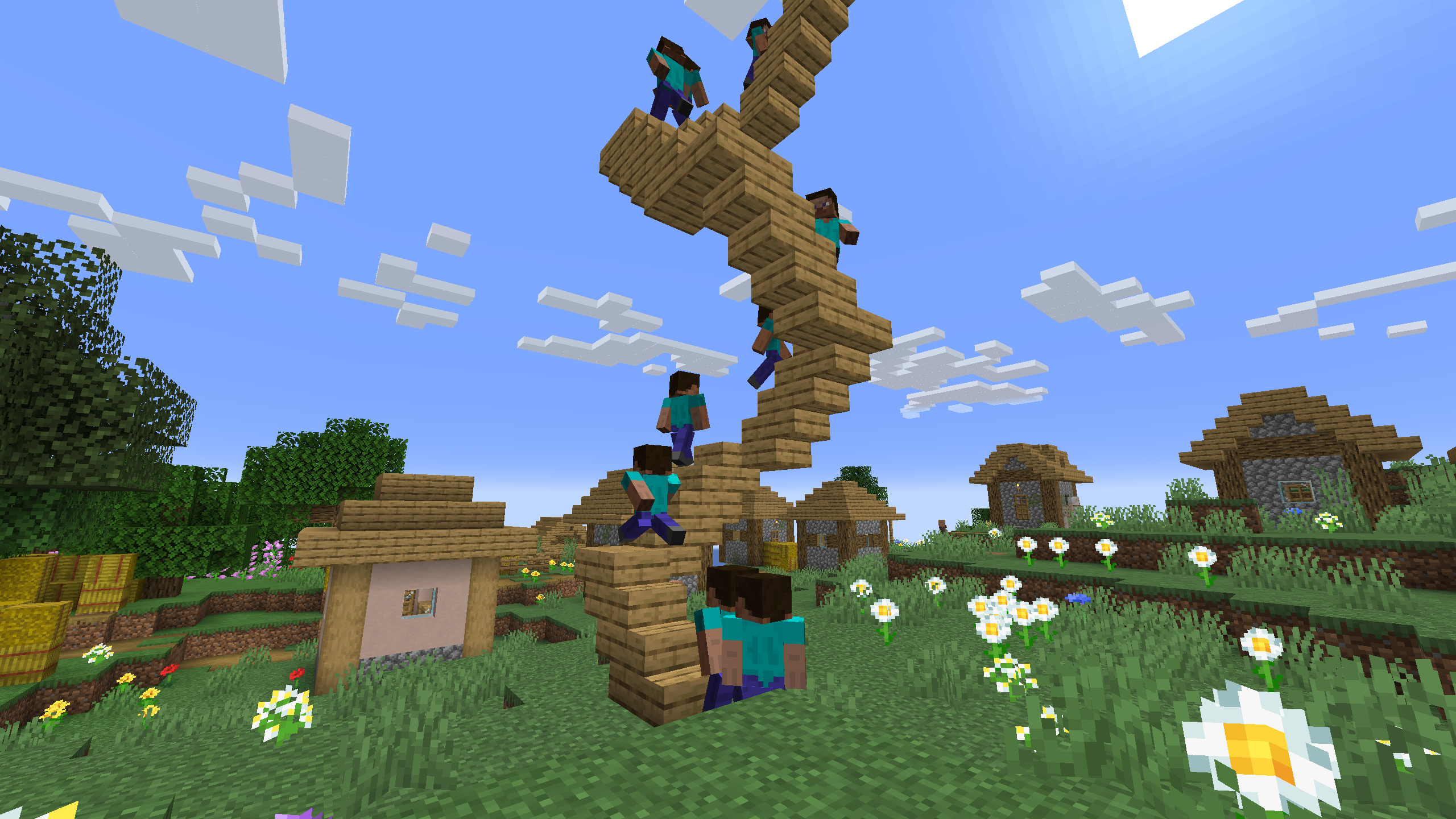
### One recording of climbing stairs used multiple times in a scene with start delay
常见问题
Motion Capture 支持哪些 Minecraft 版本?
Motion Capture 支持 Minecraft Java 版 1.16.5–26.2,共 29 个版本,可用的加载器:Fabric / Forge / NeoForge。下载时注意选择和你游戏版本一致的文件。
Motion Capture 怎么安装?
先用 PCL2 或 HMCL 启动器安装对应版本的 Fabric / Forge / NeoForge,再把下载的 .jar 文件放进游戏目录的 mods 文件夹,重新启动游戏即可。开启了版本隔离的,mods 文件夹在 versions/版本名 下面。运行环境:客户端 / 服务端。
mt1006 的其他作品
查看全部 →
NBT Autocomplete
为命令中的NBT标签添加建议

NBT Copy
为“/data get”命令的输出添加复制按钮
Motion Capture
Allows you to record and replay player movements
Iron Door Key
Adds iron door key to open iron doors and trapdoors
评论
登录后评论和评分