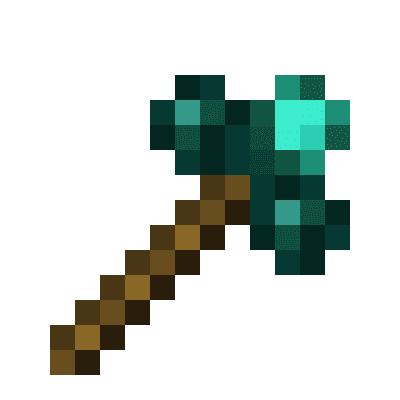
Morphing Multi-Tool
A tool that morphs into the right tool to break the block you are looking at, given the right tool is inside the Morphing Mult-Tool
介绍
A tool that morphs into the right tool to break the block you are looking at, given the right tool is inside the Morphing Mult-Tool
Things to bear in mind:
- It only morphs to a tool if it’s the correct harvest tool for the block your looking at. It DOES NOT morph for right clicking tools for a block i.e wrenches. Please use Morph-O-Tool for that
- Picking up the Morphing Multi-Tool while it’s morphed as another tool, will change it back. Same with dropping it
- You can only have 1 of each tool class, i.e you can’t have two pickaxes, or two spades ect
- Mod tools with the same tool class as other tools, such as hammers (tool class: pickaxe), and excavators (tool class: shovel) from Thermal Expansion will take up the tool class
- Mod tools with their own tool class e.g. a Sickel from Thermal Exansion will be work like normal tools
- Mod tools without a tool class e.g. a Hoe. Will not be able to be added to the Morphing Multi-Tool
Adding a tool: Same way as a bundle. Pickup the Morphing Mult-Tool in your inventory and right click on the tool you wish to add. The order you add your tools in will be the order they will be checked when finding out what tool to morph to. So if you have two tools for leaves, say a sickel and shears. The tool it will morph into will be whichever was added first. Press shift on the Morphing Multi-Tool to see this order
Removing a tool: Pickup the Morphing Mult-Tool in your inventory and right click on an empty slot. The order in which the tools are removed is the inverse of the order you added them. e.g. if you added a pickaxe, shovel, and shears. The order they’d be removed in would be shears, shovel, pickaxe
Known issues:
Swapping to axe when looking at grass(not grass block), tall grass, flowers. Is a bug with the Axe’s destroy speed for them blocks. It’s 0.2, instead of 0.1
常见问题
Morphing Multi-Tool 支持哪些 Minecraft 版本?
Morphing Multi-Tool 支持 Minecraft Java 版 1.12.2,可用的加载器:Forge。下载时注意选择和你游戏版本一致的文件。
Morphing Multi-Tool 怎么安装?
先用 PCL2 或 HMCL 启动器安装对应版本的 Forge,再把下载的 .jar 文件放进游戏目录的 mods 文件夹,重新启动游戏即可。开启了版本隔离的,mods 文件夹在 versions/版本名 下面。运行环境:客户端和服务端都要装。

评论
登录后评论和评分