
介绍
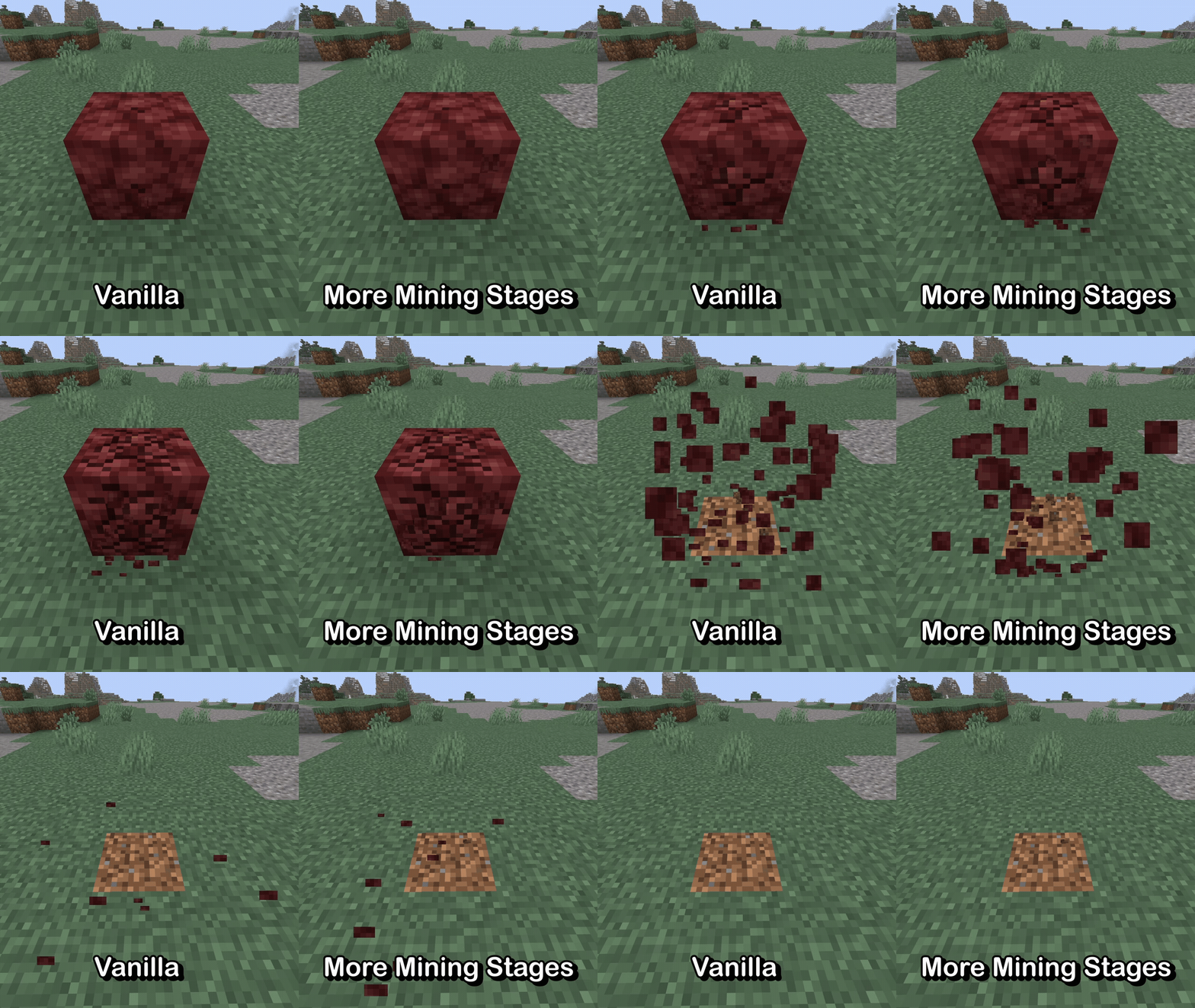


More Mining Stages allows for full, resource-driven customization of the block breaking animation! It also contains a built-in resource pack which doubles the number of frames in the animation in a very vanilla-friendly style.
📂 Resource Pack Guide
Making a resource pack for More Mining Stages is very, very easy.
Under your assets/ directory, add a new folder called moreminingstages. Create a new JSON file inside that folder, and call it mining_stages. That file should have a single array object inside named “textures” which contains a list of texture locations.
In the following example, 3 frames have been added to the array. You can add as many frames as you’d like here: they will spread out evenly across the entire mining animation.
{
  "textures": [
    "block/destroy_stage_0", // vanilla reference with implicit namespace
    "minecraft:block/destroy_stage_1", // vanilla reference with explicit namespace
    "example_pack:my_texture" // non-vanilla reference for outside textures/block/
    // ...
  ]
}
🪟 Order-Independent Transparency
Since 26.3, each texture must also have a counterpart for translucent blocks (e.g. stained glass) when Improved Transparency is enabled in the video settings.
More Mining Stages handles this by expecting textures at the same specified locations with the suffix _oit. If you’d like to specify unique paths instead, you can use the following syntax in place of the simple string:
{
  "textures": [
    {
      "texture": "example_pack:first_texture",
      "texture_oit": "example_pack:first_oit_texture"
    },
    {
      "texture": "example_pack:second_texture",
      "texture_oit": "example_pack:second_oit_texture"
    },
    "example_pack:third_texture_with_suffixed",
    // ...
  ]
}
Note that the file for vanilla Minecraft uses this because its OIT textures are named destroy_oit_stage_<index> and not destroy_stage_<index>_oit. It was handled this way for 3 reasons:
- To be more convenient for resource pack developers
- To be easier to update resource packs from 26.2
- To provide resource packs with additional backwards compatibility for 26.2
常见问题
More Mining Stages 支持哪些 Minecraft 版本?
More Mining Stages 支持 Minecraft Java 版 26.2–26.3,共 2 个版本,可用的加载器:Fabric。下载时注意选择和你游戏版本一致的文件。
More Mining Stages 怎么安装?
先用 PCL2 或 HMCL 启动器安装对应版本的 Fabric,再把下载的 .jar 文件放进游戏目录的 mods 文件夹,重新启动游戏即可。开启了版本隔离的,mods 文件夹在 versions/版本名 下面。运行环境:客户端和服务端都要装。
axialeaa 的其他作品
查看全部 →
Blocky Bubbles
Ports the Fast Bubbles setting from Bedrock Edition!

Florum Sporum
Breathing new life into the spore blossom without undoing any of Mojang's work!

Dimensional Tears
A revamp of Nether Portal mechanics and End terrain generation

PickMoreBlocks
Expands the middle mouse click action to fix some vanilla pet peeves! [ARCHIVED: MIGHT GET REMADE IN THE FUTURE!]
评论
登录后评论和评分