
More Animations
Animations for vanilla Minecraft UIs, powered by real spring physics. Screens pop in like sheets, buttons squish when pressed, inventory items spring on hover, chat glides.
介绍
Showcase
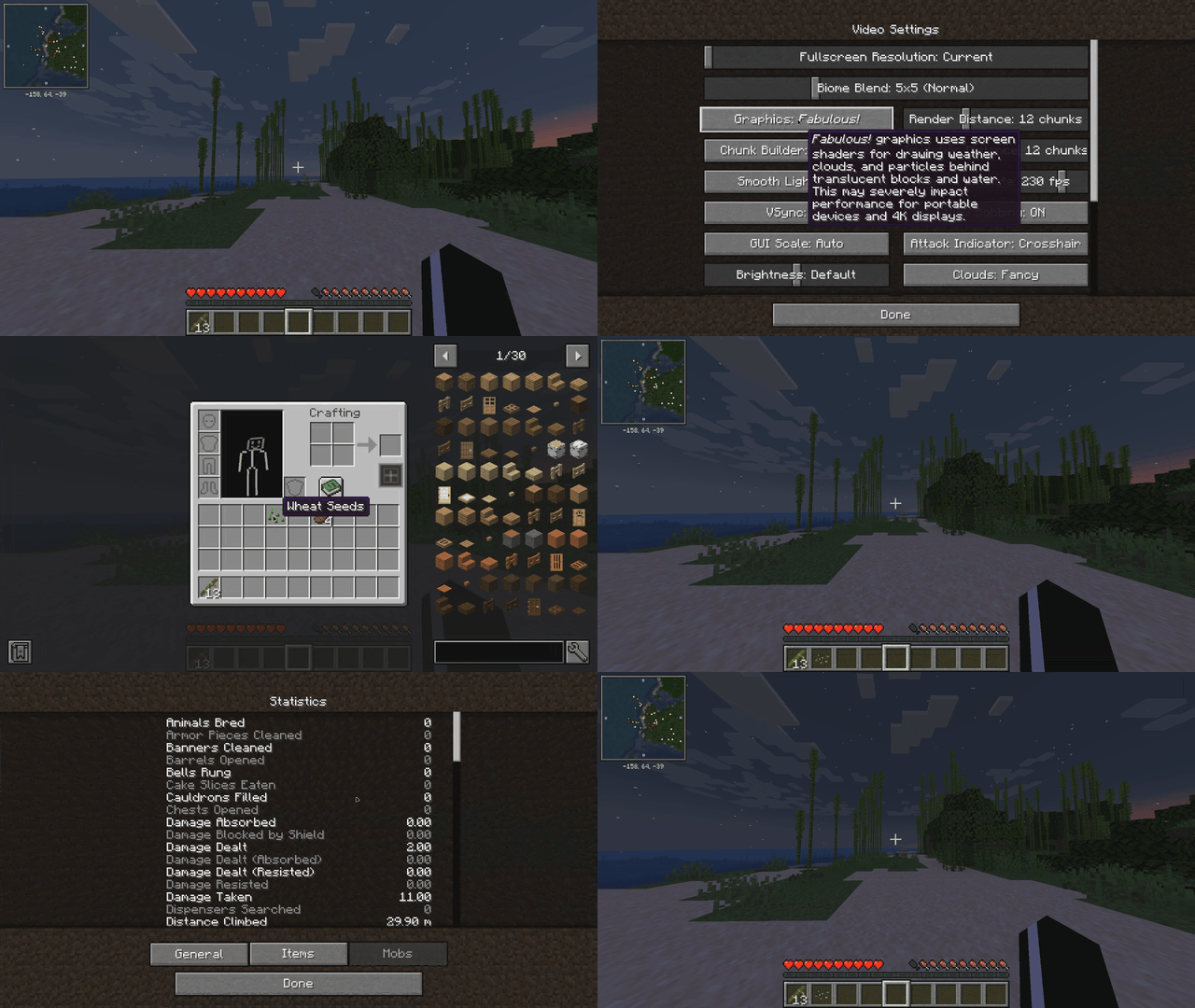
Buttery-smooth, iOS-style motion for every vanilla Minecraft screen — built on **real spring physics** (damped harmonic oscillators, the same math SwiftUI uses), not simple tweens. Animations are interruptible mid-flight and carry momentum, so everything feels fluid instead of scripted.
## Features
**Screen transitions** — every screen (settings, pause menu, inventory, world selection…) pops in like an iOS sheet: a gentle whole-screen spring scale while widgets cascade up into place with a subtle overshoot.
**Main menu** — title screen buttons rise one by one with a bounce, like app icons settling onto a home screen.
**Button feel** — buttons grow slightly on hover and squish ~7% while held, springing back on release. Works everywhere, including options lists.
**Inventory** — the hovered slot’s item springs up to 128% and lifts above its neighbours (the flat white highlight square is gone entirely). Picked-up items pop onto your cursor with an iOS-style lift.
**Chat** — new messages glide up into place instead of snapping; opening chat slides the input bar up from the bottom edge.
**World loading** — the chunk-grid square is replaced with a clean loading UI on the familiar dirt background: an iOS-style spinner, a spring-smoothed percentage counter and a slim progress bar.
## Notes
– **Client-only** — safe to join any server, no server-side install needed
– **Zero configuration** — drop it in and play
– **Performance-friendly** — settled animations cost nothing; springs update only while something is actually moving
– Pure vanilla UI enhancement: no new blocks, items or gameplay changes
Minecraft 1.20.1 · Forge 47.4.10+ ·
常见问题
More Animations 支持哪些 Minecraft 版本?
More Animations 支持 Minecraft Java 版 1.20.1,可用的加载器:Forge。下载时注意选择和你游戏版本一致的文件。
More Animations 怎么安装?
先用 PCL2 或 HMCL 启动器安装对应版本的 Forge,再把下载的 .jar 文件放进游戏目录的 mods 文件夹,重新启动游戏即可。开启了版本隔离的,mods 文件夹在 versions/版本名 下面。
TMagic20 的其他作品
查看全部 →
JEI QuickCraft
Craft JEI recipes instantly from your inventory
Artificial Intelligence (AI)
In-game AI assistant that scans the modpack for installed mod's and answers questions about items, mods and recipes — with animated crafting guides. Works offline in search mode; paste a free API key for smart conversational answers.

Nation
A nation management mod with Open Parties and Claims and Xaero's World Map integration

Jei QuickCraft
Craft JEI recipes instantly from your inventory
评论
登录后评论和评分