
ModularShoot: Panel
An addon mod extending ModularShoot — a gun-plugin management panel inside your inventory screen.
截图

介绍
ModularShoot: Panel
An addon mod for NeoForge 1.21.1 extending ModularShoot . Add a gun-plugin management panel inside your inventory screen.
Features
Plugin Panel
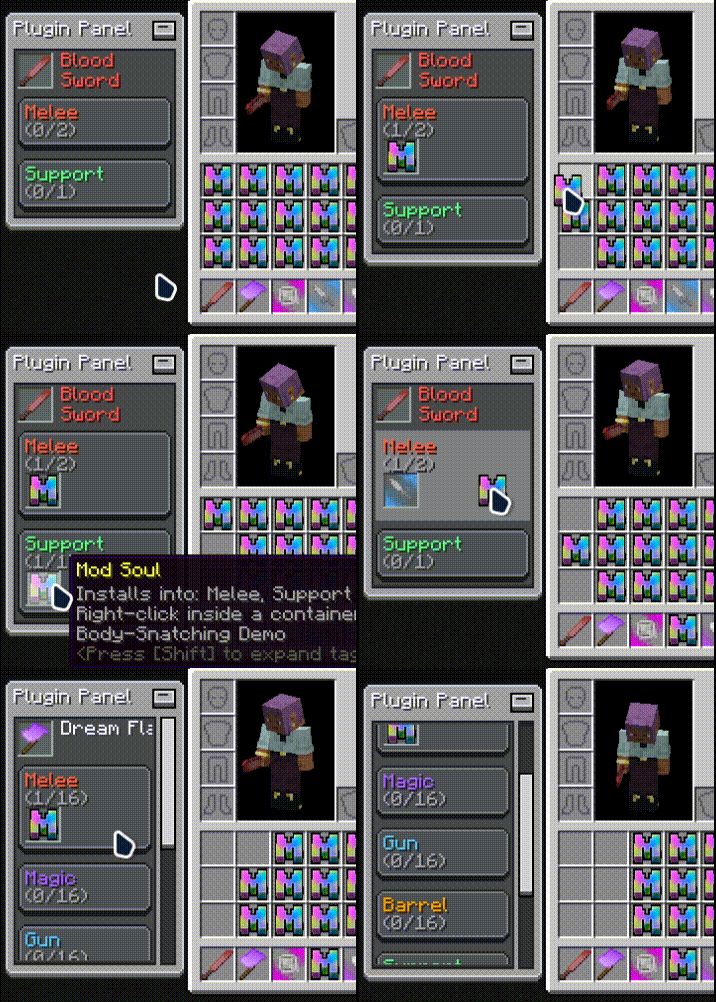
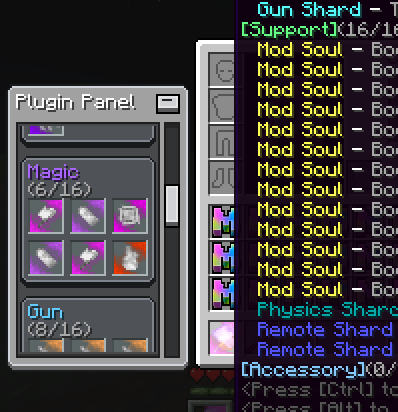
Open your inventory and a panel appears beside it: the target gun’s name, every installed plugin, and the fill state of each plugin category at a glance.
Target Gun
The panel follows your main-hand gun by default; Shift + Middle-Click any gun in your inventory to retarget it.
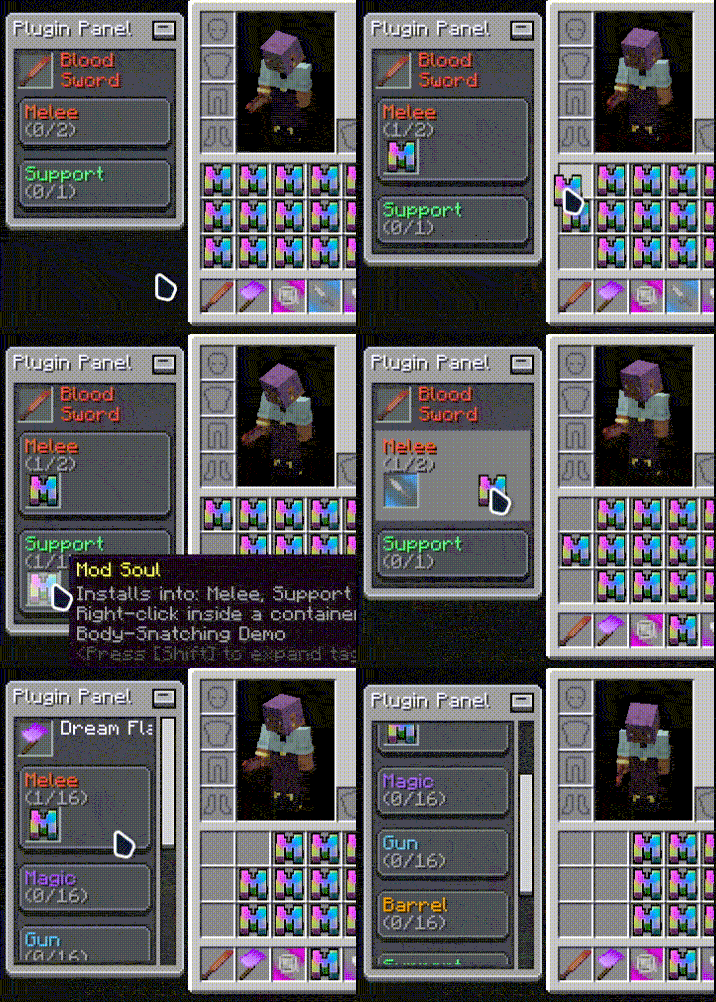
Drag & Drop Install
Pick up a plugin from your inventory and drop it onto the matching category on the panel to install it — survival consumes the carried material, creative installs directly. No crafting menu involved.
Click to Uninstall
Left-click a plugin slot on the panel to uninstall it and get the item back; locked plugins cannot be removed.
Panel Customization
Drag the panel anywhere (position is saved automatically), collapse it to a title bar, and tune display mode, position and install-area highlight .
Requirements
- ModularShoot (>=0.1.7)
- LDLib2
License
MIT
Effect Preview
常见问题
ModularShoot: Panel 支持哪些 Minecraft 版本?
ModularShoot: Panel 支持 Minecraft Java 版 1.21.1,可用的加载器:NeoForge。下载时注意选择和你游戏版本一致的文件。
ModularShoot: Panel 怎么安装?
先用 PCL2 或 HMCL 启动器安装对应版本的 NeoForge,再把下载的 .jar 文件放进游戏目录的 mods 文件夹,重新启动游戏即可。开启了版本隔离的,mods 文件夹在 versions/版本名 下面。运行环境:客户端和服务端都要装。
Yanbwe 的其他作品
查看全部 →
RarityCore
The Rarity Core is an all-encompassing rarity enhancement mod that establishes a new rarity system

RarityCore
The Rarity Core is an all-encompassing rarity enhancement mod that establishes a new rarity system
RarityCore
The Rarity Core is an all-encompassing rarity enhancement mod that establishes a new rarity system

Search Carefully
SearchCarefully is a Minecraft mod that adds a tactical search system similar to Tarkov, allowing players to progressively uncover items in containers.
评论
登录后评论和评分