
截图
介绍
中文介绍正在准备中,下面暂时显示原文。
ModKeys
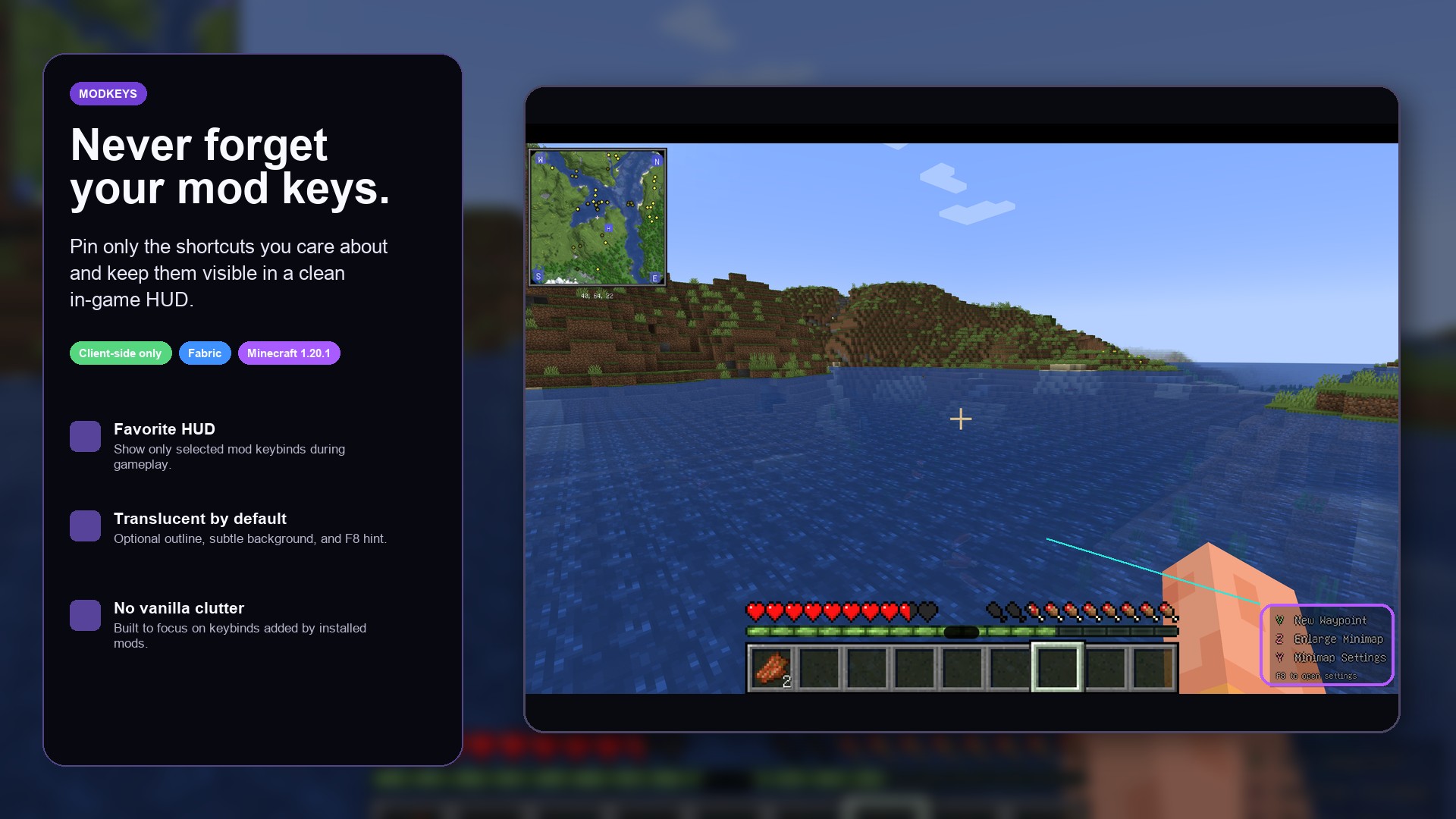
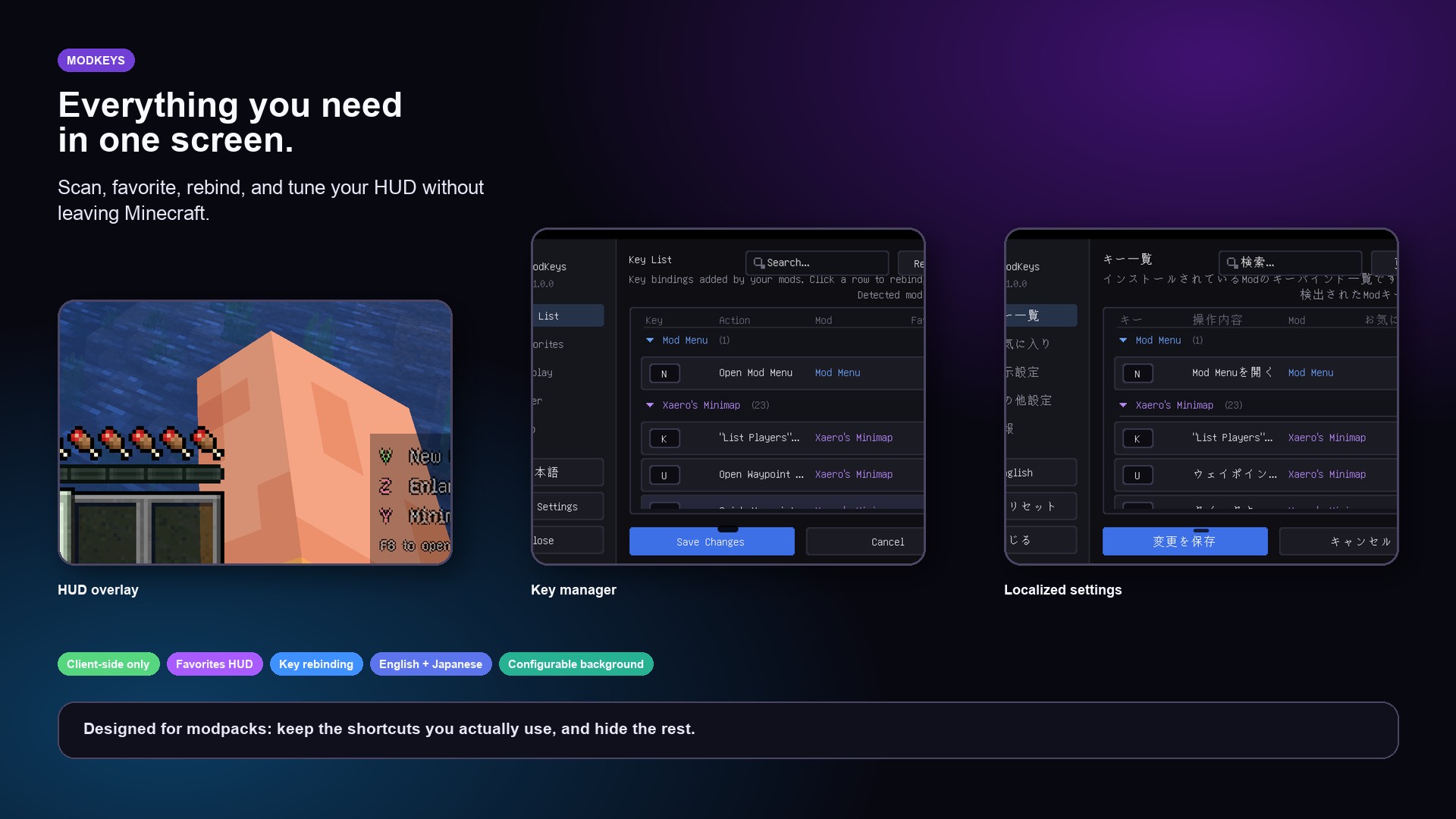
ModKeys is a client-side Fabric mod that helps you manage keybindings added by other mods and display only your favorite keys on a clean in-game HUD.
You can browse mod-added keybinds, mark favorites, change mod keybindings from the ModKeys screen, and customize how the HUD looks in-game.
Features
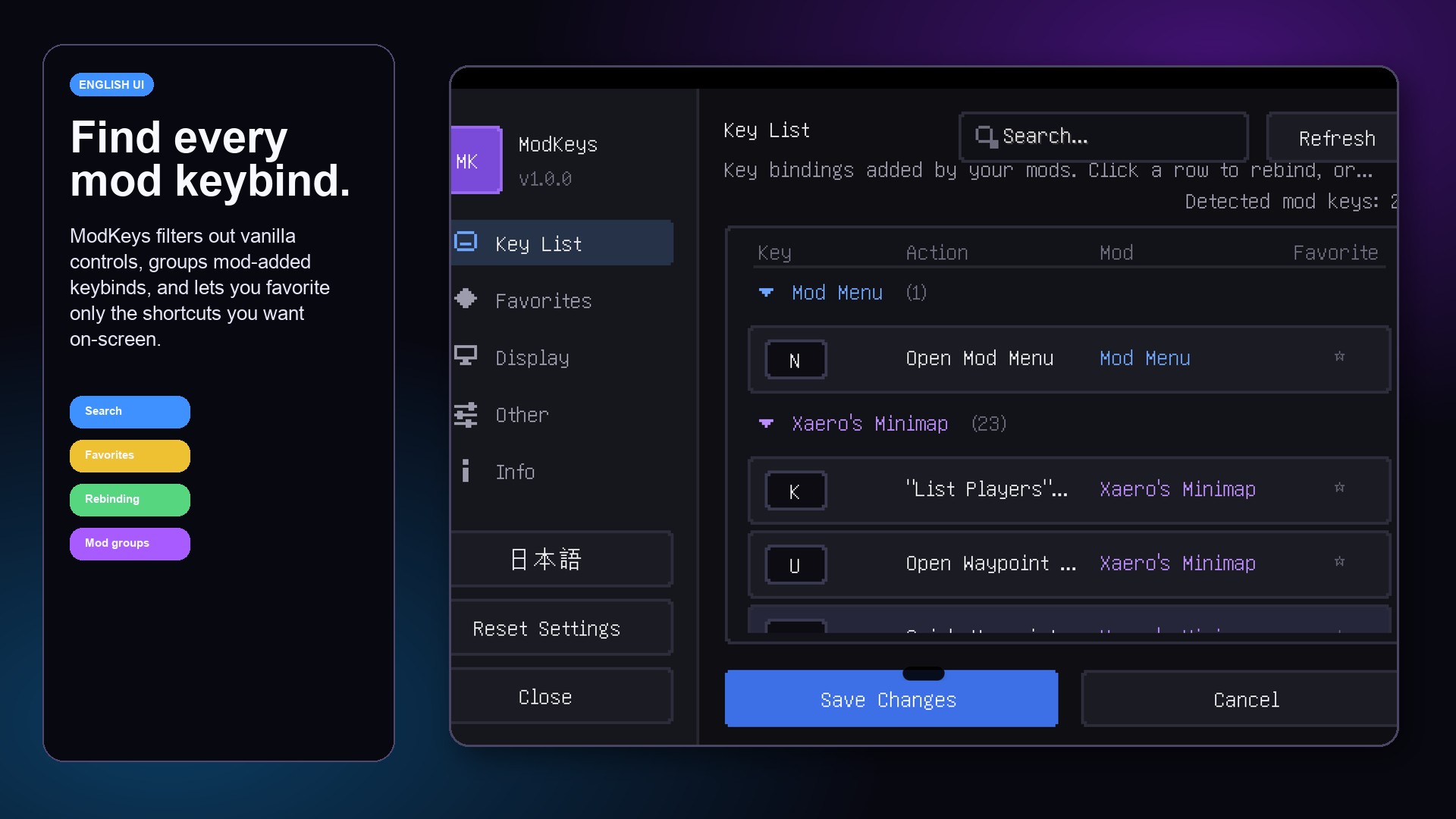
- Detects keybindings added by mods
- Excludes vanilla keybindings from the list
- Lets you favorite only the keys you want to track
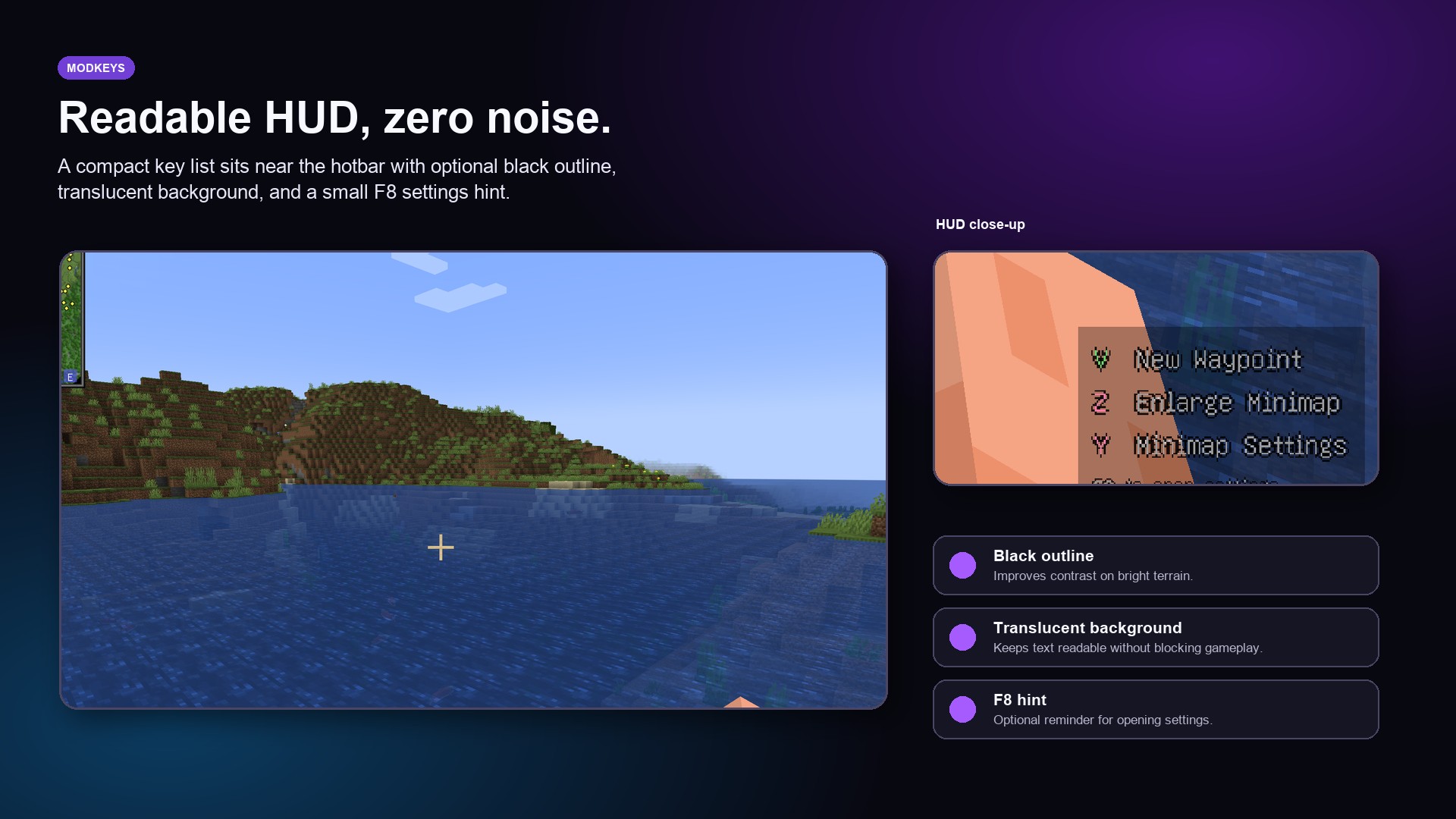
- Displays favorite keybinds on a clean in-game HUD
- Allows you to change mod keybindings directly from the ModKeys screen
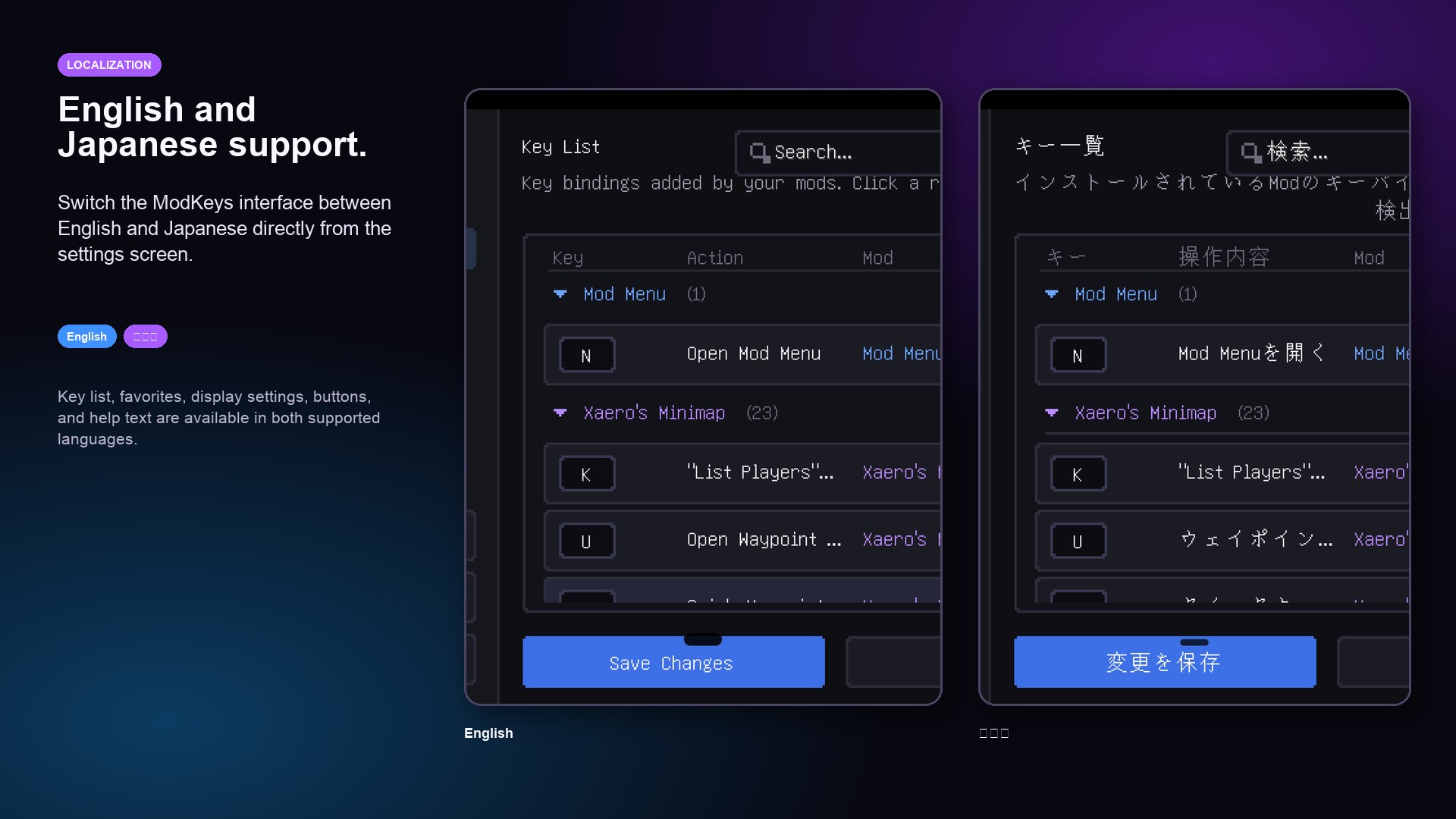
- Supports English and Japanese UI
- Customizable HUD position, size, colors, outline, and background
- Optional F8 hint for quickly opening settings
- Client-side only and compatible with Fabric modded clients
Requirements
- Minecraft 1.20.1
- Fabric Loader
- Fabric API
How to Use
- Press F8 to open the ModKeys settings screen.
- Browse keybindings added by your installed mods.
- Mark your favorite keys to show them on the HUD.
- Change mod keybindings if needed.
- Adjust the HUD position and appearance to match your setup.
ModKeys
ModKeys は、他の Mod によって追加されたキーバインドを管理し、お気に入りにしたキーだけをゲーム画面上のシンプルな HUD に表示できる、クライアントサイド専用の Fabric Mod です。
Mod 追加キーの一覧表示、お気に入り登録、Mod キーバインドの変更、HUD の見た目調整を 1 つの画面から行えます。
主な機能
- Mod によって追加されたキーバインドを検出
- バニラのキーバインドは一覧から除外
- 必要なキーだけをお気に入り登録
- お気に入りキーだけをゲーム中の HUD に表示
- Mod のキーバインドを ModKeys の画面から変更可能
- 英語と日本語の UI に対応
- HUD の表示位置、サイズ、色、黒フチ、背景を調整可能
- F8 ですぐ設定画面を開けるヒント表示に対応
- クライアントサイド専用で Fabric 環境向け
動作環境
- Minecraft 1.20.1
- Fabric Loader
- Fabric API
使い方
- F8 キーで ModKeys の設定画面を開きます。
- インストール済み Mod が追加したキーバインドを一覧で確認します。
- HUD に表示したいキーをお気に入り登録します。
- 必要に応じて Mod のキーバインドを変更します。
- HUD の位置や見た目を自分の環境に合わせて調整します。
常见问题
ModKyes 支持哪些 Minecraft 版本?
ModKyes 支持 Minecraft Java 版 1.20.1,可用的加载器:Fabric。下载时注意选择和你游戏版本一致的文件。
ModKyes 怎么安装?
先用 PCL2 或 HMCL 启动器安装对应版本的 Fabric,再把下载的 .jar 文件放进游戏目录的 mods 文件夹,重新启动游戏即可。开启了版本隔离的,mods 文件夹在 versions/版本名 下面。运行环境:仅客户端。
评论
登录后评论和评分