
截图

介绍
About
This is a mod that let’s you save buildings and other creations as .obj files! The .obj file will be placed in your Minecraft directory.
But what is an obj file, you may ask? Well, it is basically a file for showing 3D objects. The obj files generated with the mod can be viewed in a 3D program (such as in the image below), and should also work in Unity if you like to make games there.
How to use
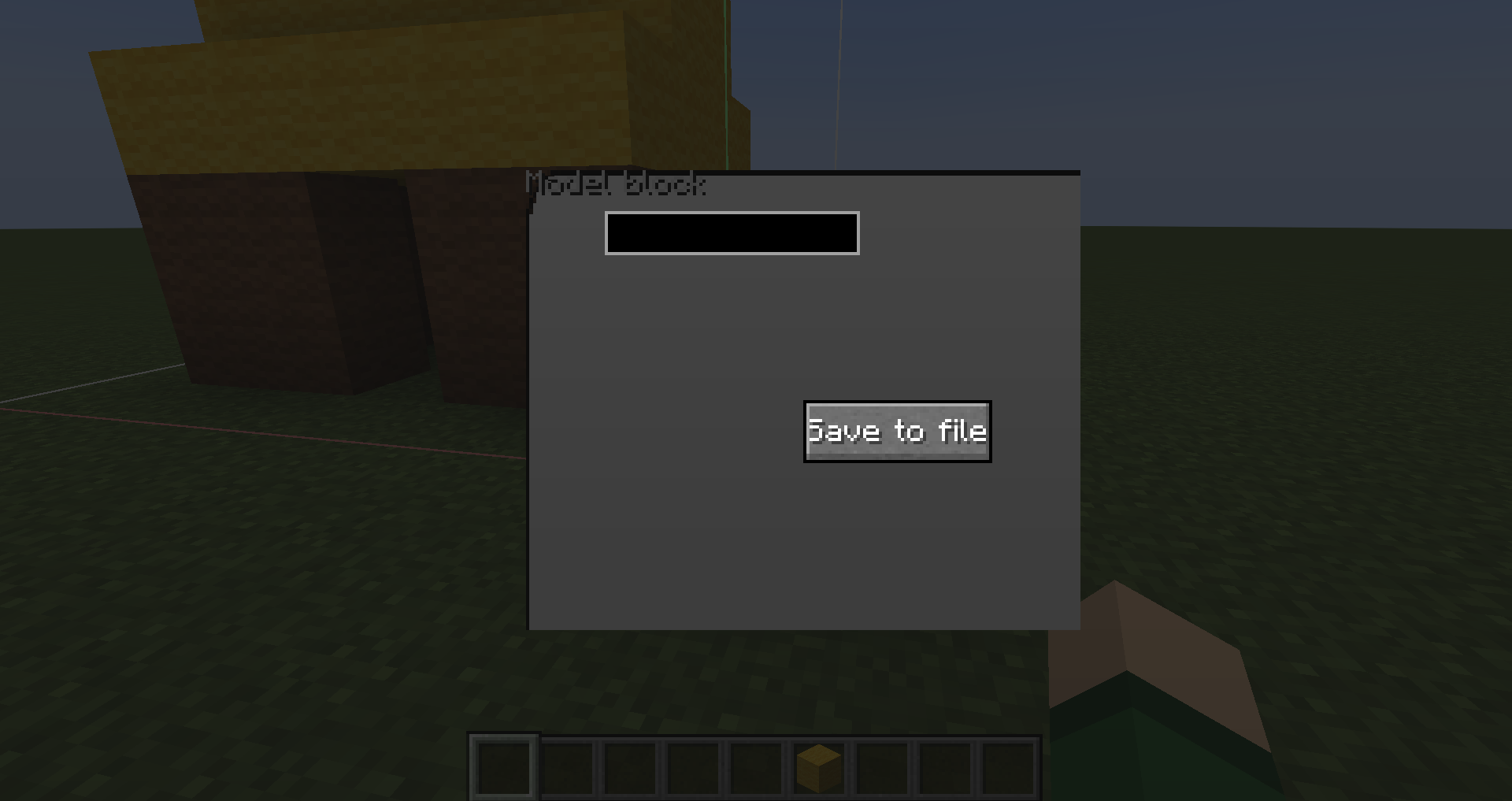
To start, you need a Model block which right now only is available in creative. When you place it, you will get a box which determines what blocks will be exported. Then you just have to right click on the Model block to open the Model block screen:
In the screen, you can name the file and hit save to export!
Hope you find the mod useful!
常见问题
Blocks to Model 支持哪些 Minecraft 版本?
Blocks to Model 支持 Minecraft Java 版 1.20.2,可用的加载器:Forge。下载时注意选择和你游戏版本一致的文件。
Blocks to Model 怎么安装?
先用 PCL2 或 HMCL 启动器安装对应版本的 Forge,再把下载的 .jar 文件放进游戏目录的 mods 文件夹,重新启动游戏即可。开启了版本隔离的,mods 文件夹在 versions/版本名 下面。


评论
登录后评论和评分