
ModContours
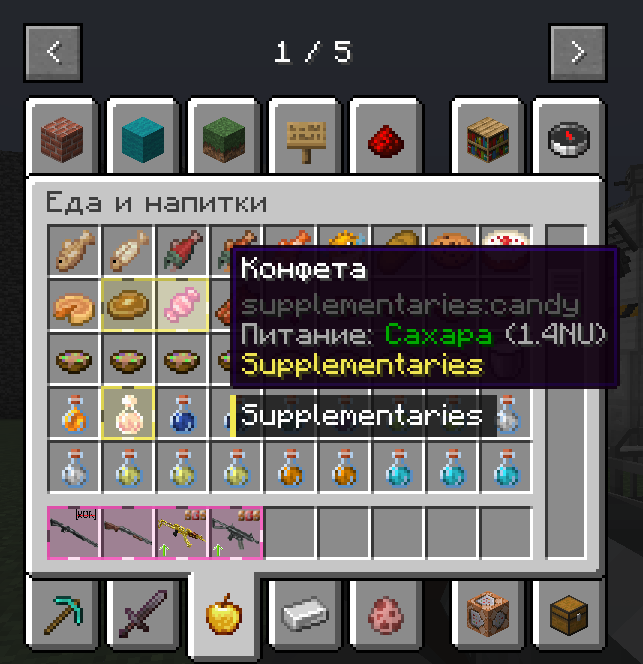
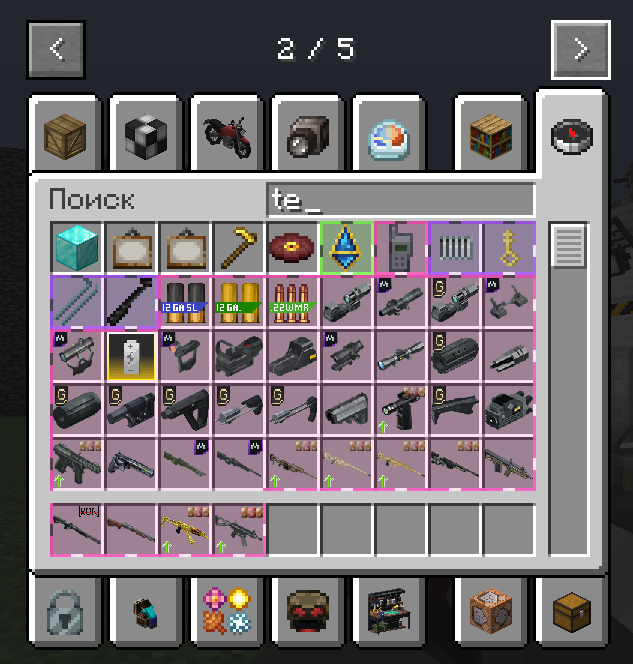
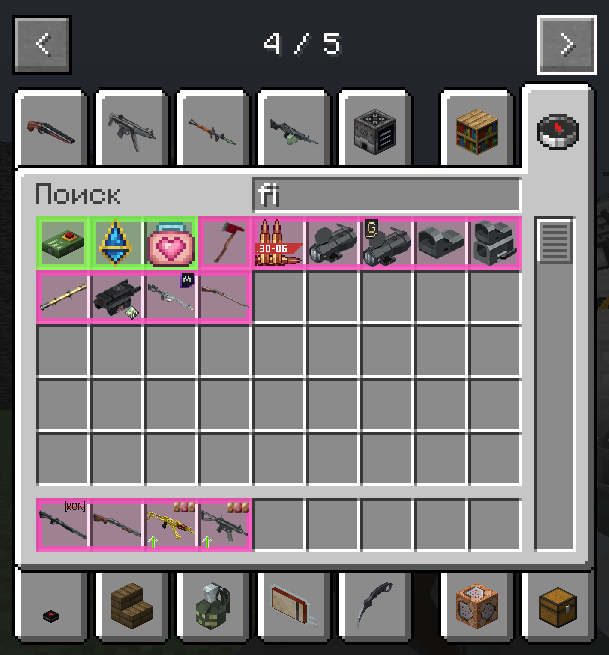
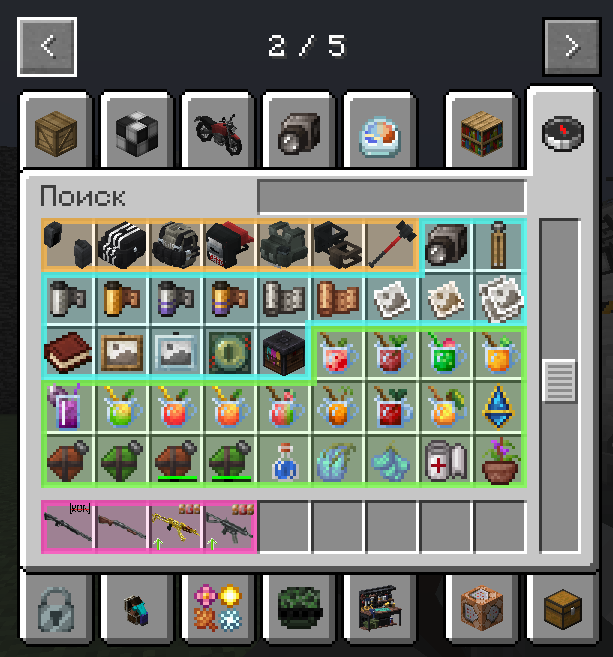
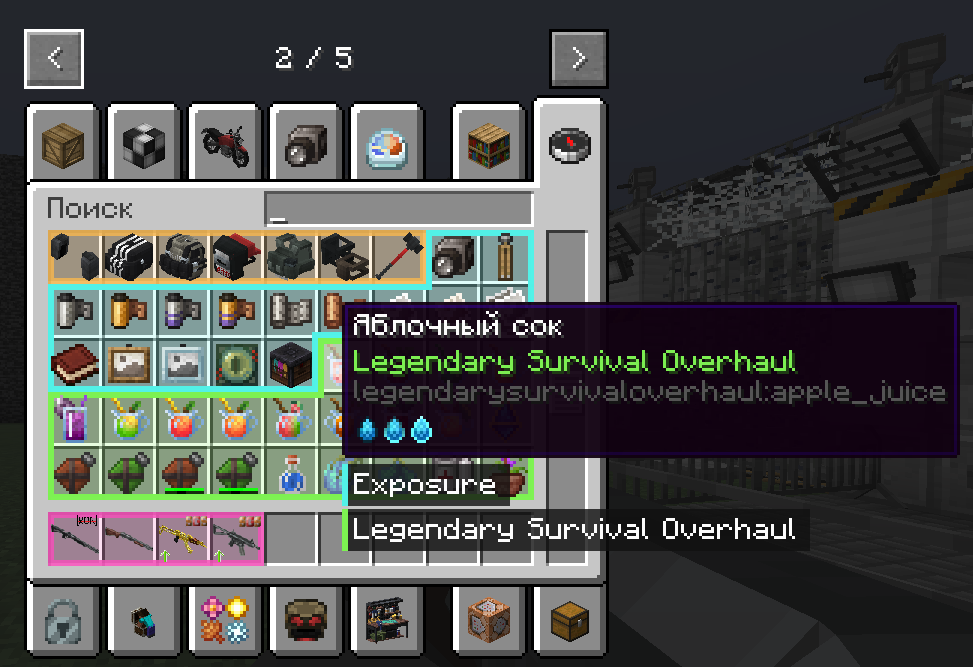
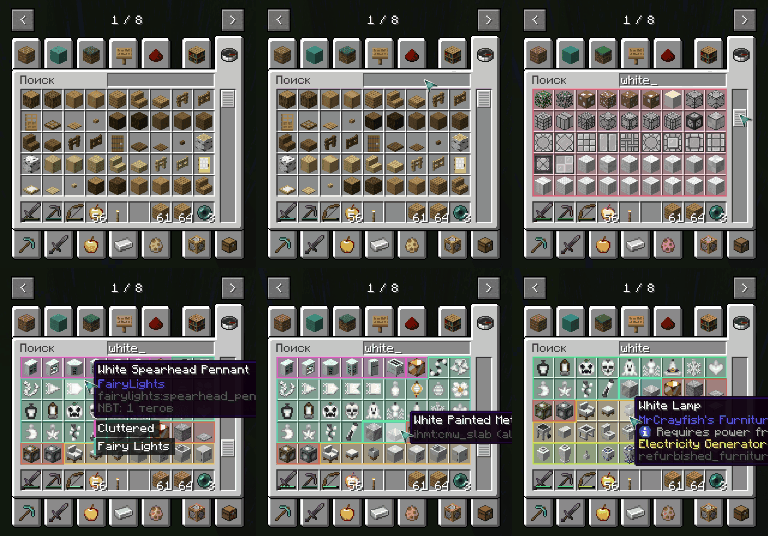
Mod Contours is a client-side mod for Minecraft Forge that helps organize your inventory by visually grouping items from the same mod using dynamic colored outlines.
截图
介绍
🎨 Mod Contours

Mod Contours is a client-side mod for Minecraft Forge that helps organize your inventory by visually grouping items from the same mod using dynamic colored outlines. If you’re tired of getting lost in an inventory filled with hundreds of items from different mods, Mod Contours is made for you!
✨ Showcase

🚀 Features
- Dynamic Outlines: Items from the same mod are automatically grouped together with a shared colored outline.
- Smart Detection: The mod automatically identifies which mod each item belongs to.
- High Performance: Designed with minimal impact on game performance.
- Fully Configurable: Customize outline thickness, fill transparency, and outline style through the configuration file.
- Multilingual: The interface and documentation are available in multiple languages.
📦 Installation
- Make sure you have Minecraft Forge installed: https://files.minecraftforge.net/net/minecraftforge/forge/
- Download the latest version of the mod:
- GitHub Releases: https://github.com/mrdiovkrad/ModContours/releases
- Modrinth: https://modrinth.com/mod/modcontours
- CurseForge: https://www.curseforge.com/minecraft/mc-mods/modcontours (Coming Soon)
- Place the downloaded
.jarfile into themodsfolder in your Minecraft directory. - Launch the game and enjoy!
⚙️ Configuration
All mod settings can be changed through the in-game mod configuration menu. You can customize:
- Outline thickness
- Fill transparency
- Outline style
- And many other settings for the perfect appearance!
🌍 Supported Languages
- English
- Russian
- German
- Spanish
- French
- Chinese (Simplified)
- Japanese
- Portuguese (Brazil)
- Polish
- Korean
Developed by APPLYOK | Author: MrDioVkrad
常见问题
ModContours 支持哪些 Minecraft 版本?
ModContours 支持 Minecraft Java 版 1.20.1,可用的加载器:Forge。下载时注意选择和你游戏版本一致的文件。
ModContours 怎么安装?
先用 PCL2 或 HMCL 启动器安装对应版本的 Forge,再把下载的 .jar 文件放进游戏目录的 mods 文件夹,重新启动游戏即可。开启了版本隔离的,mods 文件夹在 versions/版本名 下面。运行环境:仅客户端。

评论
登录后评论和评分