Mod Settings
Provides an easy to access configuration screen for all installed mods on Fabric
截图
介绍
Mod Settings for Fabric
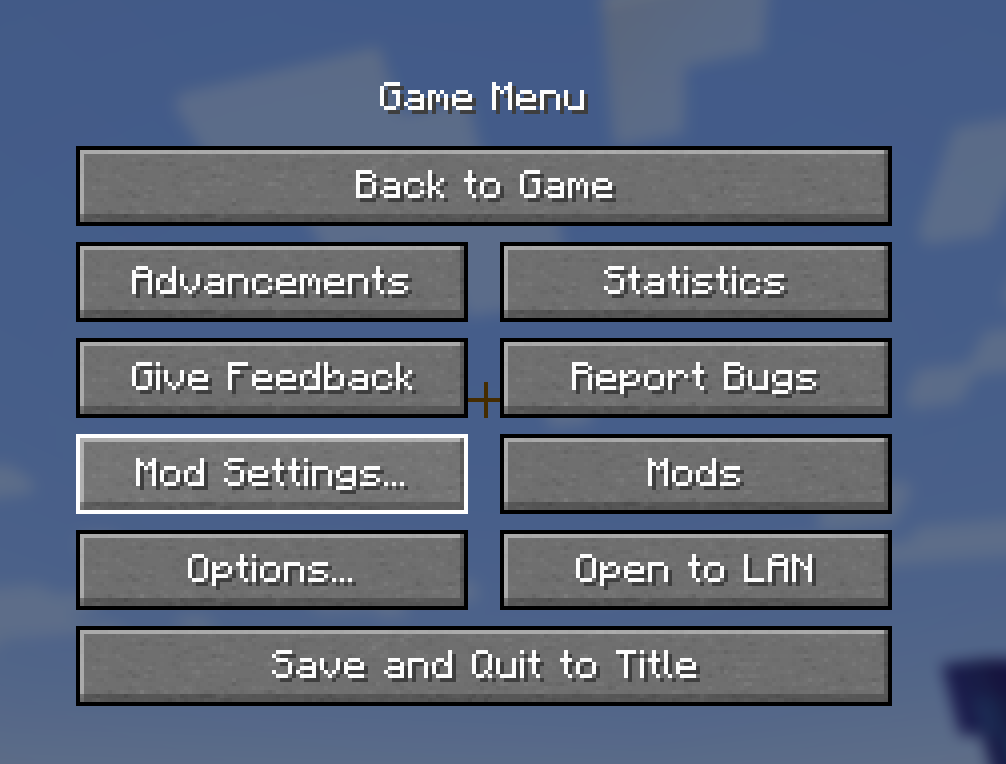
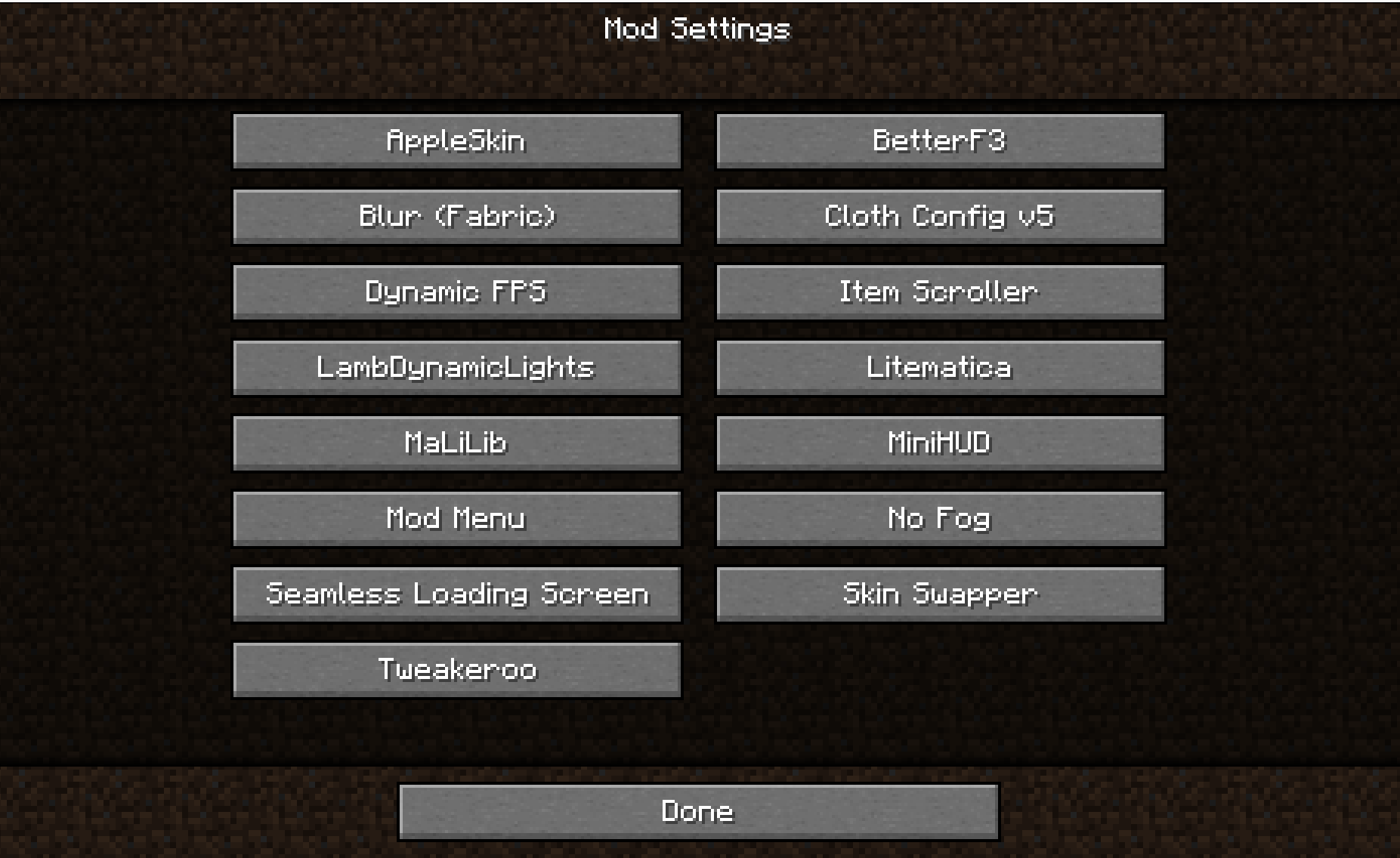
This is a Minecraft mod for Fabric that provides an easy to access configuration screen for all installed mods!
Similar to how “Mod Options” works in Forge, this will add a Vanilla-style menu
screen with easy-to-access buttons to get to the configurations for your mods.
You can go directly to this screen using the Mod Settings hotkey. This means
there is no need to memorize all those hotkeys for settings of all your mods.
The Mod Settings hotkey is F6 by default, but this can be changed in the
ordinary “Key Binds” options screen.
I created this mod when I found myself over and over again go into the Mod Menu
list, scroll to the bottom to find Tweakeroo or whatever, and then try to hit
the configuration button on the opposite side of the screen. With this mod, you
can directly go to the configuration screen with just a single button, and
unless you have an extreme amount of mods installed, they are all likely to fit
on a single page.
This mod requires the Fabric loader and the Fabric API. See dependencies below.
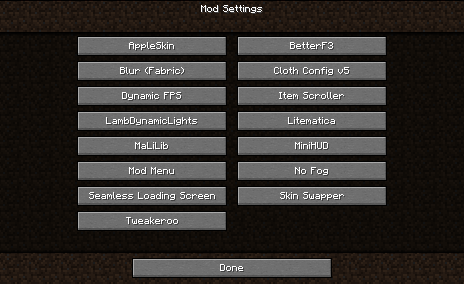
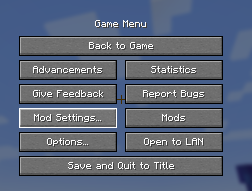
Screenshot
This is what it looks like when you are using the mod.
Interoperability
Mod Settings work fine with Mod Menu. It does not require the Mod Menu mod to be
present, but if it is, it tries to add the “Mod Settings…” button close to the
“Mods” button from Mod Menu.
Mod Settings use the API created by Mod Menu to query the mods for how to
present a configuration screen. All mods that can be configured from within Mod
Menu will show up on the Mod Settings screen, and conversely, mods that cannot
be configured from within Mod Menu will not show up on the Mod Settings screen.
Dependencies
This mod needs Fabric API. If you have a modded Minecraft, chances are it is
already installed. Otherwise, you can find it here: [Fabric API on Modrinth](
https://modrinth.com/mod/fabric-api).
Download
You can download the mod from any of these sites:
Installation
Install this as you would any other Fabric mod. (I recommend using a replacement launcher such as Prism Launcher for modded Minecraft.)
Support
Do you have any problems with the mod? Please open an issue on Github.
Known Incompatibilities
The mod [Content Creator Integration](
https://www.curseforge.com/minecraft/mc-mods/content-creator-integration)
versions 1.9.3 and older contains an incompatible implementation of the Mod Menu
API. This is fixed in newer versions of CCI.
Other Mods
Check out my other mods, which also supplies vanilla-style usability enhancements:
Status Effect Timer

Status Effect Timer is a Minecraft mod for Fabric that overlays a timer on the Vanilla status effect HUD icons.
Elytra Indicators

Elytra Indicators is a Minecraft mod for Fabric that provides Vanilla-style “fly by instrument” support for elytra flight.
常见问题
Mod Settings 支持哪些 Minecraft 版本?
Mod Settings 支持 Minecraft Java 版 1.17–26.3,共 34 个版本,可用的加载器:Fabric。下载时注意选择和你游戏版本一致的文件。
Mod Settings 怎么安装?
先用 PCL2 或 HMCL 启动器安装对应版本的 Fabric,再把下载的 .jar 文件放进游戏目录的 mods 文件夹,重新启动游戏即可。开启了版本隔离的,mods 文件夹在 versions/版本名 下面。
magicus 的其他作品
查看全部 →
Status Effect Timer
在原版状态效果 HUD 图标上叠加计时器

Status Effect Timer
在原版状态效果 HUD 图标上显示计时器(Fabric 模组)

Mod Settings
Provides an easy to access configuration screen for all installed mods on Fabric
Elytra Indicators
Provides Vanilla-style "fly by instrument" support for elytra flight
评论
登录后评论和评分