Mod Downloader From Modrinth (mdfm)
Automatically download and install Minecraft mods directly from Modrinth in CurseForge.
截图
介绍
中文介绍正在准备中,下面暂时显示原文。
MDFM: Mod Downloader From Modrinth
Have you ever wanted to publish a modpack in CurseForge but one mod you really wanted to use is only available in Modrinth?
MDFM is a lightweight Forge 1.20.1 client mod for modpack authors. Before the player reaches the main menu, it checks whether any “external” mods your pack depends on are missing from their mods folder. If so, it shows a one-time, mandatory screen explaining that those mods will be downloaded automatically from Modrinth, and won’t let the game continue until they’re installed (or the player agrees to skip and accepts the consequences you’ve configured).
How it works
1. As the pack author, you list the mods you want auto-installed in a simple mods.json config file: a name, a Modrinth link, and the file name it should be saved as.
2. On launch, MDFM checks each entry against the player’s mods folder. If everything’s already there, the player never sees anything the game boots straight to the title screen as normal.
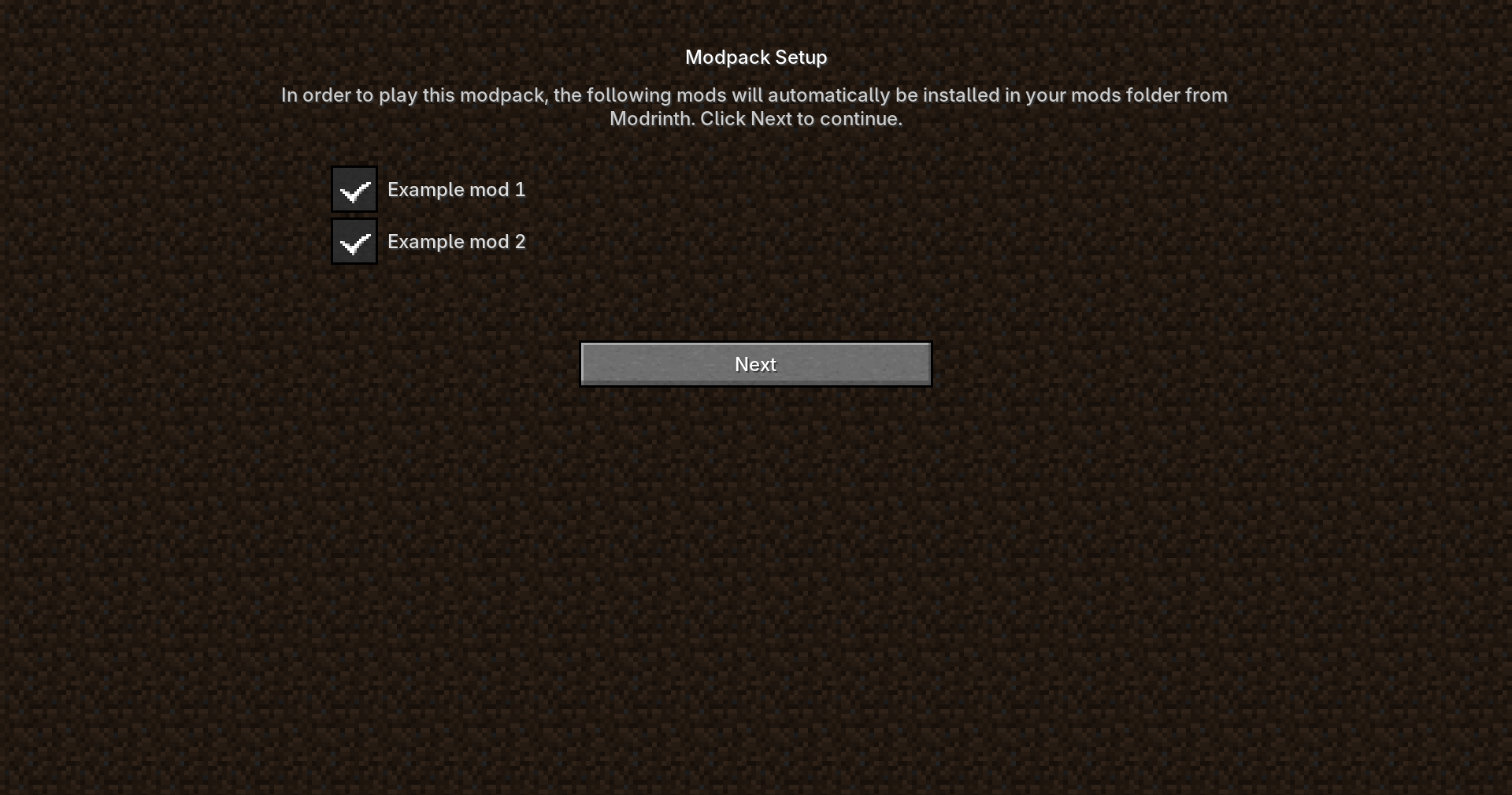
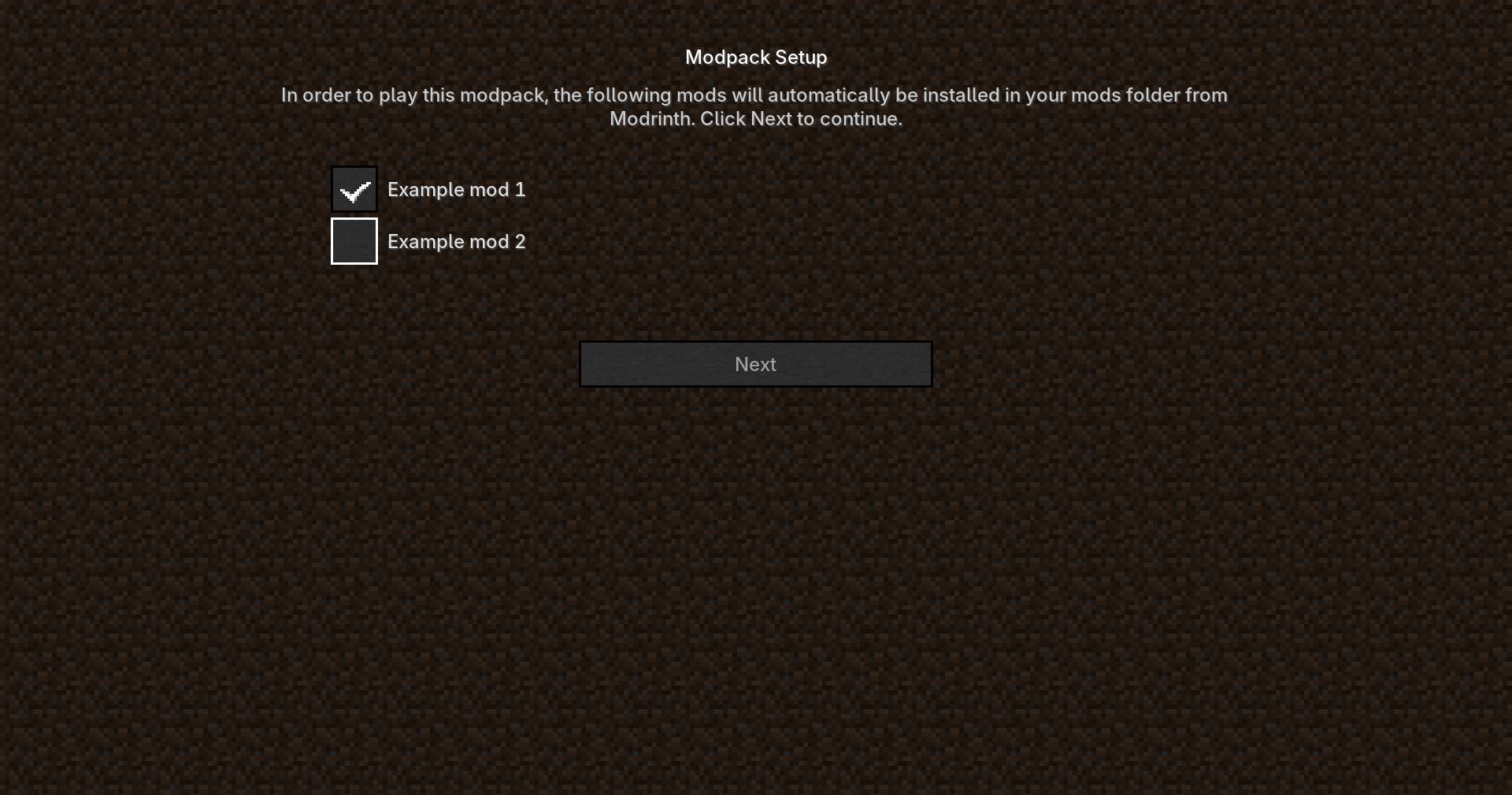
3. If something’s missing, a screen appears listing the pending mods with checkboxes (all checked by default) and a Next button. Unchecking any mod disables Next and explains why it’s required.
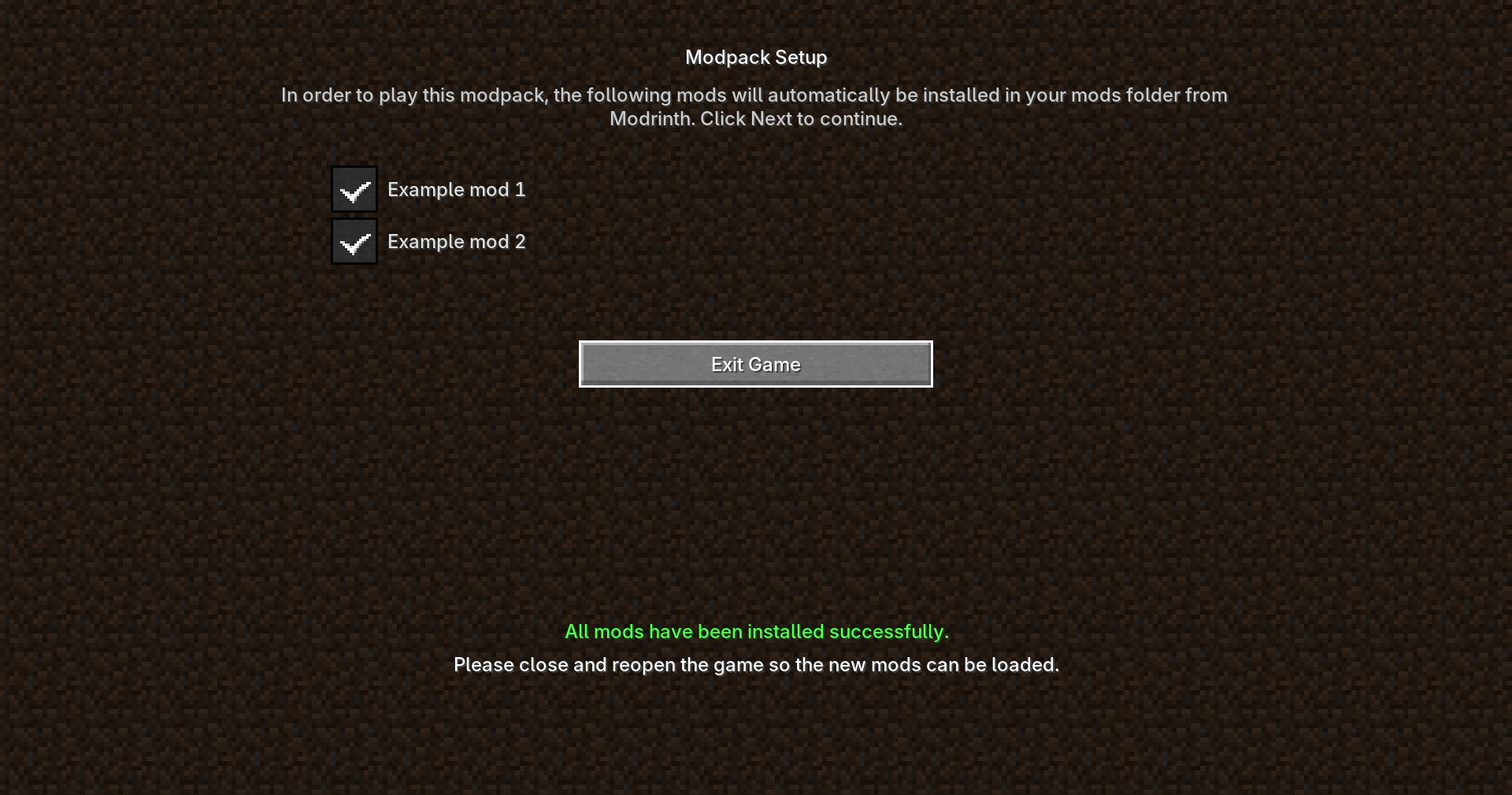
4. Pressing Next downloads the missing files directly from Modrinth and drops them into the mods folder. Once done, the player is asked to restart the game so Forge can load the new jars (mod loaders only scan the mods folder at launch, so a live install can’t take effect without a restart).
5. On later launches, once every listed file is present, the screen doesn’t appear again.
For modpack authors
– Config folder is located in config/mdfm/mods.json, generated with an example template on first launch.
– Works with any direct Modrinth CDN link, or a normal “modrinth.com/mod/…/version/…” page link (auto-resolved for you).
– Client-side only: nothing needs to be installed on a server, and it won’t trigger “incompatible mod list” warnings when connecting to servers that don’t have it.
Why this mod doesn’t violate Modrinth’s (or CurseForge’s) rules
– No rehosting, no bundling. The modpack you distribute never contains anyone else’s mod files. It only contains a small JSON file with names and links conceptually the same as a CurseForge modpack manifest, which also stores pointers rather than the actual binaries. The copyrighted mod file itself only ever travels from Modrinth’s own servers to the player’s computer.
– Downloads go through Modrinth’s own CDN and public API, the same one their website and official app use, with no authentication bypass, no scraping of restricted pages, and no attempt to strip or ignore any distribution flag a mod author might set. If Modrinth ever marks a specific file as not distributable through the API, this mod won’t try to work around that.
– No API key or account required. Modrinth’s API is public and free to query for this kind of use, so there’s no shared-credential or rate-limit-abuse concern the way there can be with platforms that require a personal, non-transferable key.
– Downloads are attributed normally. Because the request goes straight to Modrinth’s CDN exactly as a browser or the official launcher would, each install counts as a normal download credited to the mod’s actual page, nothing is hidden from the mod author’s stats.
– No mods.json entry can point anywhere except a direct download. The mod resolves normal, human-readable Modrinth page links into their real file URL using Modrinth’s documented API it never touches or reproduces the mod’s page content itself, only the file transfer that the author already made publicly downloadable.
– The player is always informed and always in control. Nothing downloads silently in the background; the screen is explicit about what will be installed and why, and the player must actively continue for anything to happen.
Limitations
– Only Modrinth links are supported.
– MDFM checks that a download is a valid ZIP/JAR and a reasonable size, but doesn’t verify file hashes against a known-good value. If exact-integrity verification matters to your pack, keep that in mind.
– If a linked mod is later removed or moved on Modrinth, you’ll need to update your mods.json.
常见问题
Mod Downloader From Modrinth (mdfm) 支持哪些 Minecraft 版本?
Mod Downloader From Modrinth (mdfm) 支持 Minecraft Java 版 1.20.1,可用的加载器:Forge。下载时注意选择和你游戏版本一致的文件。
Mod Downloader From Modrinth (mdfm) 怎么安装?
先用 PCL2 或 HMCL 启动器安装对应版本的 Forge,再把下载的 .jar 文件放进游戏目录的 mods 文件夹,重新启动游戏即可。开启了版本隔离的,mods 文件夹在 versions/版本名 下面。
DanielhackerXD 的其他作品
查看全部 →
Human Companions + Epic Fight Compat
by DanielhackerXD
Human Companions 模组与 Epic Fight 兼容支持!
9万
3 个月前
Modrinth · CurseForge

The Annoying Villagers Remastered
by DanielhackerXD
受《烦人的村民》系列启发的高质量战斗整合包。
6.7万
5 天前
CurseForge

Epic Fight Glowing Light Trail
by DanielhackerXD
修改版 Complementary Shaders,为 Epic Fight 攻击添加发光光轨
5.9万
3 个月前
CurseForge

Annoying Villagers Remastered Tweaks
by DanielhackerXD
对 The Annoying Villagers Remastered 整合包进行调整和扩展。
2.8万
3 个月前
Modrinth · CurseForge
评论
登录后评论和评分