
Mod Deck
A library that brings supported mods’ settings into one screen with a unified interface for search, tabs, and presets.
截图
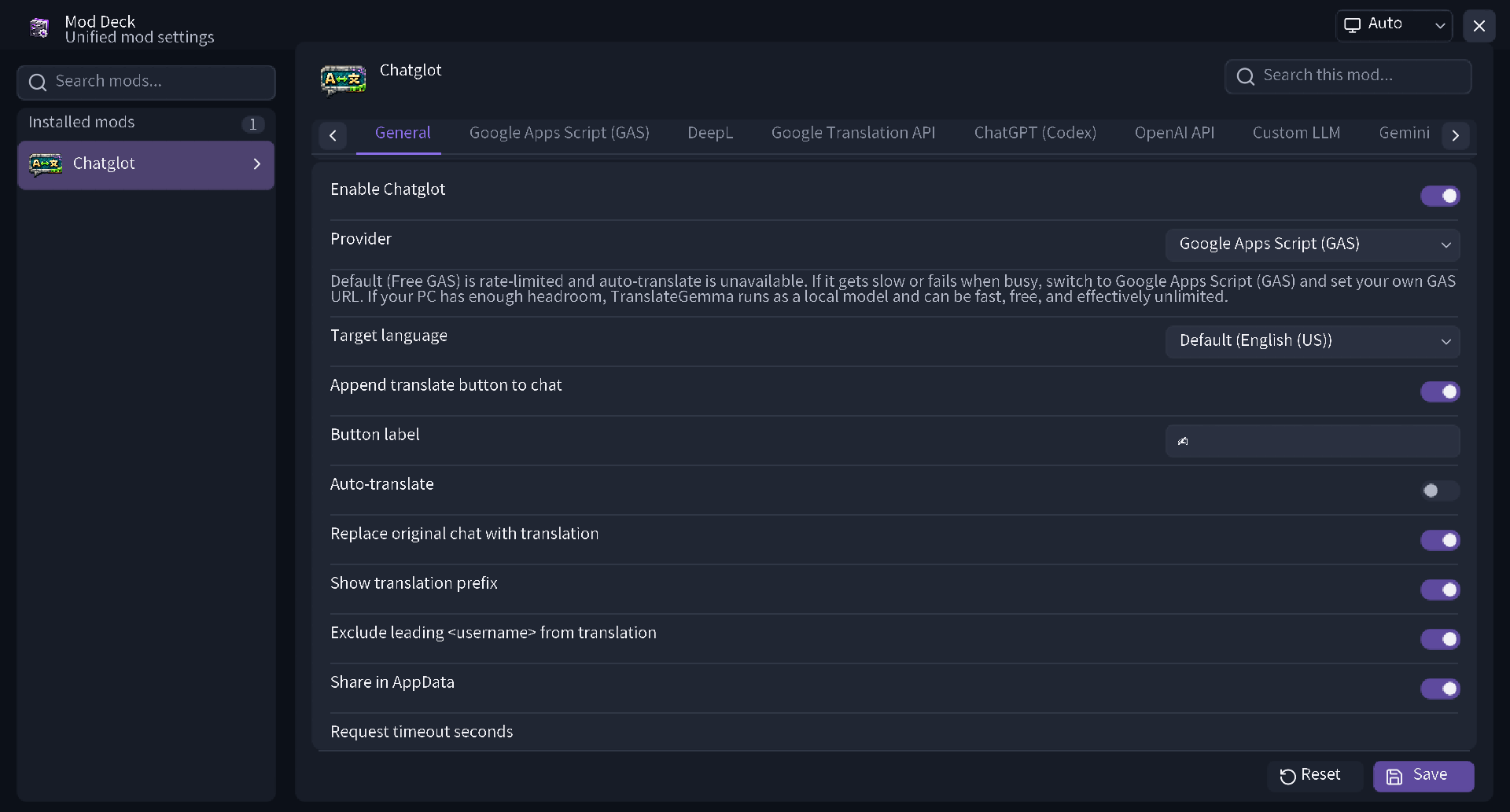
介绍
ModDeck
ModDeck is a client-side mod and library that centrally manages settings for supported installed mods.
With a unified, modern UI, you can intuitively check, toggle, and search through settings for each mod.
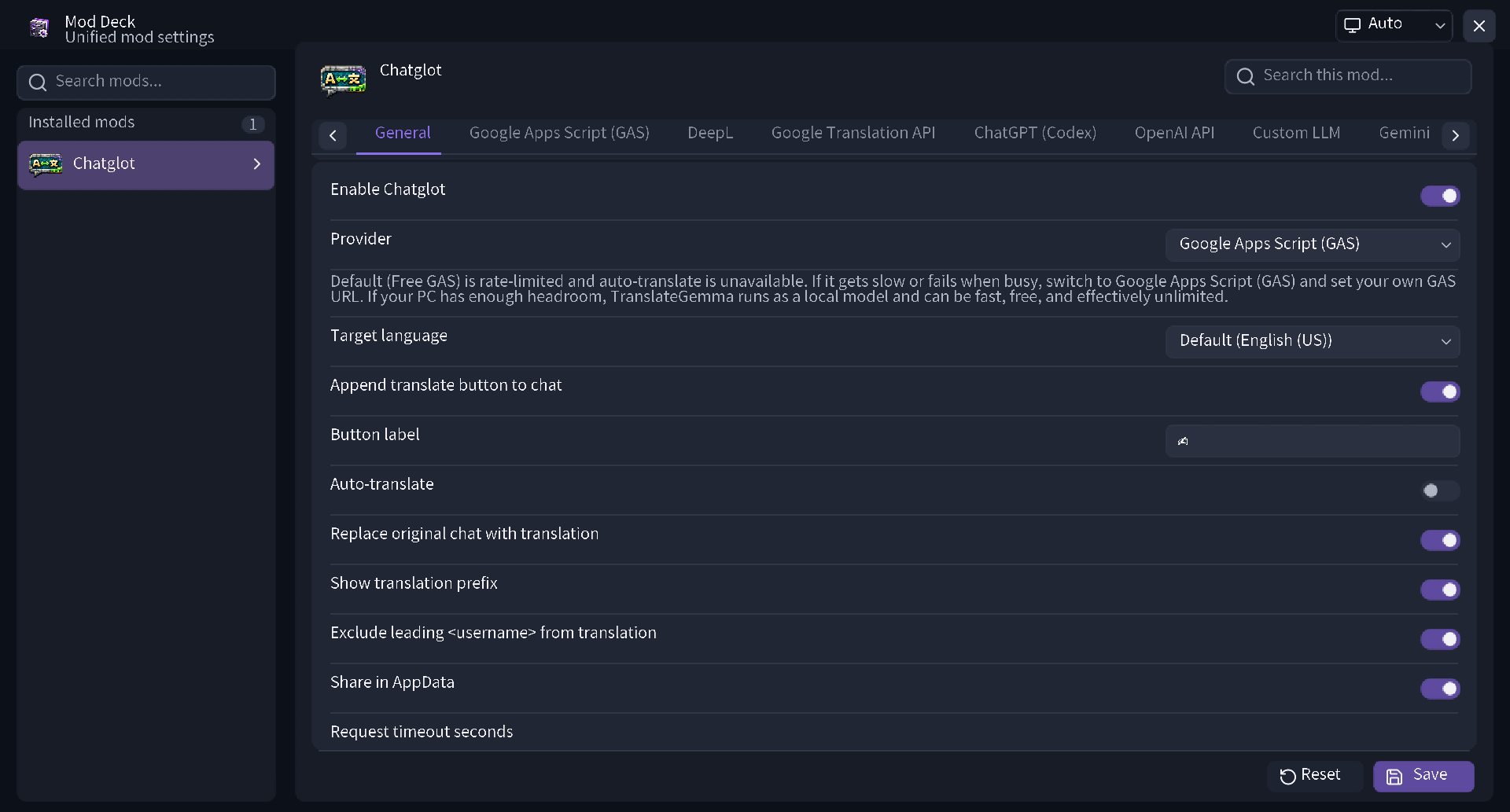
Key Features
1. Comfortable Search and Management
You can perform incremental searches across not only mod names but also detailed setting item names. With tabbed category displays, you can access your desired settings without getting lost, even for mods with a large number of items.
2. Reliable Save and Reset Functions
Setting changes are not applied until you click Save. A confirmation dialog also appears if you try to close the screen without saving, preventing unintended setting changes. It also features a reset function to restore default values either per item or per mod.
3. Theme Switching and Excellent Visibility
In addition to automatic switching based on system settings, you can manually select light or dark themes. Icons for each mod are displayed on lists and setting screens, offering exceptional visibility.
Main Features for Players
- Integrates settings screens for supported mods into one
- Incremental search for mod names and setting items
- Easy category navigation via tabs
- Prevention of misoperation through manual saving (with a warning dialog for unsaved changes)
- Setting resets per item or per mod
- One-click application of presets provided by mods
- Theme switching (Auto / Light / Dark)
- Supports opening the screen from Mod Menu, keybinds, and commands
Included Setting Components
ModDeck comes standard with a wide variety of UI parts necessary for mod settings.
- On/off switches
- Sliders (supporting integers and decimals)
- Text input fields
- Dropdown and Enum selection lists
- Color pickers
- Keybind settings
- Sortable and editable list formats
- Expansion and collapse of subcategories
- Real-time input validation and error display
Features for Developers
You can easily incorporate a sophisticated settings screen into your own mod.
- Intuitive API: Declaratively write settings screens and hierarchical structures simply using the Java API
- AutoConfig Support: Automatically generate settings screens just by adding annotations
- Flexible Control: Supports conditional display and enabling of items, validation, and the definition of custom themes and presets
- Storage Flexibility: In addition to standard built-in JSON storage, it supports saving to custom storage
- Seamless Integration: Easily implement processes to open your mod’s settings screen directly from external screens or custom keybinds
常见问题
Mod Deck 支持哪些 Minecraft 版本?
Mod Deck 支持 Minecraft Java 版 26.2–26.3,共 2 个版本,可用的加载器:Fabric。下载时注意选择和你游戏版本一致的文件。
Mod Deck 怎么安装?
先用 PCL2 或 HMCL 启动器安装对应版本的 Fabric,再把下载的 .jar 文件放进游戏目录的 mods 文件夹,重新启动游戏即可。开启了版本隔离的,mods 文件夹在 versions/版本名 下面。运行环境:仅客户端。
yoima 的其他作品
查看全部 →
Smooth Third Person Camera (STPC)
一款轻量级客户端模组,让第三人称视角移动更加平滑。
Smooth Third Person Camera (STPC)
轻量级客户端模组,可让第三人称视角的镜头移动更加平滑。

Manaita
这是对“Manaita”的完整重制版,可将合成产出最多提升至 32 倍。

Chatglot – Chat Translation
通过多种服务提供商实时翻译 Minecraft 聊天消息,并支持可选的自动翻译功能。
评论
登录后评论和评分