
Mod Deck
A library that brings supported mods’ settings into one screen with a unified interface for search, tabs, and presets.
介绍
ModDeck is a client-side mod and library that brings the settings of supported mods into one place.
Browse settings by mod, switch between categories, and search for specific options through a consistent interface. Changes are applied only when you press Save, and ModDeck asks for confirmation before discarding unsaved changes.
For Players
- Access supported mods from one settings hub
- Search for mods and individual settings
- Navigate categories with tabs
- Save changes manually
- Confirm before discarding unsaved changes
- Reset individual options or an entire mod
- Apply presets provided by supported mods
- Choose between automatic, light, and dark themes
- View mod icons in the list and settings screen
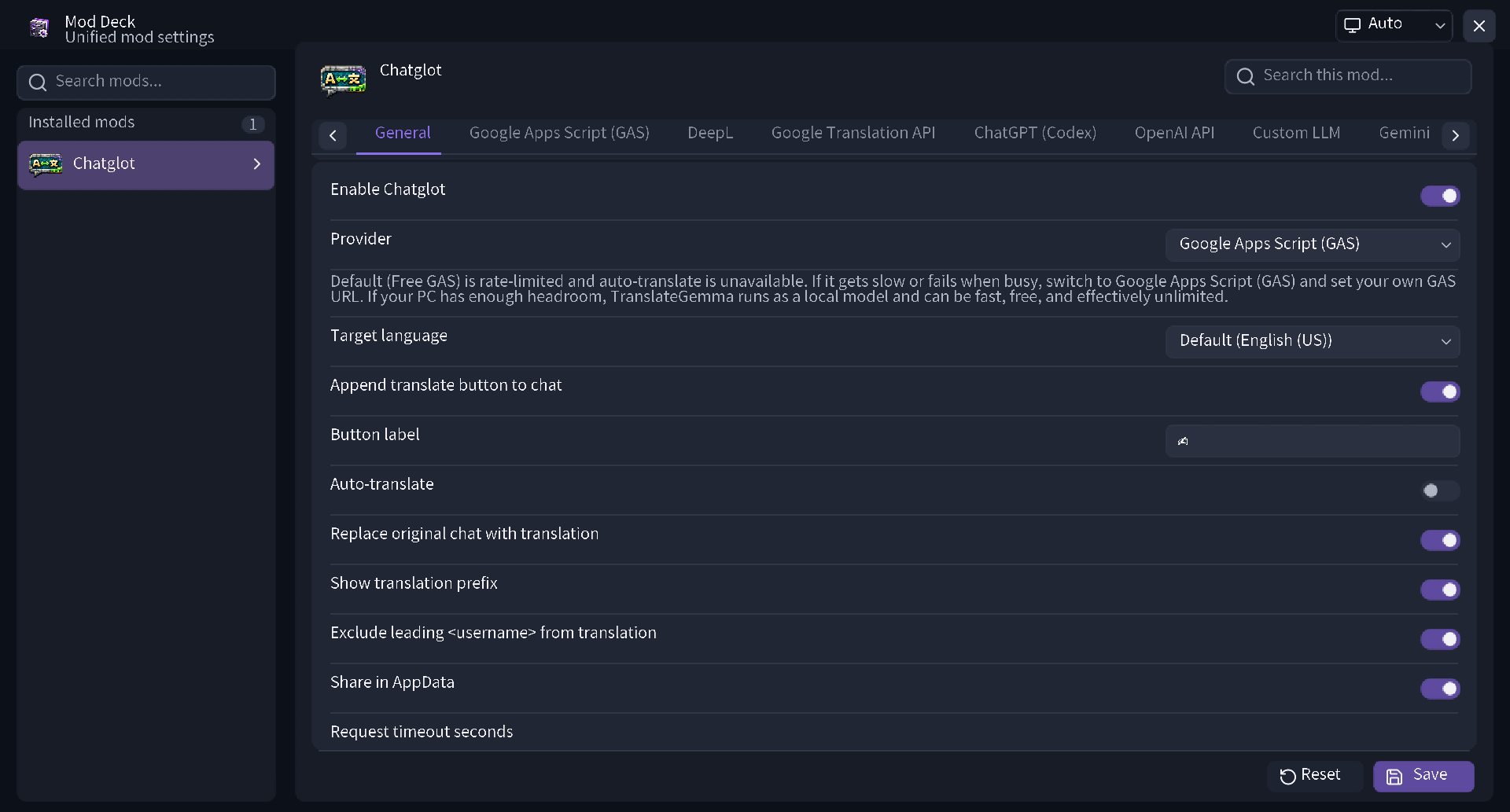
Supported Options
- On/off switches
- Integer and decimal sliders
- Text fields
- Selectors and enum options
- Colors
- Key bindings
- Editable and reorderable lists
- Subcategories
- Description rows
- Action buttons
- Input validation and error messages
For Mod Developers
- Define configuration screens through a declarative Java API
- Register options, categories, display conditions, enabled conditions, validation, presets, and themes
- Generate configuration screens with annotation-based AutoConfig
- Use the built-in JSON storage or provide custom storage
- Open a specific mod’s settings from Mod Menu, a key binding, a command, or another screen
常见问题
Mod Deck 支持哪些 Minecraft 版本?
Mod Deck 支持 Minecraft Java 版 26.2–26.3,共 2 个版本,可用的加载器:Fabric。下载时注意选择和你游戏版本一致的文件。
Mod Deck 怎么安装?
先用 PCL2 或 HMCL 启动器安装对应版本的 Fabric,再把下载的 .jar 文件放进游戏目录的 mods 文件夹,重新启动游戏即可。开启了版本隔离的,mods 文件夹在 versions/版本名 下面。
yoima 的其他作品
查看全部 →
Smooth Third Person Camera (STPC)
一款轻量级客户端模组,让第三人称视角移动更加平滑。
Smooth Third Person Camera (STPC)
轻量级客户端模组,可让第三人称视角的镜头移动更加平滑。

Manaita
这是对“Manaita”的完整重制版,可将合成产出最多提升至 32 倍。

Chatglot – Chat Translation
通过多种服务提供商实时翻译 Minecraft 聊天消息,并支持可选的自动翻译功能。
评论
登录后评论和评分