Mochos Apariencia (Skins)
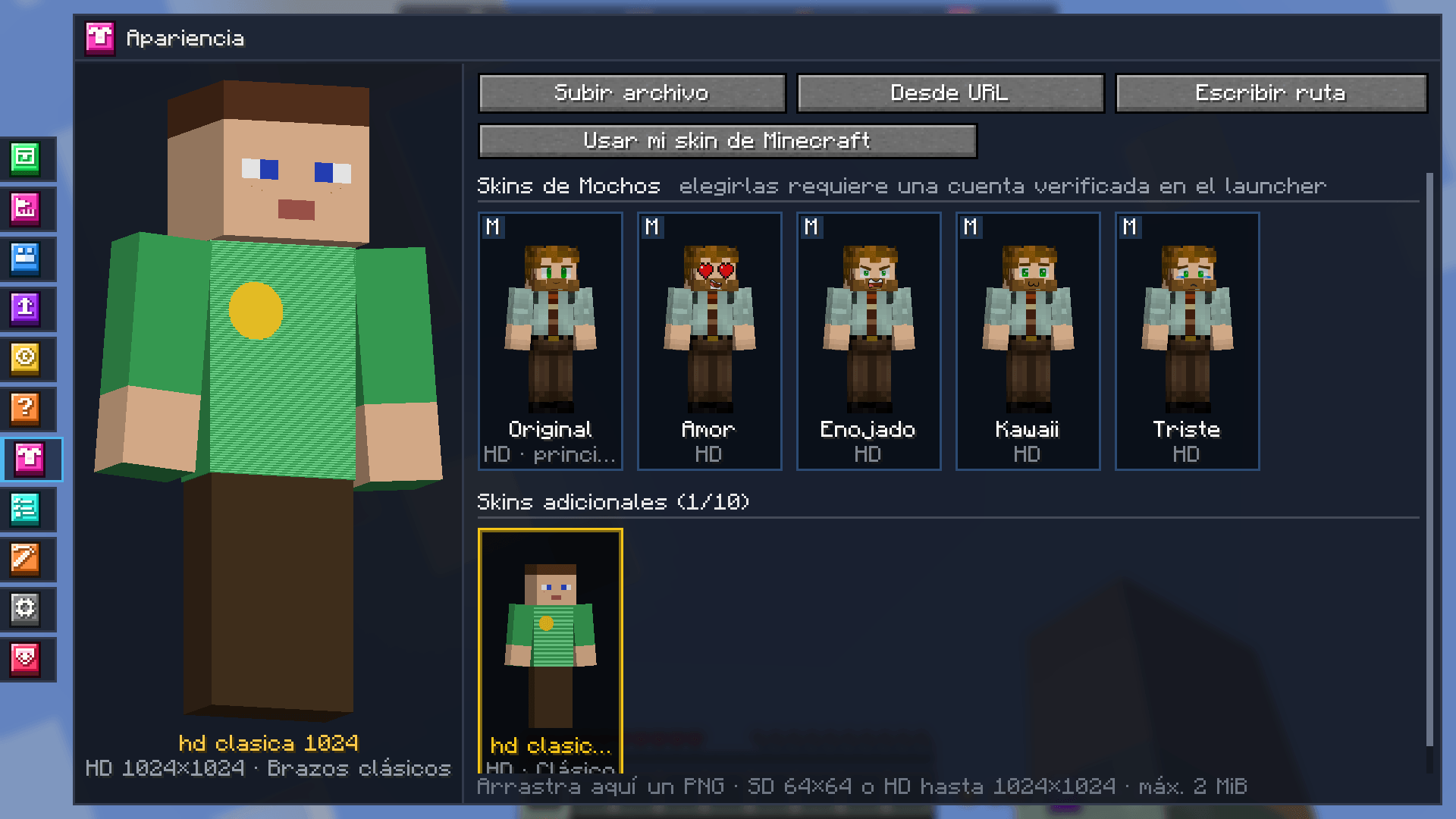
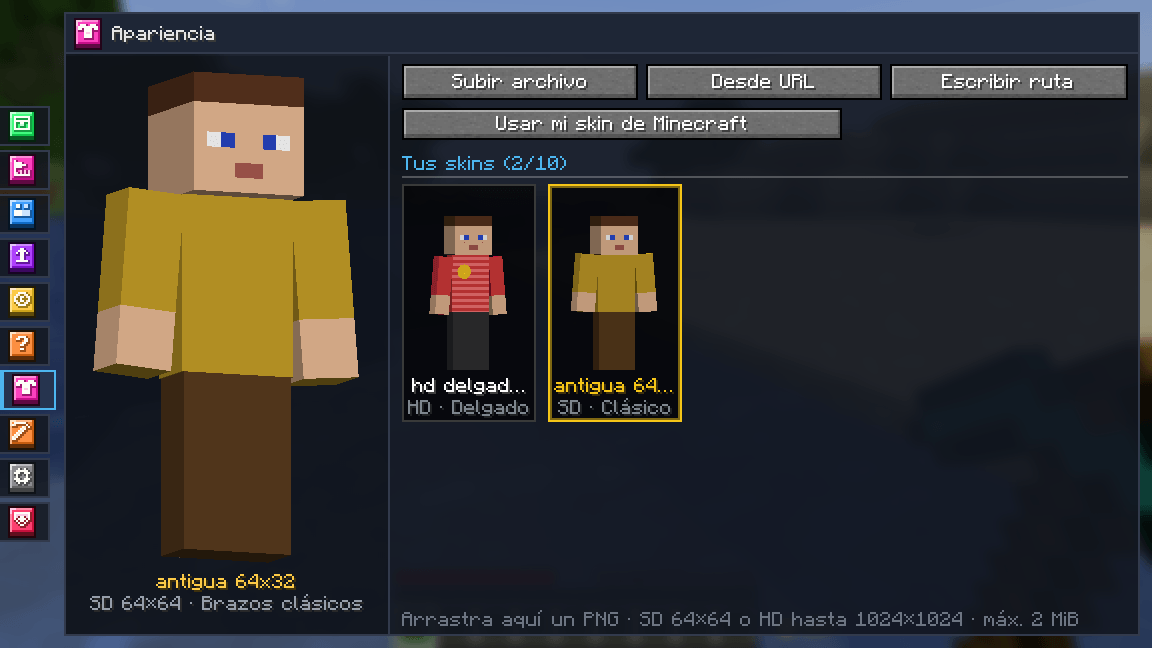
Mochos Esenciales addon: an Appearance tab to upload your own SD and HD skins (up to 1024×1024) from a file, a URL or by dragging them in. The server keeps them and everyone sees them. Works with Mochos Cédula skins.
截图
介绍
Mochos Apariencia (Skins)
Your own skins, no accounts or external websites needed. An addon for Mochos Esenciales that adds an Appearance tab to the inventory: upload regular or HD skins, pick the one you wear and every player on the server sees it.

What it does
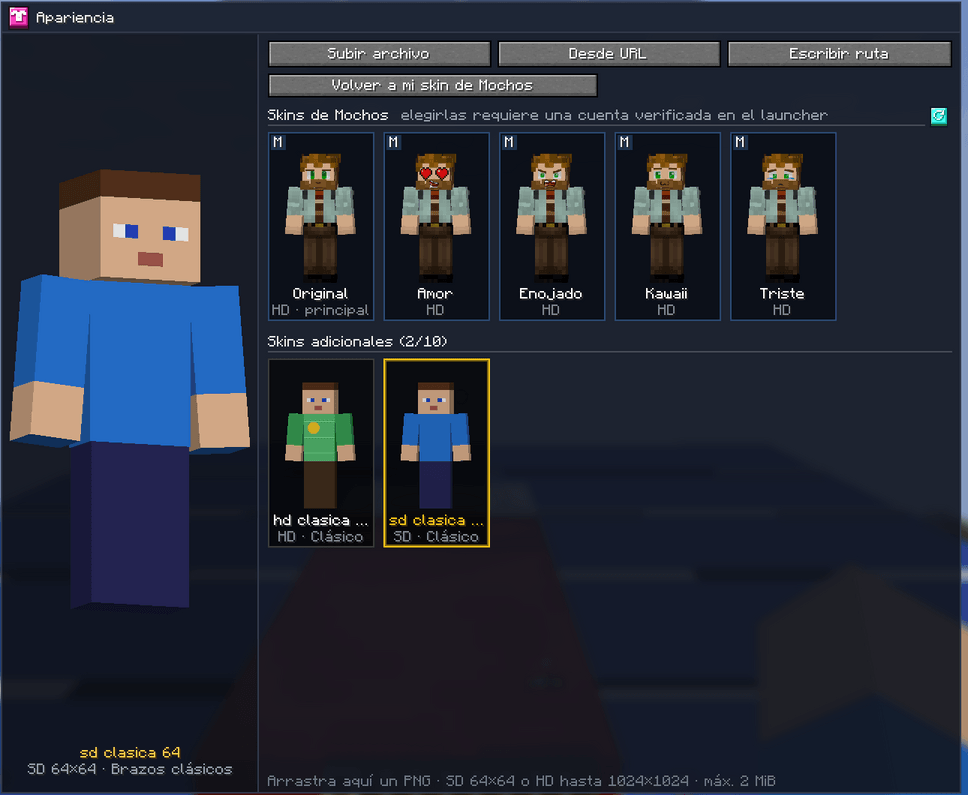
- 👕 Appearance tab — your skin library with a large 3D model you can rotate by dragging. Click a skin to wear it; right-click to rename it, switch the arm type (classic or slim) or delete it. “Use my Minecraft skin” goes back to your account’s skin.
- 📤 Upload it your way — from a file (“Upload file”), from a URL, by typing the PNG’s path or by dragging the image onto the game window. A bar shows the upload progress.
- 🖼️ SD and HD — regular 64×64 skins, the old 64×32 format and square HD skins of 128, 256, 512 and up to 1024×1024. Slim arms are detected automatically. Files that are not PNG, invalid sizes, broken images and duplicate skins are rejected.
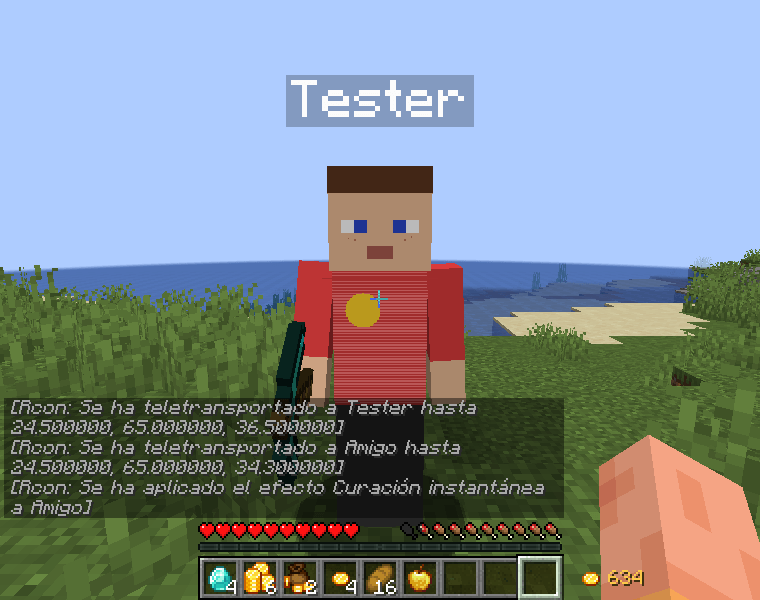
- 🌍 Everyone sees it — the server keeps the skins and sends them to the others: in the world, in your first-person hand, in the player list (Tab) and on the faces in menus.
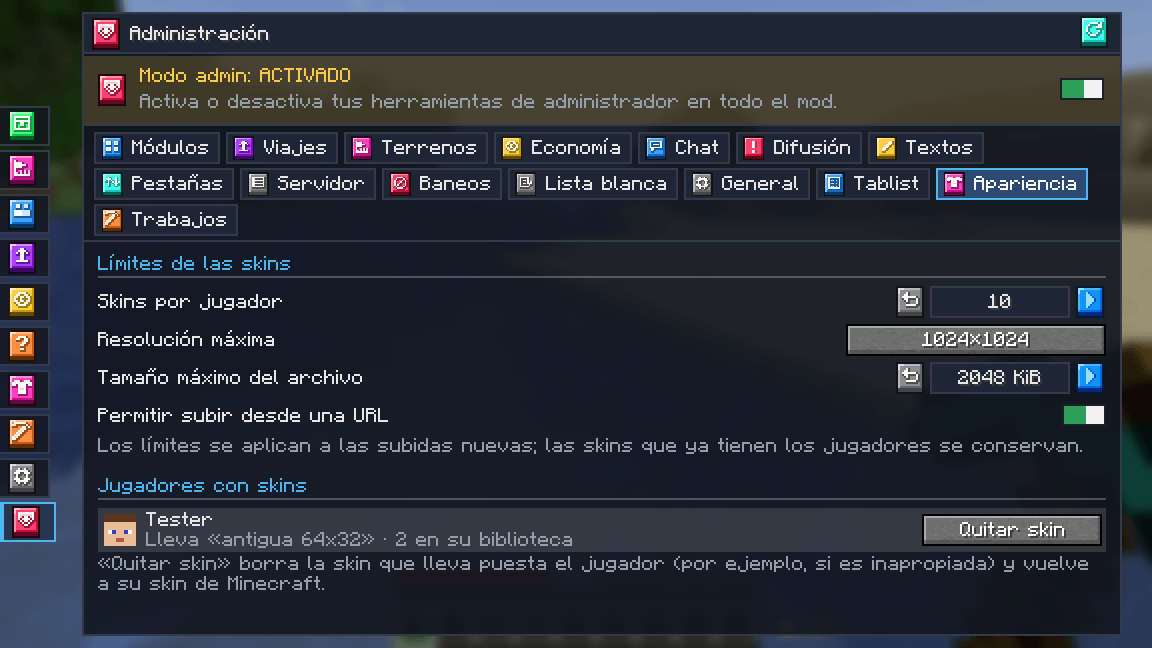
- 🛡️ Administration → Appearance (operators) — skins per player, maximum resolution, maximum file size and whether uploads from a URL are allowed. A list of players with skins, the one they wear and how many they have, with a Remove skin button to take down an inappropriate one (the player gets a notice and goes back to their Minecraft skin). New limits do not delete skins that already exist.
With Mochos Cédula
If Mochos Cédula (the Mochos launcher mod) is installed, your Mochos skins come preloaded at the top of the tab:
- They can be worn but not edited: they are managed from the Appearance section of the launcher. The main one is labelled “main”.
- Cédula only lets verified accounts (Microsoft or Discord in the launcher) choose them; if yours is not verified, the tab says so.
- Your extra skins (the ones you upload with this addon) go below and work as always: upload, rename, switch arms and delete. The uploaded skin has priority over the Mochos one; without it, the Mochos skin shows. “Back to my Mochos skin” takes off the uploaded skin.
- The reload button next to “Mochos skins” checks mochos.xyz again to bring in new, changed or deleted skins. Cédula tells the server so the others see them too.
- The uploaded skin is applied after other skin mods: if you wear one, it wins; if not, what they chose stays.

Cédula is optional: without it, the tab only shows your own skins.
Pairs well with
- Mochos Acciones Rápidas — the “Change skin” action of the wheel (
Zkey) lists your Mochos skins and your uploaded skins so you can switch without opening the inventory.
Commands
Client commands, handy where no file picker is available:
| Command | What it does |
|---|---|
/apariencia abrir |
Opens the Appearance tab |
/apariencia archivo <path> |
Uploads the skin at that path |
/apariencia url <url> |
Uploads the skin at that address (if the server allows it) |
Installation
| Where | Required? |
|---|---|
| Server | Required |
| Client | Required |
Requires Minecraft 1.21.1, NeoForge 21.1.265 or newer and Mochos Esenciales 0.12.0 or newer. Optional: Mochos Cédula.
- Server limits:
config/mochos_apariencia-server.json(also from Administration → Appearance). - Stored skins:
<world>/mochos_apariencia/skins/(one PNG per image, shared by every player who has it) and<world>/mochos_apariencia/index.json(each player’s library). - Client cache:
mochos_apariencia/cache/in the game folder.
Defaults: 10 skins per player, up to 1024×1024 and 2048 KiB per file, uploads from a URL allowed.
Languages: Spanish and English.
常见问题
Mochos Apariencia (Skins) 支持哪些 Minecraft 版本?
Mochos Apariencia (Skins) 支持 Minecraft Java 版 1.21.1,可用的加载器:NeoForge。下载时注意选择和你游戏版本一致的文件。
Mochos Apariencia (Skins) 怎么安装?
先用 PCL2 或 HMCL 启动器安装对应版本的 NeoForge,再把下载的 .jar 文件放进游戏目录的 mods 文件夹,重新启动游戏即可。开启了版本隔离的,mods 文件夹在 versions/版本名 下面。
lorspi 的其他作品
查看全部 →
Guijarromon
深入Guijarromon的世界,这是一个将宝可梦精髓与经典Minecraft玩法融合的Minecraft整合包。
Diorama Addons: Client Map
Diorama 地图的多人游戏功能:领地声明、共享探索地图、共享路径点以及保护隐私的玩家位置。由服务器决定共享内容:关闭、所有人或好友群组。

Tulacraft IV
一个丰富的奇幻科技整合包,融合魔法、工程、探索和地牢,带来终极冒险体验。

The Flame Kingdom
Dive into "The Flame Kingdom," a Minecraft modpack where blazing realms, mythical creatures, and volcanic challenges await.
评论
登录后评论和评分