
Mochos Anuncios (Ads)
Addon for Mochos Esenciales: a board of player ads. Buy ads by the hour or day, feature them, notify everyone and bring visitors to your shop with a travel button. Admins set prices, limits and approval, and place the board in the world.
截图
介绍
Mochos Anuncios (Ads)
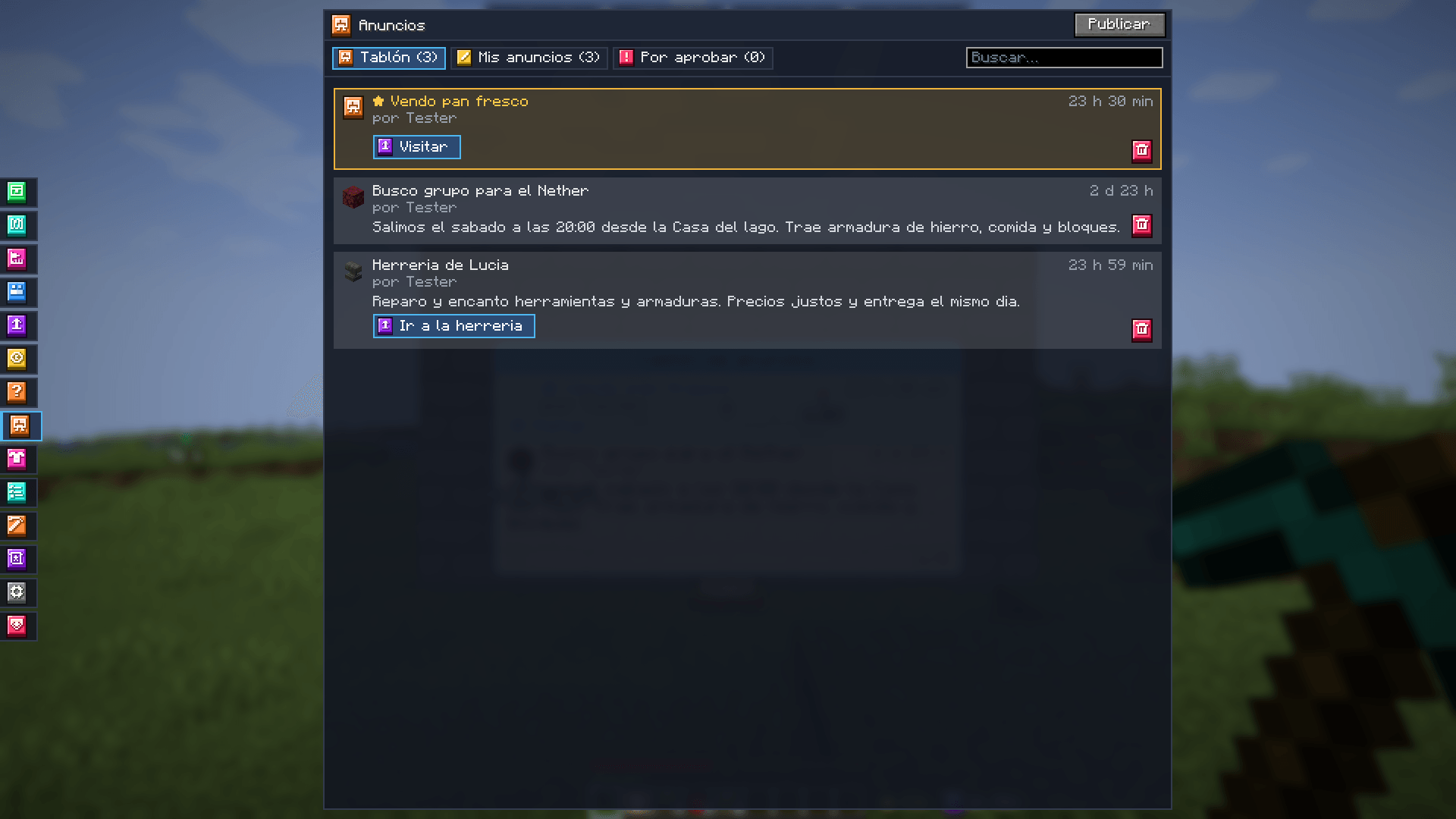
Your server’s ads board. An addon for Mochos Esenciales that adds the Ads tab to the inventory: players buy ads to sell things, look for teammates or invite people to their shop, and everyone sees them on the board… also in the world, on a board the admin places wherever they like.

What it does
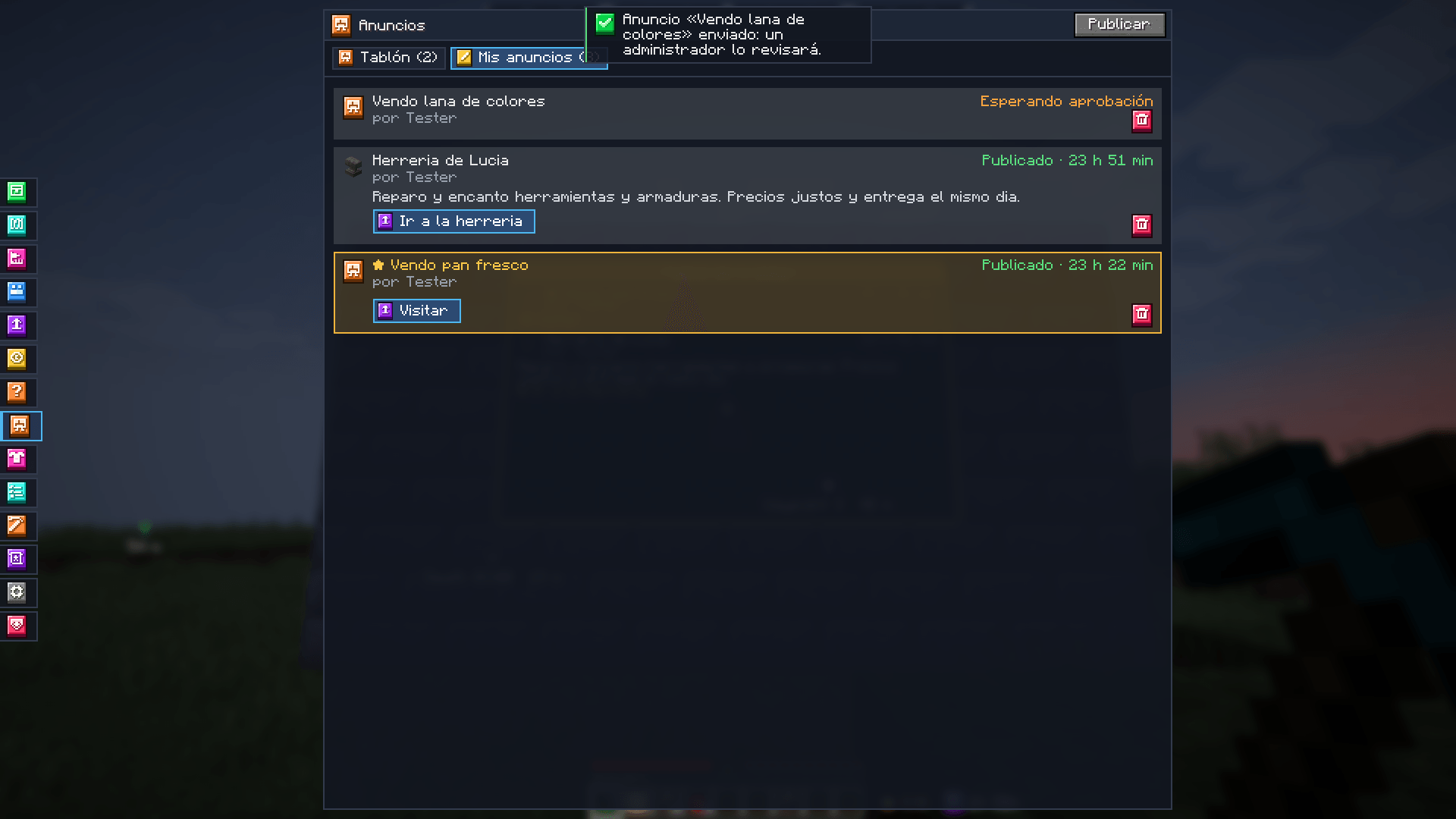
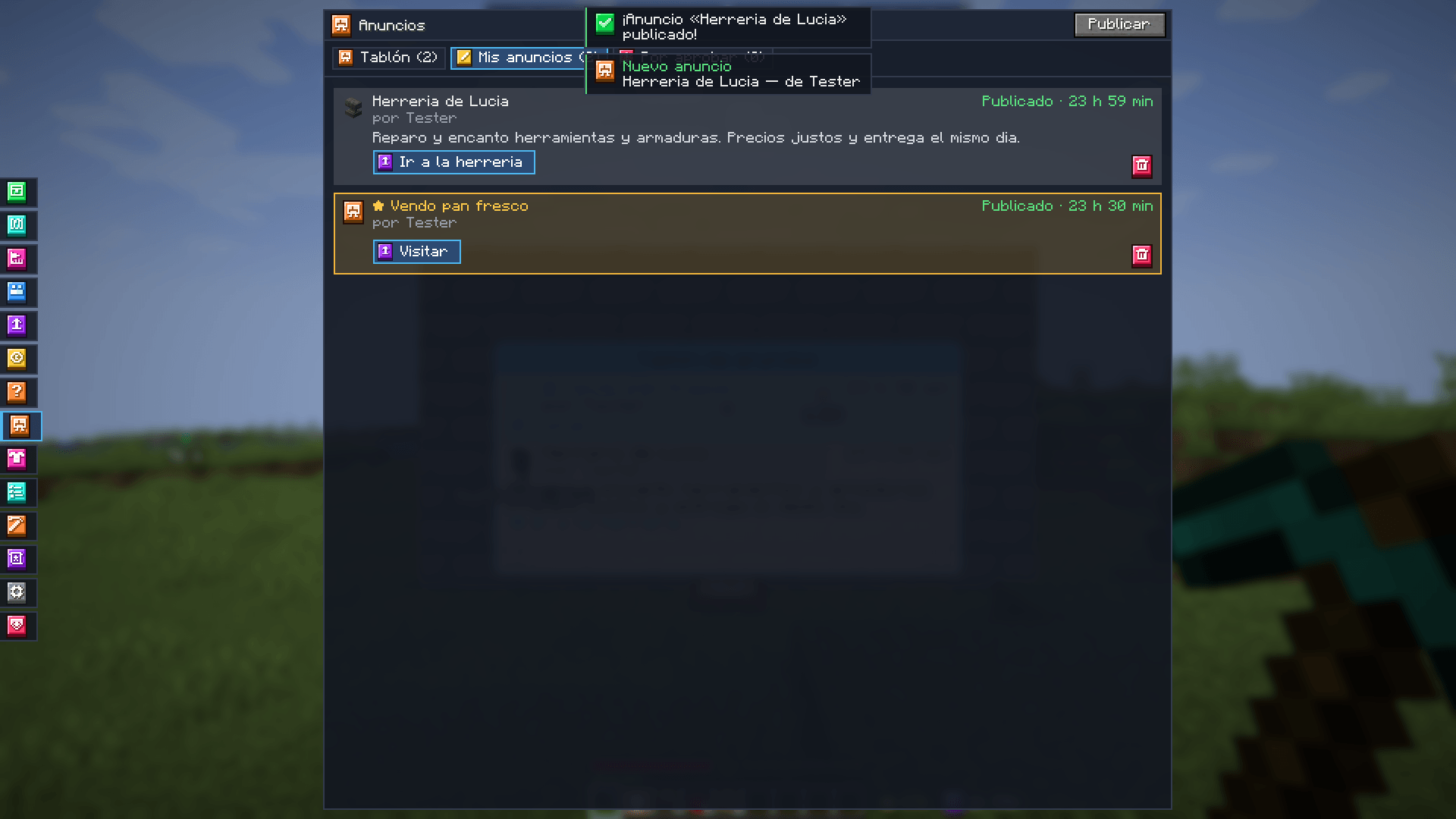
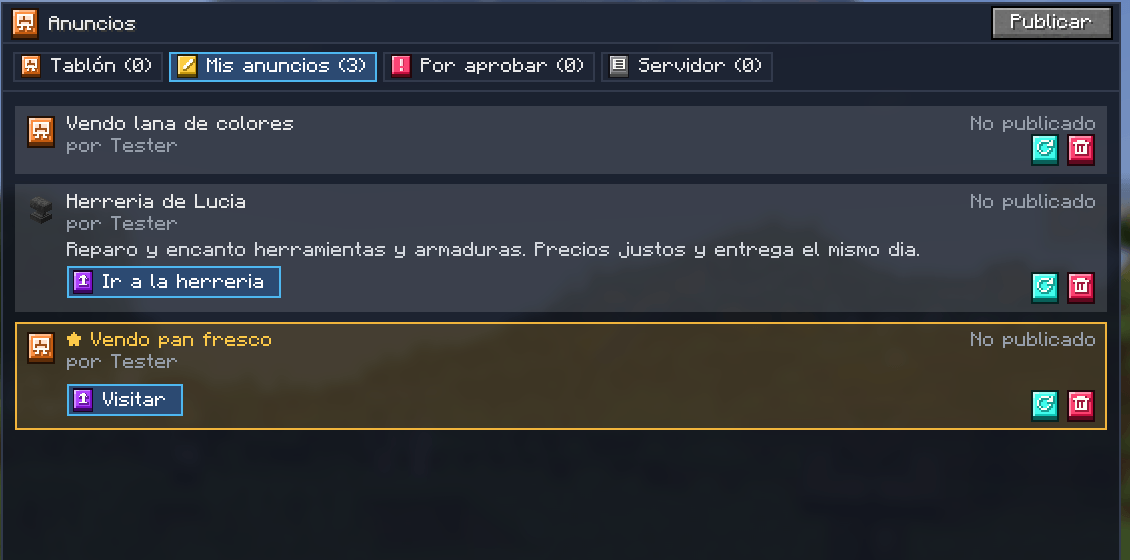
- 📰 The board — every published ad, featured ones first (in gold), then the newest. Each ad shows its icon, title, author, time left and text. With search.
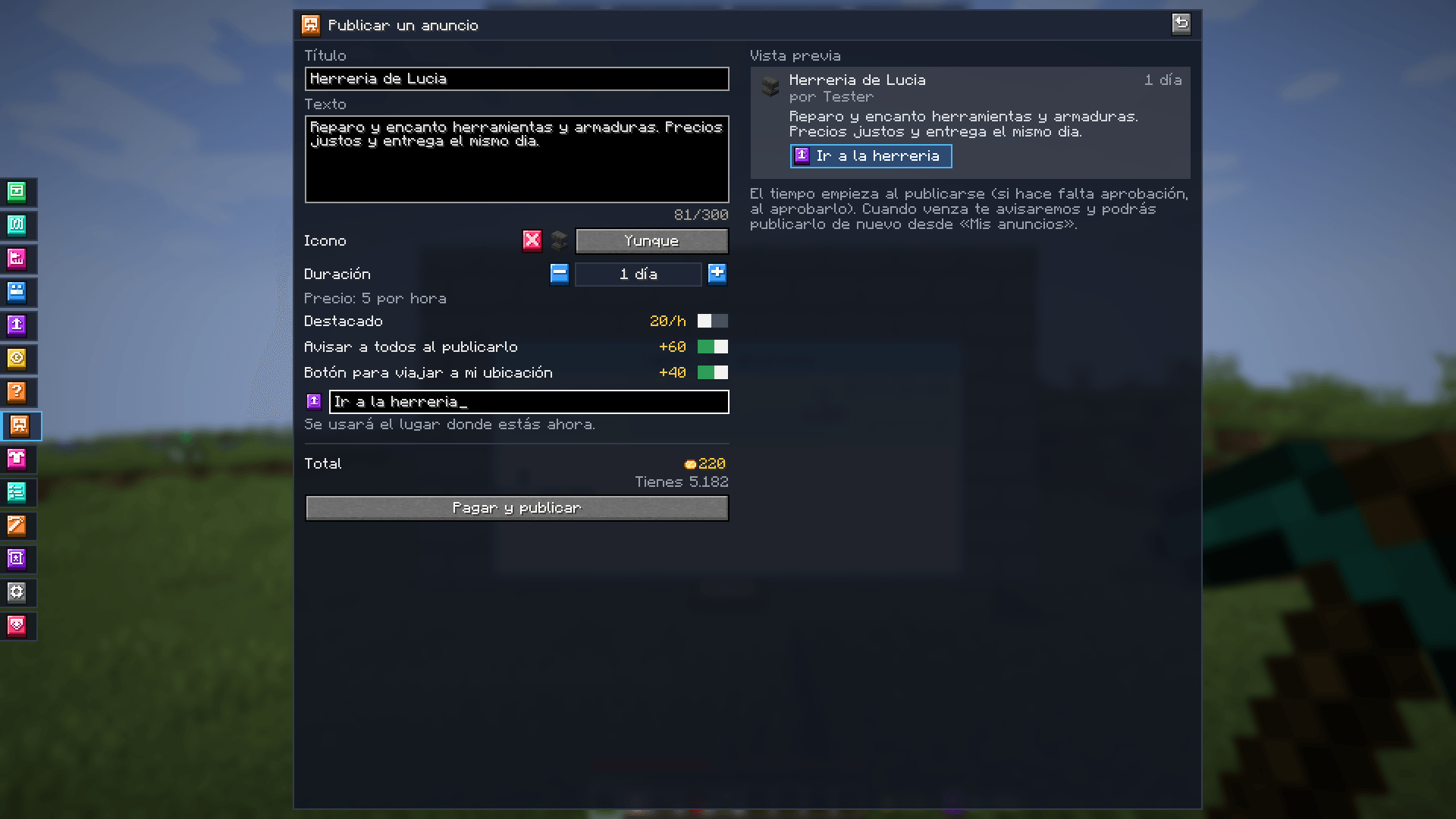
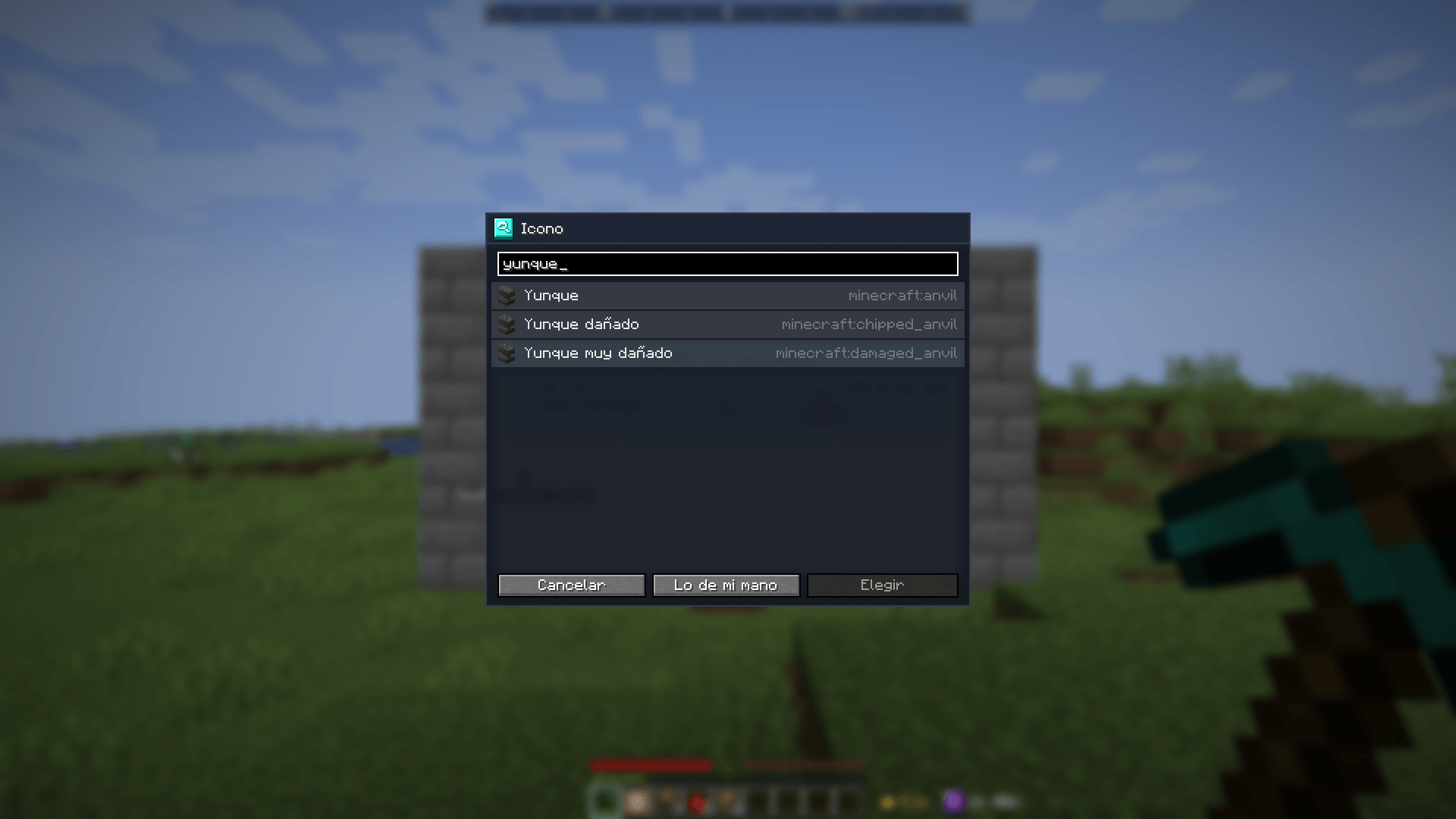
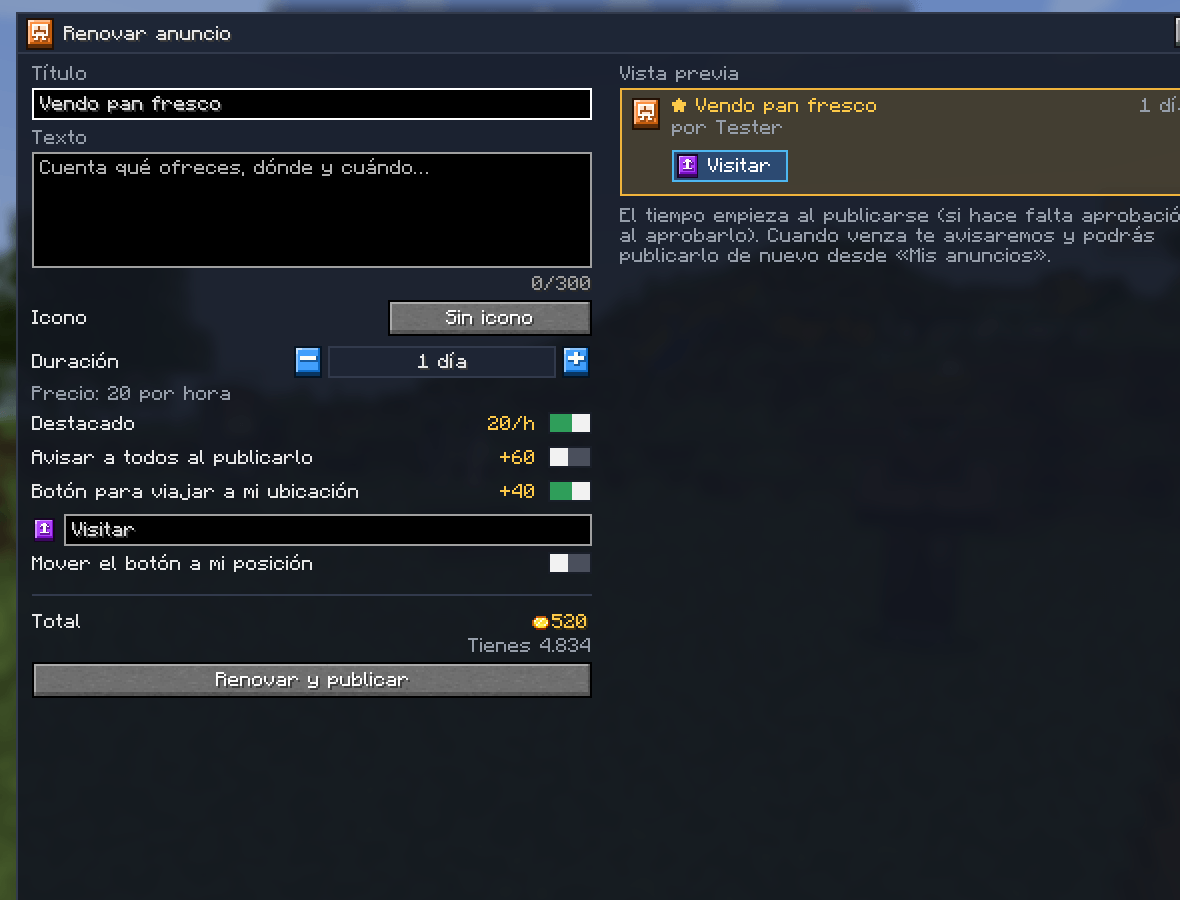
- ✍️ Publishing — title, multi-line text, optional icon (any Minecraft item, searched by name) and duration (from hours to weeks). A preview shows how it will look, with the price of each option and the total in Ceitiles.
- ⭐ Featured — at the very top and highlighted; there are few places and it costs more per hour.
- 📣 Notice to everyone — when it goes up, every online player gets a notification with your ad (paid extra).
- ✈️ Travel button — saves your location: readers press the button (with the text you choose and the travel icon) and travel there with the server’s travel price and cooldown. Visits are counted (paid extra).
- ⏰ Expiry — when an ad expires its author is told (also if they were offline). The ad is not deleted: it stays in “My ads” as unpublished until its owner deletes it.
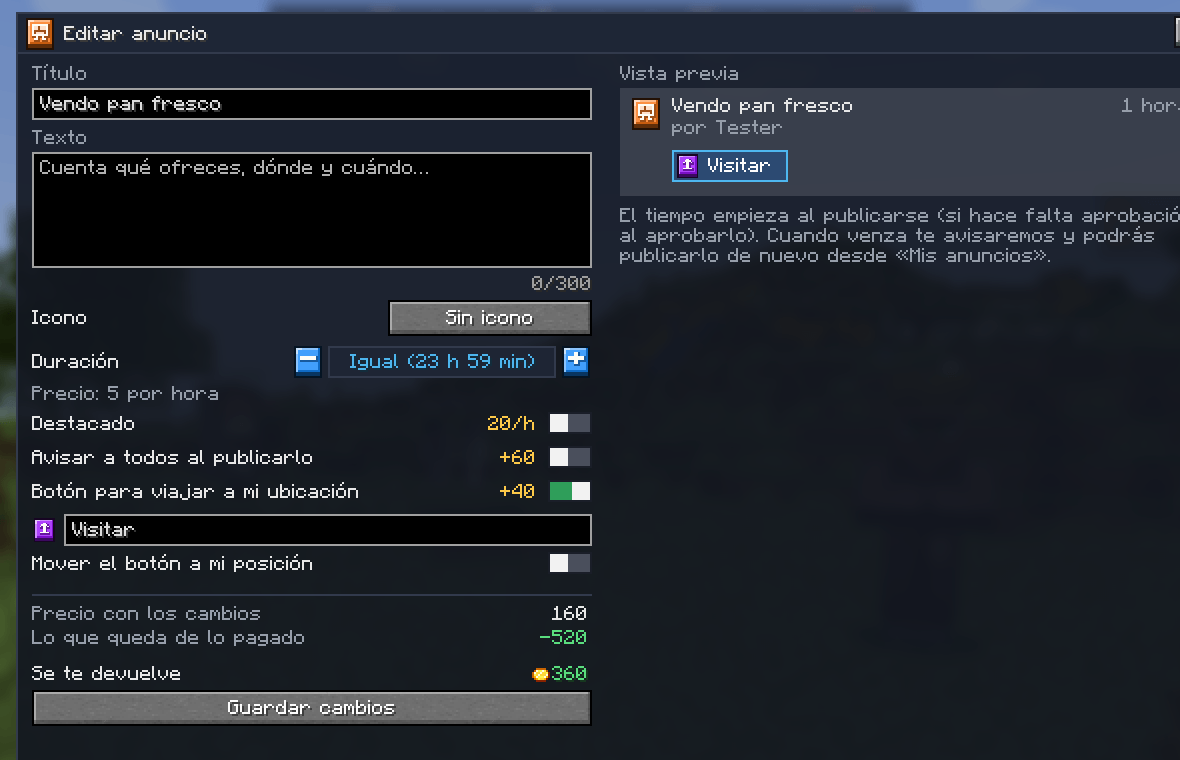
- ✏️ Edit and renew — both published and unpublished ads. When editing a published ad you can keep the time it has left (“Same”) or pick another duration. If you add features you pay the difference; if you remove them, you get back what corresponds. The form shows the new price, what is left of what you paid and the total to pay or refund. The travel button keeps its place or moves to your position.
- 🗑️ Delete with refund — deleting a published ad refunds the unused part of its time (all of it if it was still waiting for approval). The notice to everyone is not refunded, since it was already sent.
- 🔔 Chat bell — board notices count in the Mochos Esenciales chat bell.
- 🖱️ Click anywhere on the board — on the board in the world, right-click works anywhere on what is drawn, not just on the block it hangs from: an admin in creative opens the editor and everyone else opens the Ads tab.
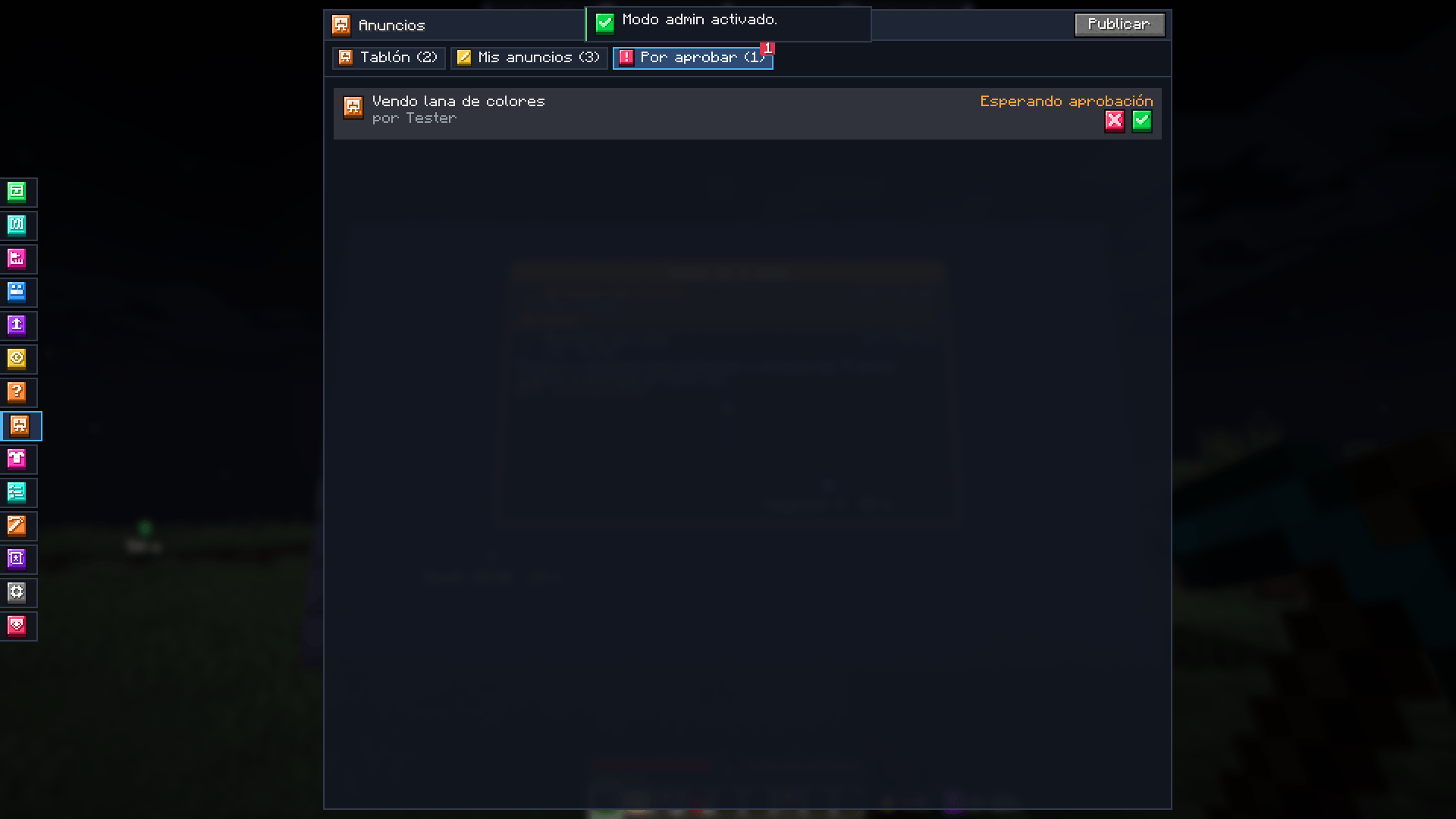
- 🛡️ Approval — admins can make new ads wait for review in “To approve”. Rejected ads (with an optional reason) are refunded.


The board in the world
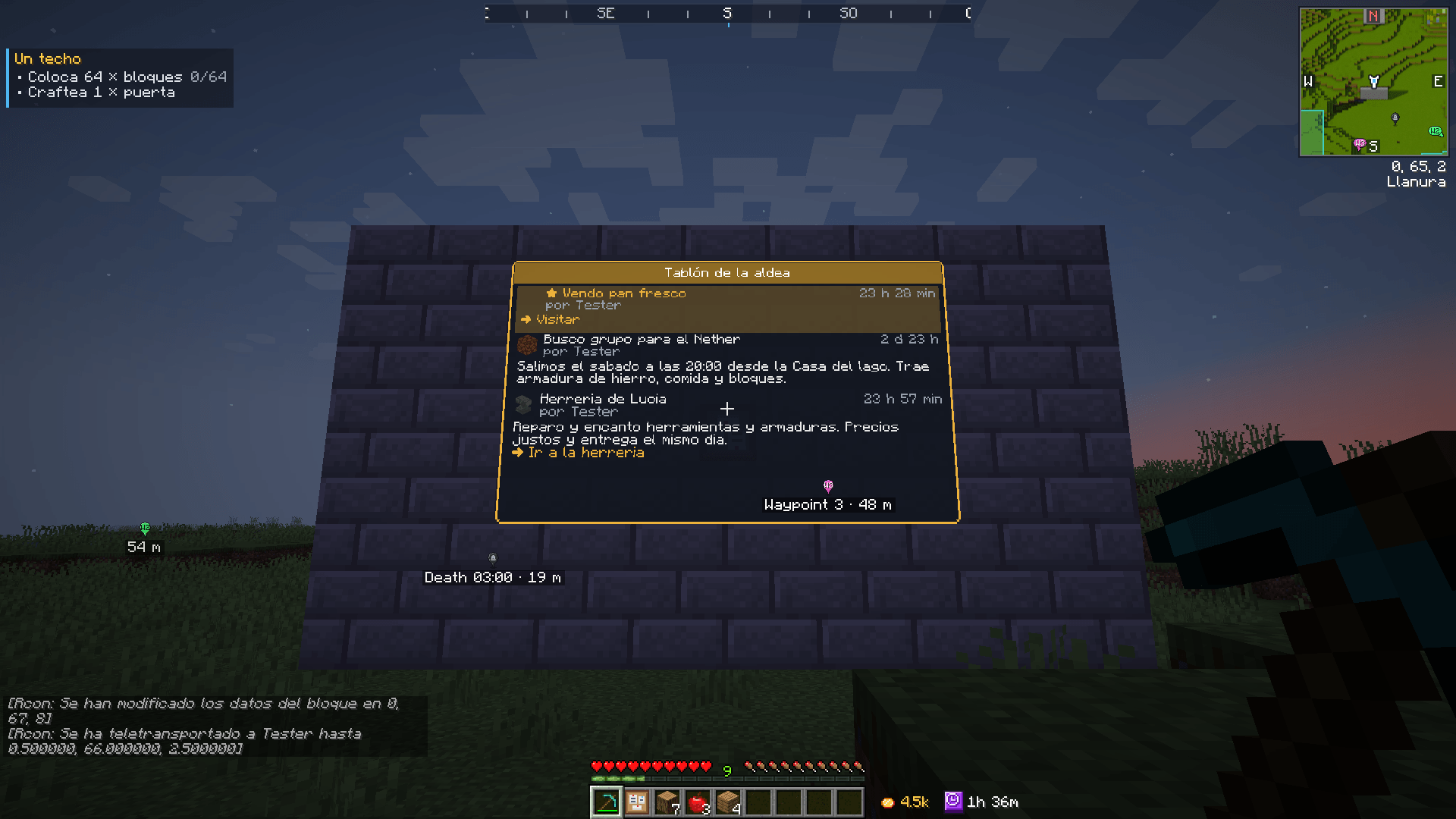
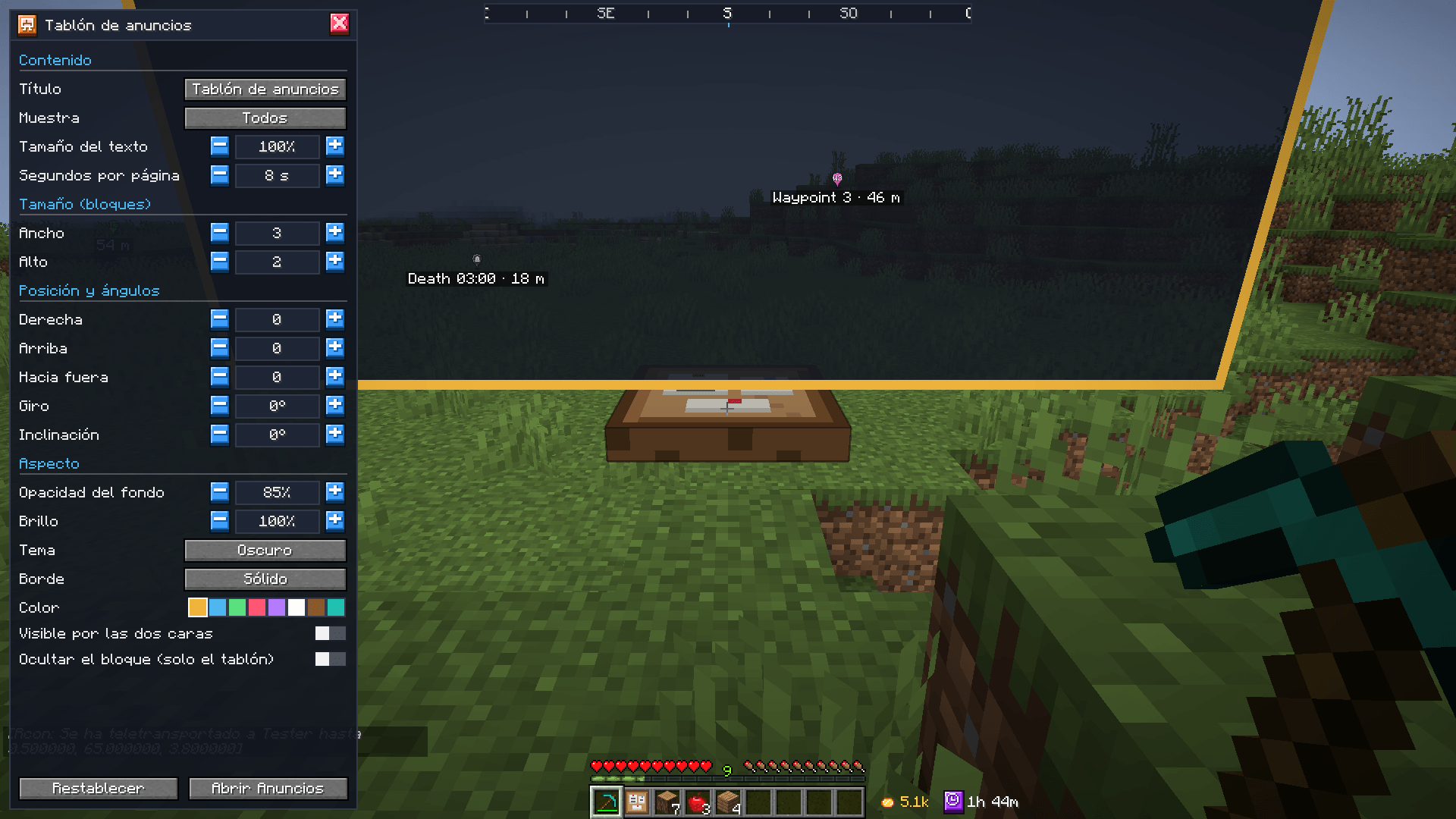
In creative, under Functional blocks, there is the Ads board block. Put it on a wall, the floor or the ceiling and it shows the ads in the world, with pages that turn by themselves. Right-clicking anywhere on the board (the one you aim at gets a white outline) opens the Ads tab for players; an admin in creative opens its editor, with live changes:
- size (up to 12 × 8 blocks), position, turn and tilt;
- background opacity, brightness, dark or light theme, border (none, solid, double, rounded or glow) and colour;
- title, text size, seconds per page, all ads or featured only, visible from both sides and hiding the block.

For admins
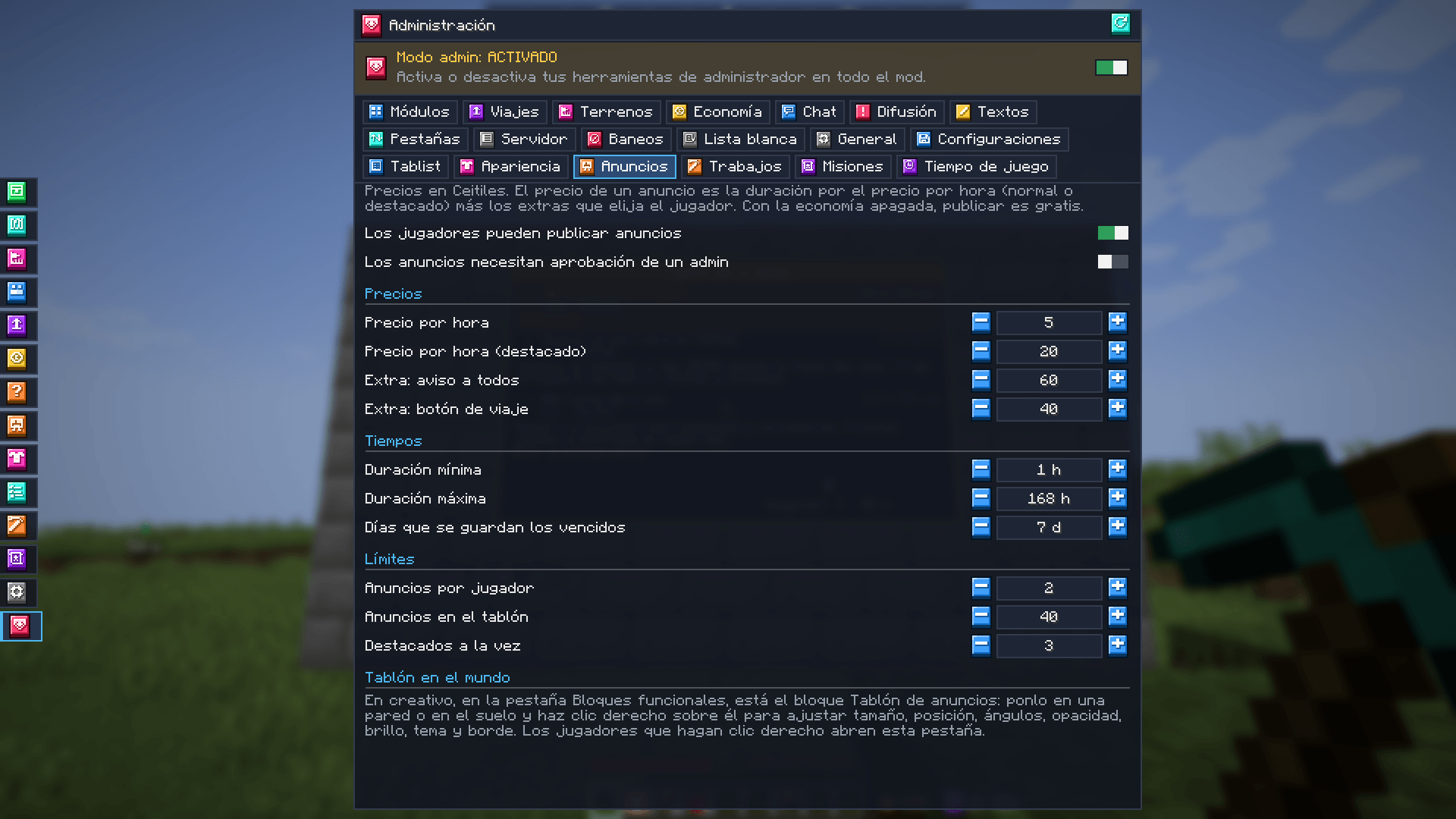
In Administration → Ads: turn publishing on or off, prior approval, the price per hour (normal and featured), the price of each extra, the shortest and longest duration, how many days rejected ads are kept, ads per player, ads on the board and featured at once. Admins can delete any ad (its author is told). With the economy off, publishing is free.
Server ads
Admins publish server ads: free and with no limits on duration (including no expiry), featured places or count. The author is optional: it can be custom (“📢 Events team”) or there can be no author at all. They have their own “Server” view and can be taken off the board without deleting them, to publish them again later.

The settings can be saved, loaded and shared as JSON from Administration → Configurations of Mochos Esenciales.
Installation
| Where | Required? |
|---|---|
| Server | Required |
| Client | Required |
Requires Minecraft 1.21.1, NeoForge 21.1.265 or newer and Mochos Esenciales 0.13.0 or newer.
- Ads and pending notices:
<world>/data/mochos_anuncios.dat(saved with the world). - Settings:
config/mochos_anuncios/settings.json.
Languages: Spanish and English.
常见问题
Mochos Anuncios (Ads) 支持哪些 Minecraft 版本?
Mochos Anuncios (Ads) 支持 Minecraft Java 版 1.21.1,可用的加载器:NeoForge。下载时注意选择和你游戏版本一致的文件。
Mochos Anuncios (Ads) 怎么安装?
先用 PCL2 或 HMCL 启动器安装对应版本的 NeoForge,再把下载的 .jar 文件放进游戏目录的 mods 文件夹,重新启动游戏即可。开启了版本隔离的,mods 文件夹在 versions/版本名 下面。
lorspi 的其他作品
查看全部 →
Diorama Addons: Client Map
Diorama 地图的多人游戏功能:领地声明、共享探索地图、共享路径点以及保护隐私的玩家位置。由服务器决定共享内容:关闭、所有人或好友群组。

Guijarromon
深入Guijarromon的世界,这是一个将宝可梦精髓与经典Minecraft玩法融合的Minecraft整合包。

Tulacraft IV
一个丰富的奇幻科技整合包,融合魔法、工程、探索和地牢,带来终极冒险体验。
Diorama Addons: Claims
按区块保护你的领地。邀请好友,为每个人单独设置权限,并通过游戏内界面或命令进行管理;没安装此模组的玩家也能加入。
评论
登录后评论和评分