MobMelody
A dynamic music mod for Minecraft 1.12.2 that brings your encounters to life with YouTube Music integration, mob-triggered soundtracks, synchronized lyrics, and an audio visualizer.
截图

介绍
🎵 Mob Melody
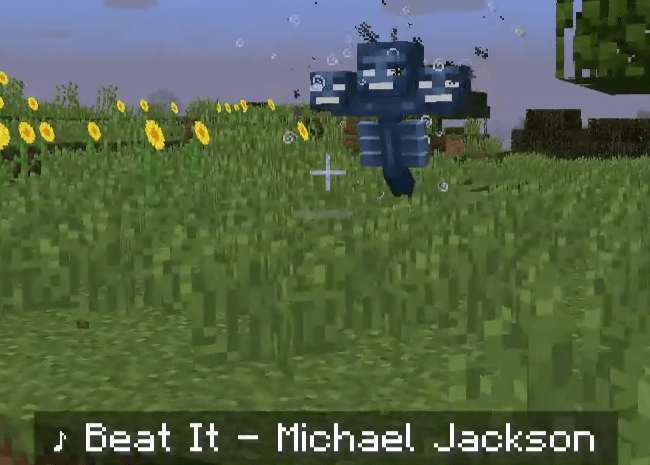
Mob Melody is a client-side music mod for Minecraft 1.12.2 (Forge) that connects your game to your personal YouTube Music playlists through a companion browser extension.
🎬 Showcase
See Mob Melody in action!
Watch the demonstrationhttps://www.youtube.com/watch?v=UNEnG4nu_CY
Watch the demonstration with subtitleshttps://www.youtube.com/watch?v=sUdORUp8o9g
Note: If the video is unavailable or taken down, it may be due to copyright claims. To see synchronized lyrics in-game, the song you choose in YouTube Music must be registered in LRCLIB and have synchronized lyrics available.
✨ Features
🎵 Dynamic Mob Music
- Play music when configured mobs appear.
- Automatically pause music when the conditions are no longer met.
- Resume playback when the conditions are met again.
📝 Synchronized Lyrics
- Display song lyrics directly in Minecraft.
- Lyrics are retrieved through LRCLIB when available.
📊 Audio Visualizer
- Display an audio visualizer behind your Minecraft HUD.
- Customize its appearance through the mod configuration.
🎤 Now Playing
- See the current song title and artist directly in-game.
⚙️ Requirements
- Minecraft 1.12.2
- Minecraft Forge 14.23.5.2864
- Java 8
- A Chromium-based browser
- YouTube Music
- Mob Melody browser extension
🔴 REQUIRED: Mob Melody Browser Extension
The browser extension is required for the mod to work properly.
Visit our GitHub repository to download the extension and follow the installation instructions.
🔁 Playback Recommendations
Loop Playback Recommended
It is recommended to enable Repeat in YouTube Music to prevent playback from stopping when a song ends.
📥 Installation
- Download the Mob Melody
.jarfile. - Place it inside your Minecraft
modsfolder. - Download and extract the browser extension.
- Open your browser’s extensions page.
- Enable Developer Mode.
- Select Load unpacked and choose the extracted extension folder.
- Open YouTube Music and start playing your playlist.
💡 Recommended Extensions
You can enhance YouTube Music with optional third-party browser extensions.
For example, Crossfade extensions can create smoother transitions between songs.
These extensions are optional and are not required for Mob Melody to work.
🔗 Links
- Source Code: GitHub Repository
- Bug Reports: GitHub Issues
❤️ Credits
- YouTube Music for music playback.
- LRCLIB for synchronized lyrics.
- The Minecraft Forge community.
📌 Project Status
Mob Melody and its browser extension were originally created for my personal use. I may fix bugs or add new features whenever I feel the need to, but I am not actively developing or maintaining this project.
If anyone is interested in adopting the project, feel free to fork it, improve it, and maintain the idea. I’d be happy to see someone take it further!
常见问题
MobMelody 支持哪些 Minecraft 版本?
MobMelody 支持 Minecraft Java 版 1.12.2,可用的加载器:Forge。下载时注意选择和你游戏版本一致的文件。
MobMelody 怎么安装?
先用 PCL2 或 HMCL 启动器安装对应版本的 Forge,再把下载的 .jar 文件放进游戏目录的 mods 文件夹,重新启动游戏即可。开启了版本隔离的,mods 文件夹在 versions/版本名 下面。

评论
登录后评论和评分