LHKY’s Mob Difficulty Increase
This is a lightweight mod for increasing mob difficulty. Players can level up mobs by killing them or as days progress. The level affects their attributes, equipment, and AI. This mod is highly customizable.
截图
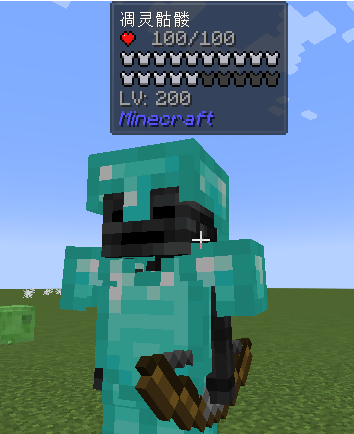
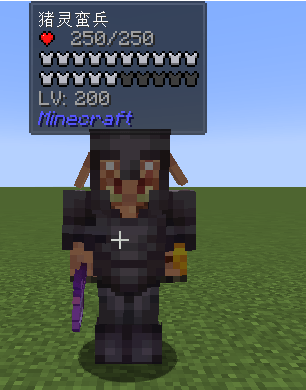
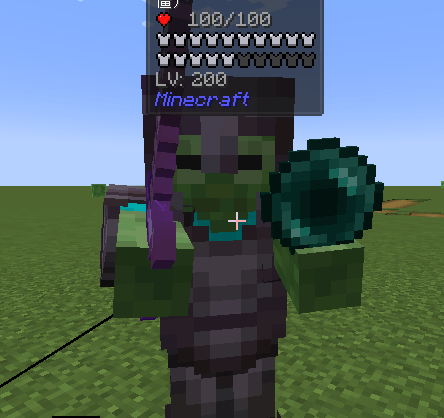
介绍
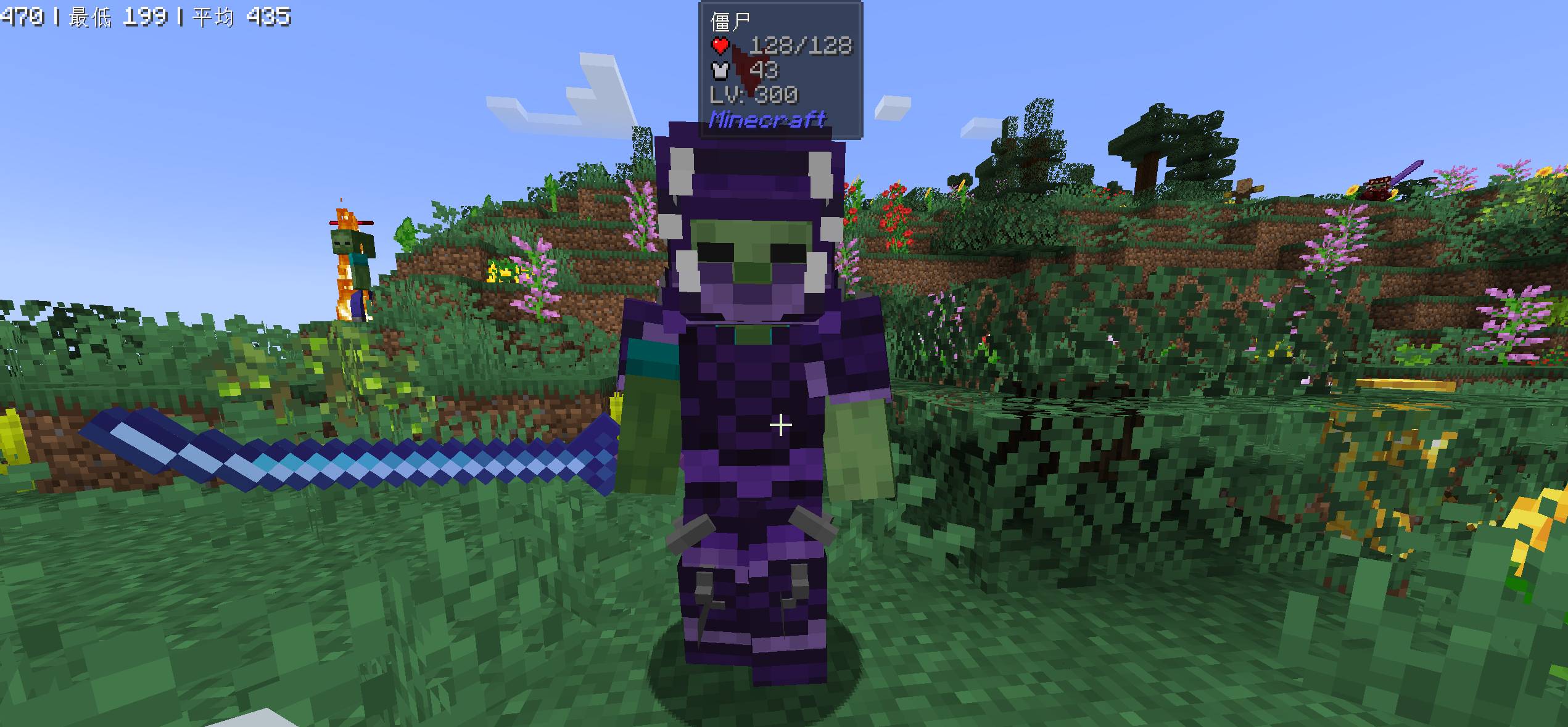
This mod introduces increasing difficulty levels for mobs, where higher difficulty levels require players to kill more mobs. Equipment and AI settings are tiered, meaning stronger equipment and AI capabilities are unlocked at certain difficulty levels.
Here are some examples of enhanced mob behaviors:
-
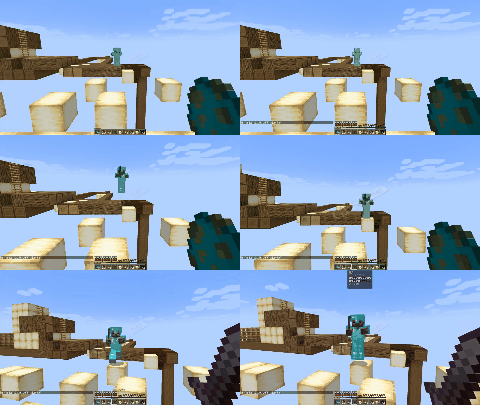
Zombies can jump over blocks, climb stairs, and use Ender Pearls and fishing rods.
-
If a skeleton is holding a bow, it will use a fishing rod to steal items from players instead of pulling them closer. It will also use Ender Pearls to escape when players approach.
-
Piglin brutes can jump up to five blocks high.
-
Spiders can shoot webs.
-
Wither skeletons can summon skulls to attack and teleport in front of players.
These behaviors occur with a certain probability.
Additionally, there are some entertaining features such as creepers launching players into the air and a chance for drowned mobs to be caught while fishing. Players can easily disable these enhanced AI or entertainment features at any time through the configuration file.
The following is a tutorial on packet data.
1. To set mobs that require difficulty increases: (When writing data packet files for the whitelist, remember to also copy the contents inside.)
If some mobs in certain mod don’t have difficulty levels, you can go to the ‘data/lhmobdifficultyincrease/lh_mob/’ directory in my mod. Under ‘all_whitelist’ or ‘whitelist’, you only need to input the mod name to set difficulty levels for all mobs in this module. ‘whitelist’ is for setting difficulty levels for individual entities.
2.To customize the initial level of mobs:
Folder format data/modid/lh_mob_custom_level/mobName.json example: { "base": 50, "init": 100, "maxLevel": 200 }
If you don’t want to set the maximum level (maxLevel), you can simply delete it or leave it out. ‘base’ represents the base level (the level from which the increase starts, not from 0 but from 50), and ‘init’ represents the initial level.
3.Custom mob equipment
- To use the default equipment settings: data/lhmobdifficultyincrease/tags/entity_types/mob_default_equipment_whitelist.json Directly write the corresponding mob here
2.Modify the equipment settings :
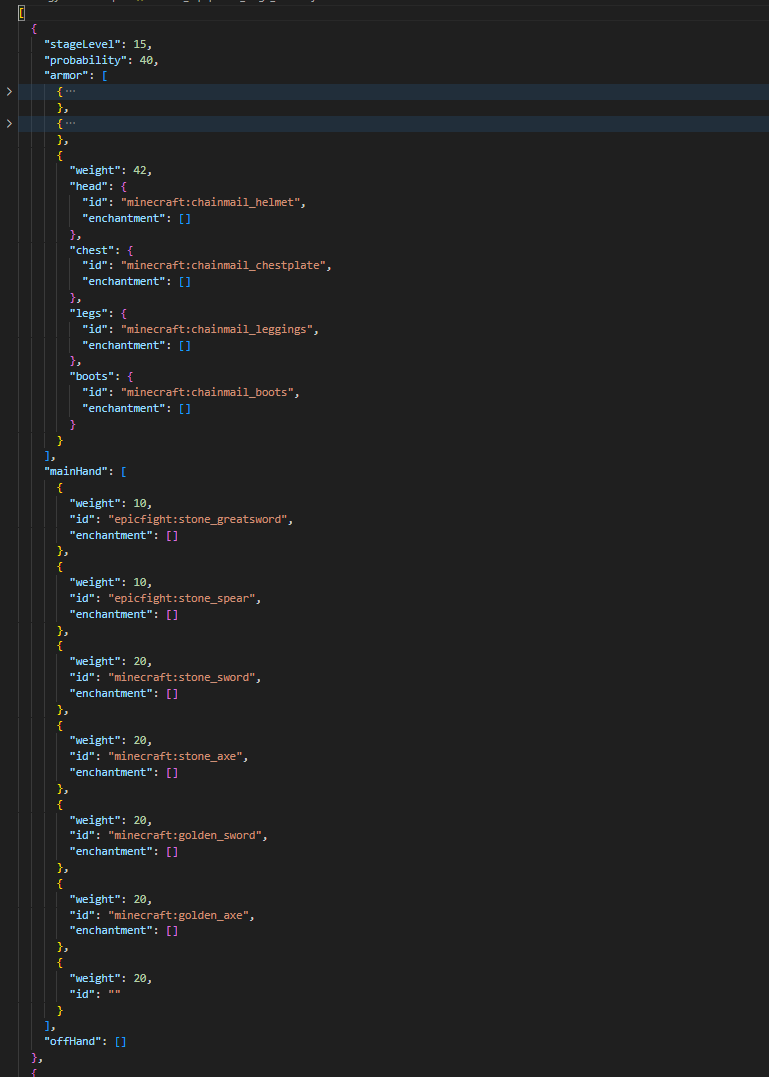
data/modId/lh_mob_entities_equipment/entityId.json Please see the picture.
Note: When there is only one piece of equipment such as a weapon or item, there is no need to set weights. It’s also possible to not set weights, which will evenly distribute the usage probability
- Individual mobs can be given specific equipment file format data/modid/lh_mob_entities_equipment/mobName.json As written above
command
/lh_difficulty show_level To display the current difficulty level
/lh_difficulty show_kill_mob To display the current level kill mob count
/lh_difficulty level set player 50 To set the difficulty level
To view monster levels, you currently need to install Jade
In Publishing:Latest version linkage Epic Fight and Ice and Fire
常见问题
LHKY’s Mob Difficulty Increase 支持哪些 Minecraft 版本?
LHKY’s Mob Difficulty Increase 支持 Minecraft Java 版 1.20.1,可用的加载器:Forge。下载时注意选择和你游戏版本一致的文件。
LHKY’s Mob Difficulty Increase 怎么安装?
先用 PCL2 或 HMCL 启动器安装对应版本的 Forge,再把下载的 .jar 文件放进游戏目录的 mods 文件夹,重新启动游戏即可。开启了版本隔离的,mods 文件夹在 versions/版本名 下面。

评论
登录后评论和评分