Mining Utility: Reforged
A community-maintained continuation adding compatibility with additional Minecraft versions and mod loaders.
介绍
Mining Utility: Reforged
Mining Utility: Reforged is an unofficial, community-maintained continuation of Mining Utility, bringing its useful mining tools to newer Minecraft versions and additional mod loaders.
⛏️ Features
Enjoy the original mod’s handy mining utilities, including:
- Escape Rope
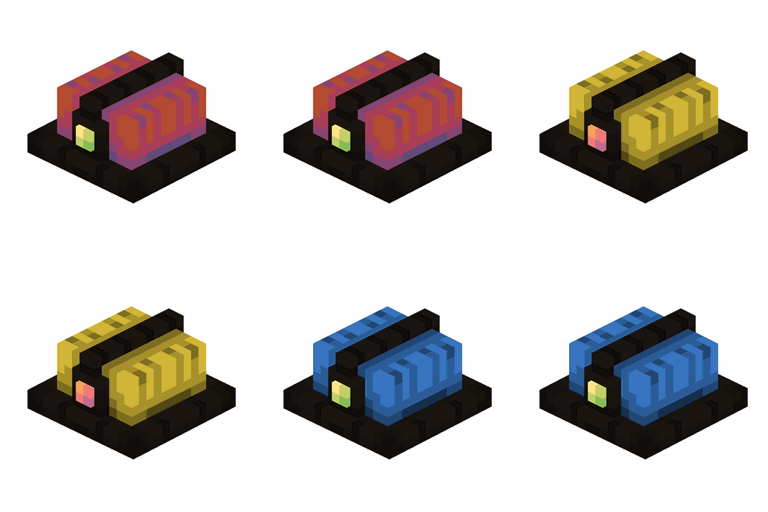
- Mini Torches
- Mining Helmet
- Rope Ladders
Features and availability may vary depending on the Minecraft version and mod loader.
🔧 Compatibility
The goal of this project is to maintain compatibility with newer Minecraft versions and expand support across Forge, Fabric, and NeoForge wherever possible.
Check the Files section for currently supported versions and loaders.
📦 Installation
-
Download the file matching your Minecraft version and mod loader.
-
Install the required mod loader.
-
Place the downloaded
.jarfile in your Minecraftmodsfolder. -
Launch the game and enjoy!
🐛 Issues & Suggestions
Found a bug or have a suggestion? Please report it through the project’s issue tracker.
💚 Credits & Licensing
Originally created by Luligabi12.
This is an unofficial community fork and is not affiliated with or endorsed by the original author. The original project is licensed under the MIT License. Original copyright and license notices are retained where applicable.
Original project: https://www.curseforge.com/minecraft/mc-mods/mining-utility
Original source: https://github.com/Luligabi12/Mining-Utility
常见问题
Mining Utility: Reforged 支持哪些 Minecraft 版本?
Mining Utility: Reforged 支持 Minecraft Java 版 1.20.1–26.3,共 2 个版本,可用的加载器:Forge / NeoForge。下载时注意选择和你游戏版本一致的文件。
Mining Utility: Reforged 怎么安装?
先用 PCL2 或 HMCL 启动器安装对应版本的 Forge / NeoForge,再把下载的 .jar 文件放进游戏目录的 mods 文件夹,重新启动游戏即可。开启了版本隔离的,mods 文件夹在 versions/版本名 下面。



评论
登录后评论和评分