MINEWORLD (OFFICIAL)
"Explore, build and survive in MINEWORLD, an endless universe of adventure and creativity."
截图
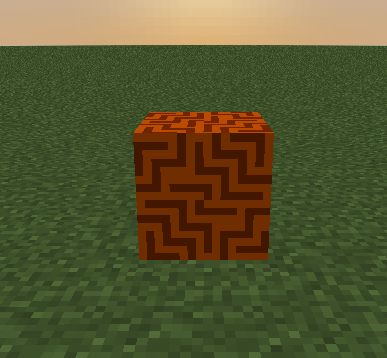
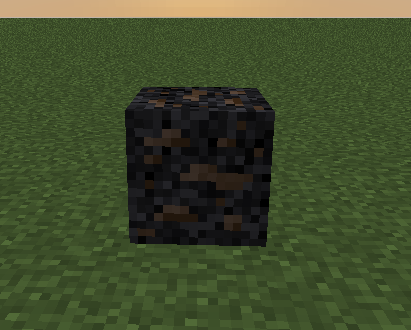
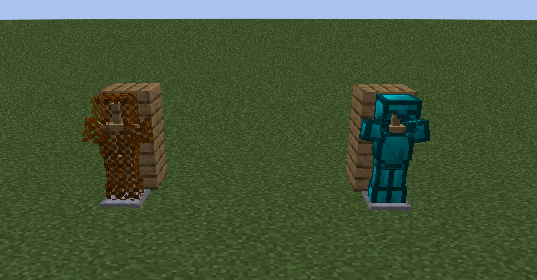
介绍
Explorez de nouveaux horizons avec des biomes détaillés et des expériences culturelles uniques.
-**mise a jour d’Halloween**
We are thrilled to announce that the long-awaited MINEWORLD Mod Version 1.0 is now available! Immerse yourself in this whole new world of adventures, explore unknown lands, discover valuable minerals and embark on epic challenges. Join us now for a renewed and exciting Minecraft experience. 🚀🪐🔮
By the way, here is an overview of the upcoming updates for the MINEWORLD Mod:
🌟 **Upcoming Planned Updates** 🌟
– **1.1: TOOLS UPDATE v1**
Explore an even wider variety of tools to enrich your underground adventures.
– **1.2: UPDATE OF POTIONS**
Master new magic potions for unique and surprising effects.
– **2.0: Updated dimensions**
Discover mysterious new dimensions, captivating minerals and other surprises.
– **3.0: BIOMES UPDATE**
Dive into a variety of fascinating biomes in the Nether, the Plains and beyond.
– **3.1: END UPDATE**
Explore a major transformation of The End with new structures, biomes, items and creatures.
– **3.3: BOSS UPDATE**
Face powerful bosses in various biomes and dimensions for sensational rewards.
– **4.0: TNT UPDATES**
Get ready for spectacular explosions with new TNT variants.
– **4.1: Corrections and Improvements**
Bug fixes and optimizations to polish your experience.
**5.0: Cultural Update**
Explore new horizons with detailed biomes and unique cultural experiences.
**5.1: Tools Update V2**
Improve your tools and abilities for an even richer and more captivating adventure.
Stay tuned on our Discord server and get ready for these exciting updates that will further enrich your MINEWORLD experience! 🚀🔮🔧🌌
常见问题
MINEWORLD (OFFICIAL) 支持哪些 Minecraft 版本?
MINEWORLD (OFFICIAL) 支持 Minecraft Java 版 1.19.4–1.20.1,共 2 个版本,可用的加载器:Fabric / Forge。下载时注意选择和你游戏版本一致的文件。
MINEWORLD (OFFICIAL) 怎么安装?
先用 PCL2 或 HMCL 启动器安装对应版本的 Fabric / Forge,再把下载的 .jar 文件放进游戏目录的 mods 文件夹,重新启动游戏即可。开启了版本隔离的,mods 文件夹在 versions/版本名 下面。
评论
登录后评论和评分