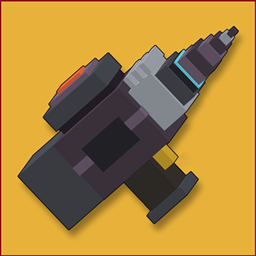
Miner’s Toolkit
Powerful drills, advanced mining modes, and modular upgrades designed to make large-scale mining easier with drill.
截图
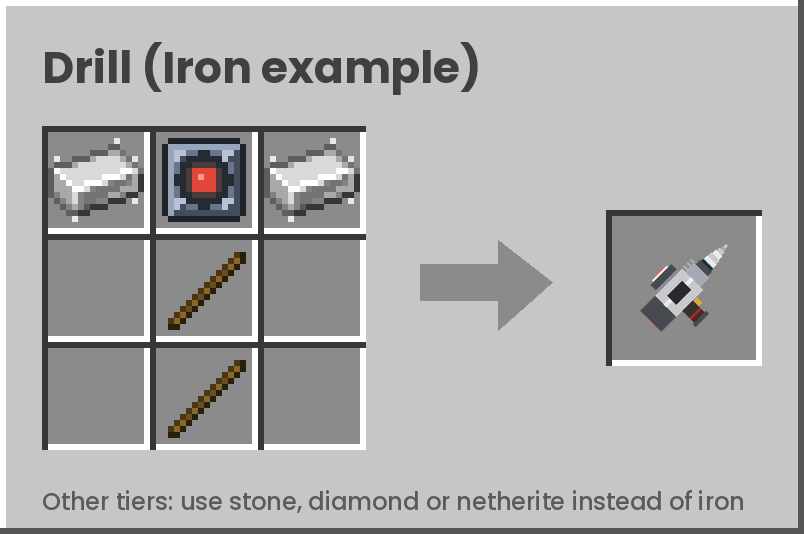
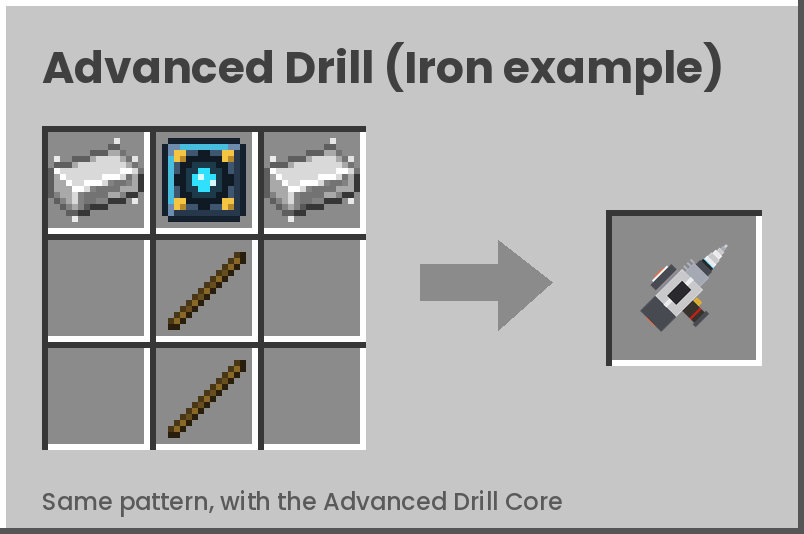
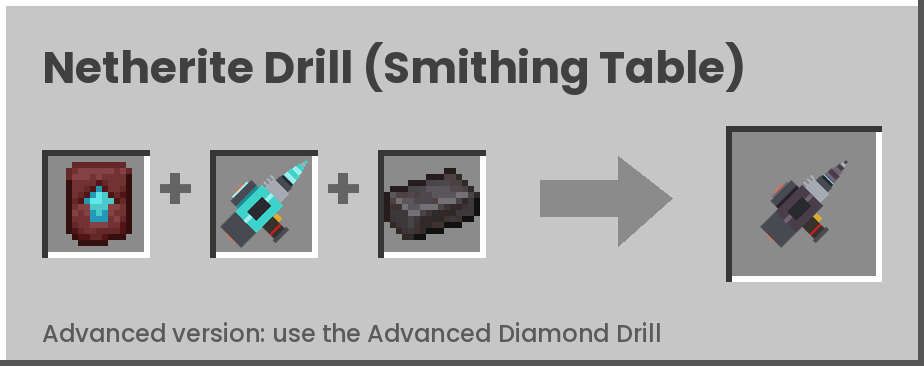
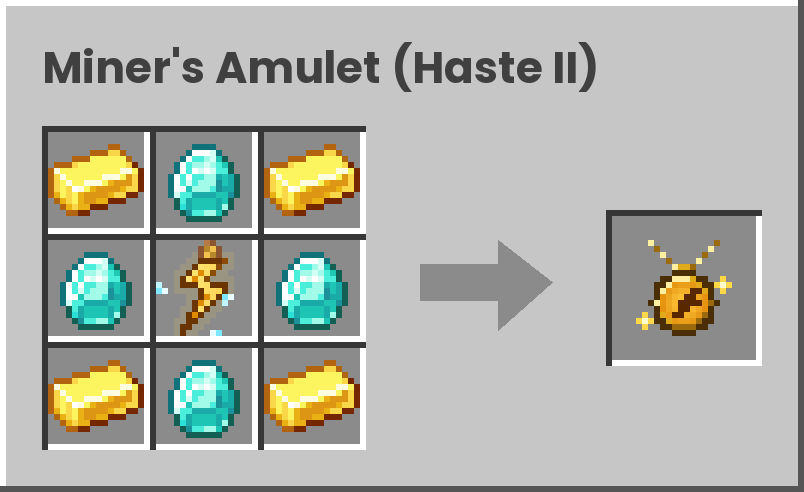
介绍
Miner’s Toolkit is a Minecraft mod focused on making large-scale mining more efficient and convenient. Whether you’re excavating a massive underground base, clearing space for a big construction project, or simply tired of mining one block at a time, Miner’s Toolkit aims to make the job easier.
Features
Multi-Block Drills — Mine multiple blocks at once with specialized drills.
Advanced Mining — Expand your mining capabilities with larger-area mining modes.
Modular Equipment — Enhance your tools with useful upgrades.
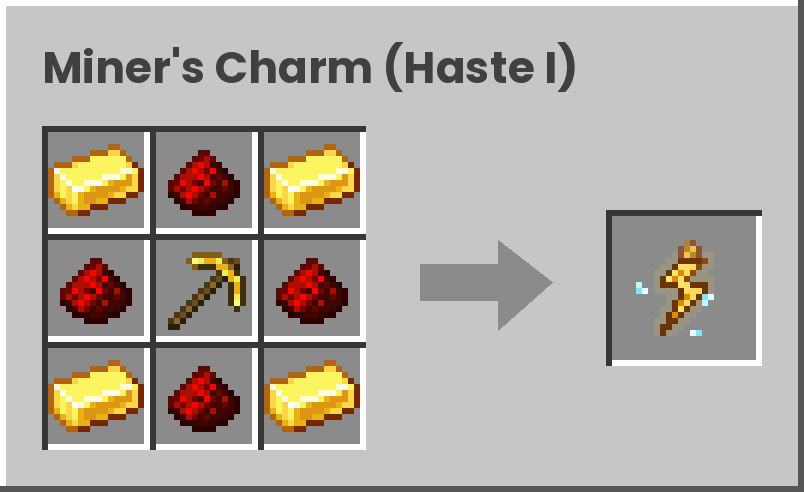
Haste Items — Get access to dedicated items designed to improve mining speed.
Ongoing Development — More tools, upgrades, and features may be added as the project evolves
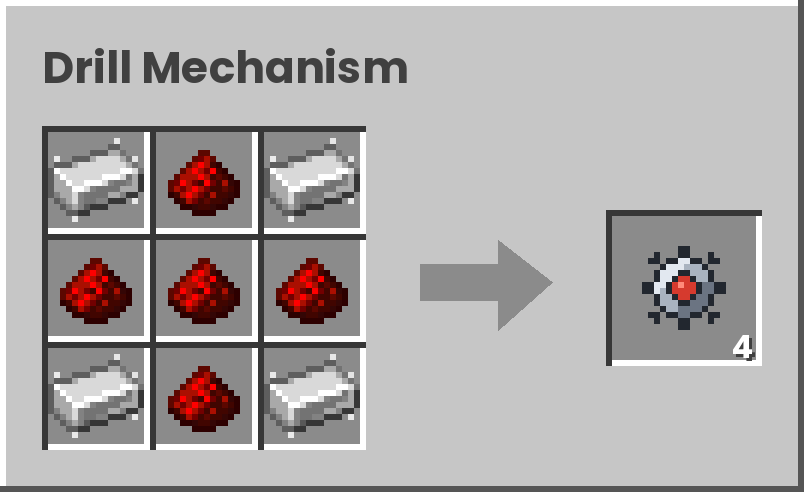
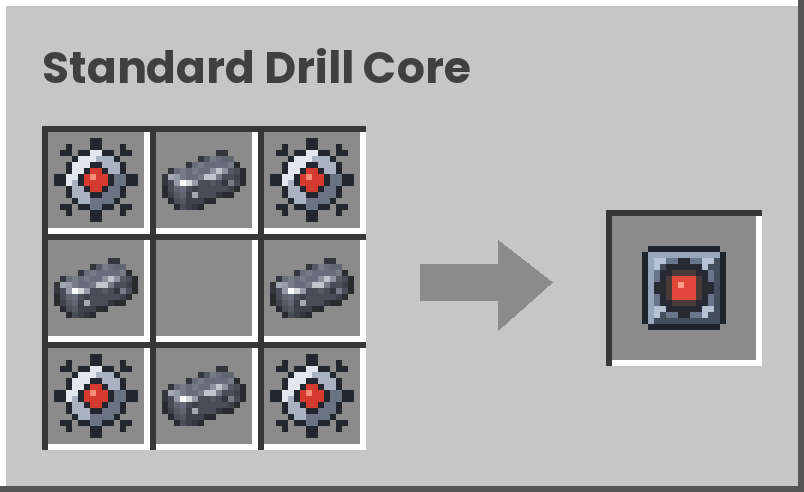
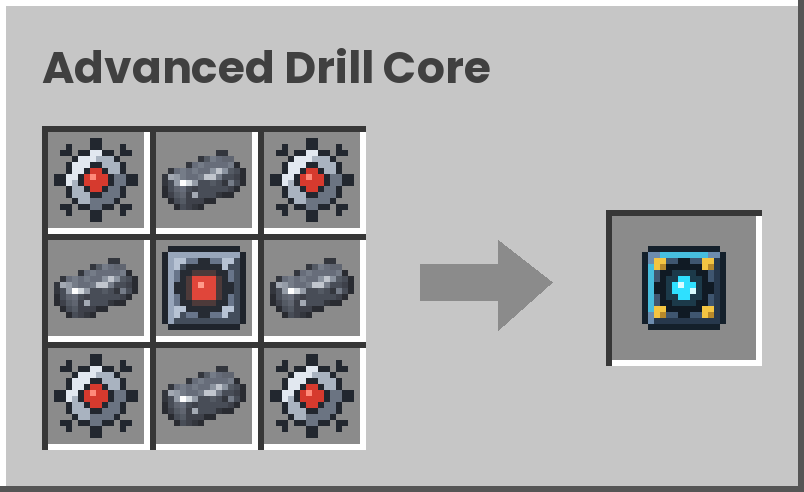
**This mod adds “steel ore”, generating at diamond depth and slightly more common than diamonds. Steel is used in drill recipes and steel from other mods works in all recipes, so you can add Miner’s Toolkit to an existing world if you have already steel in your modpack. It works completely fine with the JEI (Just Enough Items), so you can view all the recipes there.**
Drills: Stone, Iron, Diamond and Netherite. Each tier comes in two types.
Standard Drill: mines a 3×3 area in a single break.
Advanced Drill: mines a 3x3x6 area. Advanced drills can switch between standard and advanced mode, so you never need to craft a second drill just for 3×3 tunnels (shift+right click to change modes).
That makes 8 drills in total. All of them also dig dirt, gravel and similar blocks quickly, so you are never slowed down while mining.
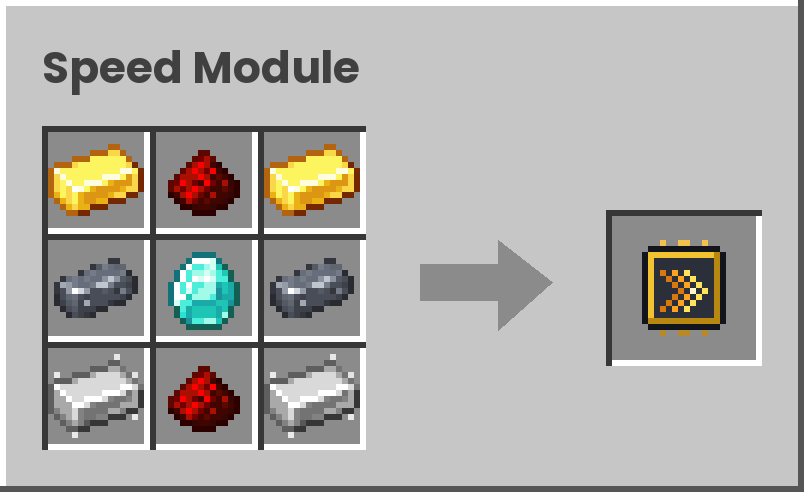
Drill Modules: Customize your drill with upgrade modules
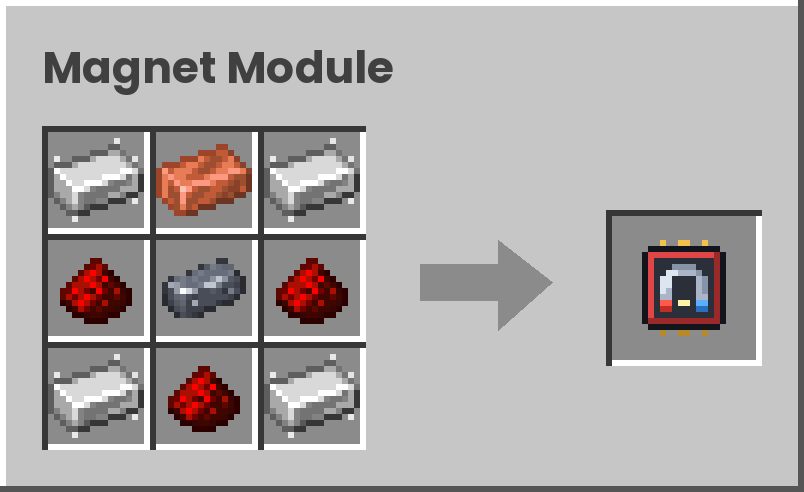
-Magnet Module
-Speed Module
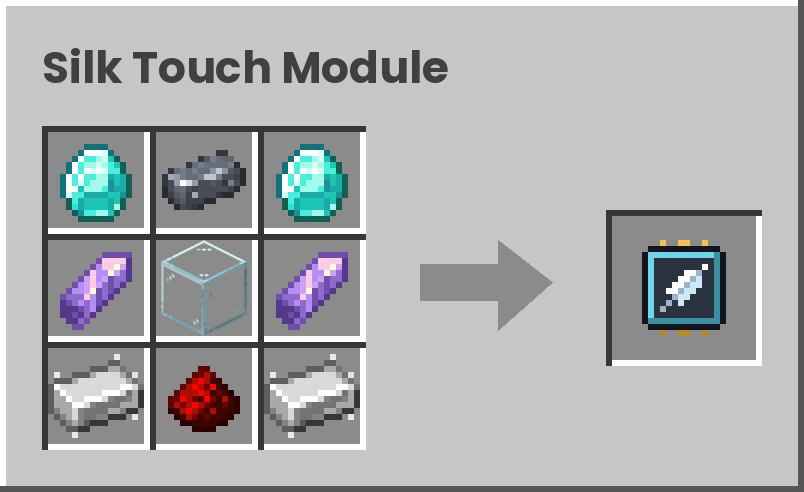
-Silk Touch Module
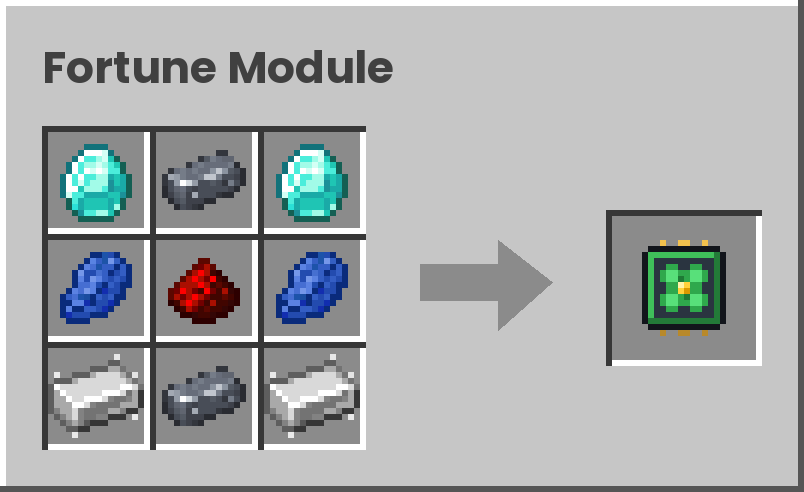
-Fortune Module
Compatibility
Minecraft: 26.1.2
Mod Loader: NeoForge
Tested Mod Loader Version: 26.1.2.109
Feedback and bug reports are welcome in the comments!
常见问题
Miner’s Toolkit 支持哪些 Minecraft 版本?
Miner’s Toolkit 支持 Minecraft Java 版 26.1.2,可用的加载器:NeoForge。下载时注意选择和你游戏版本一致的文件。
Miner’s Toolkit 怎么安装?
先用 PCL2 或 HMCL 启动器安装对应版本的 NeoForge,再把下载的 .jar 文件放进游戏目录的 mods 文件夹,重新启动游戏即可。开启了版本隔离的,mods 文件夹在 versions/版本名 下面。
评论
登录后评论和评分