
截图
介绍
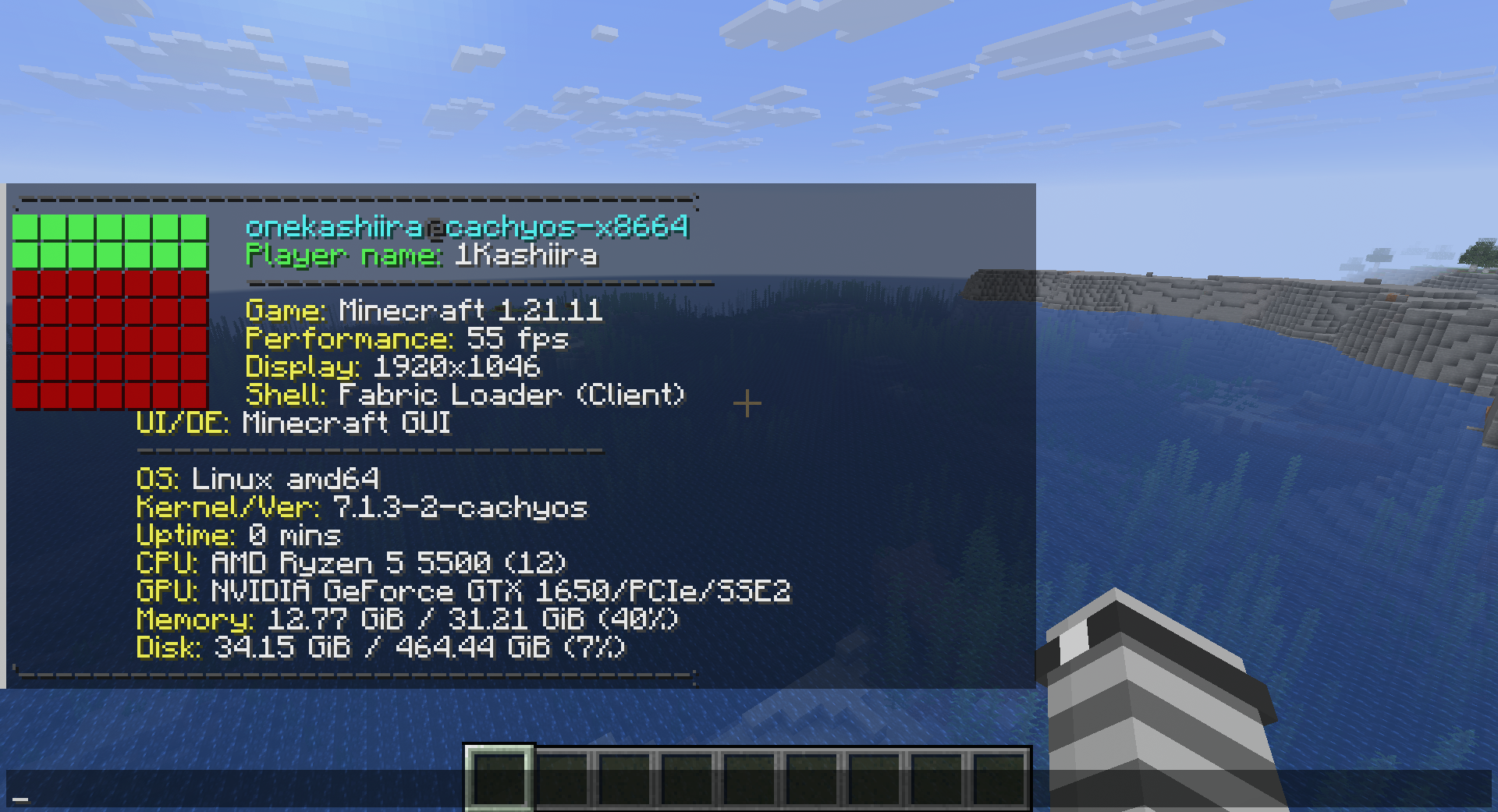
A lightweight, fast, and highly customizable system information tool, bringing the classic terminal fetch aesthetic directly into your Minecraft chat.
Inspired by tools like fastfetch and neofetch, Minefetch is built for players who appreciate minimalism and system transparency. Whether you are running a complex modpack or a bare-metal custom OS, Minefetch provides a sleek, keyboard-centric way to inspect your environment without leaving the game.
Key Features:
System Diagnostics: Instantly display your OS, CPU, GPU, memory, and disk usage within the chat interface.
Customizable Aesthetics: Personalize your fetch output with custom logos and color schemes through an intuitive in-game menu.
Built for Power Users: Developed with a focus on efficiency and compatibility, specifically optimized for Arch-based Linux distributions and tiling window manager environments.
Minimalist & Clean: Designed to match the clean, dark-themed aesthetic preferred by advanced Linux users.
Seamless Integration: Fully compatible with Fabric, including support for modern loaders like NeoForge and Prism Launcher.
Required Dependencies: To ensure Minefetch works correctly, please install the following dependencies:
Fabric API (Required for client command registration and system resource access)
Cloth Config API (Required for the configuration menu system)
Mod Menu (Highly recommended for easy access to in-game settings)
Minefetch is the perfect companion for anyone who manages their system with the same precision they apply to their Minecraft builds.
P.S: Use /cls to clear the chat
常见问题
Minefetch 支持哪些 Minecraft 版本?
Minefetch 支持 Minecraft Java 版 1.21.11,可用的加载器:Fabric。下载时注意选择和你游戏版本一致的文件。
Minefetch 怎么安装?
先用 PCL2 或 HMCL 启动器安装对应版本的 Fabric,再把下载的 .jar 文件放进游戏目录的 mods 文件夹,重新启动游戏即可。开启了版本隔离的,mods 文件夹在 versions/版本名 下面。运行环境:客户端 / 服务端。
评论
登录后评论和评分